
1. Introdución
This manual provides detailed instructions for the proper use and maintenance of your Edifier W820BT Bluetooth Headphones. Please read this manual thoroughly before using the product to ensure optimal performance and longevity.
2. Contido do paquete
Verify that all items listed below are included in your package. If any items are missing or damaged, please contact Edifier customer support.
- Edifier W820BT Bluetooth Headphones
- Cable de carga (USB)
- Cable de audio (3.5 mm)
- Manual de usuario (este documento)
3. Produto rematadoview
The Edifier W820BT headphones are designed for comfort and extended listening, featuring Bluetooth v4.1 connectivity and a long-lasting battery.
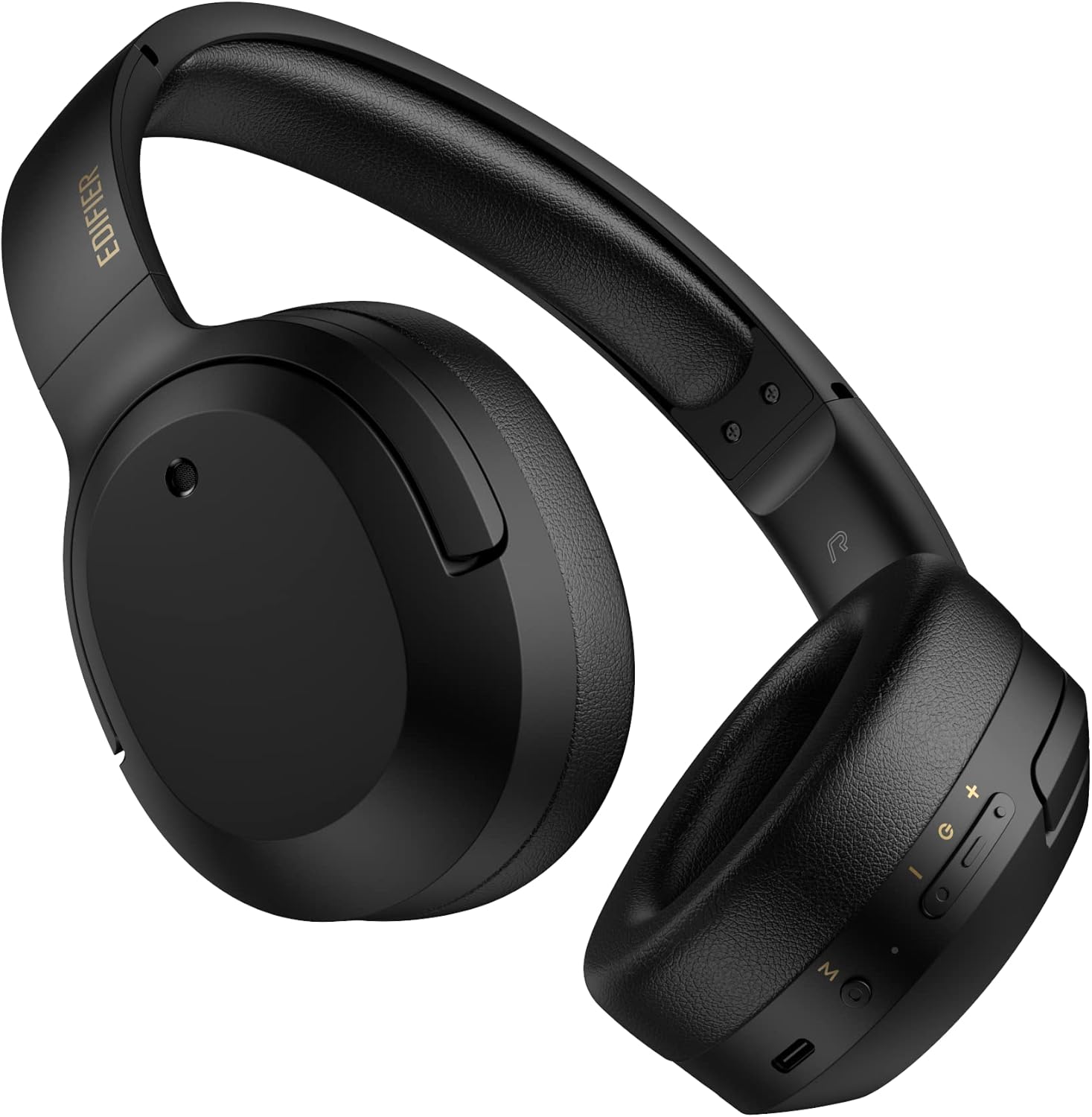
Figura 3.1: Fronte view of the Edifier W820BT Bluetooth Headphones.

Figura 3.2: Lateral view of the Edifier W820BT Bluetooth Headphones, highlighting the control buttons.
Características principais:
- Bluetooth V4.1 with CSR Technology for stable wireless connection.
- Ata 80 horas de duración da batería.
- Foldable design for portability.
- Soft leather ear pads for comfort.
- Durable and flexible steel headband.
- On-ear controls for media playback and calls.
4. Configuración
4.1 Carga dos auriculares
Antes do primeiro uso, cargue completamente os auriculares.
- Connect the micro-USB end of the charging cable to the charging port on the headphone (located on the right earcup).
- Conecta o extremo USB-A do cable de carga a un adaptador de corrente USB (non incluído) ou ao porto USB dun ordenador.
- O indicador LED acenderase durante a carga e apagarase unha vez que estea completamente cargado.
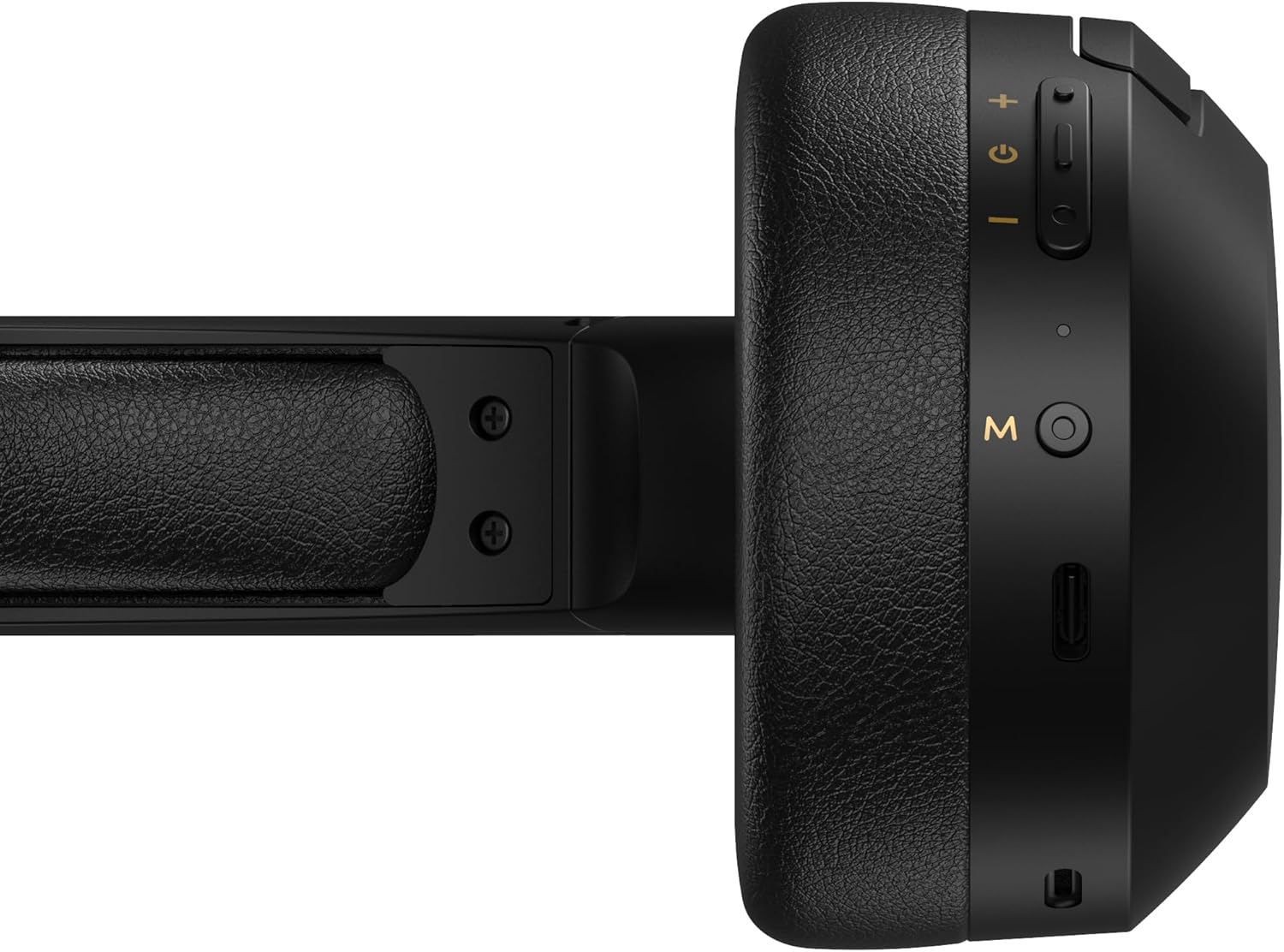
Figure 4.1: Close-up of the charging port and control buttons on the right earcup.
4.2 Acendido/Apagado
- Para acender: Press and hold the multi-function button (usually marked with a power icon or 'M') for approximately 3 seconds until the LED indicator flashes blue.
- Para apagar: Press and hold the multi-function button for approximately 5 seconds until the LED indicator flashes red and then turns off.
4.3 Emparejamento Bluetooth
Para conectar os auriculares a un dispositivo con Bluetooth:
- Asegúrese de que os auriculares estean apagados.
- Press and hold the multi-function button for approximately 5-7 seconds until the LED indicator flashes red and blue alternately. This indicates pairing mode.
- No teu dispositivo (teléfono intelixente, tableta, ordenador), activa o Bluetooth e busca os dispositivos dispoñibles.
- Select "EDIFIER W820BT" from the list of found devices.
- Unha vez emparellado, o indicador LED parpadeará lentamente en azul.
Nota: Os auriculares tentarán reconectarse automaticamente co último dispositivo emparellado ao acenderse.
5. Instrucións de funcionamento
5.1 Controis supraaurais
The control buttons are located on the right earcup.
| Botón/Acción | Función |
|---|---|
| Multi-function Button (M) |
|
| Subir volume (+) |
|
| Baixar volume (-) |
|
5.2 conexión por cable
The W820BT headphones can also be used with a wired connection.
- Connect one end of the 3.5mm audio cable to the audio input jack on the left earcup of the headphones.
- Conecta o outro extremo do cable de audio de 3.5 mm á toma de saída de audio do teu dispositivo.
- The headphones will automatically switch to wired mode. Bluetooth functionality will be disabled.

Figure 5.1: Connecting the 3.5mm audio cable for wired listening.
6. Mantemento
- Limpa os auriculares cun pano suave e seco. Non empregues produtos de limpeza abrasivos nin disolventes.
- Evite expoñer os auriculares a temperaturas extremas, humidade ou luz solar directa.
- Garda os auriculares nun lugar fresco e seco cando non os uses. O deseño pregable permite un almacenamento compacto.
- Do not disassemble the headphones. This will void the warranty.
7 Solución de problemas
If you encounter issues with your Edifier W820BT headphones, refer to the following common problems and solutions:
| Problema | Solución |
|---|---|
| Non se pode acender | Ensure the headphones are charged. Connect to a power source using the charging cable. |
| Non se pode emparellar por Bluetooth |
|
| Sen son |
|
| Mala calidade de son |
|
8. Especificacións
| Característica | Detalle |
|---|---|
| Nome do modelo | W820BT |
| Tecnoloxía de conectividade | Sen fíos (Bluetooth), con cable (conector de 3.5 mm) |
| Versión Bluetooth | 4.1 |
| Duración da batería | Ata 80 horas |
| Forma do auricular | Sobre orella |
| Material | Steel (headband) |
| Peso do elemento | 1.14 libras (aprox. 517 g) |
| Dimensións do produto | 9.25 x 7.64 x 3.41 polgadas |
| Fabricante | Edificador |
9. Garantía e soporte
Edifier provides a garantía dun ano in the USA and Canada for the W820BT headphones. For warranty claims or technical support, please contact Edifier customer service.
For more information, visit the official Edifier websitio web ou consulte a documentación da súa compra.
10. Demostración en vídeo
Watch the official product video for a visual guide on the Edifier W820BT Bluetooth Headphones' features and usage.
Vídeo 10.1: Produto oficial rematadoview of the Edifier W820BT Bluetooth Headphones, demonstrating features like battery life, comfort, foldable design, and on-ear controls.