
Introdución
This manual provides essential instructions for the safe and efficient use of your AKG Y100 Wireless Bluetooth Earbuds. Please read this manual thoroughly before using the product and retain it for future reference.
The AKG Y100 earbuds are designed to deliver crisp, clean sound with the convenience of wireless connectivity. They feature a lightweight, ergonomic neckband and multi-point connectivity for seamless switching between devices.
Información de seguridade
- Do not expose the earbuds to extreme temperatures, humidity, or corrosive environments.
- Evita deixar caer os auriculares nin someterlos a impactos fortes.
- Do not disassemble or attempt to repair the earbuds yourself. This may void the warranty and cause damage.
- Keep the earbuds away from children and pets.
- Emprega só o cable de carga incluído ou un equivalente certificado.
- Listening at high volumes for extended periods can cause hearing damage. Adjust volume to a safe level.
Contido do paquete
Verifica que todos os elementos estean presentes no paquete do teu produto:
- AKG Y100 Wireless Bluetooth Earbuds
- 3 Size ear tips (Small, Medium, Large)
- Cable de carga micro USB
- Funda protectora
- Guía de inicio rápido (non incluída neste manual dixital)
Produto rematadoview
Familiarize yourself with the components and controls of your AKG Y100 earbuds.
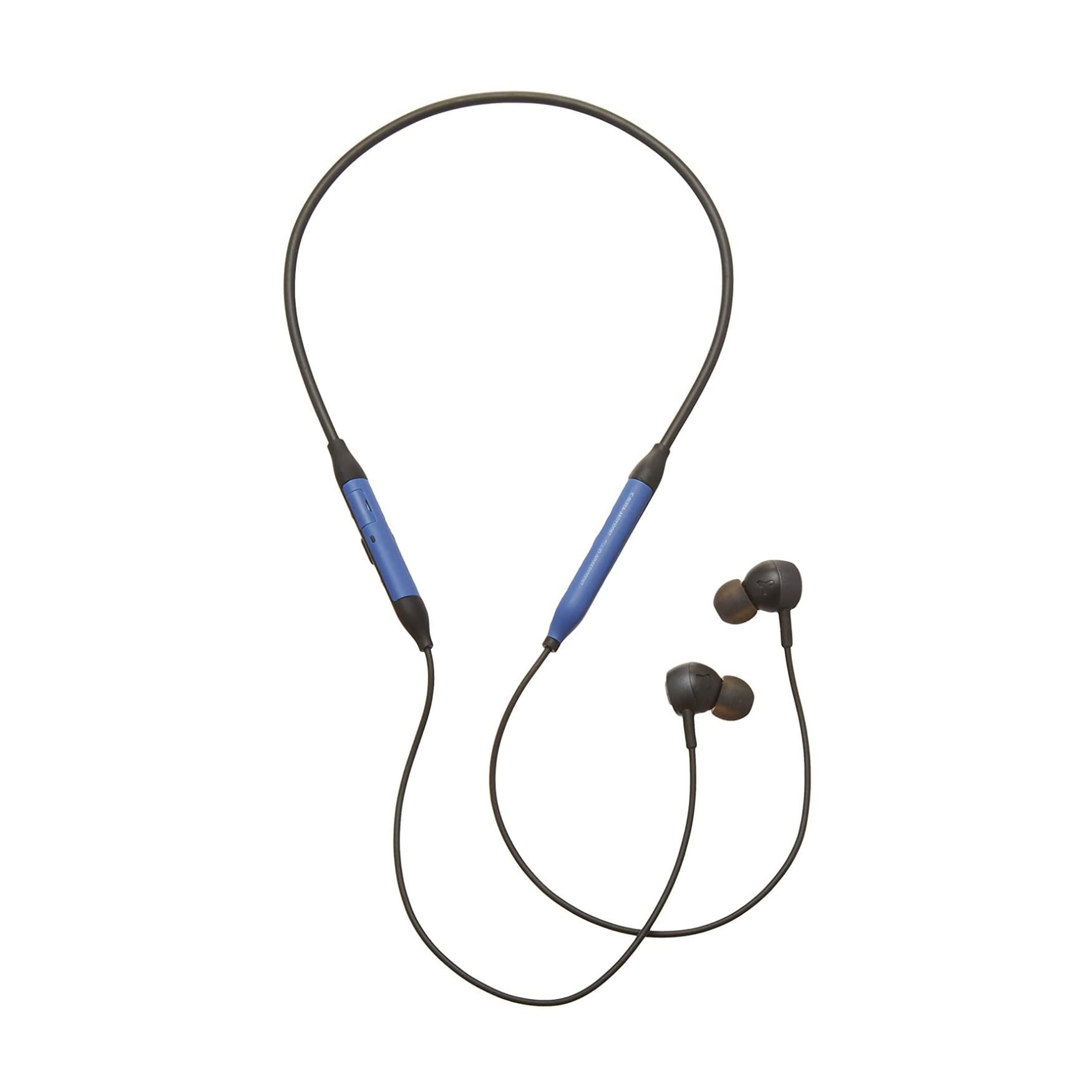
Imaxe: Fronte view of the AKG Y100 Wireless Bluetooth Earbuds, highlighting the blue AKG logo on each earbud.

Image: The AKG Y100 Wireless Bluetooth Earbuds showing the inline remote control with buttons for volume and playback.
Controis:
- Botón de encendido: Located on the inline remote. Used for powering on/off and Bluetooth pairing.
- Botóns subir / baixar volume: Axustar o volume do son.
- Botón multifunción: Controls music playback (play/pause, skip tracks) and call management (answer/end calls).
- Micrófono: Integrated for hands-free calling and voice control.
- Porto de carga: Micro USB port for charging the earbuds.
Configuración
1. Cargando os auriculares
Before first use, fully charge your AKG Y100 earbuds.
- Connect the Micro USB charging cable to the charging port on the inline remote.
- Conecte o outro extremo do cable a unha fonte de alimentación USB (por exemplo, un ordenador, un adaptador de parede).
- The LED indicator will show charging status. A full charge provides up to 8 hours of playback. A 15-minute speed charge can provide an additional hour of music.
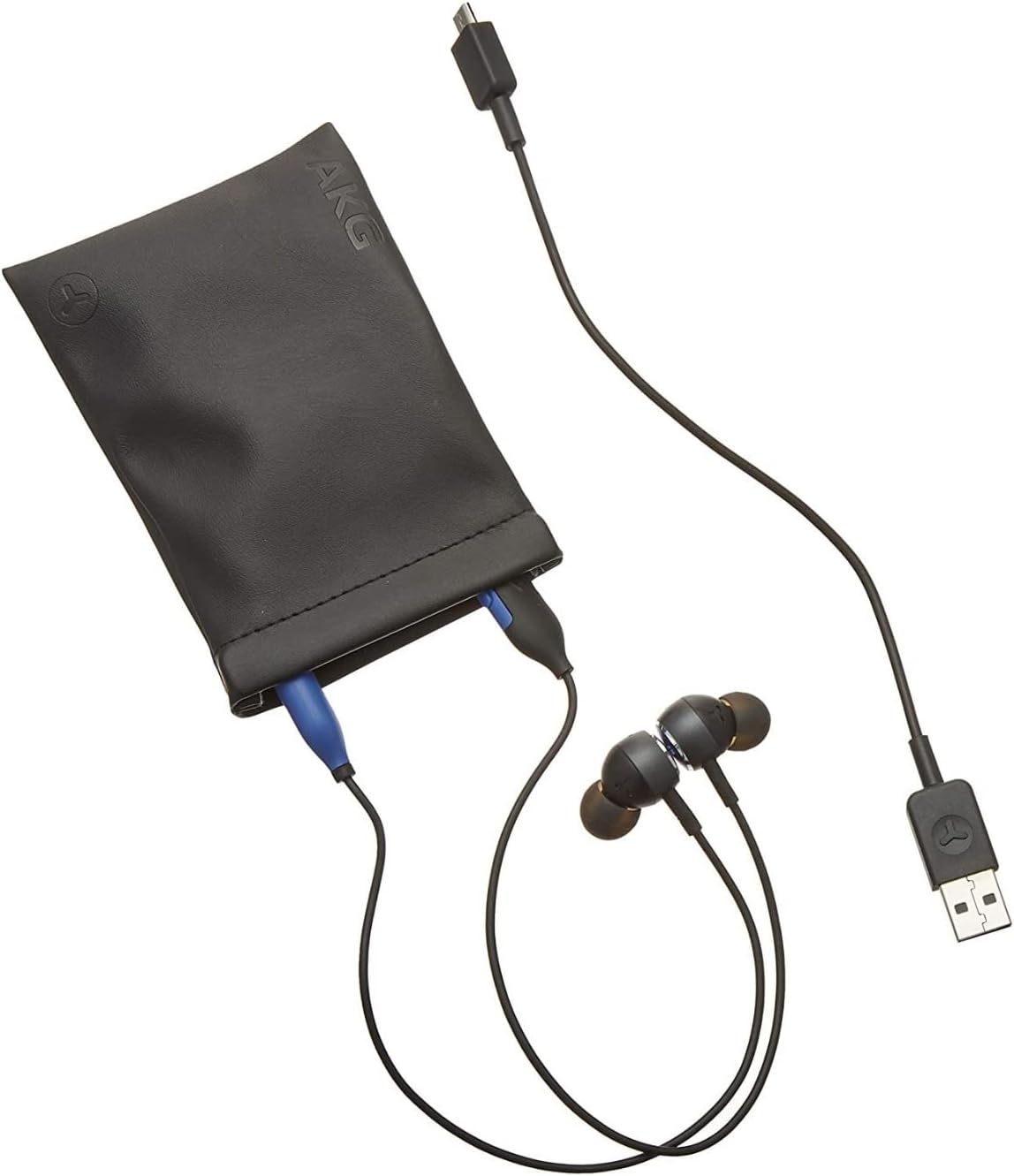
Image: The AKG Y100 Earbuds, protective case, and Micro USB charging cable, illustrating the components included.
2. Emparellamento Bluetooth
Para conectar os auriculares a un dispositivo:
- Asegúrate de que os auriculares estean cargados e apagados.
- Manteña premido o botón de acendido/apagado ata que o indicador LED parpadee en azul e vermello, o que indica o modo de emparellamento.
- No teu dispositivo (teléfono intelixente, tableta, ordenador), activa o Bluetooth e busca os dispositivos dispoñibles.
- Select "AKG Y100" from the list of found devices.
- Unha vez conectado, o indicador LED amosará unha luz azul fixa ou parpadeará en azul lentamente.
Multi-Point Connectivity: The AKG Y100 supports connecting to two Bluetooth devices simultaneously. After pairing with the first device, put the earbuds back into pairing mode and connect to the second device. The earbuds will intelligently switch between the two connected devices for audio and calls.
3. Colocación dos auriculares
For optimal sound quality and comfort, choose the correct size ear tips.
- Experiment with the three provided ear tip sizes (Small, Medium, Large).
- Gently insert the earbuds into your ears, ensuring a snug fit that seals the ear canal.
- The ergonomic neckband should rest comfortably around your neck.

Image: A person wearing the AKG Y100 Wireless Bluetooth Earbuds, demonstrating the comfortable fit of the neckband and earbuds.
Funcionamento dos auriculares
Encendido/apagado
- Encendido: Manteña premido o botón de acendido/apagado durante aproximadamente 2 segundos ata que o indicador LED parpadee en azul.
- Apagado: Press and hold the Power button for approximately 3 seconds until the LED indicator flashes red and then turns off.
Reprodución de música
- Reproducir/Pausa: Prema o botón multifunción unha vez.
- Próxima pista: Prema dúas veces o botón multifunción.
- Pista anterior: Prema tres veces o botón multifunción.
- Subir volume: Preme o botón Subir volume.
- Baixar volume: Prema o botón para baixar o volume.
Xestión de chamadas
- Responder/Finalizar chamada: Prema o botón multifunción unha vez.
- Rexeitar a chamada: Manteña premido o botón multifunción durante 2 segundos.
- Activar o asistente de voz: Press and hold the Multi-function button for 2 seconds when not on a call.
Ambient Aware Mode
The AKG Y100 features an Ambient Aware mode, which allows you to hear your surroundings more clearly without removing your earbuds. This is useful for situations where you need to be aware of your environment, such as during commutes or in an office setting.
- Activate/Deactivate Ambient Aware: Refer to your device's Bluetooth settings or the AKG app (if available) for specific controls, as this feature may be managed through software. On some models, a dedicated button or a specific combination of button presses on the inline remote may control this function.
Mantemento
- Limpeza: Wipe the earbuds and neckband with a soft, dry cloth. Do not use harsh chemicals or abrasive materials. Remove ear tips and clean them with mild soap and water, then dry thoroughly before reattaching.
- Almacenamento: When not in use, store the earbuds in the provided protective case to prevent damage. Avoid storing in direct sunlight or extreme temperatures.
- Resistencia á auga: The earbuds are water resistant. However, they are not waterproof. Avoid submerging them in water or exposing them to heavy rain. Dry thoroughly if they get wet.
Resolución de problemas
| Problema | Causa posible | Solución |
|---|---|---|
| Os auriculares non se acenderon. | Batería baixa. | Charge the earbuds fully using the Micro USB cable. |
| Non se pode emparellar co dispositivo. | Earbuds not in pairing mode; device Bluetooth off; too far from device. | Ensure earbuds are in pairing mode (flashing blue/red LED). Turn on Bluetooth on your device. Move earbuds closer to the device (within 10 meters). |
| Sen son ou mala calidade de son. | Volume too low; earbuds not properly seated; device not connected. | Increase volume on earbuds and device. Adjust earbud fit. Re-pair the earbuds with your device. |
| Multi-point connection issues. | Incorrect switching; device compatibility. | Ensure both devices are paired. The earbuds prioritize active audio/calls. If issues persist, disconnect and re-pair one device at a time. |
Especificacións
| Nome do modelo | Y100 |
| Tecnoloxía de conectividade | Sen fíos (Bluetooth) |
| Versión Bluetooth | 4.2 |
| Bluetooth Pro compatiblefiles | HFP V1.7, A2DP V1.3, AVRCP V1.5 |
| Duración da batería | Ata 8 horas |
| Carga de velocidade | 15 minutos para 1 hora de reprodución |
| Tipo de control | Voice Control, Touch-based controller |
| Peso do elemento | 24 gramos (0.847 onzas) |
| Nivel de resistencia á auga | Resistente á auga |
| Fabricante | Samsung (AKG by Harman) |
| Dimensións do produto | 3.86 x 2.01 x 5.91 polgadas |
Garantía e Soporte
For warranty information and technical support, please refer to the documentation included with your purchase or visit the official AKG/Samsung support websitio. Garda o comprobante de compra para reclamacións de garantía.
Se atopa problemas que non se tratan neste manual, póñase en contacto co servizo de atención ao cliente para obter axuda.