
1. Introdución
Grazas pola compraasing the Xtrike Me GMP-501 Optical Gaming Mouse and Mat. This manual provides detailed instructions for setup, operation, and maintenance to ensure optimal performance and an enhanced gaming experience. Please read this manual thoroughly before using the product.
2. Contido do paquete
Verifique que todos os elementos que se indican a continuación estean presentes no seu paquete:
- Xtrike Me GMP-501 Optical Gaming Mouse
- High-Density Gaming Mat (300 x 230 x 3 mm)
3. Características clave
The Xtrike Me GMP-501 gaming set offers the following features:
- Deseño ergonómico: Engineered for a comfortable and secure grip during extended gaming sessions.
- Sensor óptico: Provides precise tracking and responsiveness.
- DPI axustable: Four selectable DPI levels (800 / 1600 / 2400 / 3200) for on-the-fly sensitivity adjustments.
- 7 Botóns: Includes standard left/right click, scroll wheel, DPI button, and two side buttons for enhanced control.
- Iluminación retroiluminada: Integrated lighting for an immersive gaming aesthetic.
- Conexión USB con cable: Reliable and lag-free connection with a 180 cm (approximately 70 inches) cable.
- Ampla compatibilidade: Supports Windows XP, Windows Vista, Windows 7, Windows 8, and Windows 10.
- High-Density Gaming Mat: Provides a smooth and consistent surface for optimal mouse movement.
4. Configuración
4.1 Conexión do rato
- Unpack the Xtrike Me GMP-501 gaming mouse from its packaging.
- Localiza un porto USB dispoñible no teu ordenador.
- Plug the USB connector of the mouse firmly into the USB port.
- O teu ordenador debería detectar e instalar automaticamente os controladores necesarios. Este proceso pode tardar uns intres.
- Once installed, the mouse's backlight will illuminate, indicating it is ready for use.
4.2 Positioning the Gaming Mat
Place the high-density gaming mat on a flat, stable surface where you intend to use your mouse. Ensure there is enough space for comfortable and unrestricted mouse movement.
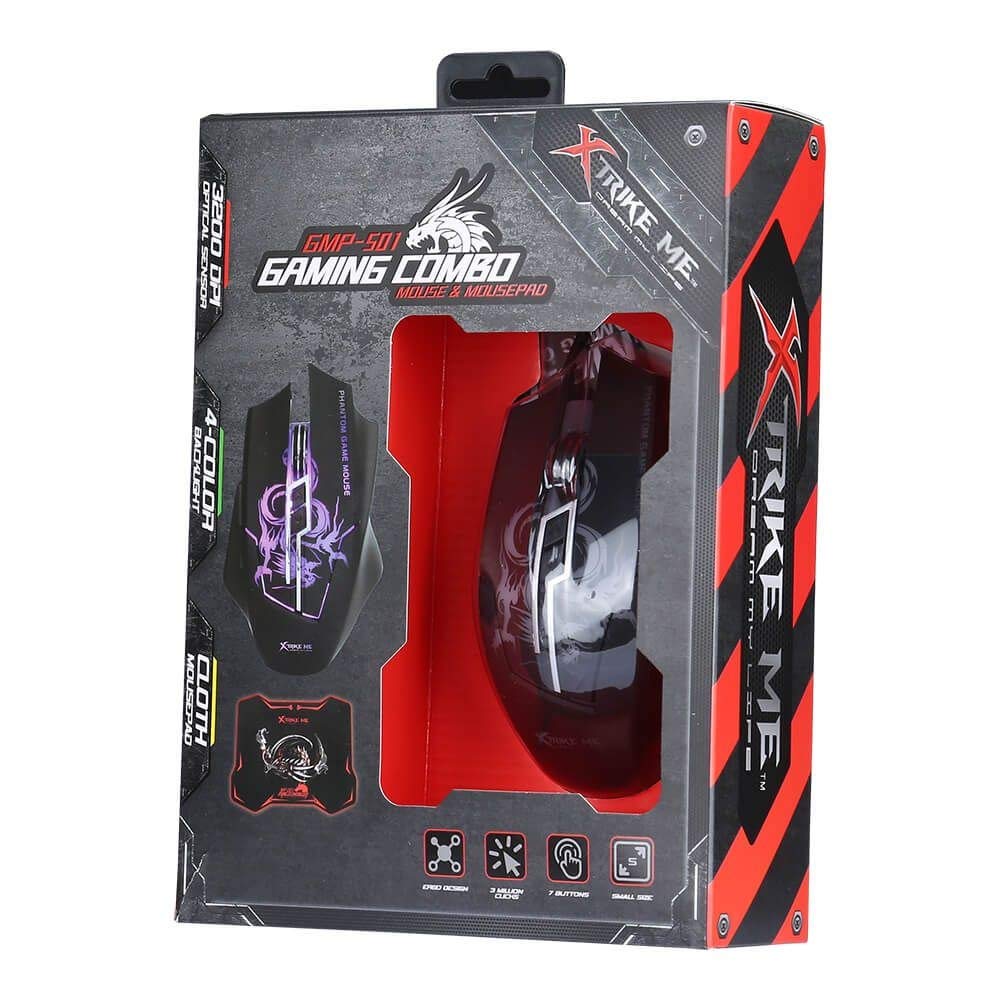
An image showing the Xtrike Me GMP-501 gaming mouse alongside its accompanying high-density gaming mat, which is rolled up. This illustrates the complete product package.
5. Instrucións de funcionamento
5.1 Funcionamento básico
The Xtrike Me GMP-501 functions as a standard optical mouse for general computer use. Move the mouse to control the cursor on your screen. Use the left and right click buttons for primary interactions, and the scroll wheel for vertical navigation.
5.2 Axuste de DPI
The mouse features a dedicated DPI (Dots Per Inch) adjustment button, typically located behind the scroll wheel. Press this button to cycle through the four available DPI settings: 800, 1600, 2400, and 3200. Each press will change the mouse sensitivity, allowing you to quickly adapt to different tasks or game scenarios requiring varying cursor speeds.
5.3 Funcións dos botóns
The GMP-501 mouse is equipped with 7 buttons:
- Left Click (Button 1)
- Right Click (Button 2)
- Scroll Wheel Click (Button 3)
- DPI Adjustment (Button 4)
- Forward Side Button (Button 5)
- Backward Side Button (Button 6)
- Additional Button (Button 7, often located near the thumb rest or on top)
The functions of the side buttons and the additional button may be customizable through your operating system's mouse settings or third-party software (not included with the product).

Un de arriba abaixo view of the Xtrike Me GMP-501 gaming mouse resting on its high-density gaming mat. The mouse features a black body with purple backlit accents and visible buttons, illustrating its ergonomic design.
6. Mantemento
Proper care will extend the life of your Xtrike Me gaming mouse and mat.
- Limpeza do rato: Disconnect the mouse from your computer before cleaning. Use a soft, dry cloth to wipe the surface. For stubborn dirt, a slightly damp cloth can be used, but ensure no moisture enters the mouse's internal components. Avoid using harsh chemicals or abrasive cleaners.
- Cleaning the Gaming Mat: The high-density gaming mat can be cleaned with a damp un pano e xabón suave se é necesario. Déixeo secar completamente ao aire antes de usalo.
- Almacenamento: Store the mouse and mat in a clean, dry environment away from extreme temperatures.
- Desmontaxe: Do not attempt to disassemble the mouse, as this will void the warranty and may cause damage.
7 Solución de problemas
If you encounter issues with your Xtrike Me GMP-501, please refer to the following common problems and solutions:
7.1 O rato non responde
- Asegúrate de que o cable USB estea conectado correctamente a un porto USB que funcione no teu ordenador. Proba cun porto USB diferente.
- Reinicia o teu ordenador.
- Check if the mouse's backlight is illuminated. If not, the mouse may not be receiving power.
7.2 Cursor Movement is Erratic or Jumpy
- Clean the optical sensor on the underside of the mouse with a soft, dry cloth to remove any dust or debris.
- Ensure the gaming mat or surface you are using is clean, flat, and free of obstructions.
- Try adjusting the DPI setting to a lower value to see if sensitivity is the issue.
7.3 Os botóns non funcionan
- Asegúrate de que o rato estea conectado correctamente ao teu ordenador.
- Test the mouse on another computer to determine if the issue is with the mouse or your computer's software/drivers.
- Check your operating system's mouse settings for any disabled buttons or conflicting software.
8. Especificacións
Detailed technical specifications for the Xtrike Me GMP-501:
| Característica | Especificación |
|---|---|
| Modelo | GMP-501 |
| Tipo de sensor | Óptica |
| Configuración de DPI | 800 / 1600 / 2400 / 3200 (axustable) |
| Número de botóns | 7 |
| Conectividade | USB con cable |
| Lonxitude do cable | 180 cm |
| Compatibilidade | Windows XP / Vista / 7/8/10 |
| Gaming Mat Dimensions | 300 x 230 x 3 mm |
| Ergonomía | Ambidiestro |
9. Información sobre a garantía e atención ao cliente
Specific warranty details for the Xtrike Me GMP-501 are not provided in the product information. For warranty claims, returns, or technical assistance, please refer to the retailer's return policy or contact Xtrike Me customer support directly. It is recommended to keep your proof of purchase for any warranty-related inquiries.
For further support and the latest product information, please visit the official Xtrike Me websitio web ou póñase en contacto co seu distribuidor local.