
Introdución
Thank you for choosing the Riwbox CT-7S Kids Wireless Headphones. These headphones are designed with children in mind, featuring a fun cat-ear design with LED lights, 85dB volume limiting for hearing protection, and versatile wired/wireless connectivity. This manual provides detailed instructions to help you get the most out of your new headphones.
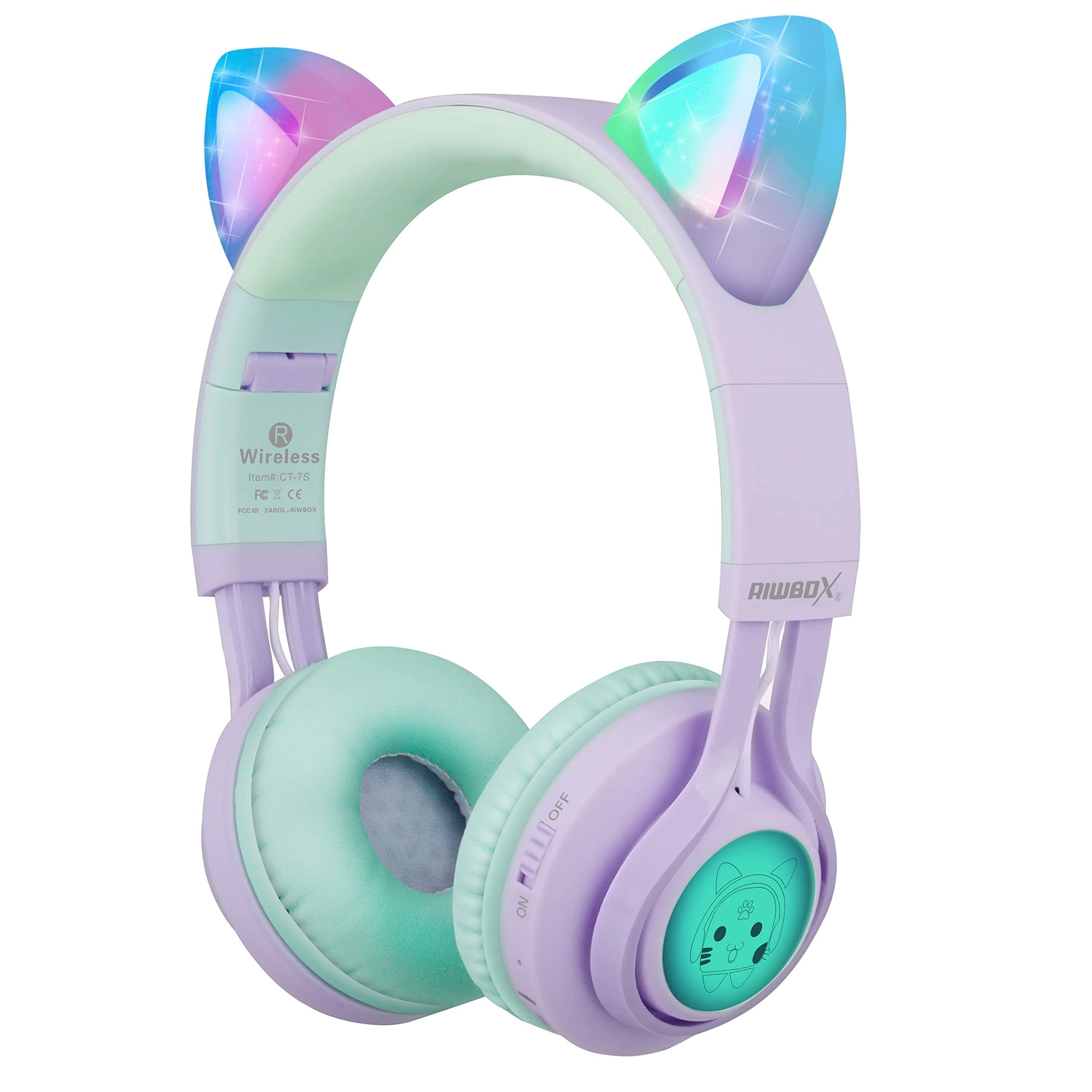
Image: Riwbox CT-7S Kids Wireless Headphones in purple and green, showcasing the cat-ear design and soft earcups.
O que hai na caixa
- Volume limiting cat ear headphones (Wireless)
- 3.5mm Anti-Tangle Audio Cable with Mic
- Cable de carga USB-C
- Manual de usuario

Image: The included 3.5mm audio cable and USB-C charging cable.
Configuración
1. Carga dos auriculares
Before first use, fully charge the headphones. Connect the provided USB-C charging cable to the charging port on the headphone and the other end to a USB power source (e.g., computer, wall adapter). The LED indicator will show charging status. A full charge takes approximately 2 hours and provides up to 40 hours of playback.
2. Acendido/apagado
Locate the ON/OFF switch on the side of the headphone. Slide the switch to the "ON" position to power on. Slide to "OFF" to power off.
3. Emparellamento Bluetooth
- Asegúrese de que os auriculares estean apagados.
- Slide the ON/OFF switch to the "ON" position. The headphones will automatically enter pairing mode, and the LED indicator will flash.
- No teu dispositivo (teléfono intelixente, tableta, portátil), activa o Bluetooth e busca os dispositivos dispoñibles.
- Select "CT-7S" from the list of devices.
- Once paired, the LED indicator will stop flashing and remain solid, and a voice reminder will confirm the connection.
- The connection status and battery level will be shown on your smartphone screen.

Image: Detailed diagram showing the location of the ON/OFF switch, microphone, LED indicator, USB charge port, and 3.5mm audio AUX port on the headphones.
Instrucións de funcionamento
1. Modo con cable (opcional)
If the headphone battery runs out, or if you prefer a wired connection, you can use the provided 3.5mm anti-tangle audio cable. Simply plug one end into the headphone's AUX port and the other end into your device's 3.5mm audio jack. The cable includes a built-in microphone for phone calls.
2. Control de volume
In Bluetooth mode, use the volume control buttons on the headphone to adjust the sound level. The 85dB volume limiting feature ensures safe listening levels for children.
3. Music Playback & Call Management
- Reproducir/Pausa: Prema brevemente o botón Reproducir/Pausa.
- Próxima canción: Mantén premido o botón para subir o volume (+).
- Canción anterior: Mantén premido o botón para baixar o volume (-).
- Responder/Finalizar chamada: Prema brevemente o botón Reproducir/Pausa.
4. Control de luz LED
The cat ears and side panels feature colorful LED lights that can blink and change color with the rhythm of the music. To turn the LED lights ON or OFF, press and hold the 'M' button for 3 seconds. Turning off the LED lights can help conserve battery for longer music playback.

Image: Illustration showing the LED lights on the cat ears and side panels of the headphones.
Mantemento
- Manteña limpos os auriculares limpándoos cun pano suave e seco.
- Evite expoñer os auriculares a temperaturas extremas ou á luz solar directa.
- Garda os auriculares nun lugar fresco e seco cando non os uses. O deseño pregable permite un almacenamento compacto.
- Non intentes desmontar nin reparar os auriculares ti mesmo, xa que isto podería anular a garantía.
- Keep away from water. While the product description mentions "Waterproof" in one specification, it's generally safer to avoid direct water exposure for electronic devices.

Image: Riwbox CT-7S headphones shown in their folded position, highlighting portability.
Resolución de problemas
| Problema | Solución |
|---|---|
| Os auriculares non se acenderán. | Ensure the headphones are charged. Connect the USB-C charging cable and try again. |
| Non se pode emparellar por Bluetooth. |
|
| Sen son no modo sen fíos. |
|
| Sen son no modo con cable. |
|
| As luces LED non funcionan. | Press and hold the 'M' button for 3 seconds to toggle the LED lights on/off. Ensure headphones are charged. |
Especificacións
| Característica | Detalle |
|---|---|
| Número de modelo | CT-7S |
| Marca | ripbox |
| Tecnoloxía de conectividade | Bluetooth, Wired, Wireless |
| Versión Bluetooth | 5.3 |
| Alcance Bluetooth | 50 pés |
| Tamaño do controlador de audio | 40 milímetros |
| Sensibilidade | 85 dB (Volume Limiting) |
| Resposta en frecuencia | 2 kHz |
| Tempo de carga da batería | 2 horas |
| Duración media da batería | 40 horas |
| Tipo de control | Control de volume, táctil, botón |
| Colocación do oído | Na Orella |
| Factor de forma | Over Ear, Foldable |
| Material | Plástico |
| Peso do elemento | 0.35 libras |
Garantía e soporte
Riwbox offers a 1 ano de garantía for products purchased from Amazon. To register for warranty service, please email support@riwbox.com within one week of purchase. Don't forget to offer your order number for verification.
For further assistance or inquiries, please visit the official Riwbox websitio ou póñase en contacto co seu servizo de atención ao cliente.