
Introdución
The Verbatim 70221 Wireless Controller is designed for comfortable gameplay with your Nintendo Switch™ and Nintendo Switch™ Lite consoles. It connects wirelessly via a 2.4GHz connection, ensuring responsive and lag-free performance. This controller also features a vibration function to enhance your gaming experience with realistic feedback. The included microUSB cable allows for convenient charging, ensuring your controller is always ready for use.
Contido do paquete
- 1 x Verbatim 70221 Wireless Controller
- 1 x USB-A to microUSB Charging Cable

Image: The Verbatim 70221 Wireless Controller shown alongside its included USB-A to microUSB charging cable.
Configuración
1. Carga do controlador
Before initial use, ensure the controller is fully charged. Connect the microUSB end of the included cable to the charging port on the controller and the USB-A end to a powered USB port (e.g., Nintendo Switch dock, computer, or USB wall adapter). The controller contains a lithium metal battery.
2. Pairing with Nintendo Switch™ / Switch™ Lite
- Ensure your Nintendo Switch™ console is powered on and updated to the latest system software.
- No menú HOME, seleccione "Controladores", entón "Cambiar agarre/orde".
- No controlador, manteña premido o botón Botón HOME e o Botón Y simultaneously for a few seconds until the player indicator lights begin to flash.
- The console will search for the controller. Once detected, the player indicator light(s) on the controller will illuminate steadily, indicating a successful connection.
- If connection issues occur, try connecting the controller to the Switch dock via the USB cable first, then disconnect and attempt wireless pairing again.
Imaxe: Arriba view of the Verbatim 70221 Wireless Controller, highlighting the HOME and Y buttons for pairing.
Instrucións de funcionamento
1. Acendido/apagado
- To power on the controller, press the Botón HOME. It will attempt to connect to the last paired console.
- The controller will automatically power off after a period of inactivity to conserve battery. To manually power off, press and hold the Botón HOME durante varios segundos.
2. Reconectando
If the controller disconnects or you wish to reconnect it to a previously paired console, simply press the Botón HOME. The controller will automatically attempt to establish a connection.
3. Función de vibración
The controller includes a vibration function for enhanced tactile feedback during gameplay, where supported by the game.

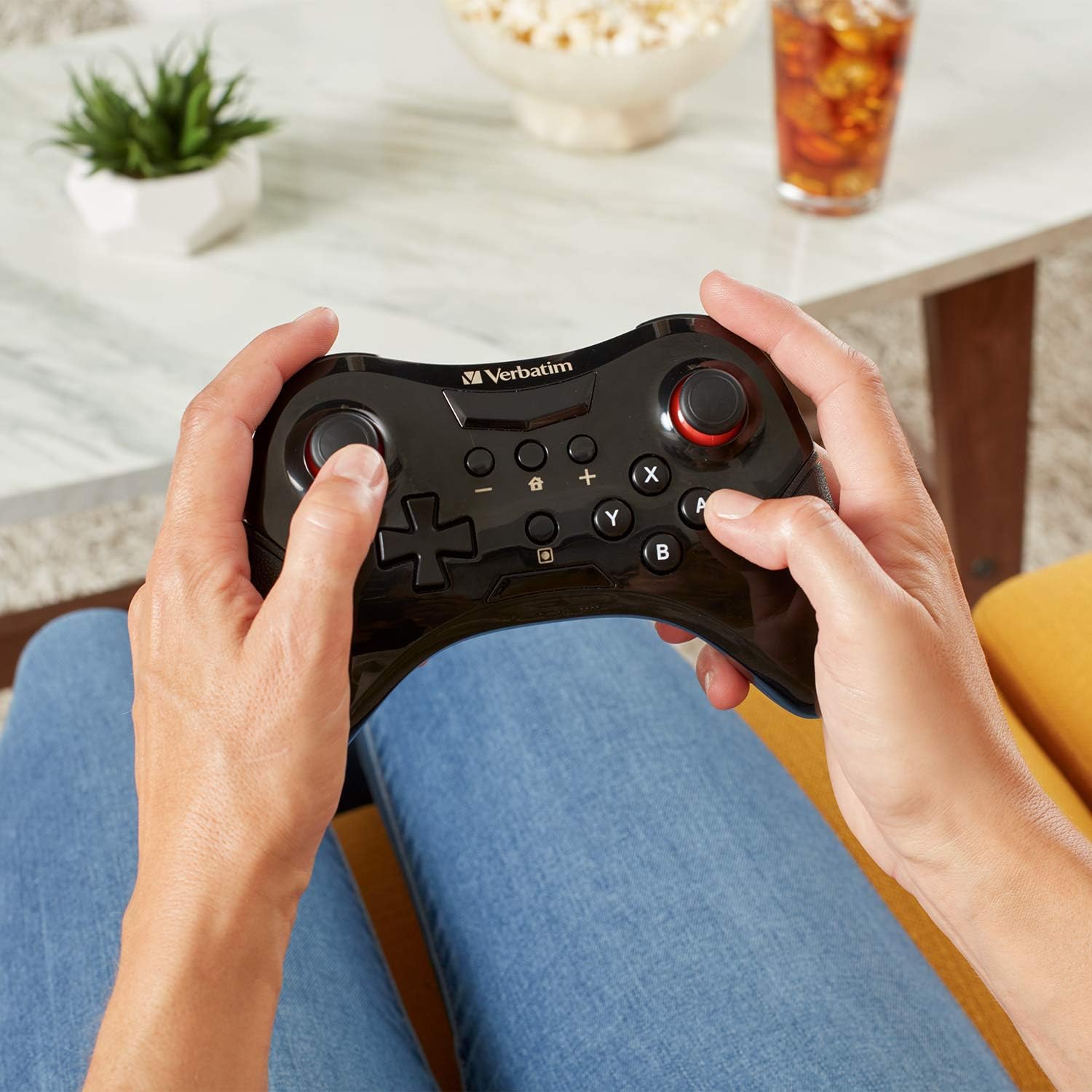
Image: A user holding the Verbatim 70221 Wireless Controller, demonstrating its ergonomic design for comfortable use.
Mantemento
- Keep the controller clean by wiping it with a soft, dry cloth. Do not use harsh chemicals or abrasive materials.
- Evite expoñer o controlador a temperaturas extremas, luz solar directa ou humidade.
- Garde o controlador nun lugar seguro cando non o use para evitar danos.
Resolución de problemas
O controlador non se conecta
- Asegúrate de que o controlador estea completamente cargado.
- Verify that the Nintendo Switch™ console is powered on and within range.
- Repeat the pairing process as described in the "Setup" section.
- Try connecting the controller to the Switch dock via the USB cable first, then disconnect and attempt wireless pairing.
- Check for any obstructions or interference that might affect the 2.4GHz wireless signal.
- Ensure your Nintendo Switch™ system software is up to date.
Os botóns ou os joysticks non responden
- Ensure the controller is properly connected to the console.
- Restart both the controller and the Nintendo Switch™ console.
- If issues persist, contact Verbatim customer support.
Especificacións
| Característica | Detalle |
|---|---|
| Marca | Verbatim |
| Número de modelo | 70221 |
| Tipo de controlador | Gamepad |
| Tecnoloxía de conectividade | 2.4GHz Wireless (USB for charging only) |
| Cor | Negro |
| Características especiais | Wireless, Vibration Function |
| Plataforma de hardware | Nintendo Switch™, Nintendo Switch™ Lite |
| Fonte de enerxía | Alimentado por batería (litio metálico) |
| Dimensións do artigo (L x W x H) | 11.5 x 16 x 4.5 cm |
| País de Orixe | China |
| UPC / GTIN | 023942702214 |
| ASIN | B07L2Y3SBY |
Información da garantía
The Verbatim 70221 Wireless Controller is backed by a 1-Year Limited Warranty. Please retain your proof of purchase for warranty claims. For detailed warranty terms and conditions, refer to the official Verbatim websitio ou póñase en contacto co servizo de atención ao cliente.

Image: Official Verbatim 1-Year Limited Warranty badge.
Apoio
Para obter máis axuda, soporte técnico ou consultas sobre a garantía, visite o sitio web oficial de Verbatim website or contact their customer service department. Contact information can typically be found on the product packaging or the Verbatim websitio.