
1. Produto rematadoview
The Itek SIISBE 3.0 is a gaming middle tower PC case designed to combine high-level features with a modern aesthetic. It features a fully perforated front panel for optimal airflow and a tempered glass side panel with a convenient hinged closure, allowing for easy access and showcasing your internal components.
The case comes equipped with three 12 cm ARGB fans: two located at the front and one at the rear. These fans can be controlled via a dedicated button on the front panel or through your motherboard's ARGB software, providing customizable lighting effects and efficient cooling.
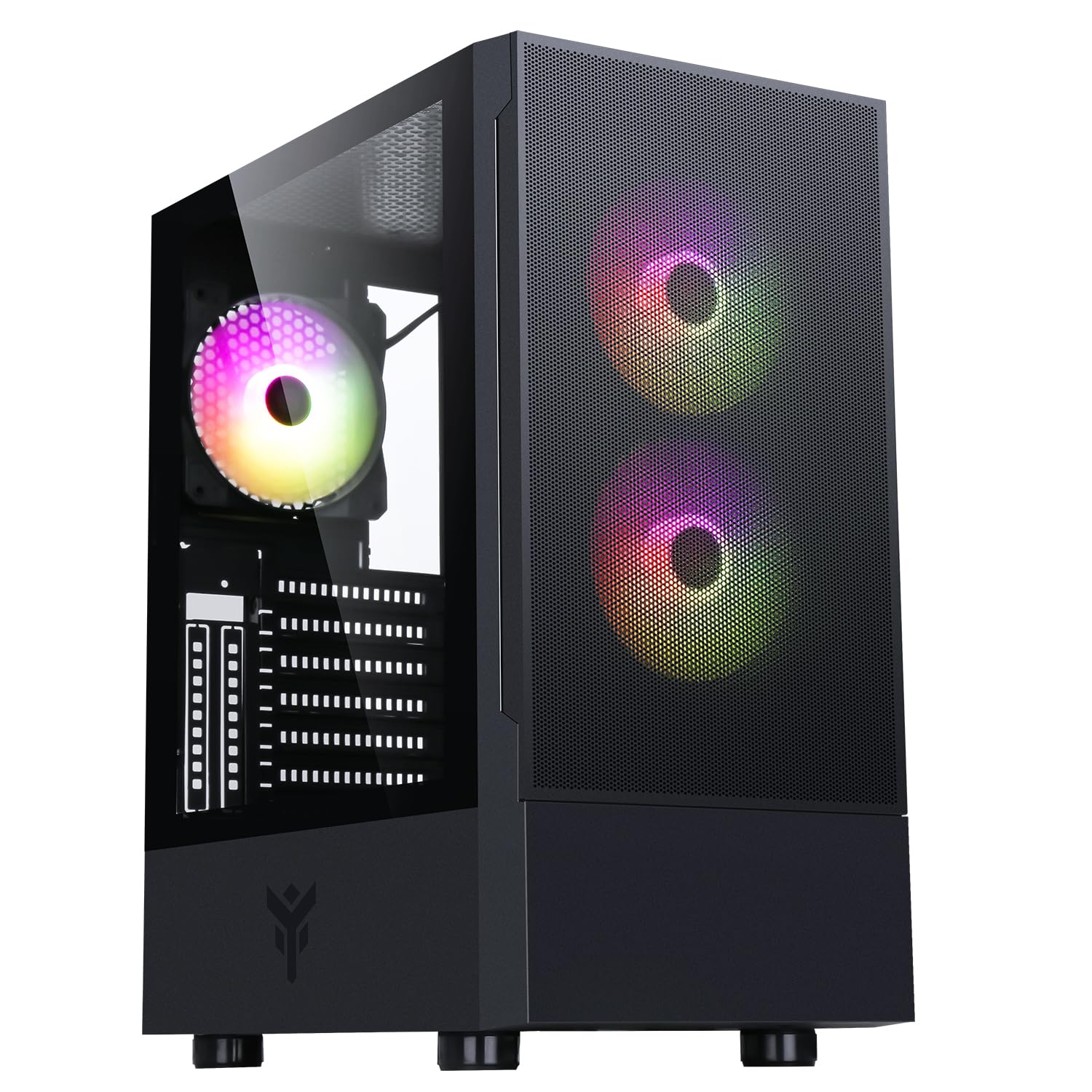
Figura 1: Parte frontal view of the Itek SIISBE 3.0 Gaming PC Case, showcasing the perforated front panel and tempered glass side panel.
The SIISBE 3.0 supports a wide range of hardware, including ATX, Micro-ATX, and Mini-ITX motherboards. It accommodates graphics cards up to 315 mm in length, CPU coolers up to 160 mm in height, and liquid cooling radiators up to 280 mm. The case also offers 28 mm of space for efficient cable management, ensuring a clean and organized build.
2. Configuración e instalación
2.1 Preparación do caso
- Desembale a caixa e retire todos os materiais de embalaxe.
- Open the tempered glass side panel by gently pulling it open from the hinge.
- Locate the accessory box inside the case, which contains screws and other mounting hardware.
2.2 Instalación da placa base
- Install the necessary standoffs for your motherboard form factor (ATX, Micro-ATX, or Mini-ITX) onto the motherboard tray.
- Coloca con coidado a placa base sobre os separadores, aliñando os orificios dos parafusos.
- Fixe a placa base cos parafusos proporcionados.

Figura 2: Interno view of the Itek SIISBE 3.0, highlighting the motherboard mounting area and cable routing options.
2.3 Instalación da Unidade de Alimentación (PSU).
- Mount the PSU in the dedicated bottom compartment of the case.
- Fixe a fonte de alimentación con parafusos na parte traseira da caixa.
2.4 Instalación da unidade de almacenamento
- Install 2.5-inch SSDs or 3.5-inch HDDs into the designated internal bays. Refer to the case's internal layout for specific mounting points.
- Secure drives with the appropriate screws.

Figura 3: Parte interna traseira view of the Itek SIISBE 3.0, showing the motherboard tray, SSD mounting points, and ample espazo para a xestión de cables.
2.5 Instalación da tarxeta gráfica e da tarxeta de expansión
- Retire as tapas das ranuras de expansión necesarias da parte traseira da caixa.
- Insira a súa tarxeta gráfica ou outras tarxetas de expansión nas ranuras PCIe da súa placa base.
- Secure the cards with screws. The case supports graphics cards up to 315 mm in length.
2.6 Instalación do sistema de refrixeración
- The case includes three 12 cm ARGB fans (two front, one rear). Connect their power and ARGB cables to the motherboard or the integrated fan controller.
- For additional cooling, install extra fans or a liquid cooling radiator (up to 280 mm) in the designated mounting points.
- Install your CPU cooler. The case supports CPU coolers up to 160 mm in height.
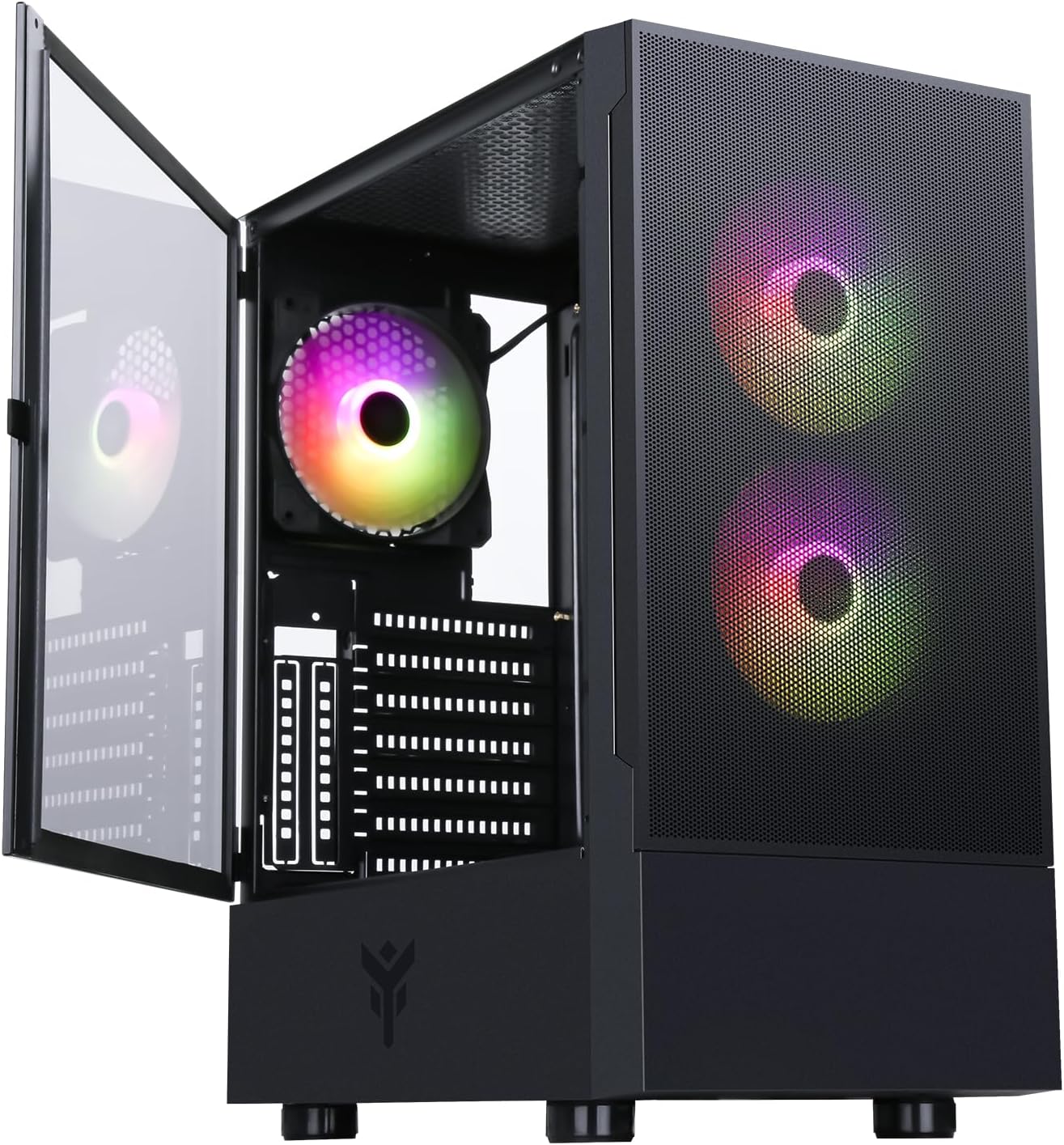
Figure 4: The Itek SIISBE 3.0 with its hinged tempered glass panel open, revealing the pre-installed ARGB fans and internal layout.
2.7 Xestión de cables
- Utilize the 28 mm cable management space behind the motherboard tray to route and organize all power and data cables.
- Use cable ties (not included) to secure cables and maintain optimal airflow.
3. Instrucións de funcionamento
3.1 Acendido
- Ensure all components are correctly installed and connected.
- Conecta o cable de alimentación á fonte de alimentación e a unha toma de corrente.
- Press the power button located on the top I/O panel of the case to start your system.
3.2 Control do ventilador ARGB
- The pre-installed ARGB fans can be controlled via the dedicated LED control button on the front panel. Press the button to cycle through various lighting modes and colors.
- Alternatively, if the fans are connected to an ARGB header on your motherboard, you can use the motherboard's proprietary software (e.g., ASUS Aura Sync, MSI Mystic Light, Gigabyte RGB Fusion) to synchronize and customize the lighting effects.
3.3 Front I/O Ports
- The front I/O panel includes USB 3.0 and USB 2.0 ports for connecting peripherals and external storage devices.
- Audio jacks are also available for headphones and microphones.
4. Mantemento
4.1 Limpeza do filtro de po
- The SIISBE 3.0 case is equipped with dust filters to prevent dust buildup inside. Regularly check and clean these filters.
- Gently remove the dust filters (typically located on the top, front, and/or bottom) and clean them with compressed air or by rinsing them with water. Ensure they are completely dry before re-installing.
4.2 Limpeza xeral
- Use un suave, damp cloth to wipe down the exterior surfaces of the case, including the tempered glass panel. Avoid abrasive cleaners.
- For internal cleaning, use compressed air to remove dust from fans, heatsinks, and other components. Ensure the system is powered off and unplugged before cleaning.
5 Solución de problemas
This section provides general troubleshooting tips for common issues. For more specific problems, consult the manuals for your individual PC components (motherboard, PSU, GPU, etc.) or contact Itek support.
5.1 O sistema non se acende
- Comproba as conexións de alimentación: Ensure the PSU is properly connected to the wall outlet and the power switch on the PSU is in the 'ON' position. Verify all internal power cables (24-pin ATX, 8-pin CPU, PCIe, SATA) are securely connected to the motherboard and components.
- Conectores do panel frontal: Confirm that the front panel power switch cable is correctly connected to the motherboard's front panel header.
5.2 Fans Not Spinning / ARGB Not Working
- Conexións do ventilador: Verify that the fan power cables are securely connected to the motherboard fan headers or the integrated fan controller.
- Conexións ARGB: Ensure ARGB cables are correctly connected to the motherboard's ARGB header or the case's ARGB controller.
- Control por software/botón: If using the case's LED button, try pressing it to cycle modes. If using motherboard software, ensure it is installed and configured correctly.
5.3 Problemas de sobrequecemento
- Fluxo de aire: Ensure fans are installed in the correct orientation for optimal airflow (front fans typically intake, rear/top fans exhaust).
- Acumulación de po: Limpe os filtros de po e os compoñentes internos como se describe na sección de Mantemento.
- Xestión de cables Improve cable routing to reduce obstructions to airflow.
6. Especificacións
| Característica | Especificación |
|---|---|
| Fabricante | ITEK |
| Número de modelo do artigo | ITGCASIB30 |
| Marca | Itek |
| Compatibilidade da placa base | ATX, Micro ATX, Mini ITX |
| Tipo de caso | Torre do medio |
| Usos recomendados do produto | Gaming, Professional |
| Cor | Negro |
| Material | Vidro Templado |
| Tipo de montaxe da fonte de alimentación | Montaxe inferior |
| Método de arrefriamento | Aire |
| Nome do modelo | Case SIISBE 3.0 |
| Tamaño do ventilador | 120 milímetros |
| Total Expansion Slots | 7 |
| Total USB 2.0 Ports | 2 |
| Total USB 3.0 Ports | 1 |
| Total de portos USB | 4 |
| Características do produto | LED Control Button, Dust Filter, Integrated Fan |
| Altura máxima do refrigerador da CPU | 160 milímetros |
| Number of Internal Bays | 7 |
| Dispositivos compatibles | ATX Motherboards, Full-size Graphics Cards, Standard Cooling Solutions |
| Número de fans | 3 |
| Cor clara | RGB |
| Dimensións do artigo (D x W x H) | 37.6 D x 37.6 W x 44.6 H centímetros |
7. Información da garantía
Specific warranty details for the Itek SIISBE 3.0 PC Case may vary by region and retailer. Please refer to the warranty card included with your product or visit the official Itek websitio web para obter a información de garantía máis precisa e actualizada.
Garda o comprobante de compra (recibo ou factura) xa que será necesario para calquera reclamación de garantía.
8. Atención ao cliente
For technical assistance, product inquiries, or support regarding your Itek SIISBE 3.0 PC Case, please contact Itek customer support through their official channels.
- Oficial Websitio: Visit the Itek official websitio web con recursos de asistencia, preguntas frecuentes e información de contacto.
- Soporte por correo electrónico: Look for a support email address on the Itek websitio.
- Asistencia telefónica: Check the Itek websitio web para números de teléfono de asistencia rexional.
When contacting support, please have your product model (SIISBE 3.0) and item model number (ITGCASIB30) ready to help expedite the process.