
Edifier W860NB
Manual do usuario dos auriculares supraaurais Bluetooth aptX con cancelación activa de ruído Edifier W860NB
1. Introdución
The Edifier W860NB are Active Noise Cancelling (ANC) Over-Ear Bluetooth aptX Headphones designed to provide an immersive audio experience by reducing external noise. Featuring smart touch controls and a comfortable over-ear design with 40mm neodymium drivers, these headphones offer extended battery life for continuous playback. This manual provides detailed instructions for setup, operation, maintenance, and troubleshooting to ensure optimal performance and longevity of your device.
2. Contido do paquete
Comprobe que todos os elementos estean presentes no paquete:
- Edifier W860NB Headphones
- Cable de audio
- Clamshell Travel Case

Image: Edifier W860NB headphones neatly stored inside their protective clamshell travel case, ready for transport.
3. Produto rematadoview
Familiarize yourself with the various components and controls of your Edifier W860NB headphones.

Imaxe: Unha fronte despexada view of the Edifier W860NB headphones, highlighting their elegant gold finish and over-ear design.
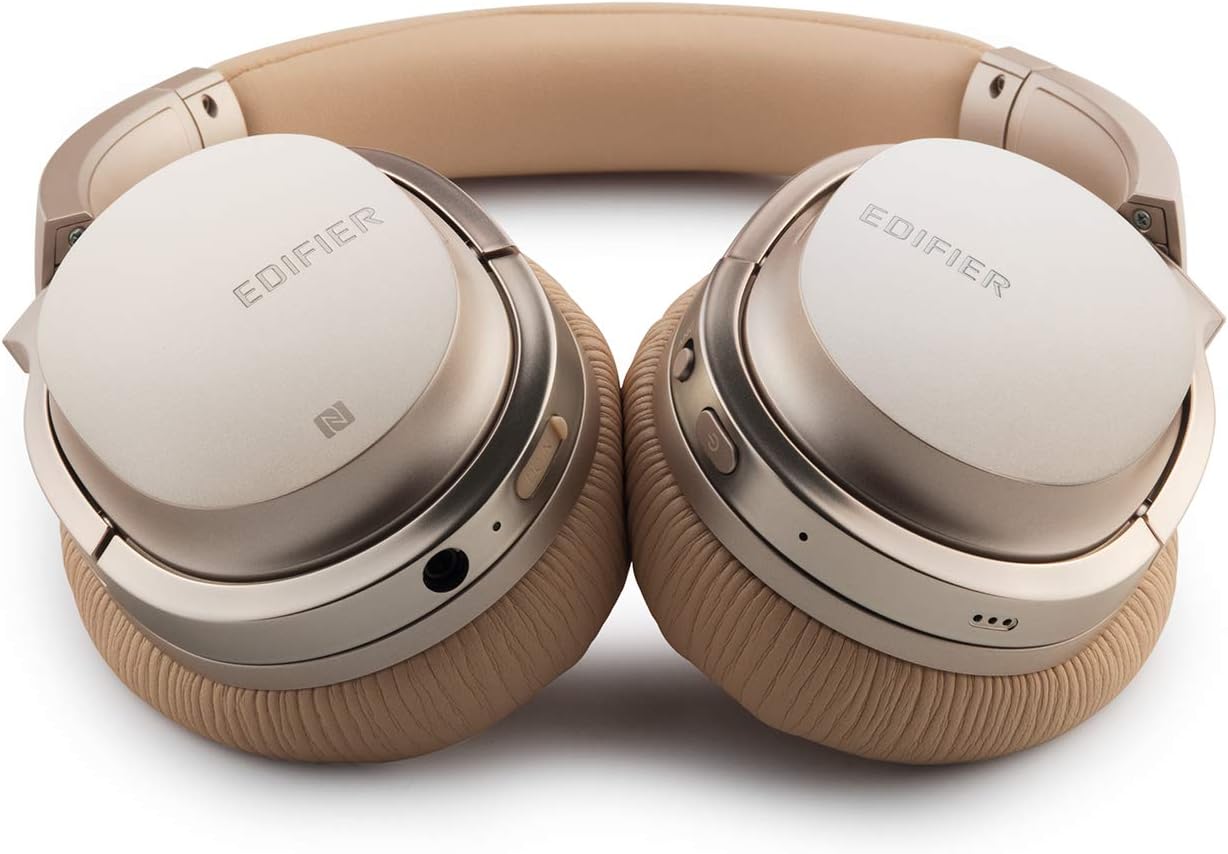
Image: A detailed shot of the right earcup, showing the power button, volume controls, and audio jack.

Image: A close-up on the plush, faux leather earcup, emphasizing the comfort-oriented design.

Image: The adjustable headband mechanism, showing the model designation 'W860NB' on the side.
4. Configuración
4.1 Carga dos auriculares
Before first use, fully charge your headphones. Connect the provided USB charging cable to the charging port on the headphones and to a USB power source (e.g., computer USB port or wall adapter). The LED indicator will show charging status and turn off when fully charged. A full charge provides approximately 25 hours of playback with both Bluetooth and ANC active, or 45 hours with only wireless use.
4.2 Encendido/apagado
- Para acender: Manteña premido o botón de acendido ata que se ilumine o indicador LED.
- Para apagar: Manteña premido o botón de acendido ata que se apague o indicador LED.
4.3 Emparejamento Bluetooth
- Asegúrese de que os auriculares estean apagados.
- Press and hold the power button for approximately 5 seconds until the LED indicator flashes blue and red alternately, indicating pairing mode.
- No teu dispositivo (teléfono intelixente, tableta, etc.), activa o Bluetooth e busca os dispositivos dispoñibles.
- Select "Edifier W860NB" from the list of found devices.
- Unha vez emparellado, o indicador LED parpadeará lentamente en azul.
Conexión NFC: If your device supports NFC, simply tap your NFC-enabled phone against the NFC area on the left earcup to pair instantly.
4.4 conexión por cable
To use the headphones with a wired connection, connect one end of the included 3.5mm audio cable to the audio jack on the headphones and the other end to your audio source. The headphones can be used passively in wired mode even if the battery is depleted.
5. Instrucións de funcionamento
Controis táctiles intelixentes 5.1
The right earcup features smart touch controls for convenient operation:
- Subir volume: Desliza o dedo cara arriba no auricular.
- Baixar volume: Desliza o dedo cara abaixo no auricular.
- Reproducir/Pausa: Double-tap the earcup.
- Próxima pista: Swipe forward (towards the front of the earcup).
- Pista anterior: Swipe backward (towards the back of the earcup).
5.2 Cancelación activa de ruído (ANC)
The W860NB headphones feature Active Noise Cancelling technology to reduce ambient noise.
- Activar ANC: Press the ANC button located on the earcup. The ANC indicator light will illuminate.
- Desactivar ANC: Prema de novo o botón ANC. O indicador luminoso ANC apagarase.
5.3 Xestión de chamadas
When connected to a smartphone, you can manage calls using the headphones:
- Responder/Finalizar chamada: Double-tap the earcup.
- Rexeitar a chamada: Press and hold the earcup for 2 seconds.
6. Mantemento
- Limpeza: Usa un pano suave e seco para limpar os auriculares. Non empregues produtos de limpeza abrasivos nin disolventes.
- Almacenamento: When not in use, store the headphones in the provided clamshell case to protect them from dust and damage. Avoid storing in extreme temperatures.
- Coidado da batería: Para prolongar a duración da batería, evite descargala completamente con frecuencia. Cargue os auriculares regularmente, mesmo se non os usa durante períodos prolongados.
- Resistencia á auga: Estes auriculares non son resistentes á auga. Evita a exposición a líquidos.
7 Solución de problemas
| Problema | Causa posible | Solución |
|---|---|---|
| Os auriculares non se acenden. | A batería está baixa ou esgotada. | Cargue os auriculares completamente. |
| Non se pode emparellar co dispositivo. | Os auriculares non están en modo de emparellamento; Bluetooth do dispositivo desactivado; demasiados dispositivos emparellados. | Ensure headphones are in pairing mode (flashing blue/red). Turn device Bluetooth off/on. Clear Bluetooth list on device or headphones. |
| Sen son. | Volume demasiado baixo; fonte de son incorrecta; auriculares non conectados. | Increase volume on headphones and device. Ensure headphones are properly paired or wired. Check audio output settings on device. |
| O ANC non funciona eficazmente. | ANC not activated; environmental noise too high. | Ensure ANC is activated (indicator light on). ANC is most effective for low-frequency, constant noise. |
| Os controis táctiles non responden. | Temporary software glitch; dirty earcup surface. | Power off and on the headphones. Clean the earcup surface with a soft, dry cloth. |
8. Especificacións técnicas
| Característica | Especificación |
|---|---|
| Nome do modelo | ed-w860nb-gold-us-fbm |
| Tecnoloxía de conectividade | Sen fíos (Bluetooth) |
| Tecnoloxía de comunicación sen fíos | Bluetooth 4.0 |
| Jack para auriculares | Jack de 3.5 mm |
| Control de ruído | Cancelación activa de ruído |
| Método de control | Toca |
| Tipo de controlador de audio | Driver dinámico |
| Rango de frecuencias | 20 Hz - 20,000 Hz |
| Forma do auricular | Sobre orella |
| Factor de forma | Sobre orella |
| Material | Plástico |
| Cor | Ouro |
| Peso do elemento | 1.76 libras (800 gramos) |
| Dimensións do produto | 10 x 4 x 11 polgadas |
| Baterías | 1 Requírese unha batería |
| UPC | 875674004438 |
| Fabricante | Edificador |
| Data de primeira dispoñibilidade | 27 de marzo de 2019 |
9. Garantía e soporte
9.1 Información da garantía
The Edifier W860NB headphones come with a 1-year US and Canada Warranty. Please retain your proof of purchase for warranty claims. For specific terms and conditions, refer to the warranty card included with your product or visit the official Edifier websitio.
9.2 Atención ao cliente
For further assistance, technical support, or inquiries regarding your Edifier W860NB headphones, please visit the official Edifier support website or contact their customer service department. Contact details can typically be found on the Edifier websitio ou na embalaxe do produto.
Ask a question about this manual
Ask about setup, troubleshooting, compatibility, parts, safety, or missing instructions. Manuals+ will review the question and use this page’s manual context to help answer it.