
1. Introdución
This manual provides comprehensive instructions for the proper use and maintenance of your Zerone Replacement TV Remote Control, model BN59-01199G. This remote is designed as a direct replacement for compatible Samsung Smart TVs, ensuring seamless operation without complex setup.

Image 1.1: The Zerone Replacement TV Remote Control, showcasing its button layout and ergonomic design.
2. Contido do paquete
- 1 x Zerone Replacement TV Remote Control (Model: BN59-01199G)
3. Especificacións
| Característica | Detalle |
|---|---|
| Material de carcasa | ABS |
| Distancia de control remoto | Greater than 8 meters (actual distance may vary based on TV model and environment) |
| Modelo de batería | 2 pilas AA (non incluídas) |
| Dimensións do produto | Aprox. 175 x 45 x 20 mm (6.9 x 1.8 x 0.8 polgadas) |
| Peso do elemento | Aprox. 67 g (2.46 onzas) |
| Dispositivos compatibles | Samsung Smart TVs requiring BN59-01199G remote |

Image 3.1: Dimensions of the remote control: 175mm (6.9in) length, 45mm (1.8in) width, and 20mm (0.8in) thickness.
4. Configuración
4.1 Instalación da batería
- Localice o compartimento da batería na parte traseira do control remoto.
- Deslice a tapa da batería cara abaixo para abrila.
- Insira dúas (2) pilas AA, asegurándose de que os terminais positivo (+) e negativo (-) estean aliñados correctamente coas marcas do interior do compartimento.
- Deslice a tapa da batería de novo no seu lugar ata que faga clic de forma segura.
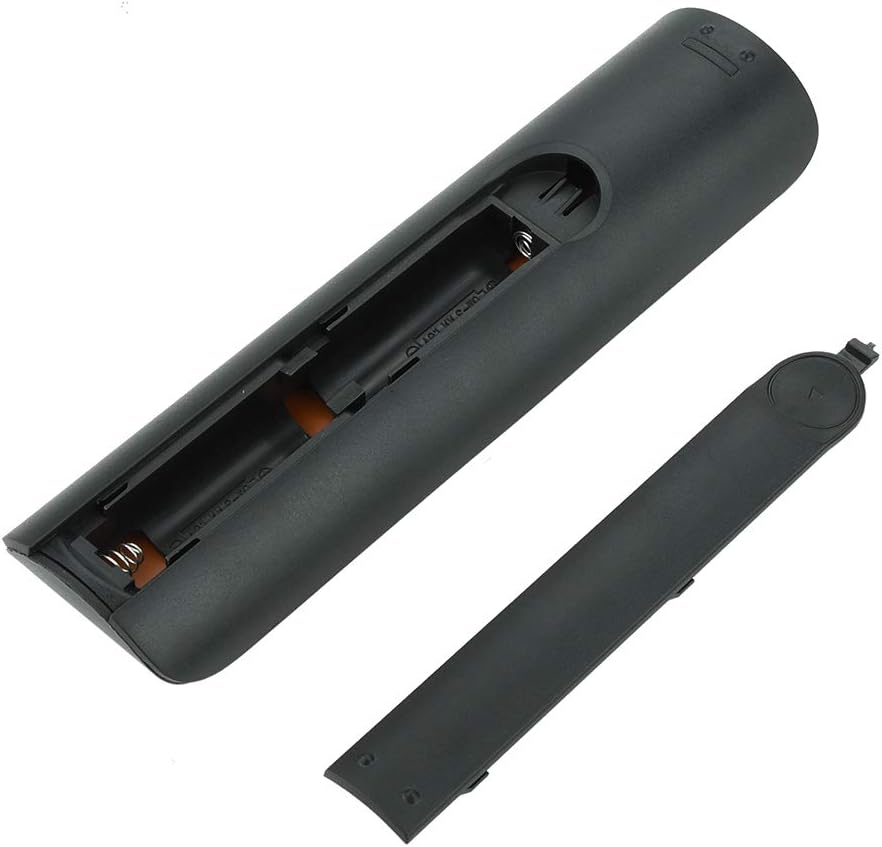
Imaxe 4.1: View of the remote control with the battery cover removed, showing the two AA battery slots.
4.2 Uso inicial
This remote control is designed to work directly with compatible Samsung Smart TVs that originally used the BN59-01199G model. No programming or pairing is typically required. Simply install the batteries and point the remote towards your television.

Image 4.2: The remote control positioned near a television, illustrating its intended use with compatible Samsung models.
5. Instrucións de funcionamento
The remote control features standard buttons for TV operation. Refer to the image below for a visual guide to the button layout.

Imaxe 5.1: Detallada view of the remote control's buttons, including power, number pad, volume, channel, and smart functions.
- Botón de acendido (vermello): Acende ou apaga o televisor.
- Teclado numérico (0-9): Para entrada de canle directa.
- Subir/Baixar o volume (+/-): Axusta o volume do televisor.
- Canle arriba/abaixo (CH +/-): Cambia as canles de televisión.
- Silenciar: Silencia o son do televisor.
- Smart Hub: Accesses the Smart Hub interface for apps and streaming services.
- Menú: Abre o menú principal do televisor.
- Ferramentas: Provides quick access to common TV functions.
- Información: Mostra información sobre o programa ou a entrada actual.
- Panel de navegación (Arriba, Abaixo, Esquerda, Dereita, Intro): Úsase para navegar polos menús e seleccionar opcións.
- Volta: Volta á pantalla ou ao menú anterior.
- Saída: Pecha o menú ou a aplicación actual.
- Botóns de cores (A, B, C, D): A funcionalidade varía segundo o modelo de televisor e a aplicación.
- Controis de reprodución: Play, Pause, Stop, Fast Forward, Rewind for media playback.
6. Mantemento
6.1 Limpeza
Para limpar o mando a distancia, limpe con coidado cun pano suave e seco. Para a sucidade persistente, limpe lixeiramenteampen the cloth with water or a mild, non-abrasive cleaner. Avoid using harsh chemicals or excessive moisture, as these can damage the remote's electronics.
6.2 Substitución da batería
Replace batteries when the remote control's response becomes sluggish or stops working. Always replace both AA batteries at the same time with new ones. Do not mix old and new batteries, or different types of batteries.
7 Solución de problemas
- O mando a distancia non responde:
- Comprobe se as pilas están inseridas correctamente coa polaridade correcta.
- Substitúe as pilas por outras novas.
- Asegúrese de que non haxa obstrucións entre o mando a distancia e o receptor de infravermellos do televisor.
- Confirma que o mando a distancia está apuntando directamente ao televisor.
- Short remote control distance:
- This can indicate low battery power; replace the batteries.
- Environmental factors or strong light sources can interfere with the infrared signal. Try using the remote in different lighting conditions.
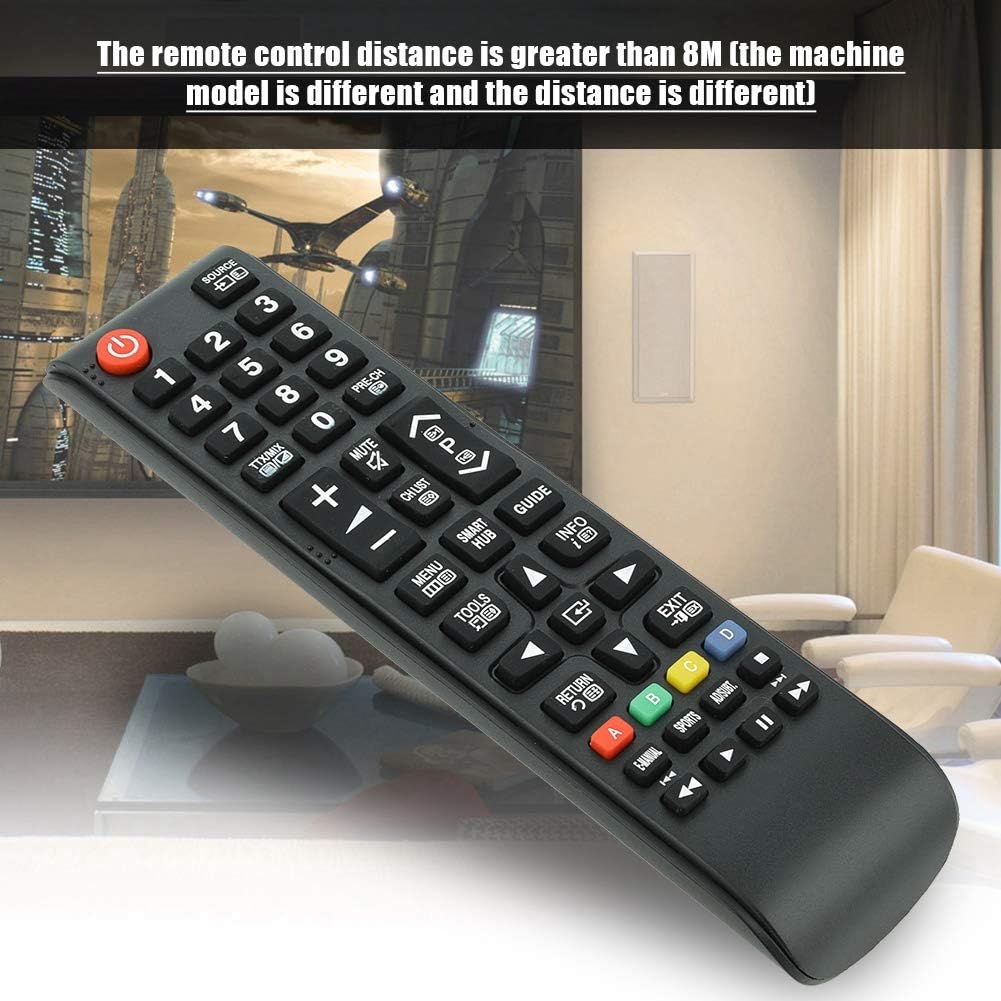
Image 7.1: The remote control in a typical home environment, demonstrating its effective range for TV operation.
8. Garantía e soporte
Zerone products are manufactured with quality in mind. If you encounter any issues or are not satisfied with your product, please contact the seller or manufacturer for support. Refer to your purchase documentation for specific warranty terms and contact information.