
1. Introdución
This manual provides detailed instructions for the Redragon K503 Gaming Keyboard. Please read this guide thoroughly to ensure proper setup, operation, and maintenance of your device. The Redragon K503 is a multimedia gaming keyboard featuring RGB LED backlighting and a comfortable wrist rest, designed for use with Windows and MacOS PC systems.
2. Configuración
2.1 Contido do paquete
- Redragon K503 Gaming Keyboard
- Cable USB (integrado)
2.2 Conexión do teclado
- Localiza un porto USB dispoñible no teu ordenador.
- Plug the USB connector of the Redragon K503 keyboard into the USB port.
- Your operating system (Windows or MacOS) should automatically detect and install the necessary drivers. No additional software installation is typically required for basic functionality.
- The keyboard's RGB backlighting will illuminate upon successful connection.
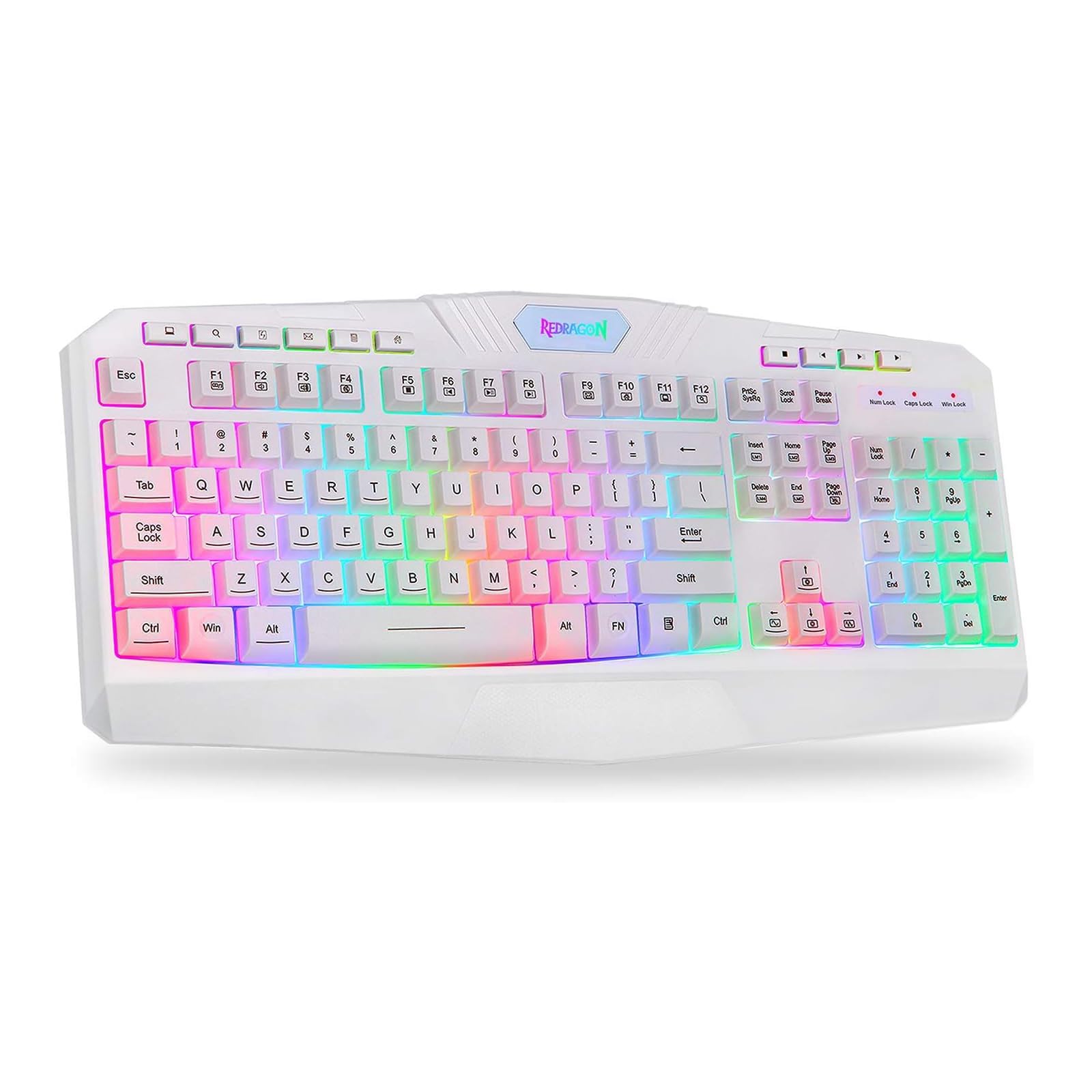
This image shows the Redragon K503 Gaming Keyboard, highlighting its full layout and white finish. The keys feature RGB backlighting, visible around the keycaps.
3. Instrucións de funcionamento
3.1 Funcións básicas
The Redragon K503 functions as a standard QWERTY keyboard for typing and input. All standard keys operate as labeled.
3.2 Teclas multimedia
The keyboard includes dedicated multimedia keys for convenient control of media playback and system functions. These keys are typically located above the function keys (F1-F12) or integrated with them via the 'Fn' key. Common functions include:
- Control de volume: Aumentar, diminuír ou silenciar o audio.
- Reprodución multimedia: Reproducir/pausar, parar, pista anterior, pista seguinte.
- Web Navegador: Iniciar predeterminado web navegador.
- Correo electrónico: Iniciar o cliente de correo electrónico predeterminado.
3.3 RGB LED Backlighting
The K503 features customizable RGB LED backlighting. The lighting modes and brightness can be adjusted directly on the keyboard using specific key combinations. Refer to the keycap legends for specific lighting control keys, often involving the 'Fn' key combined with other function keys (e.g., Fn + Scroll Lock, Fn + Home/End, or dedicated lighting keys).
- Cambio de modos de iluminación: Press the designated key combination to cycle through various lighting effects (e.g., static, breathing, wave).
- Axuste do brillo: Use the specified key combination to increase or decrease the backlight intensity.
- Cambio de cores: Some modes allow for color customization using specific key presses.
4. Mantemento
4.1 Limpeza do teclado
Para manter un rendemento e unha aparencia óptimos, limpa o teclado regularmente:
- Desconecte o teclado do ordenador antes de limpalo.
- Use un pano suave e sen pelusa lixeiramente dampEnxágüe con auga ou unha solución de limpeza suave para limpar as teclas e a superficie.
- Para o po e os residuos entre as teclas, use aire comprimido.
- Do not use harsh chemicals, abrasive cleaners, or immerse the keyboard in liquid.
5 Solución de problemas
5.1 O teclado non responde
- Asegúrate de que o cable USB estea conectado correctamente tanto ao teclado como ao ordenador.
- Tenta conectar o teclado a un porto USB diferente do teu ordenador.
- Proba o teclado noutro ordenador para determinar se o problema é co teclado ou co porto/controladores USB do ordenador.
- Reinicia o teu ordenador.
5.2 A retroiluminación non funciona ou é incorrecta
- Check if the backlighting has been turned off or set to the lowest brightness level using the keyboard's lighting control keys.
- Asegúrate de que o teclado estea conectado correctamente ao ordenador.
- If a specific key's backlight is not working, it may indicate a hardware issue.
5.3 Specific Keys Not Functioning
- Clean around and under the affected keycap to remove any debris that might be obstructing its movement.
- Se o problema persiste, pode indicar un mal funcionamento do hardware.
6. Especificacións
| Marca | Redragon |
| Número de modelo | K503W-RGB |
| Tecnoloxía de conectividade | USB |
| Dispositivos compatibles | PC (Windows, MacOS) |
| Descrición do teclado | Multimedia |
| Característica especial | Lighting (RGB LED Backlit) |
| Cor | Branco |
| Dimensións do produto | 17.6 cm de longo x 1.2 cm de ancho x 7.9 cm de alto |
| Material | Estirreno Acrilonitrilo Butadieno |
| Compoñentes incluídos | Cable USB |
7. Información da garantía
Redragon products are typically covered by a limited manufacturer's warranty. The specific terms and duration of the warranty may vary by region and retailer. Please retain your proof of purchase for warranty claims. For detailed warranty information, refer to the warranty card included with your product or visit the official Redragon websitio.
8. Atención ao cliente
If you encounter any issues not covered in this manual or require further assistance, please contact Redragon customer support. Contact information can usually be found on the official Redragon website or on the product packaging. When contacting support, please have your product model number (K503) and proof of purchase ready.


