
1. Introdución
Welcome to the user manual for your Genius Manticore Gaming Keyboard. This guide provides essential information for setting up, operating, maintaining, and troubleshooting your new gaming keyboard. Please read these instructions carefully to ensure optimal performance and longevity of your device.
2. Produto rematadoview
The Genius Manticore Gaming Keyboard is designed for an enhanced gaming experience, featuring a durable build and responsive keys. It connects via USB and is compatible with a wide range of devices. The keyboard includes 104 keys with a standard QWERTY layout, complemented by additional gaming-specific features.
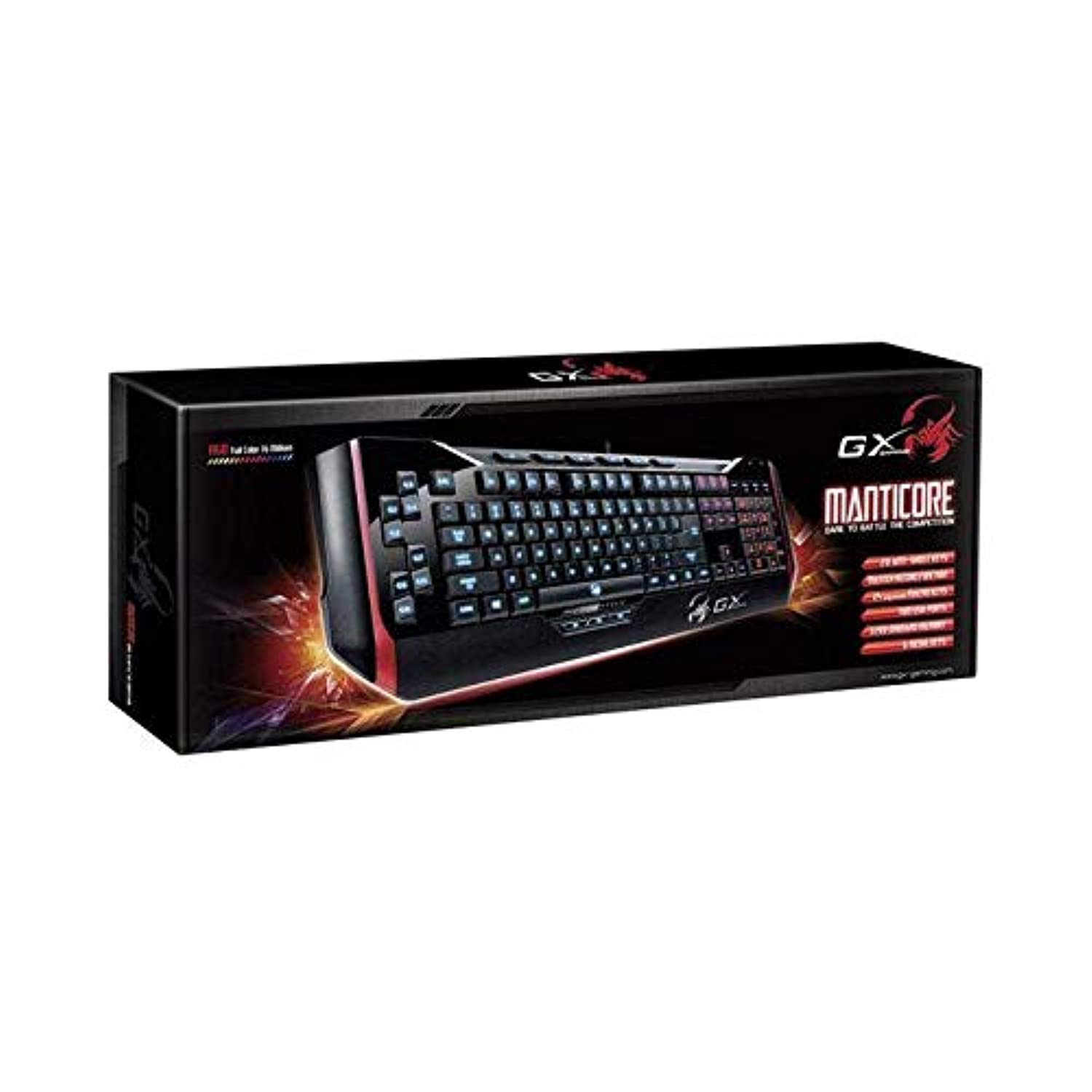
Figura 1: Genius Manticore Gaming Keyboard. This image displays the Genius Manticore Gaming Keyboard, featuring a black body with red accents on the sides. The keys are illuminated, indicating its gaming functionality. The keyboard has a standard QWERTY layout with additional keys on the left side, likely for macros, and a numeric keypad on the right.
3. Configuración
- Descomprimir o teclado: Carefully remove the Genius Manticore Gaming Keyboard from its packaging. Ensure all components are present.
- Conéctate ao teu dispositivo: Locate an available USB port on your computer or compatible device. Insert the USB connector of the keyboard firmly into the USB port.
- Instalación do controlador (se é necesario): For most modern operating systems, the keyboard will be recognized automatically, and standard drivers will be installed. If prompted, follow the on-screen instructions to complete any driver installation.
- Funcionalidade de proba: Open a text editor or a web browser and test the keys to ensure they are responding correctly.
4. Instrucións de funcionamento
The Genius Manticore Gaming Keyboard offers a standard QWERTY layout for general typing and dedicated features for gaming.
- Standard Key Functions: All standard alphanumeric, symbol, and function keys operate as expected on a typical QWERTY keyboard.
- Características do xogo: The keyboard is designed for gaming. Specific gaming features, such as customizable backlighting or programmable macro keys (if available on your model), can typically be configured through dedicated software provided by Genius or through specific key combinations. Refer to the Genius website for any available software downloads or advanced feature guides.
- Fonte de enerxía: The keyboard is powered directly via the USB connection to your device. No external power supply or batteries are required.
5. Mantemento
Un mantemento axeitado garante a lonxevidade e o rendemento do teu teclado.
- Limpeza: Usa un pano suave e seco para limpar a superficie do teclado. Para o po e os residuos entre as teclas, usa aire comprimido. Evita o uso de produtos químicos agresivos ou materiais abrasivos.
- Exposición ao líquido: Este teclado é non resistente á auga. Avoid spilling liquids on the keyboard, as this can cause permanent damage. If liquid exposure occurs, immediately disconnect the keyboard from your device and allow it to dry completely before attempting to use it again.
- Almacenamento: Cando non o use, garde o teclado nun lugar limpo e seco, lonxe de temperaturas extremas e da luz solar directa.
6 Solución de problemas
Se tes problemas co teclado, proba as seguintes solucións:
- O teclado non responde:
- Asegúrate de que o cable USB estea conectado correctamente tanto ao teclado como ao ordenador.
- Tenta conectar o teclado a un porto USB diferente do teu ordenador.
- Proba o teclado noutro ordenador para determinar se o problema é do teclado ou do ordenador orixinal.
- Reinicia o teu ordenador.
- Teclas específicas que non funcionan:
- Check for any physical obstructions under the non-functional keys.
- Limpe o teclado como se describe na sección Mantemento.
- Ensure no software conflicts are present (e.g., macro software interfering with standard key functions).
- Problemas de retroiluminación:
- If your model features adjustable backlighting, ensure it is not turned off or set to the lowest brightness level. Consult the Genius website for specific key combinations to control backlighting.
If these steps do not resolve the issue, please contact Genius customer support for further assistance.
7. Especificacións
| Característica | Detalle |
|---|---|
| Nome da marca | Xenio |
| Número de modelo | GE31310058108 |
| Dispositivos compatibles | Todos |
| Tecnoloxía de conectividade | USB |
| Descrición do teclado | Xogos |
| Características especiais | Xogos |
| Cor | Multi-color (Black and Red) |
| Estilo | Moderno |
| Material | Múltiples materiais |
| Tema | Xogos |
| Fonte de enerxía | Alimentación USB |
| Número de chaves | 104 |
| Disposición do teclado | Teclado QWERTY |
| Orientación das mans | Ambidiestro |
| Cantidade de botóns | 104 |
| Nivel de resistencia á auga | Non resistente á auga |
| Fabricante | Xenio |
| ASIN | B07MQMXJS9 |
8. Garantía e soporte
Your Genius Manticore Gaming Keyboard is covered by a standard manufacturer's warranty. For detailed information regarding warranty terms, registration, or to access technical support, please visit the official Genius websitio web ou póñase en contacto co seu departamento de atención ao cliente. Garde o recibo da compra como proba de compra.
Para obter máis axuda, pode visitar o Genius Official Websitio.