
Introdución
Thank you for choosing SIMOLIO JH-711 Wireless Kids Headphones. These headphones are designed with children's safety and comfort in mind, featuring 3-level volume limiting for hearing protection, Bluetooth connectivity, and a durable, foldable design. This manual will guide you through the setup, operation, and maintenance of your new headphones.
Características do produto
- 3-Level Volume Limiting: Protects children's hearing with selectable limits of 75dB (toddlers), 85dB (kids), and 94dB (adults).
- Wireless & Wired Modes: Connect via Bluetooth for wireless freedom or use the included 3.5mm audio cable when the battery is low or with non-Bluetooth devices.
- Micrófono incorporado: Enables hands-free calling for convenience.
- Audio Sharing Port: Allows another headphone to connect and share audio from the same device.
- Durable & Flexible Design: Constructed with memory stainless steel strips in the headband to withstand bending and twisting.
- Plegable e compacto: Easy to fold and store in the included EVA hard carrying case, perfect for travel and school.
- Batería de longa duración: Ofrece ata 15 horas de reprodución cunha soa carga.

Image: Diagram illustrating the 3-level volume limiting feature (75dB, 85dB, 94dB) for different age groups.

Image: Hands bending the headphone headband, showcasing its flexible and durable construction.

Image: The headphones folded compactly, ready to be stored in their EVA hard carrying case.
O que hai na caixa
- SIMOLIO JH-711 Wireless Kids Headphones (2 Count)
- Cable de carga USB
- Cable de audio AUX de 3.5 mm
- Manual de usuario (este documento)
- EVA Hard Carrying Case
Configuración
1. Carga dos auriculares
- Locate the Micro USB charging port on the headphone earcup.
- Connect the provided USB charging cable to the headphone's charging port.
- Plug the other end of the USB cable into a compatible USB power source (e.g., computer, USB wall adapter).
- O indicador LED acenderase durante a carga e apagarase cando estea completamente cargado. Unha carga completa tarda aproximadamente 3 horas.

Image: The SIMOLIO JH-711 headphones with the charging cable inserted into the Micro USB port.
2. Emparellamento Bluetooth
- Asegúrate de que os auriculares estean completamente cargados.
- Press and hold the Power button (MFB) on the headphone earcup until the LED indicator flashes blue and red, indicating pairing mode.
- No teu dispositivo (teléfono intelixente, tableta, etc.), activa o Bluetooth e busca os dispositivos dispoñibles.
- Select "SIMOLIO JH-711" from the list of devices.
- Unha vez conectado, o indicador LED parpadeará azul lentamente.
3. Conexión por cable (modo AUX)
- Locate the 3.5mm AUX port on the headphone earcup.
- Connect one end of the provided 3.5mm AUX audio cable to the headphone's AUX port.
- Connect the other end of the AUX cable to the 3.5mm audio jack of your device.
- Os auriculares cambiarán automaticamente ao modo con cable. Este modo funciona mesmo se a batería dos auriculares está esgotada.
4. Adjusting Volume Limiter
The headphones feature a 3-level volume limiter switch (75dB, 85dB, 94dB) located on the earcup. Slide the switch to select the desired maximum volume level appropriate for the user's age and environment.

Image: Detail of the headphone earcup highlighting the 3-level volume limiter switch.
5. Axuste da diadema
The headband is adjustable to fit various head sizes. Gently slide the earcups up or down along the headband to achieve a comfortable and secure fit. The flexible design allows for minor reshaping.

Image: A person demonstrating how to adjust the headband for a proper fit.
Instrucións de funcionamento
1. Acendido/apagado
- Encendido: Prema e manteña premido o botón multifunción (MFB) durante aproximadamente 3 segundos ata que o indicador LED se acenda.
- Apagado: Prema e manteña premido o botón multifunción durante aproximadamente 3 segundos ata que o indicador LED se apague.
2. Reprodución de música
- Reproducir/Pausa: Prema brevemente o MFB.
- Próxima pista: Mantén premido o botón "Subir volume".
- Pista anterior: Mantén premido o botón "Baixar volume".
- Subir volume: Prema brevemente o botón "Subir volume".
- Baixar volume: Prema brevemente o botón "Baixar volume".
3. Xestión de chamadas
- Responder/Finalizar chamada: Prema brevemente o MFB.
- Rexeitar a chamada: Prema e manteña premido o botón multifunción.
4. Audio Sharing
To share audio with another pair of headphones, connect a 3.5mm audio cable from the sharing jack on the right earcup of the SIMOLIO headphones to the audio input of another headphone. This allows two users to listen to the same audio source simultaneously.
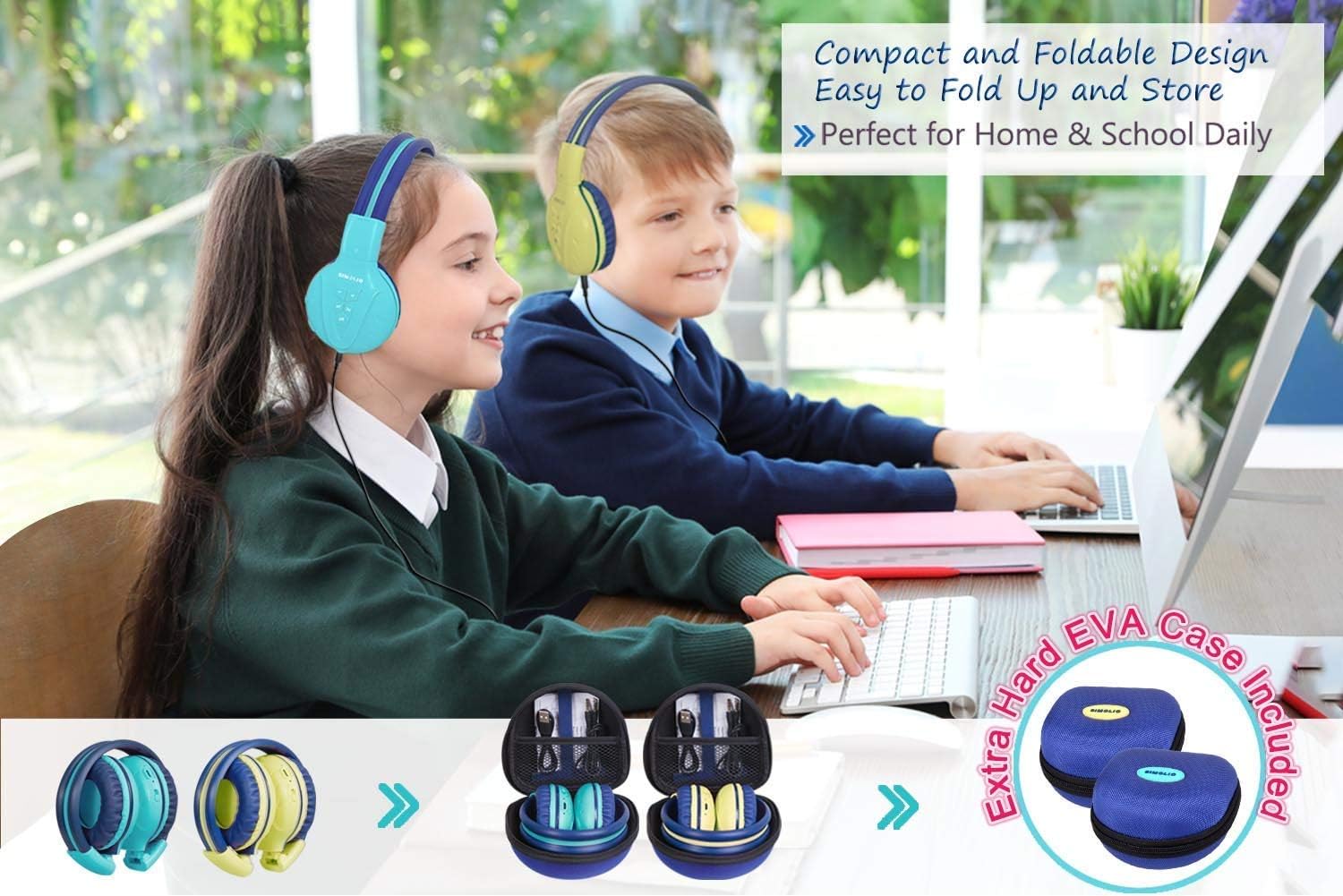
Image: Two pairs of headphones connected using the audio sharing feature, allowing simultaneous listening.
Mantemento
- Limpeza: Usa un pano suave e seco para limpar os auriculares. Non empregues produtos de limpeza líquidos nin aerosois.
- Almacenamento: When not in use, fold the headphones and store them in the provided EVA hard carrying case to protect them from dust and damage.
- Coidado da batería: Para prolongar a duración da batería, evite descargar completamente os auriculares con frecuencia. Cárgueos regularmente, mesmo se non os usa de forma constante.
Resolución de problemas
| Problema | Solución |
|---|---|
| Os auriculares non se acenderán. | Asegúrate de que os auriculares estean cargados. Conéctaos a unha fonte de alimentación mediante o cable USB. |
| Non se pode emparellar por Bluetooth. | Make sure the headphones are in pairing mode (flashing blue/red LED). Ensure your device's Bluetooth is on and within range. Forget previous pairings on your device and try again. |
| Sen son no modo con cable. | Check that the 3.5mm AUX cable is securely connected to both the headphones and the audio source. Ensure the audio source's volume is not muted or too low. |
| O son é demasiado baixo/agudo. | Adjust the volume using the +/- buttons on the headphones and on your connected device. Check the 3-level volume limiter switch setting. |
Especificacións
- Nome do modelo: Kids Bluetooth Headphones JH-711MY
- Tecnoloxía de conectividade: Sen fíos (Bluetooth), con cable (AUX de 3.5 mm)
- Tecnoloxía de comunicación sen fíos: Bluetooth 4.0
- Alcance Bluetooth: 30 pés
- Duración da batería: Ata 15 horas
- Tempo de carga: Aproximadamente 3 Horas
- Tipo de controlador de audio: Driver dinámico
- Colocación do oído: Sobre orella
- Control de ruído: Illamento acústico
- Características especiais: 3 Adjustable Volume Limited, Built-in Microphone, Durable and Flexible, Foldable, Audio Share Port, EVA Case
- Dimensións do produto: 5.51 x 3.15 x 5.31 polgadas
- Peso do artigo: 1.8 libras (0.82 quilogramos)
- Material: Nylon, Stainless Steel (headband), EVA (carrying case)
Vídeo oficial do produto
Video: An official product video from Simolio Direct showcasing the features and usage of the SIMOLIO Bluetooth Headphones for Kids with Case JH-711.
Garantía e Soporte
For warranty information or technical support, please refer to the contact details provided on the product packaging or visit the official SIMOLIO websitio.
