
Introdución
This manual provides comprehensive instructions for the Hoco ES20 Original Series Wireless V5.0 Earphones. Please read this manual carefully before using the product to ensure proper operation and to maximize your user experience. Keep this manual for future reference.
Produto rematadoview
The Hoco ES20 earphones are designed for wireless audio playback and hands-free communication. The package includes two wireless earphones and a portable charging case.

Imaxe 1: Hoco ES20 Wireless Earphones. This image displays both the left and right earphones, highlighting their in-ear design and compact form factor.
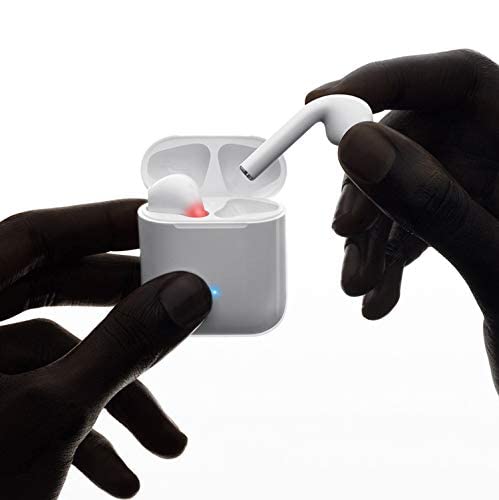
Imaxe 2: Hoco ES20 Earphones in Charging Case. The earphones are shown placed inside their charging case, indicating the charging status with an illuminated LED.
Especificacións
| Característica | Detalle |
|---|---|
| Versión sen fíos | V5.0 |
| Protocolos admitidos | Headset, Hands-free, A2DP, Avrcp |
| Frecuencia de transmisión | 2.4 GHz |
| Alcance de transmisión | 10 metros |
| Vol. De cargatage | DC5V |
| Tempo de carga (auriculares) | Aproximadamente 1 hora |
| Tempo de conversa | 2 horas |
| Tempo de reprodución de música | 2 horas |
| Capacidade da batería do estuche de carga | 400 mAh |
| Earphone Battery Capacity (Each) | 40 mAh |
| Tempo de espera | 200 horas |
| Total Weight (with case) | 44.8 g |
| Peso único dos auriculares | 3.8 g |
| Compoñentes incluídos | Bluetooth Headphones, 1 Charging Cable |
Configuración
1. Carga dos auriculares e da funda
- Place both earphones into the charging case. Ensure they are correctly seated.
- Connect the charging cable to the charging port on the case and to a DC5V power source (e.g., USB wall adapter, computer USB port).
- The indicator light on the charging case will show charging status. A full charge for the earphones takes approximately 1 hour. The charging case itself has a 400mAh battery capacity.
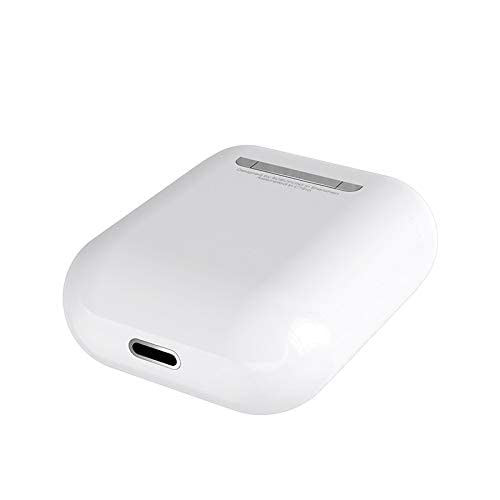
Imaxe 3: Hoco ES20 Charging Case Port. This image shows the charging port located at the bottom of the charging case, where the charging cable is connected.
2. Emparejamento cun dispositivo
- Asegúrese de que os auriculares estean cargados.
- Abre a caixa de carga. Os auriculares entrarán automaticamente no modo de emparellamento.
- No teu teléfono intelixente ou noutro dispositivo con Bluetooth, vai á configuración de Bluetooth.
- Busca available devices and select "Hoco ES20" (or similar name) from the list.
- Once connected, the earphones will indicate successful pairing (e.g., an audio prompt or LED change).
- For Apple phones and some Android phones, the battery level of the earphones may be displayed on your device.
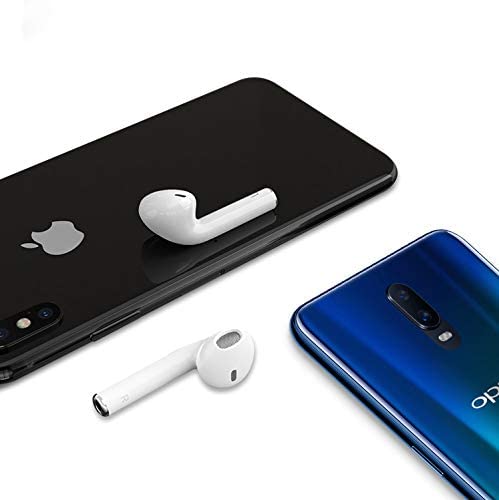
Imaxe 4: Hoco ES20 Earphones with Smartphones. This image illustrates the earphones positioned near two different smartphones, demonstrating their compatibility with various mobile devices.
Instrucións de funcionamento
Funcións básicas (control táctil)
- Encendido: Earphones power on automatically when removed from the charging case.
- Apagado: Earphones power off automatically when placed back into the charging case.
- Reproducir/Pausa: Tap the touch area on either earphone once.
- Responder/Finalizar chamada: Tap the touch area on either earphone once during an incoming call or an active call.
- Rexeitar a chamada: Press and hold the touch area on either earphone for approximately 2 seconds during an incoming call.
- Próxima pista: Toca dúas veces a área táctil do auricular dereito.
- Pista anterior: Toca dúas veces a área táctil do auricular esquerdo.
- Activar o asistente de voz: Triple-tap the touch area on either earphone.
Mantemento
- Manteña os auriculares e a caixa de carga limpos e secos.
- Evite expoñer o produto a temperaturas extremas, humidade ou substancias corrosivas.
- Do not attempt to disassemble or modify the earphones or charging case, as this will void the warranty and may cause damage.
- Use a soft, dry cloth to clean the earphones and charging contacts.
- Garda os auriculares no seu estoxo de carga cando non os uses para protexelos e mantelos cargados.
Resolución de problemas
Problemas comúns e solucións
- Auriculares sen emparellamento:
- Asegúrate de que ambos auriculares estean cargados.
- Place earphones back in the case, close it, then open it again.
- Desactiva e activa o Bluetooth no teu dispositivo.
- Delete "Hoco ES20" from your device's Bluetooth list and try pairing again.
- Só funciona un auricular:
- Asegúrate de que ambos auriculares estean cargados.
- Place both earphones back in the charging case, close the lid, wait a few seconds, then open the lid and remove them together.
- If the issue persists, try resetting the earphones (refer to manufacturer's website if a specific reset procedure is not in this manual).
- Sen son ou volume baixo:
- Comproba o nivel de volume tanto no teu dispositivo como nos auriculares.
- Asegúrate de que os auriculares estean conectados correctamente ao teu dispositivo.
- Tenta reproducir audio desde unha aplicación ou fonte diferente.
- Problemas de carga:
- Asegúrate de que o cable de carga estea conectado correctamente tanto á carcasa como á fonte de alimentación.
- Comprobe se o porto de carga da carcasa está limpo e libre de residuos.
- Proba a usar un cable de carga ou un adaptador de alimentación diferente.
- Poor connection/intermittent audio:
- Ensure your device is within the 10-meter transmission range.
- Avoid obstacles between your device and the earphones.
- Minimizar as interferencias doutros dispositivos sen fíos.
Garantía e Soporte
The Hoco ES20 Wireless Earphones come with a 6 meses de garantía desde a data de compra. Esta garantía cobre defectos de fabricación. Conserve o comprobante de compra para reclamacións de garantía.
For technical support or warranty inquiries, please contact your retailer or the official Hoco support channels. Refer to the product packaging or Hoco's official websitio para información de contacto.