
1. Introdución
The TP-Link Archer T2U Plus is an AC600 High Gain Wireless Dual Band USB Adapter designed to provide high-speed Wi-Fi connectivity for desktop PCs and laptops. It supports both 2.4 GHz and 5 GHz bands, offering flexible connectivity options and enhanced range with its 5dBi high-gain antenna. This manual provides instructions for setting up, operating, and maintaining your adapter.

Image: The TP-Link Archer T2U Plus AC600 High Gain Wireless Dual Band USB Adapter.
2. Contido do paquete
Verifique que o seu paquete conteña os seguintes elementos:
- AC600 High Gain Wireless Dual Band USB Adapter (Archer T2U Plus)
- Guía de instalación rápida
- CD de recursos (para controladores e utilidades)

Image: The retail packaging for the Archer T2U Plus, showing the adapter and its key features.
3. Requisitos do sistema
Before installation, ensure your system meets the following requirements:
- An available USB port (USB 2.0 or higher recommended).
- Operating System: Windows 11/10/8.1/8/7/XP or Mac OS 10.15 and earlier.
- CD-ROM drive (for driver installation from Resource CD) or internet access (for driver download).

Image: Icons representing compatible operating systems: Windows 10, Windows 8.1, Windows 8, Windows 7, Windows XP, and Mac OS.
4. Configuración e instalación do controlador
4.1 Instalación de hardware
- Insira o adaptador: Plug the Archer T2U Plus USB adapter into an available USB port on your computer. Ensure it is securely seated.
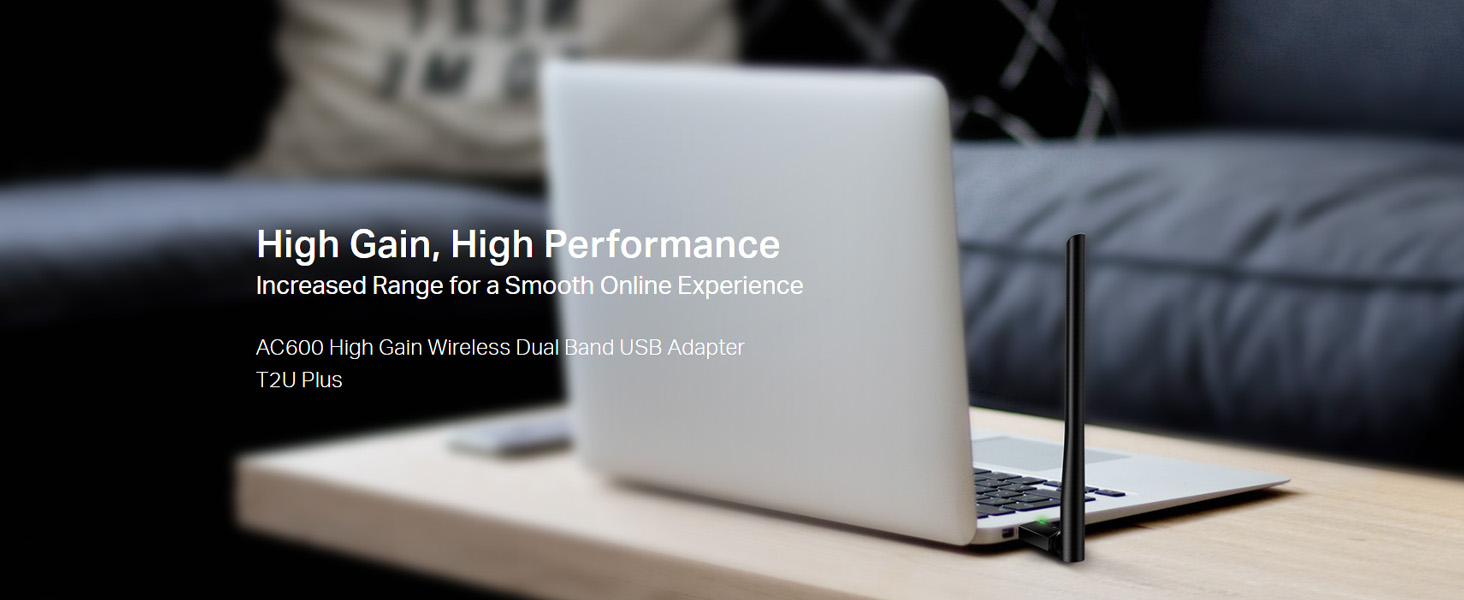
Image: The Archer T2U Plus adapter connected to a laptop's USB port, demonstrating its compact form factor.
4.2 Instalación do controlador
The adapter requires a driver to function correctly. You can install it using the provided Resource CD or by downloading it from the TP-Link websitio.
Option A: Using the Resource CD
- Insira o CD de recursos na unidade de CD-ROM do seu ordenador.
- Follow the on-screen instructions to run the setup wizard.
- Select the Archer T2U Plus model and proceed with the driver installation.
- Reinicie o ordenador se se lle solicita.
Option B: Downloading Drivers Online
- Visita o soporte oficial de TP-Link websitio (www.tp-link.com/support/download/).
- Busca "Archer T2U Plus" and download the latest driver compatible with your operating system.
- Extrae o descargado file (if compressed) and run the setup executable.
- Follow the installation wizard and restart your computer if required.
5. Instrucións de funcionamento
5.1 Conectarse a unha rede Wi-Fi
- After successful driver installation, the adapter will be detected by your operating system.
- Click the Wi-Fi icon in your system tray (Windows) or menu bar (Mac OS).
- Select your desired Wi-Fi network (SSID) from the list of available networks.
- Enter the network password (security key) if prompted and click Conectar.
- The adapter will establish a connection to the Wi-Fi network.
5.2 Dual Band Functionality
The Archer T2U Plus supports both 2.4 GHz and 5 GHz Wi-Fi bands. The 5 GHz band offers faster speeds and less interference, ideal for streaming and gaming, while the 2.4 GHz band provides wider coverage.
- Banda de 2.4 GHz: Up to 200 Mbps data rate, suitable for general web navegación e correo electrónico.
- Banda de 5 GHz: Up to 433 Mbps data rate, ideal for HD video streaming and online gaming.
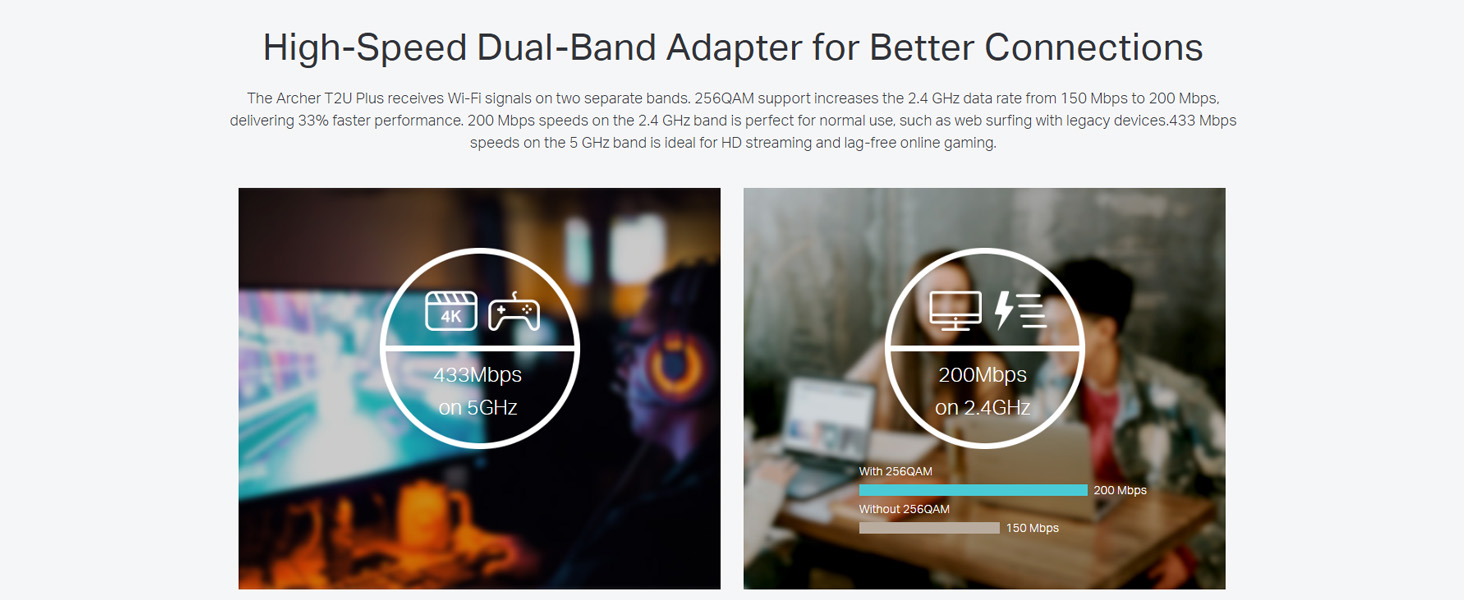
Image: A visual representation comparing the data rates and typical uses for the 2.4 GHz (200 Mbps) and 5 GHz (433 Mbps) bands.
5.3 Axuste da antena
The adapter features an adjustable, multi-directional 5dBi high-gain antenna to optimize signal reception and transmission.
- Rotate and adjust the antenna in various directions to find the optimal position for signal strength and performance in your environment.
- Experiment with different angles to achieve the best possible Wi-Fi range and stability.

Image: The Archer T2U Plus adapter illustrating its adjustable antenna, capable of rotating up to 180 degrees and tilting 90 degrees for optimal signal.
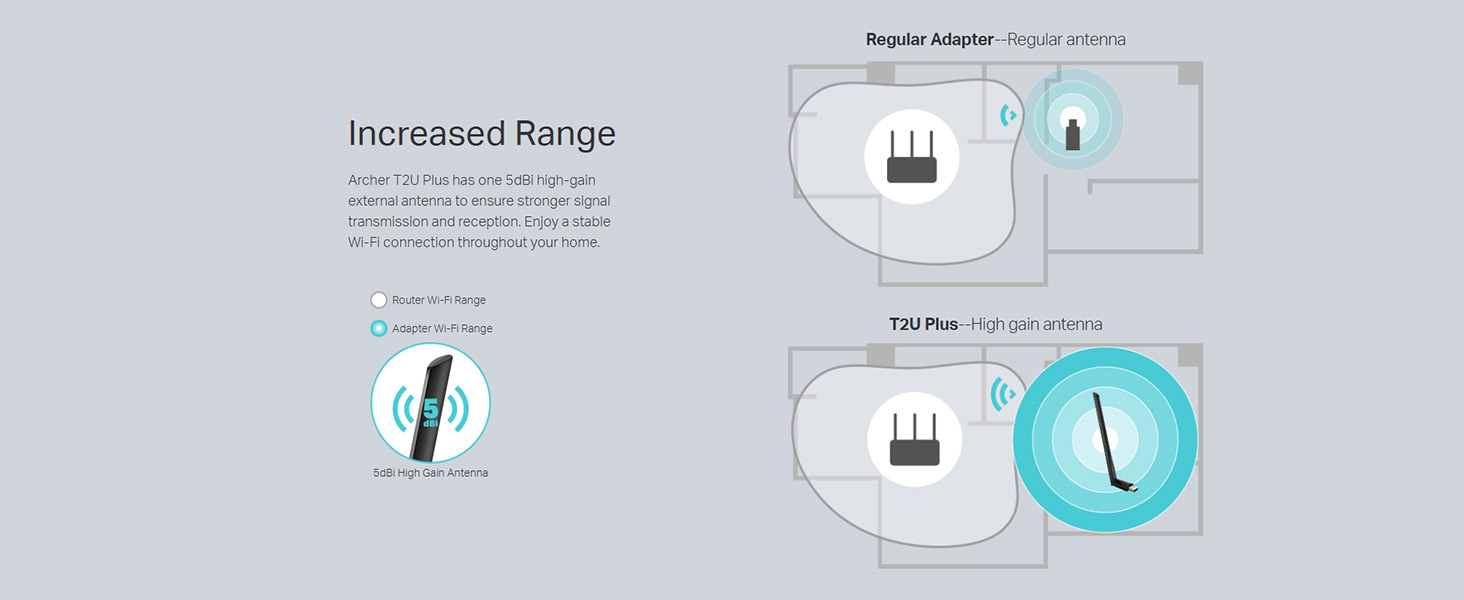
Image: A diagram comparing the Wi-Fi coverage area of a regular adapter with a standard antenna versus the extended range provided by the Archer T2U Plus's high-gain antenna.
6. Mantemento
6.1 Actualizacións de controladores
Consulta regularmente o soporte de TP-Link website for updated drivers. Keeping your drivers current ensures optimal performance, compatibility, and security.
6.2 Limpeza
To maintain the adapter's performance, keep it clean and free from dust. Use a soft, dry cloth to wipe the device. Avoid using liquid cleaners or solvents.
7 Solución de problemas
If you encounter issues with your Archer T2U Plus adapter, refer to the following common troubleshooting steps:
- Sen conexión wifi:
- Asegúrate de que o adaptador estea conectado correctamente a un porto USB.
- Verifique que os controladores estean instalados correctamente. Volva a instalalos se é necesario.
- Comproba se o teu router está acendido e emite sinal wifi.
- Proba a conectarte a un porto USB diferente.
- Velocidade lenta do wifi:
- Ensure you are connected to the 5 GHz band if your router supports it, for faster speeds.
- Adjust the antenna position for better signal reception.
- Reduce as interferencias afastando o adaptador doutros dispositivos electrónicos.
- Actualiza os controladores do teu adaptador á última versión.
- Adaptador non detectado:
- Try plugging the adapter into another USB port.
- Reinicia o teu ordenador.
- Instale manualmente os controladores desde o CD de recursos ou TP-Link websitio.
8. Especificacións
| Marca | TP-Link |
| Modelo | Archer T2U Plus |
| Interface de hardware | USB, USB 2.0 |
| Taxa de transferencia de datos | 600 Megabits Per Second (200 Mbps on 2.4 GHz, 433 Mbps on 5 GHz) |
| Tipo de antena | 5dBi High-Gain External Antenna |
| Sistemas operativos compatibles | Windows 11/10/8.1/8/7/XP, Mac OS 10.15 and earlier |
| Dimensións do produto (L x W x H) | 5.8L x 1.8W x 17.3H Centímetros |
| Peso do elemento | 12 gramos |
| Cor | Negro |
9. Garantía e soporte
9.1 Información da garantía
Este produto vén cun 3 ano de garantía desde a data de compra. Conserve o comprobante de compra para reclamacións de garantía. A garantía cobre defectos de fabricación e avarías en condicións de uso normais.
9.2 Soporte técnico
For technical assistance, driver downloads, or further inquiries, please contact TP-Link support:
- Soporte gratuíto: 1800-209-4168
- Soporte por correo electrónico: soporte.in@tp-link.com
- Websitio: www.tp-link.com/in/support/