
Introdución
This manual provides instructions for the Calvas USARMT LTV-914 Universal Remote Control, designed for use with various LG TV models, including AKB73715634, AKB73715679, and 3D Smart TV LN577S. This remote operates via infrared (IR) technology and is intended as a direct replacement, requiring no programming for most compatible LG televisions.
Contido do paquete
- 1 x USARMT LTV-914 Universal Remote Control
Especificacións
- Número de modelo: LTV-914
- Marca: puntos calvos
- Tipo: Control remoto de TV
- Comunicación: Infravermello (IR)
- Frecuencia: 433 MHz
- Canles: 1
- Fonte de enerxía: 2 pilas alcalinas AAA (non incluídas)
- Material: ABS
- Dispositivos compatibles: LG Televisions (e.g., AKB73715634, AKB73715679, 3D Smart TV LN577S)
- Característica especial: Compatibilidade universal
Configuración
Instalación de baterías
- Localice o compartimento da batería na parte traseira do control remoto.
- Deslice a tapa do compartimento da batería cara abaixo ou prema o pestillo e levante para abrir.
- Insira dúas (2) pilas alcalinas AAA, asegurándose de que os terminais positivo (+) e negativo (-) estean aliñados correctamente coas marcas do interior do compartimento.
- Volva colocar a tapa do compartimento da batería deslizándoa de volta ao seu lugar ata que faga clic de forma segura.

Image: Back of the remote control with the battery compartment open, illustrating battery insertion.
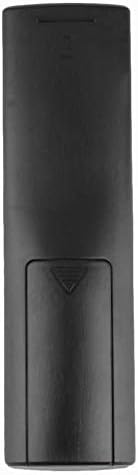
Imaxe: Traseira view of the remote control with the battery cover closed.
Instrucións de funcionamento
Uso Inicial
The Calvas USARMT LTV-914 remote control is designed to work directly with most compatible LG TV models without requiring any programming. Simply insert the batteries and point the remote towards your television.
Direct Use and Basic Functions
Most functions, such as power on/off, volume control, channel selection, and navigation, should operate immediately upon pointing the remote at your LG TV.

Imaxe: Fronte view of the remote control, displaying the button layout.
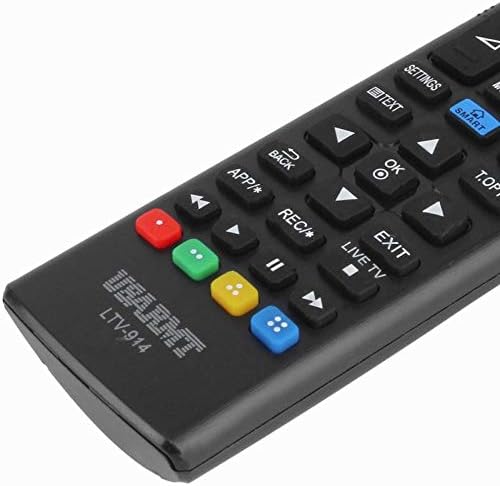
Image: Close-up of the remote's buttons, showing details of the control interface.
Factory Reset / Reconfiguration (If direct use fails)
In rare cases, if the remote does not operate your TV directly, you may need to perform a factory reset or attempt a reconfiguration.
- To reset to factory settings: Press and hold the POTENCIA button and the number 0 botón simultáneamente durante uns segundos.
- To attempt re-pairing (if applicable, though typically not required for this universal remote): Press and hold the POTENCIA button and the number 1 botón simultáneamente durante uns segundos.
After performing either of these steps, release the buttons and test the remote's functionality with your TV.
Resolución de problemas
- O mando a distancia non responde:
- Comprobe se as pilas están inseridas correctamente coa polaridade correcta.
- Replace old or depleted batteries with new AAA alkaline batteries.
- Asegúrate de que non haxa obstrucións entre o mando a distancia e o receptor de infravermellos do televisor.
- Asegúrate de que estás dentro do alcance efectivo do receptor de infravermellos do televisor.
- Algunhas funcións non funcionan:
- While this is a universal remote, some advanced or specific smart TV functions might not be fully supported on all LG models.
- Try the factory reset/reconfiguration steps mentioned in the "Operating Instructions" section.
- Remote LED indicator not lighting up:
- This usually indicates dead batteries or incorrect battery insertion. Replace batteries.
Mantemento
- Manteña o mando a distancia seco. Evite a exposición a líquidos.
- Non deixe caer o mando a distancia nin o someta a impactos fortes.
- Limpa o mando a distancia cun pano suave e seco. Non empregues produtos de limpeza abrasivos nin solventes.
- Se o mando a distancia non se vai usar durante un período prolongado, retire as pilas para evitar fugas.
Garantía e Soporte
Specific warranty information for this product is not provided in the available data. For support or warranty inquiries, please contact your retailer or the manufacturer, Calvas.