
Introdución
This manual provides comprehensive instructions for the Xgody 9-inch GPS Navigation System X4. Please read this manual carefully before using your device to ensure proper operation and to maximize its features. This system is designed to assist with navigation for various vehicle types, including cars, trucks, buses, and bicycles.
Contido e configuración do paquete
Antes de comezar, asegúrate de que todos os elementos estean presentes no paquete:
- Xgody 9-inch GPS Navigation Device
- Cable USB
- Montaxe para ventosa
- Car Charger (12-36V/2A)
- Manual de instrucións
- Funda protectora
Montaxe do dispositivo: Attach the suction cup mount to a clean, smooth surface on your dashboard or windshield. Ensure the device is securely fastened and does not obstruct your view of the road. Connect the GPS device to the mount.
Cargando o dispositivo: Connect the car charger to your vehicle's power outlet and to the GPS device's charging port. The device has a built-in Li-ion rechargeable 2000mAh battery, providing approximately 1 hour of working time. Full charging typically takes 2-3 hours.

Image: Package contents of the Xgody 9-inch GPS Navigation System X4, including the device, USB cable, suction cup, car charger, manual, and protective case.

Image: The Xgody 9-inch GPS Navigation System X4 mounted on a dashboard inside a truck, displaying a navigation route.
Acendido e configuración iniciais
Press and hold the power button to turn on the device. Follow the on-screen prompts to select your language, time zone, and initial map settings. Ensure the device has a clear view do ceo para unha adquisición óptima do sinal GPS.
Video: An official product video demonstrating the Xgody 9-inch GPS navigation system, highlighting its features, voice broadcast, and user interface for various vehicle types.
Instrucións de funcionamento
The Xgody X4 features a 9-inch capacitive touchscreen for intuitive control. The main menu provides access to various functions including Navigation, System Info, RMVB Player, Video, FM, Settings, Music, Games, Photo, and Tools.
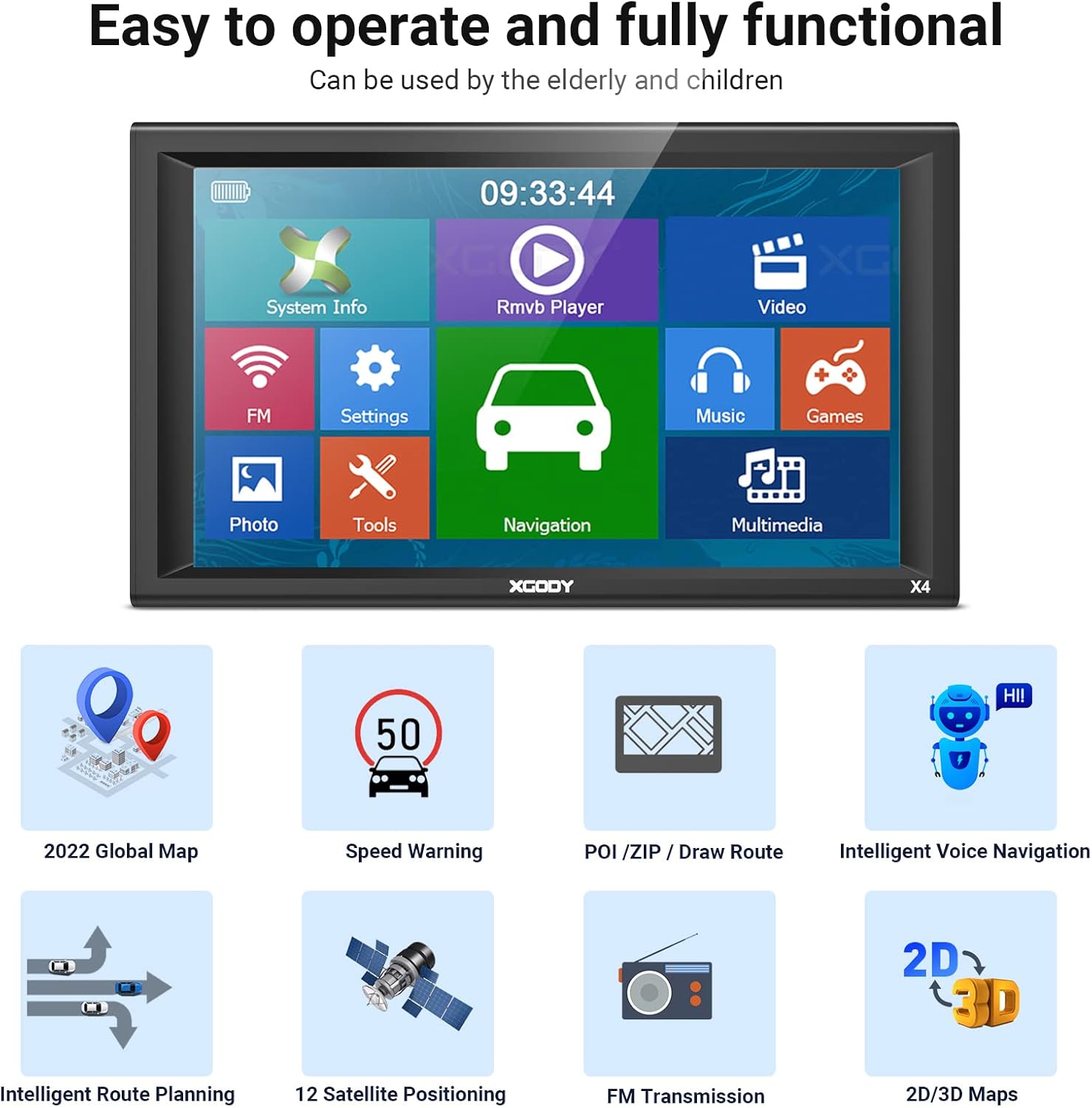
Image: The main menu screen of the Xgody 9-inch GPS, showing icons for System Info, RMVB Player, Video, FM, Settings, Music, Games, Photo, Tools, and Navigation.
Características de navegación
- Planificación de rutas: Enter your destination, and the system will calculate the optimal route.
- Guía de voz: Receive clear, spoken turn-by-turn directions.
- Aviso de velocidade: Alerts you when exceeding speed limits.
- POI (Points of Interest): Find nearby gas stations, restaurants, and other important locations.
- 2D/3D Maps: Switch between two-dimensional and three-dimensional map views for better spatial understanding.
- Truck Customization: Input your truck's dimensions (length, width, height, axles, weight) to receive routes that avoid low bridges, weight restrictions, and other truck-specific hazards.

Image: A detailed navigation screen on the Xgody GPS, showing a turn instruction, distance to next turn, estimated arrival time, and nearby gas stations.

Image: A screen demonstrating the truck customization feature, allowing users to input vehicle dimensions and weight to optimize routes for trucks, buses, and other large vehicles.
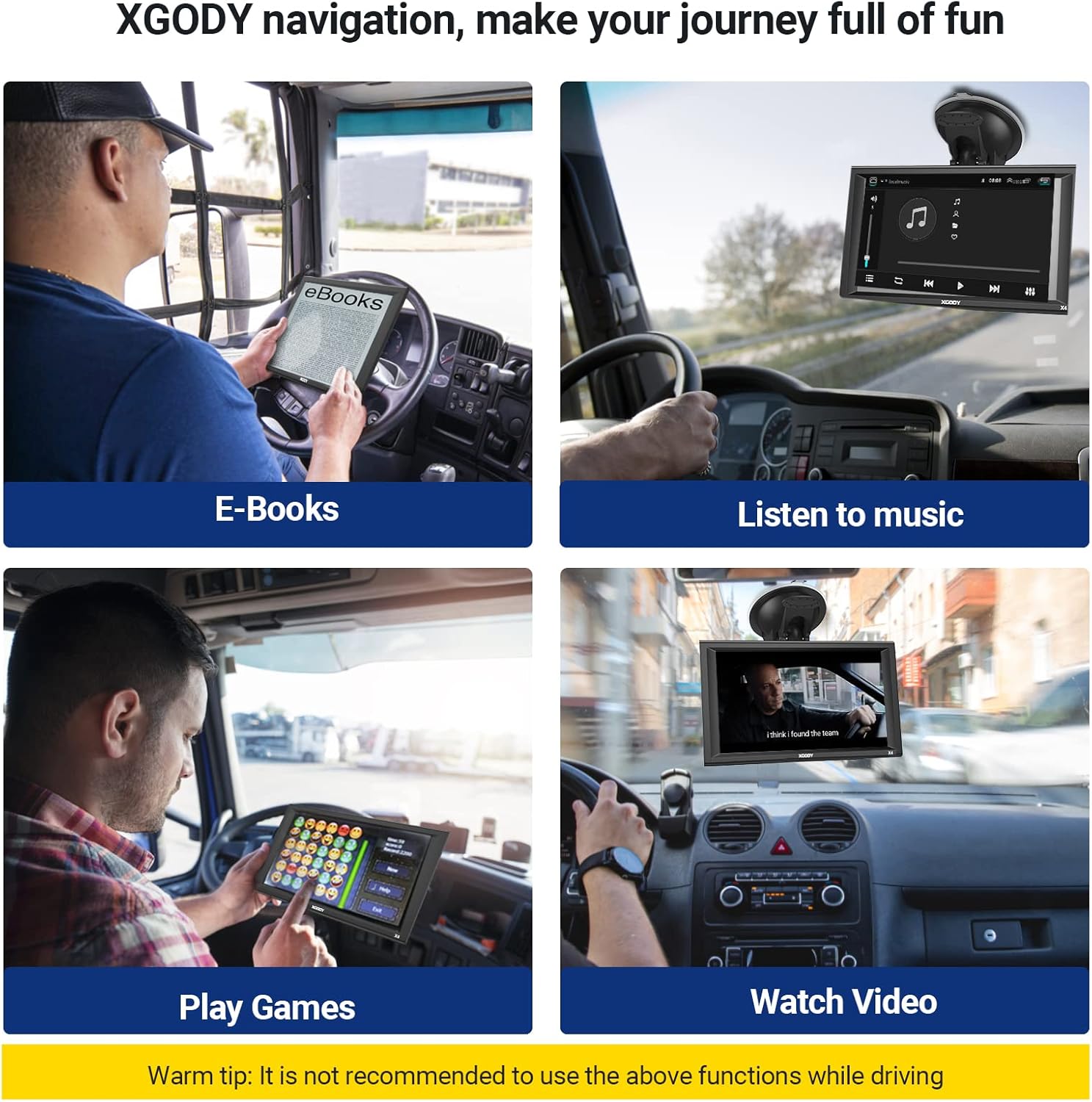
Image: Four panels illustrating entertainment features of the Xgody GPS: E-books, Music, Games, and Video playback. A warning advises against using these functions while driving.
Mantemento
To ensure the longevity and optimal performance of your Xgody GPS, follow these maintenance guidelines:
- Actualizacións do mapa: The device supports lifetime map updates. Regularly check for and install the latest map data to ensure accurate navigation. Instructions for updating maps are typically found in the device's settings or on the manufacturer's websitio.
- Coidado da pantalla: The 9-inch capacitive touchscreen should be cleaned with a soft, lint-free cloth. Avoid using harsh chemicals or abrasive materials that could damage the screen.
- Coidado da batería: To prolong battery life, avoid exposing the device to extreme temperatures. Charge the device fully before long trips and avoid completely draining the battery frequently.
- Almacenamento: When not in use for extended periods, store the device in a cool, dry place, preferably in its protective case.

Image: A screen showing the map downloading process for the Xgody GPS, indicating that the device offers free lifetime map updates.
Resolución de problemas
If you encounter issues with your Xgody GPS, refer to the following common problems and solutions:
- O dispositivo non se acende:
- Ensure the device is fully charged or connected to the car charger.
- Check the car charger connection and the vehicle's power outlet.
- Try a soft reset by pressing and holding the power button for 10-15 seconds.
- Sen sinal GPS:
- Asegúrate de que o dispositivo teña unha imaxe clara view do ceo, lonxe de edificios altos ou de vexetación densa.
- Mover o vehículo a unha zona aberta.
- Allow several minutes for the device to acquire a signal after power-on.
- Inaccurate Routing or Map Errors:
- Verify that the map data is up-to-date. Perform a map update if available.
- Check your vehicle type settings (car, truck, bus) to ensure routes are calculated correctly for your specific vehicle.
- Ensure all truck-specific parameters (height, weight, etc.) are accurately entered.
- Volume baixo:
- Adjust the volume settings within the device's menu.
- Ensure the FM transmitter function (if enabled) is correctly configured with your vehicle's radio.
- Mount Not Sticking:
- Clean the mounting surface and the suction cup thoroughly.
- Ensure the surface is smooth and non-porous.
- Apply slight moisture to the suction cup before attaching.
- Screen Unresponsive or Flickering:
- Reinicie o dispositivo.
- Asegúrate de que a pantalla estea limpa e libre de residuos.
- If the screen is physically damaged, contact customer support.
Especificacións
| Característica | Detalle |
|---|---|
| Marca | Xgody |
| Modelo | X4 |
| Tamaño da pantalla | 9 polgadas |
| Tipo de visualización | LCD |
| Resolución | 800 x 480 |
| Tipo de pantalla táctil | Capacitiva |
| Módulo GPS | Receptor GPS de alta sensibilidade |
| Memoria (RAM) | 256 MB |
| Internal Memory (ROM) | 8 GB |
| Ranura SD | Micro SD socket, MAX 32GB |
| Conectividade | USB (2.0 USB slot) |
| Bluetooth e entrada AV | Non |
| Batería | Built-in Li-ion Rechargeable 2000mAh |
| Tempo de traballo | Aproximadamente 1 hora |
| Tempo de carga | 2-3 horas |
| Entrada de cargador de coche | 12-36 V/2 A |
| Supported Navigation System | GPS |
| Tipo de servizo do vehículo | Bicycle, Bus, Car, Truck |
| Formatos de vídeo admitidos | ASF, AVI, WMV, 3GP, MP4, RMVB |
| Dimensións do artigo (L x W x H) | 9.07 cm de longo x 0.58 cm de ancho x 5.51 cm de alto |
Información da garantía
For detailed warranty information regarding your Xgody 9-inch GPS Navigation System X4, please refer to the documentation included in your product packaging or visit the official Xgody websitio. Os termos e condicións da garantía poden variar segundo a rexión e a data de compra.
Atención ao cliente
If you require further assistance, technical support, or have questions not covered in this manual, please contact Xgody customer service. Contact details can typically be found on the manufacturer's official websitio web ou na embalaxe do produto.
Para recursos en liña, podes visitar o Xgody brand store on Amazon or the official Xgody websitio.