
Introdución
This manual provides comprehensive instructions for the MaximalPower 2-Wire Surveillance Earpiece Headset. Designed for professional and industrial use, this headset offers clear and discreet communication. Please read this manual thoroughly before using the product to ensure proper setup, operation, and maintenance.
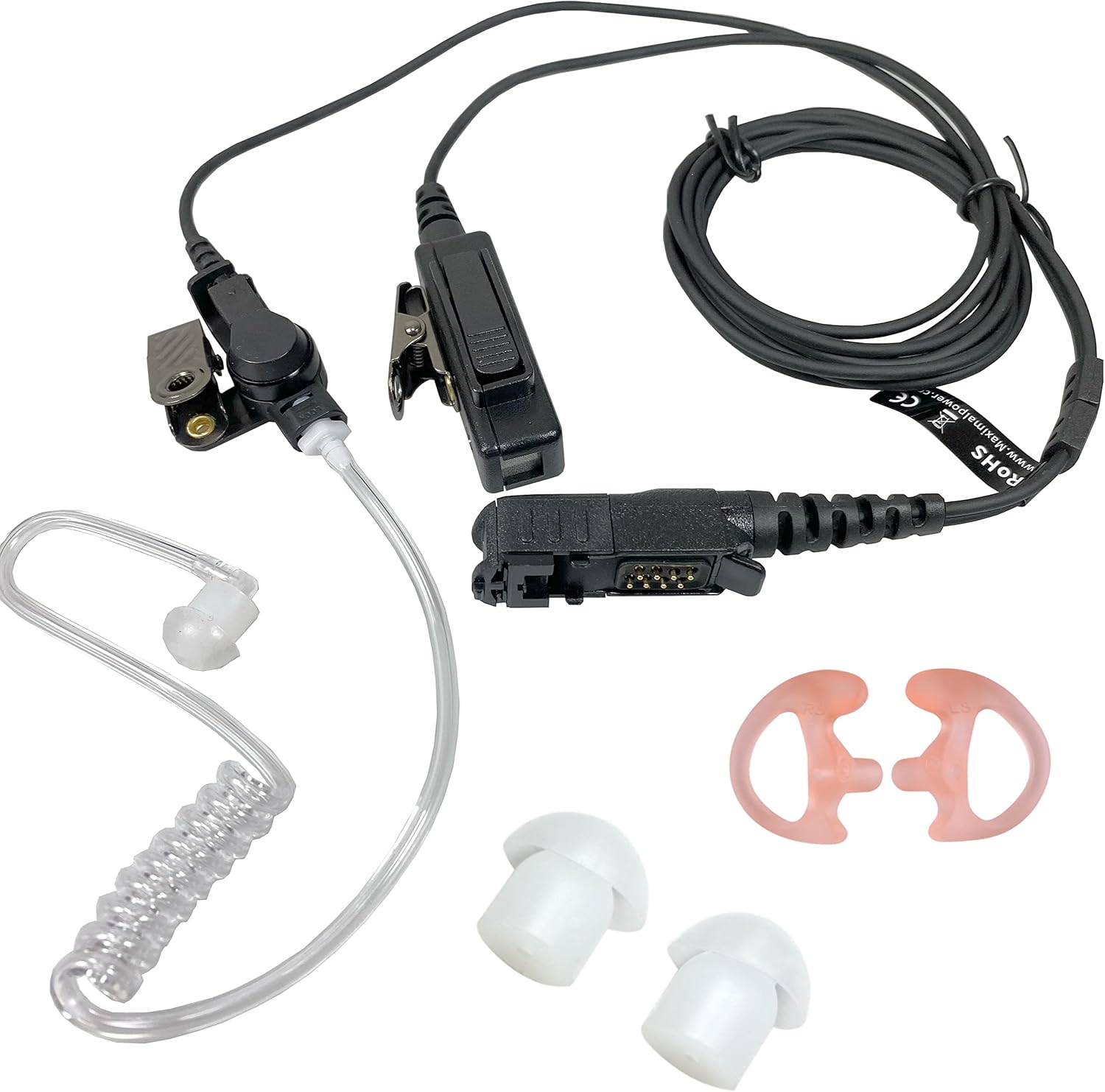
Figura 1: Máisview of the MaximalPower 2-Wire Surveillance Earpiece Headset components.
O que hai na caixa
Your MaximalPower 2-Wire Surveillance Earpiece Headset package includes the following items:
- 1x 2-Wire Surveillance Earpiece Headset with PTT Mic and Acoustic Tube
- 2x Ear Tips (additional sizes for comfort)
Configuración
Follow these steps to properly connect your earpiece headset to your compatible two-way radio:
- Identify the Radio Port: Locate the audio accessory port on your Motorola XPR/DEP series radio. This is typically covered by a protective flap.
- Aliñar o conector: The earpiece features a multi-pin connector. Carefully align the connector with the radio's port. Ensure the notch on the earpiece connector aligns with the corresponding lock symbol or notch on your radio.
- Inserir e asegurar: Gently push the connector into the radio port until it is fully seated and clicks into place. A proper connection will ensure reliable transmission and prevent the earpiece from becoming loose.
- Position the PTT Mic: Use the metal clip on the Push-To-Talk (PTT) microphone to attach it securely to your lapel or collar. Position it conveniently for easy access during communication.
- Wear the Earpiece: Place the acoustic tube earpiece into your ear. Adjust the clear coil tube for a comfortable and discreet fit.
Video 1: Demonstrates how to properly lock the earpiece pin into a compatible radio, ensuring a secure connection for optimal performance.

Figura 2: detallada view of the multi-pin connector designed for compatible Motorola two-way radios.
Instrucións de funcionamento
Once the headset is properly connected, operating it is straightforward:
- Receiving Communications: Audio will be transmitted directly to your ear via the clear acoustic tube. The low-profile design ensures discreet reception.
- Transmitting Communications (PTT): To speak, press and hold the Push-To-Talk (PTT) button located on the microphone unit. Speak clearly into the microphone. Release the PTT button when you are finished speaking to return to receive mode.
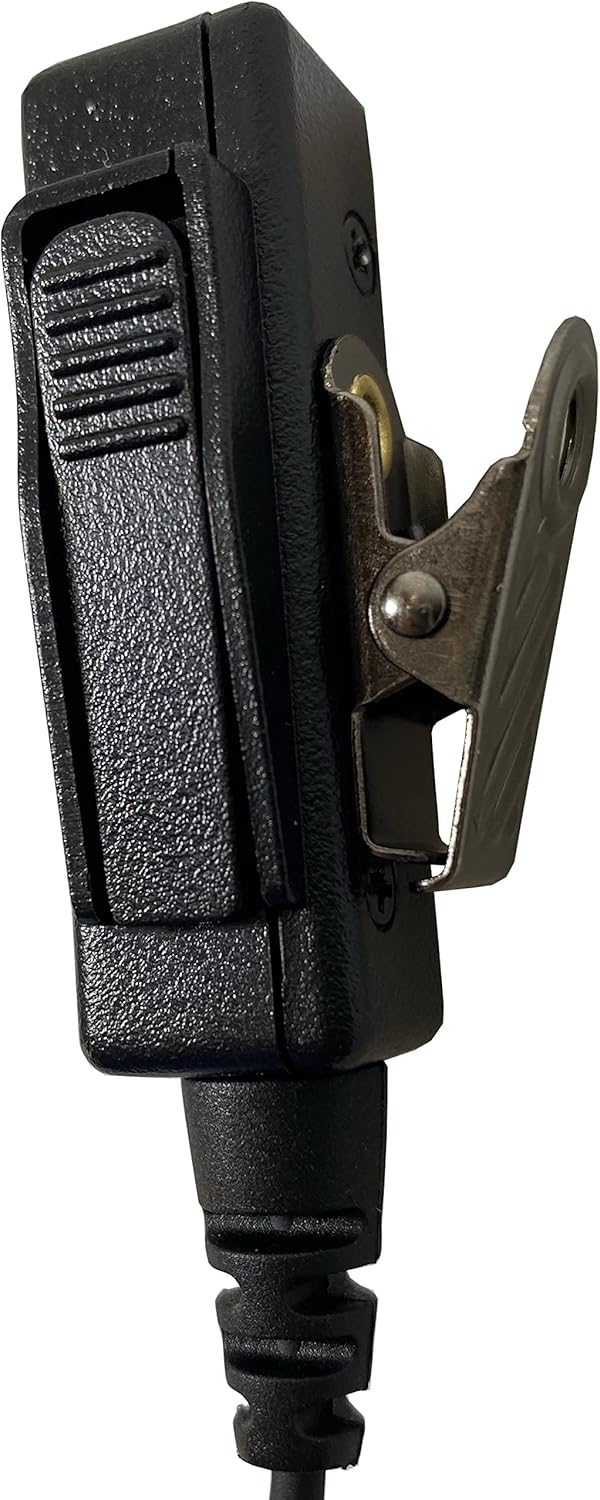
Figure 3: The Push-To-Talk (PTT) microphone unit with its integrated metal clip for easy attachment.
Video 2: Shows the assembly and usage of a flexible stretch cable walkie-talkie earpiece with a microphone, demonstrating how to connect the acoustic tube and use the PTT button.
Mantemento
Para garantir a lonxevidade e o rendemento óptimo dos seus auriculares, siga estas pautas de mantemento:
- Limpeza: Regularly wipe down the earpiece, acoustic tube, and PTT mic with a soft, damp pano. Evite o uso de produtos químicos agresivos ou materiais abrasivos.
- Acoustic Tube Care: The clear acoustic tube can be detached for cleaning or replacement. Gently twist and pull to remove. Clean with mild soap and water, then rinse thoroughly and allow to air dry completely before reattaching.
- Almacenamento: When not in use, store the headset in a clean, dry place away from direct sunlight and extreme temperatures. Avoid tangling the wires.
- Inspección: Periodically inspect the cables for any signs of wear, fraying, or damage. Ensure the connectors are clean and free of debris.
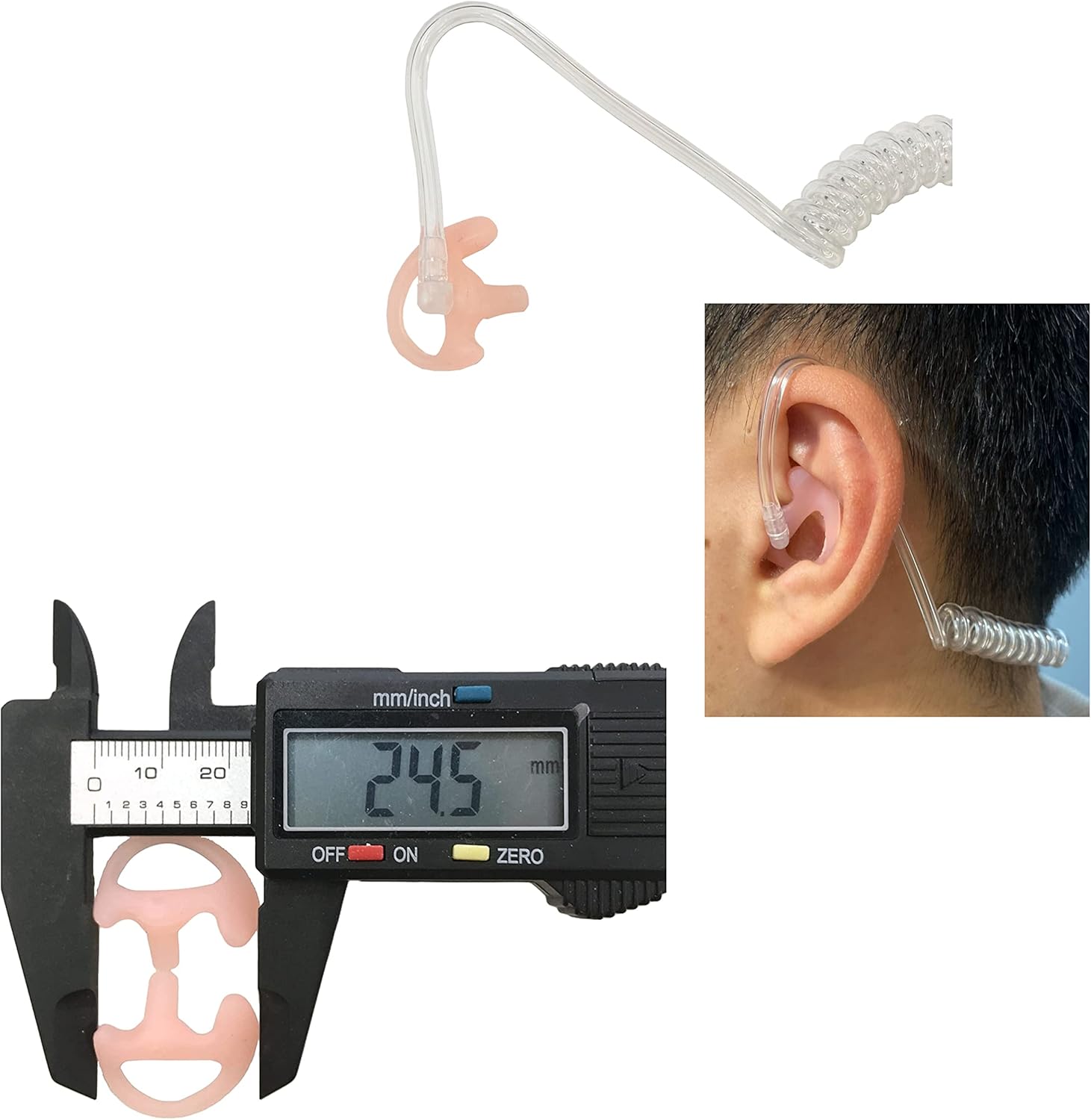
Figure 4: Various ear tips and the acoustic tube, highlighting replaceable components for hygiene and comfort.
Resolución de problemas
Se tes problemas cos auriculares, consulta os seguintes problemas e solucións comúns:
- No Audio / Intermittent Audio:
- Ensure the connector is fully and securely inserted into the radio port.
- Check the radio's volume settings.
- Inspect the acoustic tube for kinks or blockages.
- Verify the earpiece is compatible with your specific radio model.
- Unclear or Distorted Audio:
- Clean the acoustic tube and ear tip.
- Asegúrate de que o micrófono non estea obstruído e que estea colocado correctamente.
- Comprobe se hai algún dano nos cables ou conectores.
- PTT Button Not Responding:
- Confirm the connector is firmly seated in the radio.
- Ensure the PTT button is not stuck or damaged.
Especificacións
| Característica | Detalle |
|---|---|
| Nome do modelo | XPR 3500e XPR 3300e (Compatible with XPR3300, XPR3000, XPR3300e, XPR3500, XPR3500e, DEP550, DEP500e) |
| Tecnoloxía de conectividade | Con cable |
| Compoñentes incluídos | 2 x Ear Tip |
| Material | Policarbonato (PC) |
| Usos específicos do produto | Professional/Industrial Use |
| Función de cable | Retráctil |
| Método de control | Remote (PTT) |
| Peso do elemento | 2.3 onzas |
| Característica especial | Lixeiro |
| Colocación do oído | En Orella |
| Factor de forma | En Orella |
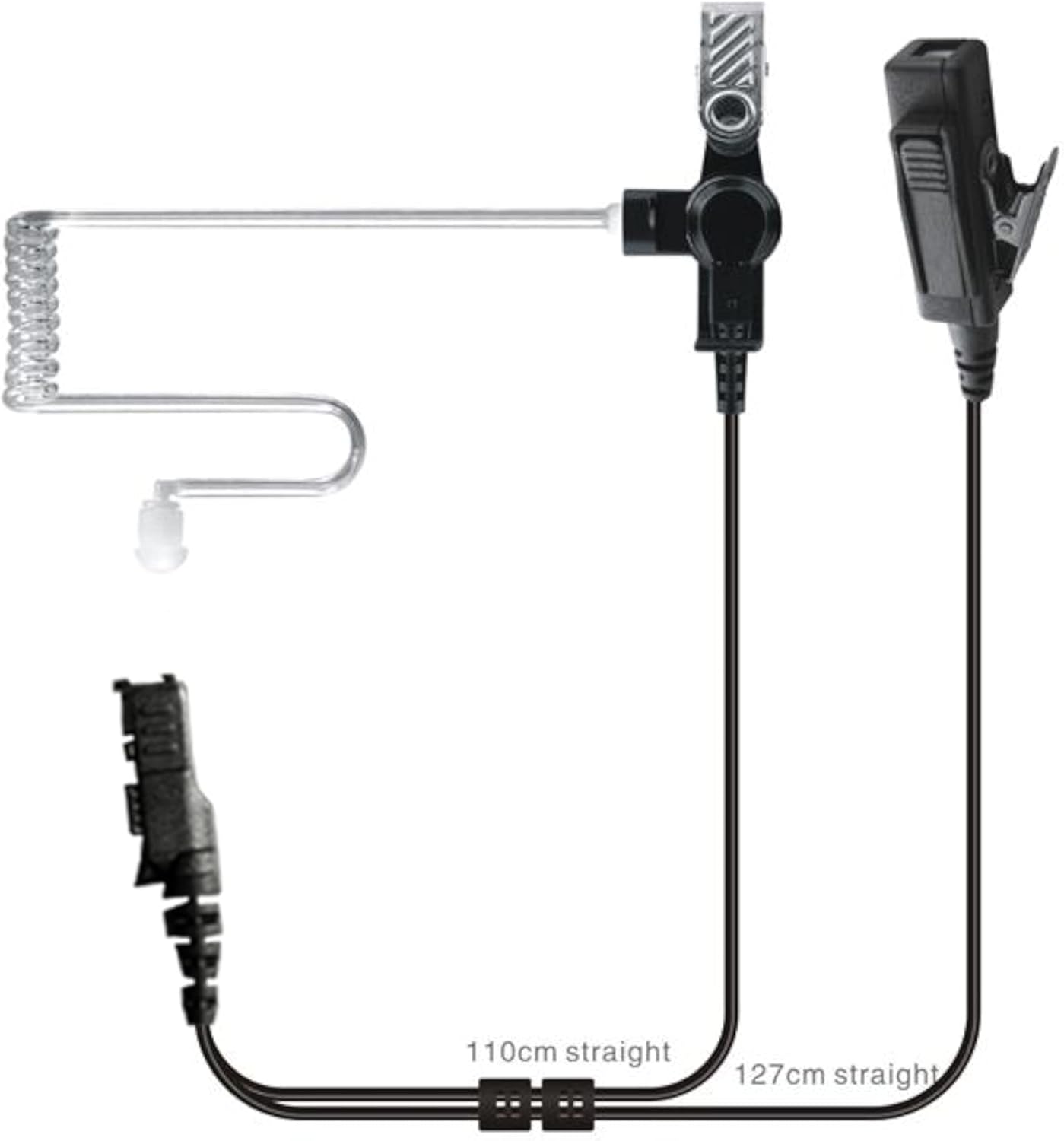
Figure 5: Cable length diagram for the 2-wire surveillance earpiece headset.
Garantía e Soporte
MaximalPower is a USA-based brand committed to providing quality products and excellent customer service. This product comes with a manufacturer's warranty. For warranty claims, technical support, or any inquiries, please contact MaximalPower customer service directly.