
1. Introdución
Thank you for choosing the Targus W620 Wireless Optical Mouse. This manual provides detailed instructions for setting up, operating, and maintaining your mouse to ensure optimal performance and longevity. The Targus W620 offers reliable 2.4 GHz wireless connectivity, a precise 1600 DPI optical sensor, and a compact design suitable for both office and mobile use.
2. Contido do paquete
Comprobe se o paquete contén os seguintes elementos:
- Targus W620 Wireless Optical Mouse
- Receptor USB
- 2 x pilas AAA
3. Produto rematadoview
Familiarize yourself with the components of your Targus W620 Wireless Optical Mouse.
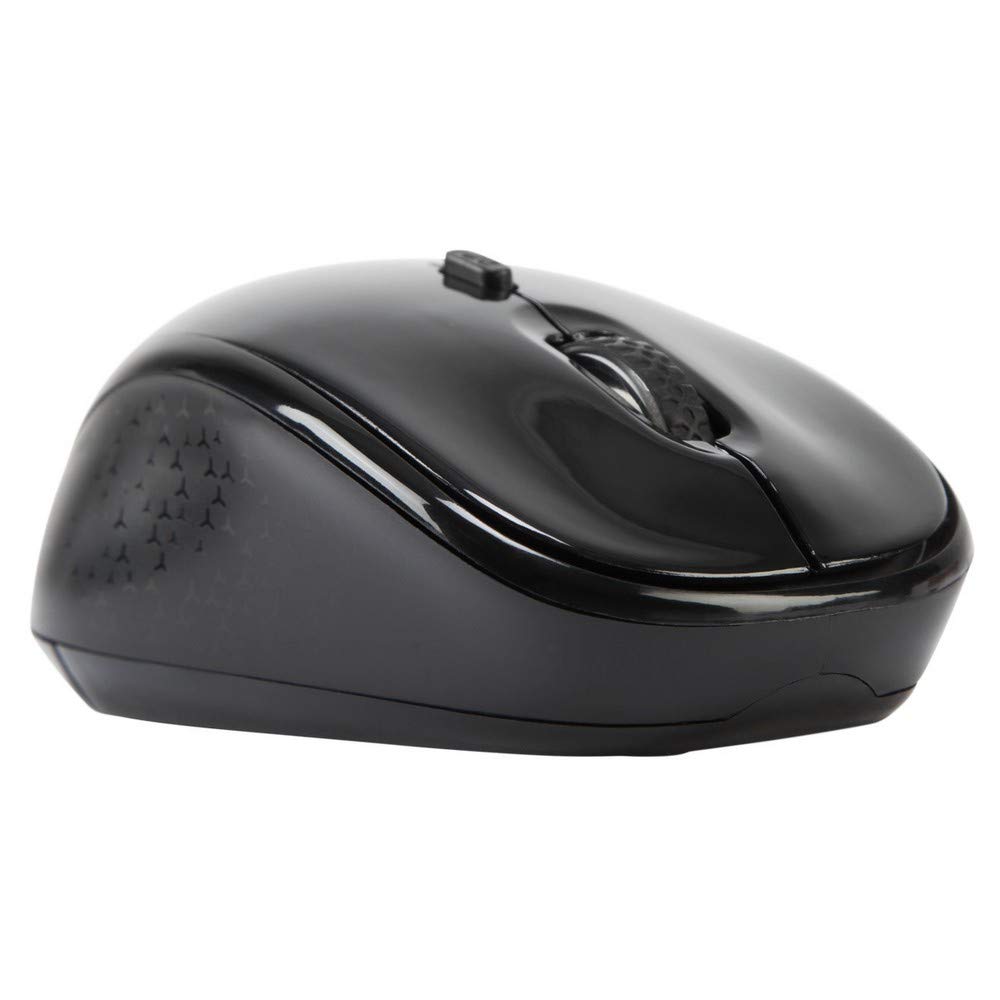
Imaxe 3.1: Arriba view of the Targus W620 Wireless Optical Mouse. This image displays the primary buttons and scroll wheel.
- Botón esquerdo para premer: Función de clic principal estándar.
- Botón dereito do rato: Función de clic secundario estándar.
- Roda de desprazamento: Para desprazamento vertical e función de clic co botón central.
- Botón DPI: Axusta a sensibilidade do rato (DPI).
- Sensor óptico: Located on the bottom, detects mouse movement.
- Compartimento de batería: Located on the bottom, holds two AAA batteries.
- Almacenamento do receptor USB: A dedicated slot on the bottom for storing the USB receiver when not in use.

Imaxe 3.2: Abaixo view of the mouse, highlighting the battery compartment and optical sensor.
4. Instrucións de configuración
Follow these steps to set up your Targus W620 Wireless Optical Mouse:
- Instalar baterías:
- Locate the battery compartment cover on the bottom of the mouse.
- Deslice a tapa para abrir.
- Introduza as dúas pilas AAA, asegurándose de manter a polaridade correcta (+/-).
- Pecha a tapa do compartimento da batería de forma segura.
- Conectar o receptor USB:
- The USB receiver is typically stored in a slot on the bottom of the mouse for transport. Gently remove it.
- Conecte o receptor USB a un porto USB dispoñible no seu ordenador.

Imaxe 4.1: The mouse with its USB receiver, ready for connection.
- Encendido:
- There is no explicit power switch on this model; the mouse activates upon movement and connection.
- O teu ordenador debería detectar e instalar automaticamente os controladores necesarios. Isto pode tardar uns intres.
- Once drivers are installed, the mouse is ready for use.
5. Instrucións de funcionamento
The Targus W620 Wireless Optical Mouse is designed for intuitive use. Here are its primary functions:
- Navegación básica: Move o rato sobre unha superficie plana para controlar o cursor na pantalla.
- Clic esquerdo: Use for selecting items, opening files, or activating functions.
- Clic dereito: Use for accessing context menus or secondary functions.
- Roda de desprazamento: Rotate the wheel to scroll vertically through documents and web pages. Press the scroll wheel for a middle-click function, often used for opening links in new tabs or auto-scrolling.
- Axuste de DPI: Press the DPI button (located behind the scroll wheel) to cycle through the available DPI settings (800, 1200, 1600 DPI). This changes the sensitivity of the mouse cursor. A higher DPI means the cursor moves further with less physical mouse movement.
6. Mantemento
Proper maintenance ensures the longevity and performance of your mouse.
- Limpeza: Usa un pano suave, seco e sen fiapos para limpar o exterior do rato. Para a sucidade persistente, dórao lixeiramenteampEnxágüe o pano con auga. Evite o uso de produtos químicos agresivos ou produtos de limpeza abrasivos.
- Sensor óptico: Keep the optical sensor area on the bottom of the mouse clean and free from dust or debris to ensure accurate tracking.
- Substitución da batería: When the mouse performance degrades or stops responding, it is likely time to replace the batteries. Follow the steps in Section 4.1 to replace the two AAA batteries.
- Almacenamento: When transporting or storing the mouse, always place the USB receiver back into its dedicated storage slot on the bottom of the mouse to prevent loss.
7 Solución de problemas
If you encounter issues with your Targus W620 mouse, try the following solutions:
| Problema | Posible Solución |
|---|---|
| Mouse not responding or cursor not moving. |
|
| O movemento do cursor é errático ou irregular. |
|
| DPI button not changing sensitivity. |
|
| Problemas de conexión sen fíos. |
|
8. Especificacións
| Marca | Targus |
| Número de modelo | AMW620AP |
| Tecnoloxía de conectividade | 2.4 GHz Wireless (Radio Frequency) |
| Tecnoloxía de detección de movemento | Optical (BlueTrace Technology) |
| Niveis de DPI | 800 / 1200 / 1600 DPI (axustable) |
| Número de botóns | 4 (Left, Right, Scroll Wheel, DPI) |
| Orientación das mans | Right (Comfortable for ambidextrous use) |
| Fonte de enerxía | 2 pilas AAA (incluídas) |
| Peso do elemento | 26 gramos |
| Compatibilidade do sistema operativo | Linux, Windows XP (Compatible with modern Windows and macOS) |
| Plataforma de hardware | Mac, PC |
| Cor | Negro |
9. Garantía e soporte
Información da garantía: The Targus W620 Wireless Optical Mouse comes with a 3 anos de garantía do fabricante desde a data de compra. Esta garantía cobre defectos de materiais e fabricación en condicións de uso normal. Conserve o comprobante de compra para reclamacións de garantía.
Atención ao cliente: For technical assistance, troubleshooting beyond this manual, or warranty inquiries, please visit the official Targus website or contact their customer support service. Refer to the contact information provided with your product packaging or on the Targus official websitio.