
Hoco CW13
Hoco CW13 Wireless Charger User Manual
Introdución
Welcome to the Hoco CW13 Wireless Charger user manual. This guide provides detailed instructions on how to set up, operate, maintain, and troubleshoot your new wireless charger. Please read this manual carefully before using the product to ensure optimal performance and safety.
Produto rematadoview
The Hoco CW13 is a universal portable wireless charger designed for fast charging of mobile devices. Its compact and lightweight design makes it an ideal companion for home and travel.
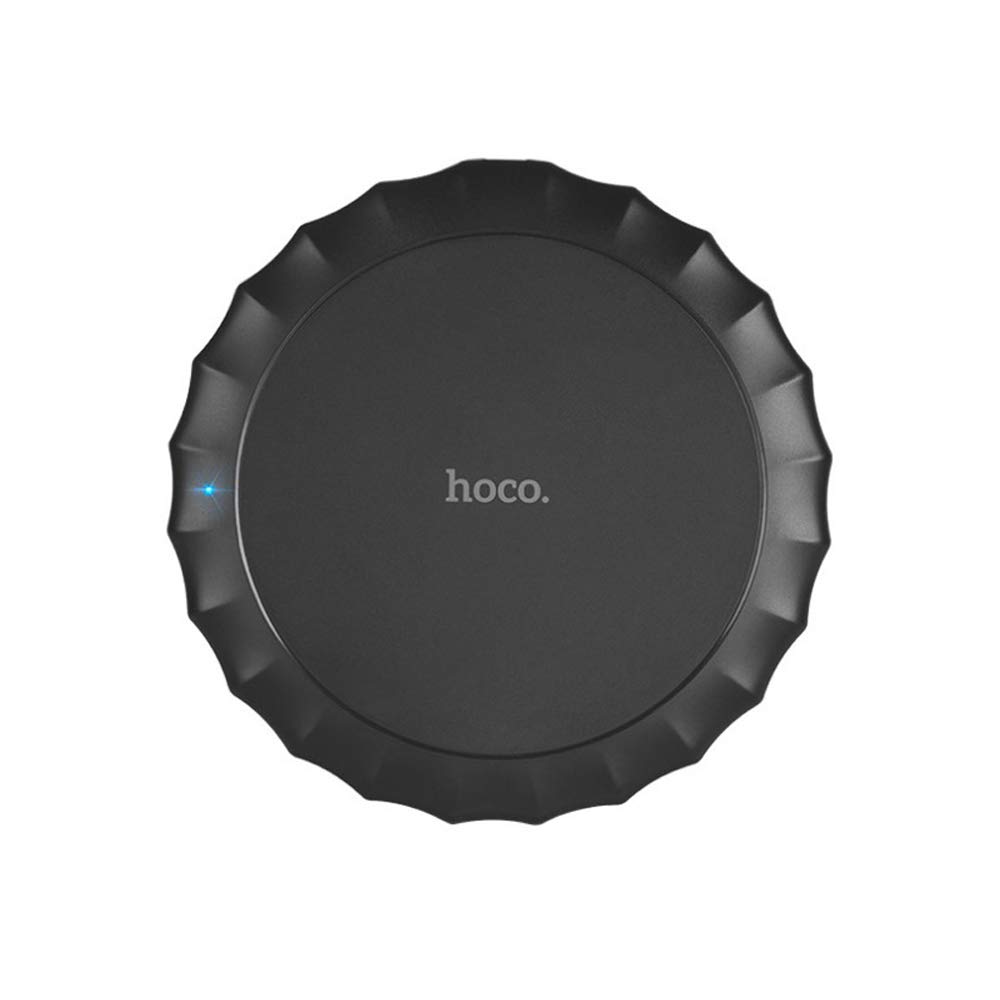
Esta imaxe mostra a parte superior view of the Hoco CW13 wireless charger. It features a sleek, black circular design with a corrugated edge, resembling a bottle cap. The "hoco." logo is prominently displayed in the center, and a small blue LED indicator light is visible on the left side, indicating power or charging status.
Características
- Marca: Hoco
- Modelo: CW13
- Cor: Negro
- Tipo: Cargador sen fíos
- Saída sen fíos: 5W
- Distancia de transmisión: 5-8 mm
- Tamaño compacto: Diameter 100mm, Thickness 10mm
- Lixeiro: 62 gramos
- Carga rápida capacidade
- Portátil deseño
Guía de configuración
Contido do paquete
Antes de comezar, asegúrate de que todos os elementos estean presentes no paquete:
- Hoco CW13 Wireless Charger
- Cable de carga USB
- Manual de usuario (este documento)
Conectando o cargador
- Connect the USB cable to the charging port on the Hoco CW13 wireless charger.
- Plug the other end of the USB cable into a compatible power adapter (e.g., wall charger, computer USB port) with a 5V input.
- The indicator light on the charger will illuminate, indicating it is powered on and ready for use.
Instrucións de funcionamento
Cargando o teu dispositivo
- Ensure your mobile device is compatible with Qi wireless charging.
- Place your Qi-enabled device directly onto the center of the Hoco CW13 wireless charger.
- The indicator light on the charger may change color or blink to confirm that charging has begun. Your device's screen will also show a charging icon.
- For optimal charging, ensure the device is centered on the charging pad. Misalignment may reduce charging efficiency or prevent charging.
- Unha vez que o dispositivo estea completamente cargado, quítao da almofada de carga.
Notas importantes
- Do not place metal objects, credit cards, or other foreign objects between the device and the charging pad, as this may interfere with charging or cause damage.
- Avoid using thick phone cases (over 3mm) as they might hinder wireless charging.
- The charger may become slightly warm during charging; this is normal.
Mantemento
Limpeza
To clean the charger, disconnect it from the power source. Use a soft, dry cloth to wipe the surface. Do not use harsh chemicals or abrasive cleaners.
Almacenamento
Garde o cargador nun lugar fresco e seco, lonxe da luz solar directa e de temperaturas extremas cando non o estea a usar.
Resolución de problemas
| Problema | Causa posible | Solución |
|---|---|---|
| O dispositivo non se está cargando | O dispositivo non está aliñado correctamente | Coloque o dispositivo no centro da plataforma de carga. |
| Phone case is too thick | Retire a funda do teléfono e ténteo de novo. | |
| Charger not powered on | Ensure the USB cable is securely connected to a working power source and the indicator light is on. | |
| Carga lenta | Using a non-fast charging adapter | Use a Quick Charge (QC) 2.0/3.0 or Power Delivery (PD) compatible adapter for faster charging. |
| Background apps running on device | Close unnecessary apps on your device. | |
| Charger getting hot | Funcionamento normal | Slight warmth is normal. If it becomes excessively hot, disconnect immediately and contact support. |
Especificacións
| Característica | Detalle |
|---|---|
| Marca | Hoco |
| Modelo | CW13 |
| Cor | Negro |
| Vol. De entradatage | 5V |
| Saída sen fíos | 5W |
| Distancia de transmisión | 5-8 mm |
| Dimensions (Diameter x Thickness) | 100 mm x 10 mm |
| Peso | 62 gramos |
| Dispositivos compatibles | Mobile Phones (Qi-enabled) |
| Características especiais | Fast Charging, Lightweight Design |
| Compoñentes incluídos | Cargador |
| Total de portos USB | 1 (para a entrada de alimentación) |
Garantía e Soporte
Información da garantía
This Hoco CW13 Wireless Charger comes with a standard manufacturer's warranty. Please refer to the warranty card included in your product packaging for specific terms and conditions, or visit the official Hoco websitio para máis detalles.
Atención ao cliente
If you encounter any issues or have questions regarding your Hoco CW13 Wireless Charger, please contact your retailer or the manufacturer's customer support. Contact information can typically be found on the product packaging or the official Hoco websitio.
For online support, you may visit the Hoco official website or the retailer's support page.
Ask a question about this manual
Ask about setup, troubleshooting, compatibility, parts, safety, or missing instructions. Manuals+ will review the question and use this page’s manual context to help answer it.