
Introdución
The Rapoo 1680 Silent Wireless Mouse offers a comfortable and quiet computing experience. Featuring a reliable 2.4GHz wireless connection, 1000 DPI optical tracking, and a silent click design, it is suitable for various environments, including offices and libraries. Its ergonomic and ambidextrous design ensures comfortable use for extended periods, and a long battery life provides convenience.

Image: The Rapoo 1680 Silent Wireless Mouse, showcasing its sleek, ambidextrous design in white.
O que hai na caixa
Comprobe que todos os elementos estean presentes no paquete:
- 1 x Wireless Mouse (Rapoo 1680)
- 1 x receptor USB
- 1 x batería AA
- 1 x manual de instrucións

Image: The underside of the Rapoo 1680 mouse with the battery compartment open, showing the included AA battery and the USB nano receiver.
Instrucións de configuración
- Insira a batería: Open the battery compartment located on the underside of the mouse. Insert the provided AA battery, ensuring correct polarity. Close the compartment securely.
- Inserir o receptor USB: Locate the USB nano receiver, typically stored within the battery compartment or packaged separately. Plug the USB receiver into an available USB port on your computer (PC, laptop, or tablet).
- Acender o rato: Slide the ON/OFF switch on the bottom of the mouse to the "ON" position. The mouse should now be powered on and ready for use.
- Conexión automática: The mouse is designed for plug-and-play functionality. Your computer should automatically detect and connect to the mouse within a few seconds. No additional drivers are typically required.
The Rapoo 1680 mouse is compatible with various operating systems, including Windows, Mac OS, Linux, and Chrome OS.
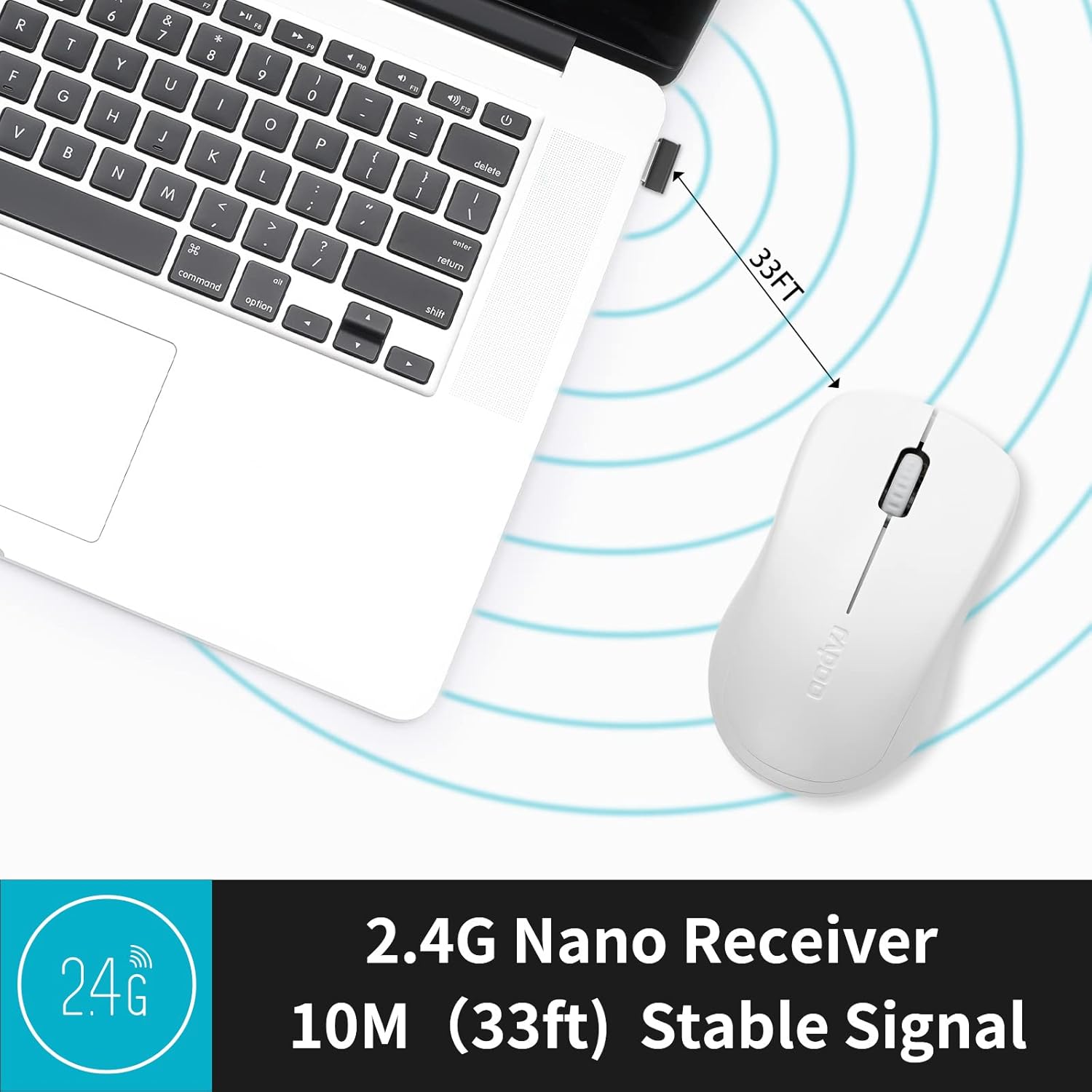
Image: A close-up of the 2.4G Nano Receiver plugged into a laptop, demonstrating the 10-meter (33ft) stable wireless signal range.

Image: The Rapoo 1680 mouse highlighting its wide compatibility with Windows, Mac OS, Linux, and Chrome operating systems.
Instrucións de funcionamento
The Rapoo 1680 mouse features a standard 3-button layout for intuitive control.
- Clic esquerdo: Botón principal para seleccionar elementos, abrir files, e interactuar co software.
- Clic dereito: Botón secundario para acceder aos menús contextuais e a opcións adicionais.
- Roda de desprazamento: Úsase para percorrer documentos e web páxinas. A roda de desprazamento tamén funciona como un botón central para premer.
Deseño de clic silencioso: This mouse is engineered to reduce click sounds by up to 90%, providing a quiet environment without compromising the tactile click feel. This feature is particularly beneficial in quiet settings such as libraries or shared workspaces.
1000 DPI Optical Tracking: The high-definition 1000 DPI optical tracking engine ensures responsive and smooth cursor control on most surfaces.

Image: The Rapoo 1680 mouse demonstrating its silent click feature, ideal for quiet environments.

Image: A user operating the Rapoo 1680 mouse in a library, emphasizing its quiet operation for undisturbed work.
Mantemento
- Substitución da batería: When the mouse performance degrades or stops responding, it may be time to replace the AA battery. Open the battery compartment, remove the old battery, and insert a new AA battery with the correct polarity.
- Limpeza: Usa un pano suave e seco para limpar o exterior do rato. Para o sensor óptico, usa un hisopo de algodón lixeiramente húmido.ampened with rubbing alcohol, ensuring no liquid enters the mouse's internal components.
- Almacenamento: When not in use for an extended period, slide the ON/OFF switch to the "OFF" position to conserve battery life. The USB receiver can be stored inside the mouse's battery compartment for safekeeping.
Resolución de problemas
- O rato non responde:
- Ensure the mouse is switched "ON" using the ON/OFF switch on the bottom.
- Check if the AA battery is correctly inserted and has sufficient charge. Replace if necessary.
- Verifica que o receptor USB estea conectado correctamente a un porto USB que funcione no teu ordenador. Proba cun porto USB diferente.
- Movemento errático do cursor:
- Limpa o sensor óptico da parte inferior do rato.
- Asegúrate de usar o rato sobre unha superficie axeitada. Evita superficies moi reflectantes ou transparentes.
- Problemas de conexión:
- Remove and re-insert the USB receiver.
- Move the mouse closer to the USB receiver to rule out range issues (maximum 10 meters).
Especificacións
| Característica | Detalle |
|---|---|
| Marca | Rapoo |
| Nome do modelo | 1680 |
| Tecnoloxía de conectividade | USB (2.4GHz Wireless) |
| Tecnoloxía de detección de movemento | Óptica |
| Mouse Maximum Sensitivity | 1000 DPI |
| Cantidade de botóns | 3 |
| Orientación das mans | Ambidiestro |
| Fonte de enerxía | Alimentado por pilas (1 pila AA incluída) |
| Duración media da batería | Ata 12 meses |
| distancia wireless | 10 metros (33 pés) |
| Peso do elemento | 58 gramos |
| Dimensións do artigo (L x W) | 4.33" de longo x 2.56" de ancho |
| Dispositivos compatibles | Ordenador persoal |
| Sistema Operativo | Windows, Mac OS, Linux, Chrome OS |
| Material do recinto | Plástico |
| Remate | Mate |

Image: Detailed dimensions of the Rapoo 1680 mouse, showing its length and width.
Vídeo oficial do produto
Video: An official product video from RAPOO showcasing the features and benefits of the Rapoo 1680 Silent Wireless Mouse, including its silent clicks, ergonomic design, and ease of use.
Garantía e Soporte
The Rapoo 1680 Silent Wireless Mouse comes with a 1 ano de garantía desde a data de compra. Esta garantía cobre defectos de fabricación e garante un rendemento fiable en condicións de uso normais.
For technical support, warranty claims, or any product-related inquiries, please contact Rapoo customer service. Refer to the Rapoo official website or the product packaging for the most up-to-date contact information.
RAPOO is committed to providing high-performance and high-quality peripheral products. If you have any questions or require assistance, please do not hesitate to reach out to their support team.