
Introdución
Welcome to the Sodo MH1 Twist Out Loud Bluetooth Speaker Headphones. This manual provides detailed instructions for the safe and efficient use of your device. Please read it thoroughly before operation to ensure optimal performance and to prevent damage.
Contido do paquete
Verifica que todos os elementos estean presentes no teu paquete:
- Sodo MH1 Headphones
- Funda protectora
- Manual de usuario
- Cable de carga
- Cable de audio (3.5 mm)
- Almofadas para orellas
Produto rematadoview
The Sodo MH1 headphones offer a unique twist-out design, allowing them to function as both over-ear headphones and a portable Bluetooth speaker. They feature wireless and wired connectivity, active noise cancellation, and a built-in microphone for hands-free calls. The super soft cushions ensure superior comfort during extended use.
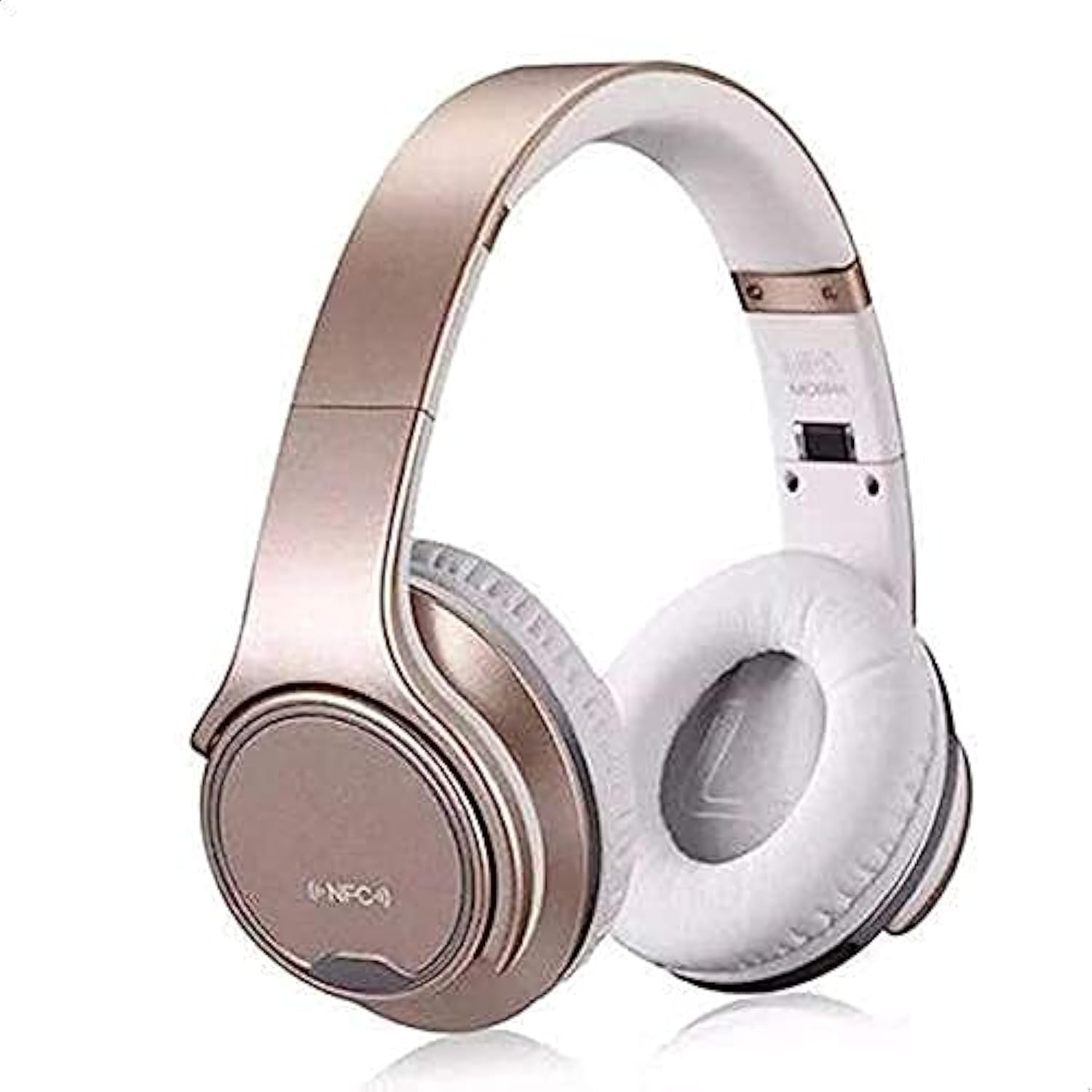
Image: Sodo MH1 Twist Out Loud Bluetooth Speaker Headphones in gold, showcasino seu deseño supraaurais.
Configuración
Cargando o dispositivo
Before first use, fully charge the headphones. Connect the charging cable to the charging port on the headphones and to a compatible USB power source. The indicator light will show the charging status and typically turn off or change color when fully charged.
Emparejamento Bluetooth
- Asegúrese de que os auriculares estean apagados.
- Manteña premido o botón de acendido durante aproximadamente 5 segundos ata que a luz indicadora parpadee en azul e vermello alternativamente, o que indica o modo de emparellamento.
- On your mobile device or other Bluetooth-enabled device, enable Bluetooth and search for "Sodo MH1" in the list of available devices.
- Select "Sodo MH1" to connect. A voice prompt will confirm successful pairing.
Instrucións de funcionamento
Encendido/apagado
Press and hold the power button for 3 seconds to power on or off the device.
Headphone Mode / Speaker Mode
To switch between headphone and speaker mode, twist the earcups outwards. The device will automatically detect the mode change and adjust audio output accordingly.
Reprodución de música
- Reproducir/Pausa: Prema o botón multifunción unha vez.
- Próxima pista: Manteña premido o botón Subir volume.
- Pista anterior: Manteña premido o botón para baixar o volume.
- Subir volume: Prema brevemente o botón Subir volume.
- Baixar volume: Prema brevemente o botón para baixar o volume.
Xestión de chamadas
- Responder/Finalizar chamada: Prema o botón multifunción unha vez.
- Rexeitar a chamada: Manteña premido o botón multifunción durante 2 segundos.
- Volver a marcar o último número: Prema dúas veces o botón multifunción.
Modo de tarxeta TF
Insert a TF (Micro SD) card into the designated slot. The headphones will automatically switch to TF card playback mode for MP3 files.
Control de voz
The device supports voice control for certain functions. Refer to your connected device's voice assistant settings for compatibility and commands.
Mantemento
To ensure longevity and optimal performance of your Sodo MH1 headphones:
- Clean the ear cushions and exterior with a soft, dry cloth.
- Evite expoñer o dispositivo a temperaturas extremas, humidade ou luz solar directa.
- Non use produtos de limpeza ou disolventes abrasivos.
- Store in the protective case when not in use to prevent scratches and damage.
Resolución de problemas
| Problema | Solución |
|---|---|
| O dispositivo non se acende | Asegúrate de que a batería estea cargada. Conéctaa a unha fonte de alimentación e inténtao de novo. |
| Non se pode emparellar por Bluetooth | Ensure the headphones are in pairing mode (flashing blue/red). Turn off and on Bluetooth on your device. Move closer to the headphones. |
| Sen son | Check volume levels on both the headphones and your connected device. Ensure the headphones are correctly paired. |
| Distorsión do son | Move closer to your connected device to avoid interference. Ensure the battery is not critically low. |
Especificacións
| Marca | Sodo |
| Número de modelo | MH1 |
| Cor | Ouro |
| Conectividade | Wired/Wireless (Bluetooth, 3.5mm Jack) |
| Control de ruído | Cancelación activa de ruído |
| Factor de forma dos auriculares | Sobre orella |
| Conector para auriculares | Jack de 3.5 mm |
| Compoñentes incluídos | Protective case, User manual, Cable, Ear cushions |
| Material | Polycarbonate (PC), Plastic Leather |
| Usos recomendados | Música |
| Nivel de resistencia á auga | Non resistente á auga |
| Características especiais | Noise Cancellation, Built-in Microphone |
| Tipo de control | Noise Control, Voice |
| Dispositivos compatibles | Todos os dispositivos |
| ASIN | B07R964WJ5 |
Garantía e Soporte
For warranty information or technical support, please refer to the contact details provided in the included user manual or visit the official Sodo websitio. Conserve o recibo de compra para reclamacións de garantía.