
1. Introdución
Thank you for choosing the Sodo MH3 Wireless On-Ear Bluetooth Headphones. This device offers both high-quality audio playback as on-ear headphones and the versatility of a portable Bluetooth speaker. This manual provides essential information for safe and efficient use, including setup, operation, and maintenance instructions.
2. Información de seguridade
- Non expoñas o dispositivo a temperaturas extremas, luz solar directa nin humidade elevada.
- Evite deixar caer os auriculares nin someterlos a impactos fortes.
- Keep the device away from water and other liquids. It is not water-resistant.
- Do not attempt to disassemble, repair, or modify the headphones yourself. This may void the warranty and cause damage.
- Clean the headphones with a soft, dry cloth only. Do not use abrasive cleaners or solvents.
- Prolonged listening at high volume levels can cause hearing damage. Adjust volume to a safe level.
3. Contido do paquete
Comprobe se o paquete contén os seguintes elementos:
- Sodo MH3 Wireless On-Ear Bluetooth Headphones (with integrated headband)
- Cable de carga USB
- Cable de audio de 3.5 mm (cable auxiliar)
- Manual de usuario
4. Produto rematadoview
Familiarize yourself with the components of your Sodo MH3 headphones.
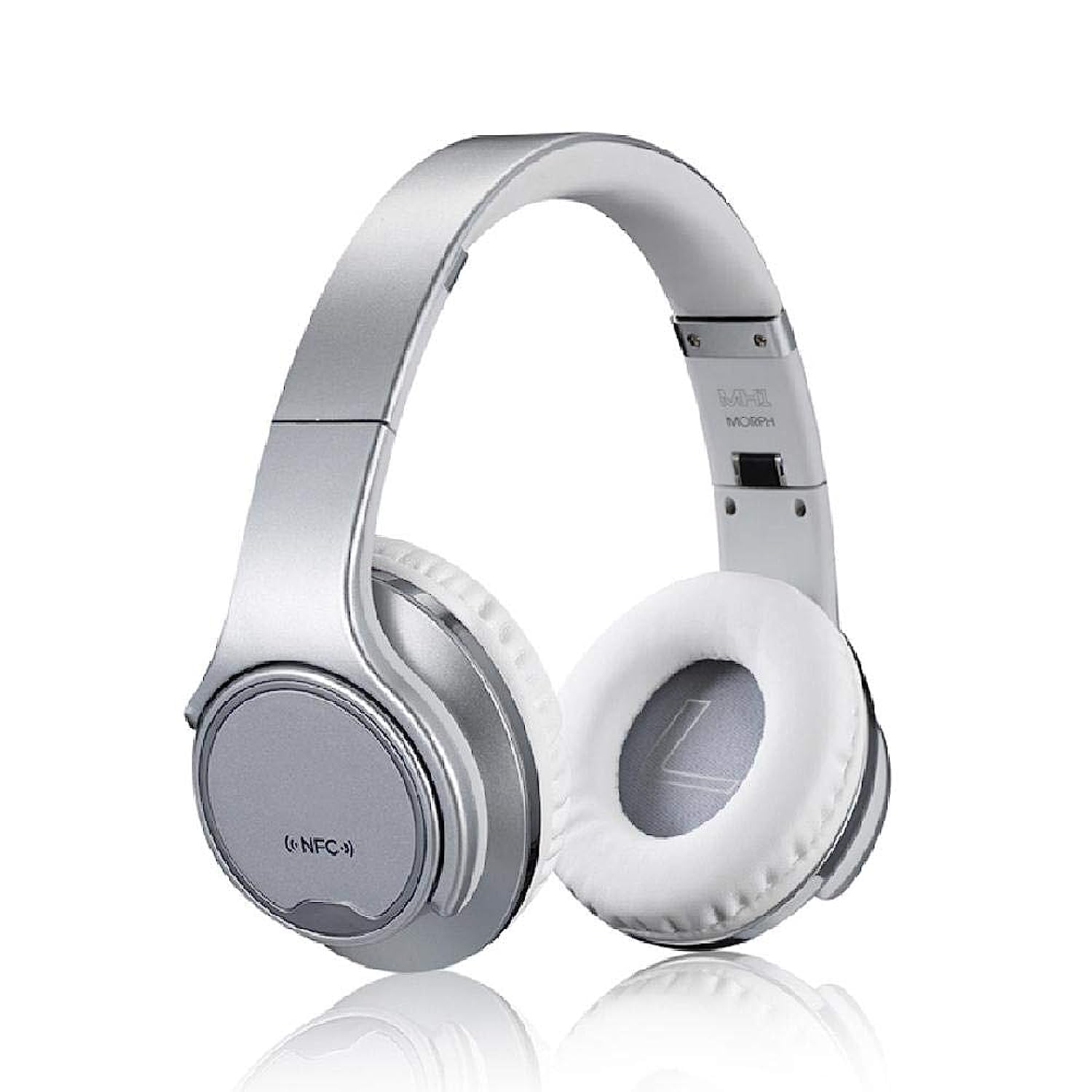
Imaxe 1: Fronte view of the Sodo MH3 Wireless On-Ear Bluetooth Headphones. The image shows the silver headband and white earcups, indicating the overall design.

Imaxe 2: Lado view of the Sodo MH3 Wireless On-Ear Bluetooth Headphones. This view highlights the adjustable headband and the cushioning on the earcups.
Controls and Ports (Refer to diagram in physical manual for exact locations):
- Botón de encendido: Used to turn the device on/off and for pairing.
- Botón para subir o volume/seguinte pista: Increases volume, skips to the next track.
- Botón para baixar o volume/pista anterior: Decreases volume, goes to the previous track.
- Botón multifunción (MFB): Play/Pause, Answer/End calls, Mode switch.
- Micrófono: Para chamadas mans libres.
- Indicador LED: Mostra o estado da batería, da carga e do Bluetooth.
- Porto de carga micro USB: Para cargar a batería interna.
- Entrada AUX de 3.5 mm: Para conexión de audio con cable.
5. Configuración
5.1 Carga dos auriculares
- Connect the small end of the USB charging cable to the Micro USB charging port on the headphones.
- Conecta o extremo máis grande do cable de carga USB a un adaptador de corrente USB (non incluído) ou ao porto USB dun ordenador.
- The LED indicator will illuminate (e.g., red) during charging and turn off or change color (e.g., blue) when fully charged.
- Deixe aproximadamente 2-3 horas para unha carga completa antes do primeiro uso.
5.2 Acendido/Apagado
- Para acender: Press and hold the Power button for approximately 3 seconds until the LED indicator flashes and you hear a power-on prompt.
- Para apagar: Manteña premido o botón de acendido/apagado durante aproximadamente 3 segundos ata que o indicador LED se apague e escoite un aviso de apagado.
5.3 Bluetooth Pairing (Headphone Mode)
- Asegúrese de que os auriculares estean apagados.
- Manteña premido o botón de acendido/apagado durante uns 5-7 segundos ata que o indicador LED parpadee en vermello e azul alternativamente, o que indica o modo de emparellamento.
- Activa o Bluetooth no teu dispositivo de son (teléfono intelixente, tableta, ordenador).
- Busca "MH3" or "Sodo MH3" in the list of available Bluetooth devices.
- Select "MH3" to connect. Once connected, the LED indicator will flash blue slowly, and you will hear a confirmation tone.
- Se se lle solicita un contrasinal, introduza "0000".
5.4 Conexión por cable (modo AUX)
- Connect one end of the 3.5mm audio cable to the AUX input port on the headphones.
- Connect the other end of the 3.5mm audio cable to the audio output jack of your device (e.g., phone, MP3 player).
- The headphones will automatically switch to wired mode. Bluetooth functionality will be disabled in this mode.
6. Instrucións de funcionamento
6.1 Playing Audio (Bluetooth Mode)
- Reproducir/Pausa: Preme o MFB unha vez.
- Próxima pista: Manteña premido o botón Subir volume.
- Pista anterior: Manteña premido o botón para baixar o volume.
- Subir volume: Prema brevemente o botón Subir volume.
- Baixar volume: Prema brevemente o botón para baixar o volume.
6.2 Xestión de chamadas
- Responder chamada: Press the MFB once when a call comes in.
- Finalizar a chamada: Prema o botón multifunción unha vez durante unha chamada.
- Rexeitar a chamada: Press and hold the MFB for 2 seconds when a call comes in.
- Volver a marcar o último número: Prema dúas veces o MFB.
6.3 Switching Between Headphone and Speaker Mode
The Sodo MH3 features a unique 2-in-1 design, allowing it to function as both on-ear headphones and a portable Bluetooth speaker.
- To switch to Speaker Mode: Rotate the earcups outwards. The sound will project from the external speakers.
- To switch to Headphone Mode: Rotate the earcups inwards to cover your ears. The sound will be directed to the internal headphone drivers.
- The device automatically detects the orientation of the earcups and adjusts the audio output accordingly.
7. Mantemento
- Limpeza: Use a soft, dry, lint-free cloth to wipe the surfaces of the headphones. Do not use liquid cleaners or sprays.
- Almacenamento: Cando non os use, garde os auriculares nun lugar fresco e seco, lonxe da luz solar directa e de temperaturas extremas.
- Coidado da batería: To prolong battery life, charge the headphones regularly, even if not used frequently. Avoid fully discharging the battery for extended periods.
8 Solución de problemas
| Problema | Causa posible | Solución |
|---|---|---|
| Os auriculares non se acenden. | Batería baixa. | Cargue os auriculares completamente. |
| Non se pode emparellar por Bluetooth. | Os auriculares non están en modo de emparellamento; Bluetooth desactivado no dispositivo; dispositivo demasiado lonxe. | Ensure headphones are in pairing mode (flashing red/blue). Enable Bluetooth on your device. Move device closer to headphones (within 10 meters). |
| Non hai son no modo Bluetooth. | Volume demasiado baixo; auriculares non conectados; saída de audio incorrecta seleccionada no dispositivo. | Aumenta o volume tanto nos auriculares como no dispositivo conectado. Volve emparellar os auriculares. Comproba a configuración da saída de audio no teu dispositivo. |
| Distorsión do son. | Dispositivo demasiado lonxe; interferencias; batería baixa. | Acérquese máis ao dispositivo conectado. Evite interferencias electromagnéticas fortes. Cargue os auriculares. |
| O micrófono non funciona. | Incorrect input device selected on computer/phone; microphone blocked. | Check audio input settings on your device. Ensure microphone port is clear. |
9. Especificacións
| Marca | Sodo |
| Modelo | MH3 |
| Cor | Prata |
| Tecnoloxía de conectividade | Sen fíos (Bluetooth) |
| Tipo de auriculares | De orella |
| Función de altofalante | Yes (2-in-1 design) |
| Micrófono incluído | Si |
| Control de ruído | Ningún |
| Material | Plástico |
| Usos recomendados | Sports, Exercise |
| Tipo de control | Volume Control, Voice |
| Nivel de resistencia á auga | Non resistente á auga |
| Conector para auriculares | Conector de 3.5 mm |
| Sensibilidade | 97 dB |
| Dimensións | 23 x 20.2 x 10.8 cm |
| Peso | 450 gramos |
| Compoñentes incluídos | Headband (integrated) |
10. Garantía e soporte
For warranty information and support, please refer to the warranty card included with your product or contact the retailer where you purchased the Sodo MH3 headphones. Keep your proof of purchase for warranty claims.
For further assistance or technical support, please visit the official Sodo websitio web ou póñase en contacto co seu departamento de atención ao cliente. Os datos de contacto adoitan aparecer na embalaxe do produto ou na etiqueta do fabricante. websitio.