
Introdución
The HP Colour Laser 150nw is a compact wireless color laser printer designed for efficient use in various workspaces. It delivers exceptional quality color and monochrome prints, page after page. This printer supports printing and scanning directly from your smartphone, offering convenience and versatility.
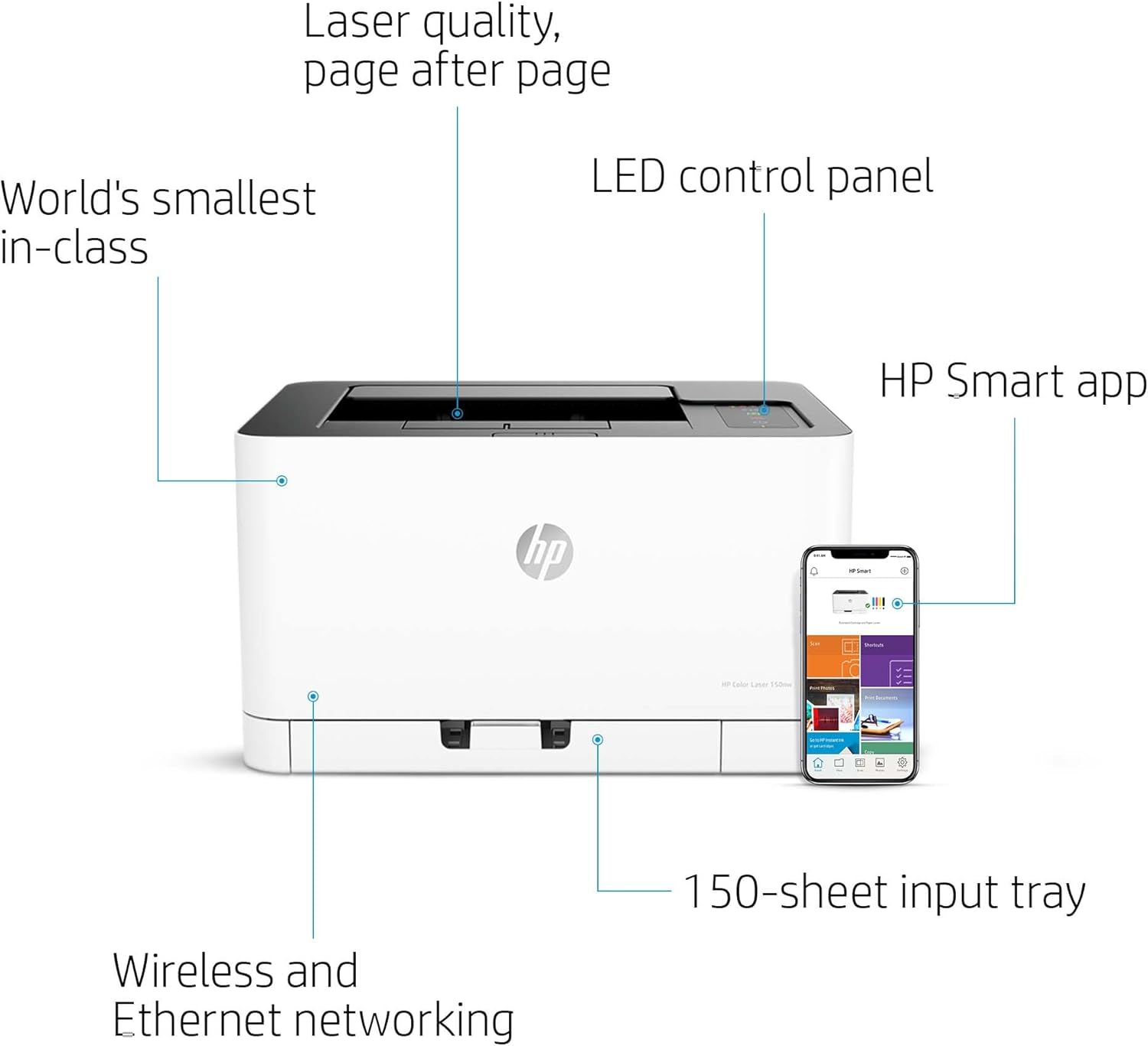
Imaxe: Máis deview of the HP Colour Laser 150nw printer highlighting its key features including laser quality, LED control panel, HP Smart app compatibility, 150-sheet input tray, and wireless/Ethernet networking capabilities.
Configuración
1. Desembalaxe e colocación inicial
Carefully remove the printer from its packaging. Place the printer on a stable, flat surface with adequate space around it for ventilation and access to the paper trays and connections. Ensure the location is free from excessive dust and direct sunlight.

Image: The HP Colour Laser 150nw printer with its dimensions (height: 21.1cm, width: 38.2cm, depth: 39.6cm) indicated, assisting with proper placement.
2. Conexión de alimentación
Connect the power cord to the printer's power port and then plug it into a grounded electrical outlet. Press the power button to turn on the printer.
3. Instalación e conectividade do software
For initial setup and full functionality, install the HP Smart app on your smartphone or visit the HP website for driver installation on your computer. The printer supports both Wi-Fi and Ethernet connectivity.
- Configuración sen fíos: Follow the instructions in the HP Smart app to connect your printer to your Wi-Fi network.
- Configuración Ethernet: Connect an Ethernet cable from your router or network switch to the Ethernet port on the back of the printer.
- Conexión USB: Para unha conexión directa, use un cable USB para conectar a impresora ao ordenador.

Imaxe: A parte traseira view of the HP Colour Laser 150nw printer, clearly showing the Ethernet port, USB 2.0 port, and power input for connectivity options.
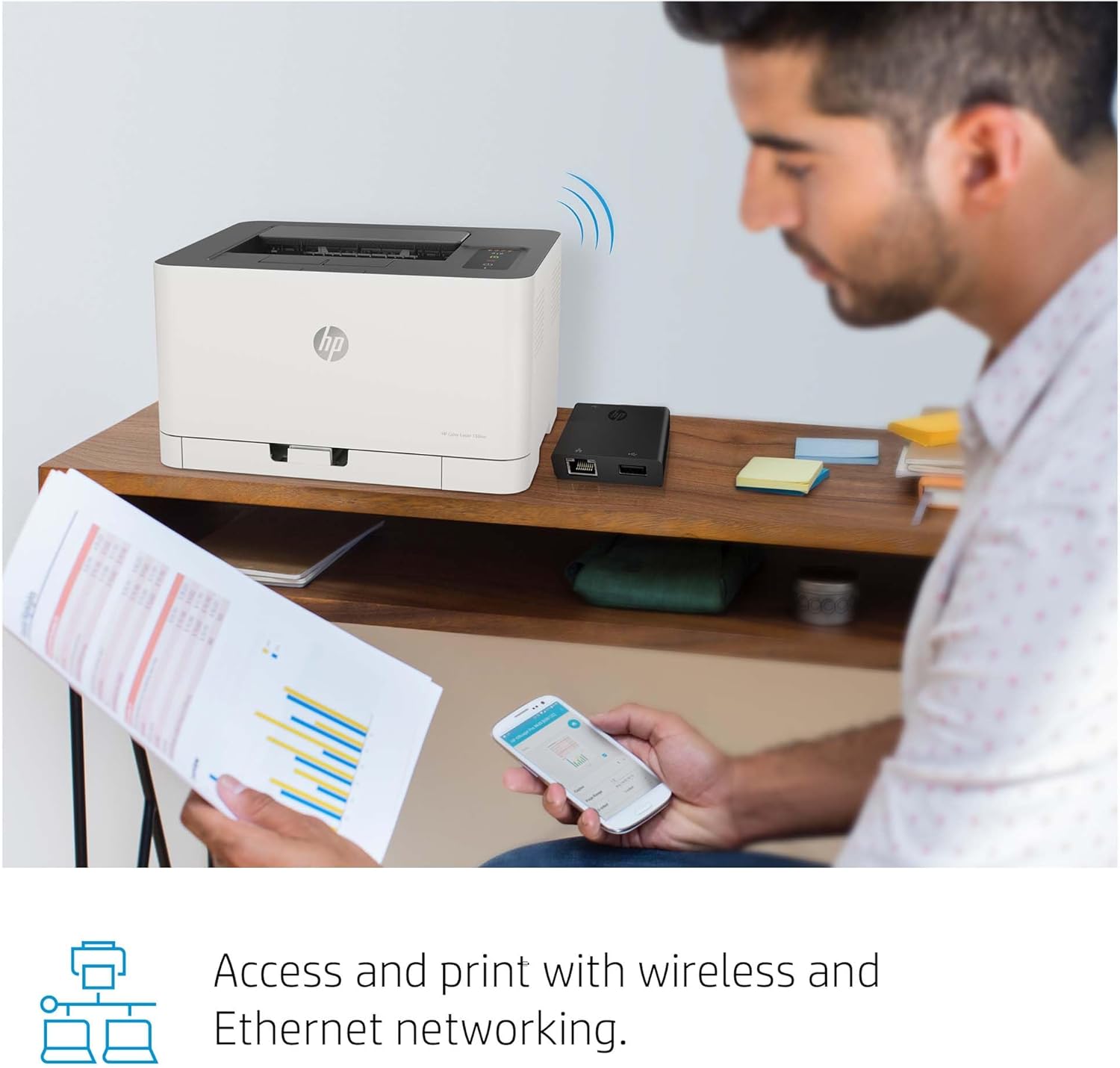
Image: A user operating a laptop with the HP Colour Laser 150nw printer connected wirelessly, demonstrating its network-ready capabilities.
Instrucións de funcionamento
1. Cargando papel
Open the input tray and adjust the paper guides to fit the paper size. Load up to 150 sheets of paper into the tray. Ensure the paper is flat and not creased.

Image: The HP Colour Laser 150nw printer with paper correctly loaded into its input tray, ready for printing.
2. Impresión desde un ordenador
After installing the necessary drivers, select the HP Colour Laser 150nw from your computer's print dialog. Adjust print settings such as paper size, orientation, and color options as needed, then initiate the print job.

Image: The HP Colour Laser 150nw printer in operation, with a color document being outputted from the top tray.
3. Mobile Printing and Scanning with HP Smart App
The HP Smart app allows you to print, scan, and copy directly from your smartphone. Download the app, connect it to your printer, and follow the in-app instructions for mobile operations. You can also share documents to cloud services like Dropbox and Google Drive.

Image: A person interacting with the HP Smart app on a smartphone, demonstrating the ease of managing print and scan tasks remotely with the HP Colour Laser 150nw printer.
4. Panel de control rematadoview
The LED control panel provides status indicators and basic controls for the printer. Familiarize yourself with the icons for Wi-Fi status, error alerts, and power.

Image: A detailed close-up of the HP Colour Laser 150nw's LED control panel, showing indicators for toner levels (CMYK), Wi-Fi, download, error, and power status.
Mantemento
1. Substitución dos cartuchos de tóner
The HP Colour Laser 150nw uses HP 117A Introductory Laser Cartridges (Black, Cyan, Yellow, Magenta). When a cartridge runs low, the printer's control panel or the HP Smart app will indicate it. To replace, open the toner access door, remove the old cartridge, and insert a new original HP 117A cartridge until it clicks into place.
2. Limpeza da impresora
Regularly clean the exterior of the printer with a soft, lint-free cloth. For internal cleaning, refer to the HP Smart app or the official HP support website for specific instructions to maintain print quality and prevent dust buildup.
Resolución de problemas
This section addresses common issues you might encounter with your HP Colour Laser 150nw printer.
- A impresora non responde: Ensure the printer is powered on and properly connected to the network (Wi-Fi or Ethernet) or computer (USB). Check for any error messages on the control panel.
- Mala calidade de impresión: Check toner levels and replace any low cartridges. Ensure you are using appropriate paper types and that the print settings match your document.
- Atascos de papel: Carefully open all access doors and remove any jammed paper following the instructions provided on the printer or in the HP Smart app. Avoid tearing the paper.
- Problemas de conectividade: Restart your printer, router, and computer/smartphone. Verify that the printer is connected to the correct network. For wireless issues, ensure the printer is within range of your Wi-Fi router.
For more detailed troubleshooting steps, consult the HP Smart app or the official HP support websitio.
Especificacións técnicas
| Característica | Especificación |
|---|---|
| Marca | HP |
| Nome do modelo | 150nw |
| Número de modelo do artigo | 4ZB95A#B19 |
| Tecnoloxía de impresión | Láser |
| Saída da impresora | Cor |
| Tecnoloxía de conectividade | Ethernet, 802.11b/g Wireless, USB 2.0 |
| Maximum Print Speed (Black and White) | 18 ppm |
| Velocidade de impresión máxima (cor) | 4 ppm |
| Resolución máxima de impresión en branco e negro | 600 ppp |
| Resolución máxima de impresión en cor | 600 x 600 ppp |
| Tamaño máximo do soporte | A4 |
| Compatibilidade co tamaño do papel | A4; A5; A6; B5 (JIS) |
| Tipos de medios impresos | Plain, Light, Heavy, Extra Heavy, Coloured, Preprinted, Recycle, Labels, Bond, Glossy |
| Capacidade máxima de follas | 150 |
| Impresión a dúas caras | Non |
| Consumo de enerxía | 282 vatios |
| Peso do elemento | 10 quilogramos |
| Dimensións do produto | 1.61 x 1.83 x 1.15 cm |
| Compoñentes incluídos | Original HP 117A Introductory Laser Cartridges (700 Pages Black, 500 Pages Cyan, Yellow, Magenta) Pre-Installed, Power cord, USB Cable, image transfer roller, toner collection unit |
Garantía e Soporte
Your HP Colour Laser 150nw printer comes with a standard manufacturer's warranty. For specific warranty terms and conditions, please refer to the documentation included with your product or visit the official HP support website. HP provides comprehensive online support, including drivers, software, troubleshooting guides, and contact information for technical assistance.
Para obter asistencia adicional, visite Tenda HP en Amazon ou o HP oficial websitio.