
SHHHMOUSE SHHH2659Black
SHHHMOUSE Silent Wireless Mouse User Manual
Model: SHHH2659Black | Brand: SHHHMOUSE
1. Introdución
Thank you for choosing the SHHHMOUSE Silent Wireless Mouse. This manual provides essential information for setting up, operating, and maintaining your new mouse. Designed for quiet operation and ergonomic comfort, this mouse enhances your productivity without disturbing those around you.
Características principais:
- Quiet Mouse Wireless: Enjoy silent clicks with a noiseless clicking mechanism for a peaceful working environment.
- Comodidade ergonómica: Experience a comfortable grip that reduces strain during extended work sessions.
- Precision Elevated: Advanced optical sensor for high-precision cursor control.
- Plug & Play: Seamless connection via USB receiver, no extra software or drivers required.
- Tempo de uso prolongado: Up to 18 months of battery life for prolonged use.
2. Que hai na caixa
Verifica que todos os elementos estean presentes no paquete:
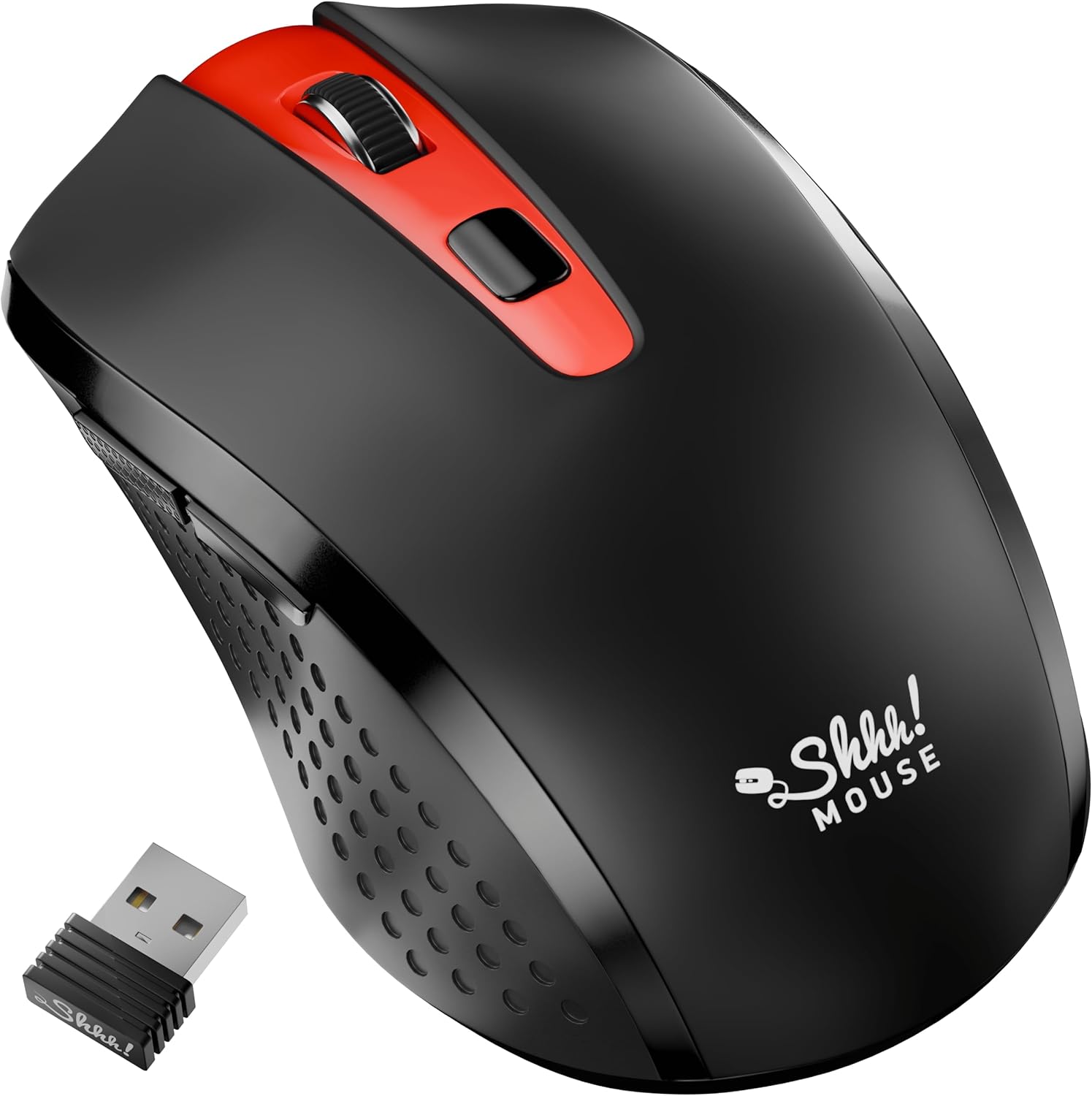
- 1 x SHHHMOUSE Silent Wireless Mouse
- 1 x receptor USB
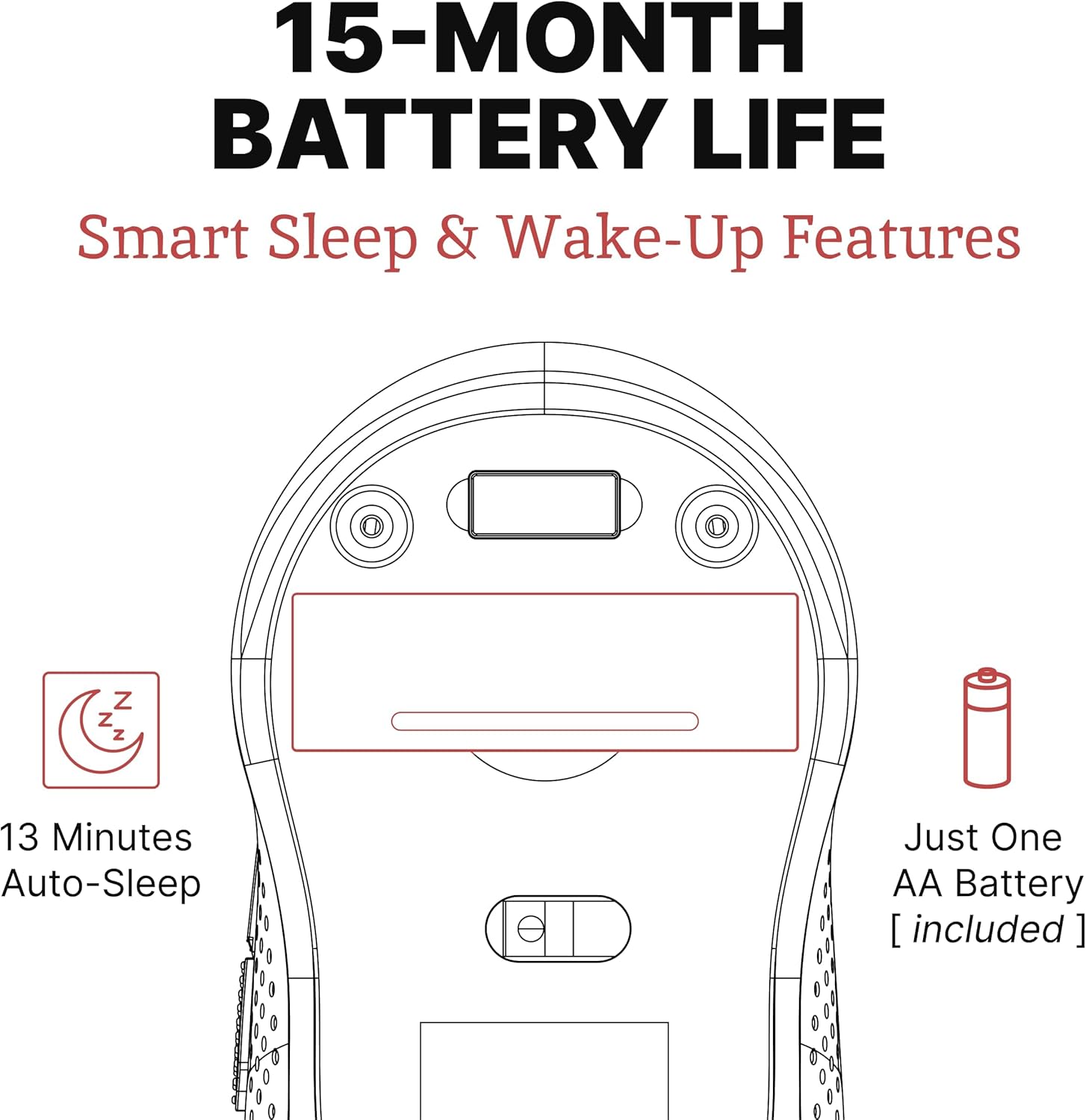
- 1 x batería AA
3. Guía de configuración
Follow these steps to set up your SHHHMOUSE Silent Wireless Mouse:
- Inserir batería: Open the battery compartment on the underside of the mouse. Insert the provided AA battery, ensuring correct polarity.
- Localizar o receptor USB: The tiny USB receiver is typically stored inside the battery compartment for safe keeping during transport. Remove it.
- Conectar o receptor: Plug the USB receiver into an available USB port on your laptop, desktop, or Chromebook.
- Encendido: Acende o rato usando o interruptor de acendido situado na parte inferior.
- Conexión automática: O rato debería conectarse automaticamente ao teu dispositivo. Normalmente non se requiren controladores adicionais.


Vídeo de configuración:
Video 1: "New Silent Portable Wireless Shhhmouse i440" - This video demonstrates the unboxing and initial setup of the mouse, including battery insertion and USB receiver connection.
4. Manexo do rato
Funcións do botón:
- Clic esquerdo/dereito: Standard mouse functions for selection and context menus. These are ultra-silent buttons.
- Roda de desprazamento: Used for vertical scrolling. Also functions as a middle click button. Features an anti-slip design.
- Interruptor DPI: Located near the scroll wheel, this button allows you to adjust the mouse sensitivity (DPI).
- Botóns laterais: Typically configured for 'Page Up' and 'Page Down' functions, useful for web navegación e navegación por documentos.

Adjusting DPI (Sensitivity):
Press the DPI switch button to cycle through different sensitivity levels (e.g., 800, 1200, 1600 DPI). Choose the setting that best suits your task and preference for cursor speed.

Smart Sleep & Wake-Up Features:
To conserve battery life, the mouse will enter a smart sleep mode after 13 minutes of inactivity. To wake it up, simply click any button or move the mouse.
5. Mantemento
Substitución da batería:
When the mouse's performance degrades or the low power indicator (if present) illuminates, it's time to replace the battery. Open the battery compartment on the underside, remove the old AA battery, and insert a new one, observing polarity.
Limpeza:
Para manter un rendemento óptimo, limpa o rato regularmente. Usa un pano suave e seco para limpar o exterior. Para o sensor óptico, usa un hisopo de algodón lixeiramente húmido.ampened with rubbing alcohol, ensuring no liquid enters the mouse's interior.
6 Solución de problemas
| Problema | Causa posible | Solución |
|---|---|---|
| O rato non responde | Low battery; USB receiver disconnected; Mouse power off. | Replace battery; Re-insert USB receiver; Turn on mouse power switch. |
| Movemento errático do cursor | Sensor óptico sucio; superficie inadecuada; interferencia. | Clean optical sensor; Use on a smooth, opaque surface; Move mouse closer to receiver or away from other wireless devices. |
| Batería de curta duración | Frequent use; Battery type. | Ensure mouse enters sleep mode when idle; Use high-quality alkaline batteries. |
7. Especificacións
| Característica | Detalle |
|---|---|
| Marca | SHHHMOUSE |
| Número de modelo | SHHH2659Black |
| Tecnoloxía de conectividade | USB Wireless (2.4G) |
| Tecnoloxía de detección de movemento | Óptica |
| Característica especial | Soundless Clicks |
| Niveis de DPI | Adjustable (e.g., 800, 1200, 1600) |
| Tipo de batería | 1 x batería AA (incluída) |
| Duración media da batería | Ata 15 meses |
| Peso do elemento | 2.29 onzas |
| Dimensións do produto (LxWxH) | 4.22 x 2.5 x 0.04 polgadas |
| Compatibilidade da plataforma de hardware | Windows XP/Vista/Win7, Mac 10.x, Chromebook, PC, Laptop |
| Cor | Negro e vermello |
8. Garantía e soporte
SHHHMOUSE products are designed for durability and reliability. For specific warranty information, please refer to the warranty card included with your product or visit the official SHHHMOUSE websitio.
For further assistance or technical support, please contact SHHHMOUSE customer service through the contact information provided on the product packaging or the brand's official websitio.
A detailed User Guide (PDF) is also available for download: Descargar guía de usuario
Ask a question about this manual
Ask about setup, troubleshooting, compatibility, parts, safety, or missing instructions. Manuals+ will review the question and use this page’s manual context to help answer it.