
1. Introdución
This manual provides essential information for the safe and efficient use of your TCL 32B400 32-inch HD LCD TV. Please read it thoroughly before operating the television and retain it for future reference.
The TCL 32B400 features a direct-lit LED backlight for uniform high brightness and image quality. Its VA panel technology delivers superior contrast, allowing for natural expression of subtle light and dark details. Equipped with a dual tuner, this TV supports terrestrial digital, BS digital, and 110-degree CS digital broadcasts, enabling simultaneous recording of one program while watching another. It supports various recording functions including instant, scheduled, daily/weekly repeat, and event recording. Connectivity options include two HDMI Ver1.4a input terminals (Port 1 supports ARC) and one USB2.0 input/output terminal, allowing connection to Blu-ray/DVD players/recorders and external speakers via ARC.

Figura 1: Fronte view of the TCL 32B400 TV.
2. Configuración
2.1 Desembalaxe e comprobación de compoñentes
Retire con coidado todos os compoñentes da embalaxe. Asegúrese de que estean presentes todos os elementos que se indican a continuación:
- Control remoto x1
- Pilas AAA x2
- miniB-CAS card x1
- Cable de alimentación x1
- Tip-over prevention parts set x1
- Soporte x2
- Screws (ST4, 20mm) x4 (for 32-inch model)
- Manual de instrucións
- Guía rápida
- Tarxeta de garantía

Figura 2: Accesorios incluídos.
2.2 Instalación do stand
- Coloque a pantalla do televisor coa pantalla cara abaixo sobre unha superficie suave e plana para evitar danala.
- Align the stands with the corresponding slots on the bottom of the TV.
- Secure each stand using the provided screws (ST4, 20mm).
2.3 Cables de conexión
Connect the necessary cables to the appropriate ports on the TV. Refer to the connection diagram below.
- Cable de alimentación: Conecta o cable de alimentación á entrada de alimentación do televisor e despois a unha toma de corrente.
- Antena: Connect your terrestrial digital antenna cable to the 'Antenna Input' port. For BS/CS broadcasts, connect the satellite antenna cable to the 'BS/CS 110°' port.
- Dispositivos HDMI: Connect external devices like Blu-ray players or game consoles to the HDMI input ports. HDMI Port 1 supports Audio Return Channel (ARC).
- Dispositivos USB: Connect external USB storage devices for recording to the USB port.
- miniB-CAS Card: Insert the miniB-CAS card into its dedicated slot.

Figure 3: Connection terminals overview.
2.4 Configuración inicial
After connecting all cables and powering on the TV, follow the on-screen instructions to complete the initial setup, including channel tuning and network configuration (if applicable).
3. Instrucións de funcionamento
3.1 Funcionamento básico
- Encendido/apagado: Prema o botón de acendido/apagado do mando a distancia ou do televisor.
- Selección de canles: Use the 'CH +/-' buttons or number buttons on the remote control.
- Axuste de volume: Use the 'VOL +/-' buttons on the remote control.
- Fonte de entrada: Press the 'Input' button on the remote to select between HDMI, TV, and other connected sources.
3.2 Recording Programs
Your TCL 32B400 TV supports recording to an external USB Hard Disk Drive (HDD) thanks to its dual tuner. This allows you to record one program while watching another.
- Connect a compatible external USB HDD to the TV's USB port.
- Format the HDD if prompted by the TV.
- To record, select the desired program and use the recording options in the TV menu (e.g., instant recording, scheduled recording via EPG).

Figure 4: Dual tuner allows watching one program while recording another.
3.3 Axustes de imaxe e son
Acceda ao menú do televisor para axustar a imaxe (brillo, contraste, cor, nitidez) e o son (graves, agudos, balance, modo de son) segundo as súas preferencias.
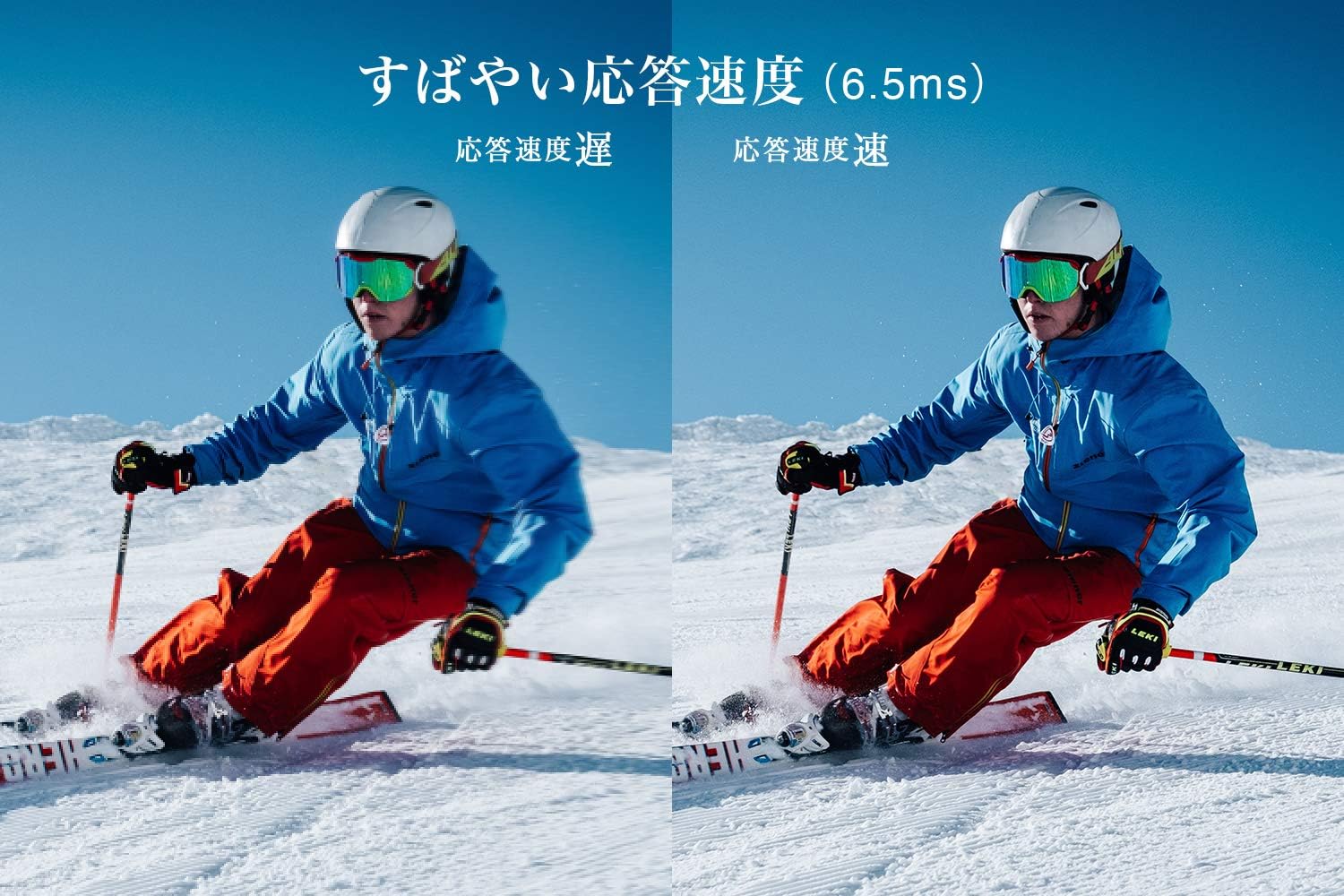
Figure 5: The TV features a fast response speed of 6.5ms for clear motion.
4. Mantemento
4.1 Limpeza da pantalla
Limpe a pantalla con suavidade cun pano suave, seco e sen pelusa. Para marcas difíciles, pase un pano lixeiramenteampen the cloth with water or a specialized screen cleaner (ensure it's suitable for LCD screens) and wipe carefully. Avoid applying excessive pressure.
4.2 Limpeza da carcasa do televisor
Wipe the TV body with a soft, dry cloth. Do not use abrasive cleaners, waxes, or solvents as they can damage the finish.
4.3 Coidados xerais
- Evite expoñer o televisor á luz solar directa ou a temperaturas extremas.
- Asegúrate de que haxa unha ventilación axeitada arredor do televisor para evitar o sobrequecemento.
- Desconecte o televisor da toma de corrente durante as tormentas eléctricas ou cando non o vaia usar durante períodos prolongados.
5 Solución de problemas
If you encounter issues with your TV, refer to the following common troubleshooting steps. If the problem persists, contact customer support.
5.1 Sen enerxía
- Check if the power cord is securely connected to both the TV and the wall outlet.
- Verifica que a toma de corrente funciona conectando outro dispositivo.
- Preme o botón de acendido do propio televisor, non só o mando a distancia.
5.2 No Picture/No Signal
- Asegúrate de que estea seleccionada a fonte de entrada correcta (por exemplo, HDMI 1, TV).
- Comprobe se todas as conexións dos cables (HDMI, antena) están soltas ou danadas.
- Se usa un dispositivo externo, asegúrese de que estea acendido e funcione correctamente.
- Perform a channel scan if you are watching broadcast TV.
5.3 Sen son
- Comprobe o nivel de volume e asegúrese de que o televisor non estea silenciado.
- Se usas altofalantes externos, asegúrate de que estean conectados e acendidos correctamente.
- Comprobe a configuración de son no menú da televisión.
5.4 O control remoto non funciona
- Substitúe as pilas por outras novas.
- Asegúrate de que non haxa obstrucións entre o mando a distancia e o sensor de infravermellos do televisor.
6. Especificacións
| Característica | Especificación |
|---|---|
| Tamaño de visualización | 32 polgadas |
| Tecnoloxía de visualización | LCD |
| Resolución | HD (1366 x 768) |
| Taxa de actualización | 60 Hz |
| Relación de aspecto | 16:9 |
| Relación de contraste | 3000:1 |
| Viewángulo ing | 178/178 degrees (JEITA standard, CR>=10) |
| Tipo de retroiluminación | LED de iluminación directa |
| Velocidade de resposta | 6.5 ms |
| Dimensións (con soporte) | 731 x 491 x 186 mm |
| Dimensións (sen soporte) | 731 x 436 x 76 mm |
| Peso (con soporte) | 4.4 kg |
| Peso (sen soporte) | 4.3 kg |
| Soporte de parede (VESA) | 100 x 100 mm |
| Consumo de enerxía anual | 45 kWh/ano |
| Portos HDMI | 2 (HDMI Ver1.4a, Port 1 supports ARC) |
| Portos USB | 1 (USB 2.0) |
| Tipo de sintonizador | Terrestrial Digital, BS Digital, 110-degree CS Digital (Dual Tuner) |
| Ano modelo | 2019 |

Figure 6: TV dimensions and recommended viewing distancia.

Figure 7: VA panel technology provides superior contrast and depth.
7. Garantía e soporte
7.1 Garantía do fabricante
Este produto inclúe unha garantía do fabricante dun ano desde a data de compra. Conserva o comprobante de compra para reclamacións de garantía.
7.2 Atención ao cliente
For any inquiries, technical assistance, or repair requests, please contact TCL customer support. Our dedicated Japanese staff are available to assist you.
- Teléfono: 0120-955-517
- Horario de funcionamento: 9:00 - 18:00 (Weekdays and Holidays, excluding year-end and New Year holidays)
- Websitio: https://www.tcl.com/jp/ja/services.html
Nationwide repair service is available.
Figure 8: TCL Customer Support details.