
SIMOLIO JH-712
SIMOLIO Kids Bluetooth Headphones User Manual
Modelo: JH-712
1. Introdución
Thank you for choosing SIMOLIO Kids Bluetooth Headphones. These headphones are designed with children's hearing safety in mind, featuring multiple volume limiting levels and a comfortable, durable design. This manual provides detailed instructions for setup, operation, and maintenance to ensure optimal performance and longevity of your headphones.
2. Características clave
- Protección auditiva: Exclusive 3-level volume limiter (75dB/85dB/94dB) suitable for toddlers, kids, and adults.
- Conectividade de modo dual: Supports both wireless Bluetooth and wired 3.5mm audio connections.
- Micrófono incorporado: Enables hands-free calling in Bluetooth mode.
- Share Port: Allows daisy-chaining another headphone for shared listening.
- Batería de longa duración: Up to 15 hours of music/talk time in wireless mode.
- Comodidade e durabilidade: Adjustable headband with memory stainless steel strips and soft noise-isolating memory foam earmuffs.
- Deseño portátil: Foldable design with an included hard EVA carrying case for easy storage and travel.

Image: SIMOLIO Kids Bluetooth Headphones in grey, shown with charging cable, AUX cable, and hard EVA carrying case.
3. Que hai na caixa
Ao abrir o paquete, comproba que inclúa todos os seguintes elementos:
- SIMOLIO Kids Bluetooth Headphones (Model: JH-712)
- Cable de carga USB
- Cable de audio AUX de 3.5 mm
- Hard EVA Carrying Case
- Manual de usuario (este documento)
4. Guía de configuración
4.1 Carga dos auriculares
Before first use, fully charge the headphones. A full charge takes approximately 2-3 hours.
- Connect the small end of the USB charging cable to the charging port on the headphone.
- Conecta o extremo máis grande do cable de carga USB a un adaptador de corrente USB (non incluído) ou ao porto USB dun ordenador.
- The LED indicator light will turn red during charging and turn off when fully charged.
4.2 Adjusting Volume Limit
The headphones feature a 3-level volume limiter to protect hearing. The switch is located on the left earcup.
- 75 dB: Toddler Mode (lowest volume, recommended for very young children).
- 85 dB: Kids Mode (standard safe listening level for most children).
- 94 dB: Travel Mode (higher volume for noisy environments, suitable for older children/adults).

Image: Close-up of the headphone earcup highlighting the 3-level volume limit switch (75dB, 85dB, 94dB).
5. Instrucións de funcionamento
5.1 Wireless (Bluetooth) Mode
- Encendido: Press and hold the Multi-function Button (MFB) for 3 seconds until the LED indicator flashes blue.
- Emparejamento: The headphones will automatically enter pairing mode (LED flashes red and blue alternately).
- Conectar: On your device (smartphone, tablet, laptop), enable Bluetooth and select "SIMOLIO JH-712" from the list of available devices. The LED will turn solid blue when connected.
- Controis:
- Press MFB once to Play/Pause music or Answer/End calls.
- Press MFB twice to Redial last number.
- Press MFB three times to activate voice assistant (Siri, Google Assistant).
- Press Volume + to increase volume.
- Press Volume - to decrease volume.
- Press Next Track button to skip to the next song.
- Press Previous Track button to go to the previous song.
- Apagado: Press and hold the MFB for 3 seconds until the LED indicator turns red and then off.

Image: A child wearing SIMOLIO headphones while using a laptop, illustrating the "Safe Volume Limited" feature in a study environment.

Image: Two children demonstrating wireless and wired modes. One child uses headphones wirelessly with a laptop, the other uses them wired with a smartphone. Note: Microphone only works in Bluetooth mode.
5.2 Modo con cable
The headphones can be used as wired headphones even if the battery is depleted.
- Insert one end of the 3.5mm AUX audio cable into the audio input port on the headphone.
- Insert the other end of the 3.5mm AUX audio cable into the audio output jack of your device (e.g., tablet, phone, computer).
- In wired mode, the headphone's battery is not used, and the volume limiting feature remains active. Note that the built-in microphone will not function in wired mode.
5.3 Share Port Function
The share port allows multiple headphones to listen to the same audio source.
- Connect the first SIMOLIO headphone to your device via Bluetooth (wireless) or AUX cable (wired).
- Connect one end of a 3.5mm AUX audio cable to the share port on the first headphone.
- Connect the other end of the 3.5mm AUX audio cable to the audio input port of a second headphone.
- Both headphones will now play audio from the same source.
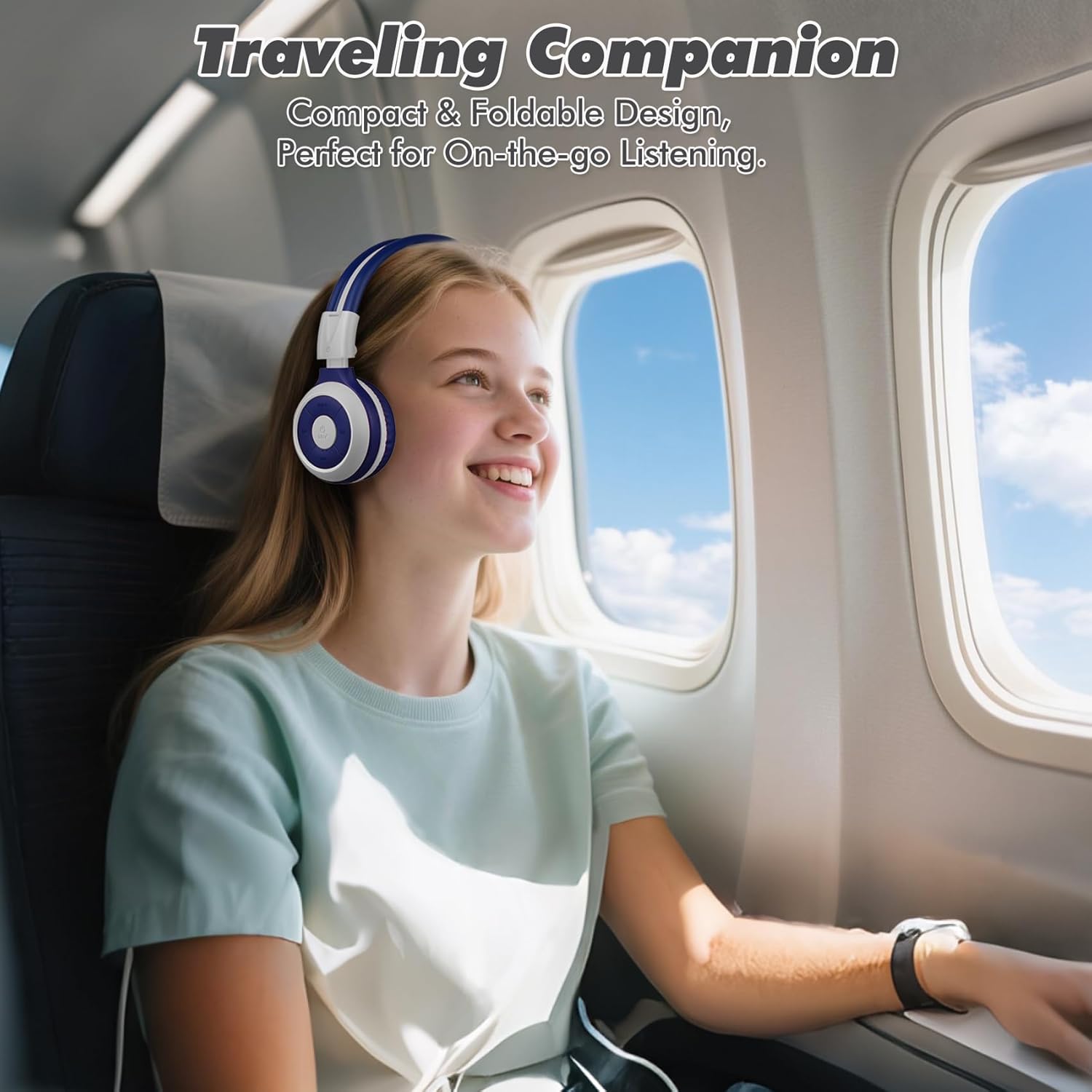
Image: A child comfortably wearing SIMOLIO headphones on an airplane, highlighting the compact and foldable design for travel.
6. Mantemento e coidados
- Limpeza: Usa un pano suave e seco para limpar os auriculares. Non empregues produtos de limpeza abrasivos nin disolventes.
- Almacenamento: When not in use, fold the headphones and store them in the provided hard EVA carrying case to protect them from dust and damage.
- Temperatura: Evite expoñer os auriculares a temperaturas extremas (calor ou frío) ou a alta humidade.
- Exposición á auga: These headphones are not waterproof. Avoid contact with water or other liquids.
- Manexo: Do not bend the headband hinge excessively. While durable, improper force can cause damage.

Image: Diagram illustrating the flexibility of the headband with memory elastic metal strips, showing how it can be remoulded to fit the user's head. Important note: Do not bend the hinge.
7 Solución de problemas
| Problema | Causa posible | Solución |
|---|---|---|
| Os auriculares non se acenden. | A batería está baixa ou esgotada. | Cargue os auriculares completamente co cable USB fornecido. |
| Non se pode emparellar por Bluetooth. | Os auriculares non están en modo de emparellamento; o Bluetooth do dispositivo está desactivado; demasiado lonxe do dispositivo. | Asegúrate de que os auriculares estean en modo de emparellamento (vermello/azul intermitente). Activa/desactiva o Bluetooth do dispositivo. Achega os auriculares ao dispositivo (a menos de 10 metros). |
| Sen son no modo sen fíos. | Volume demasiado baixo; non conectado; saída de audio incorrecta seleccionada no dispositivo. | Increase headphone and device volume. Ensure headphones are successfully paired. Check device's audio output settings. |
| Sen son no modo con cable. | AUX cable not fully inserted; cable damaged; device audio jack issue. | Ensure AUX cable is fully inserted into both headphone and device. Try a different AUX cable. Test with another device. |
| O micrófono non funciona. | Headphones in wired mode; device microphone settings. | The microphone only functions in Bluetooth mode. Ensure headphones are connected wirelessly. Check device's microphone privacy settings. |
8. Especificacións
| Característica | Detalle |
|---|---|
| Nome do modelo | Kids Wireless Bluetooth Headphones JH-712G |
| Tecnoloxía de conectividade | Sen fíos (Bluetooth), con cable (AUX de 3.5 mm) |
| Alcance Bluetooth | 10 metros (33 pés) |
| Duración da batería | Up to 15 Hours (wireless mode) |
| Tamaño do controlador de audio | 40 milímetros |
| Volume Limiting Levels | 75 dB, 85 dB, 94 dB |
| Material | Acrilonitrilo Butadieno Estireno (ABS) |
| Dimensións do produto | 5.51 x 3.15 x 5.31 polgadas |
| Peso do elemento | 13.4 onzas |
| Compoñentes incluídos | Charging Cable, AUX Cable, User Manual, Carrying EVA Case |
9. Garantía e soporte
SIMOLIO provides a 12-month hassle-free warranty for these headphones. For any product-related inquiries, technical support, or warranty claims, please contact SIMOLIO customer service through the following channels:
- Correo electrónico: Refer to the contact information provided on the product packaging or SIMOLIO official websitio.
- Soporte en liña: Visit the SIMOLIO Store on Amazon: SIMOLIO Store
Please have your model number (JH-712) and purchase date ready when contacting support.
Documentos relacionadosJH-712


Ask a question about this manual
Ask about setup, troubleshooting, compatibility, parts, safety, or missing instructions. Manuals+ will review the question and use this page’s manual context to help answer it.