
PILOT P-700
Pilot P-700 Rollerball Stick Gel Pen User Manual
Brand: PILOT | Model: P-700
1. Produto rematadoview
The Pilot P-700 Rollerball Stick Gel Pen is designed for a smooth and precise writing experience. This pack includes three pens with fine point black ink and three pens with fine point blue ink, with barrel and accent colors matching the ink. Key features include patented precise needle point technology, smear-proof gel ink, a ribbed grip for comfort, and a distinctive two-tone barrel design.
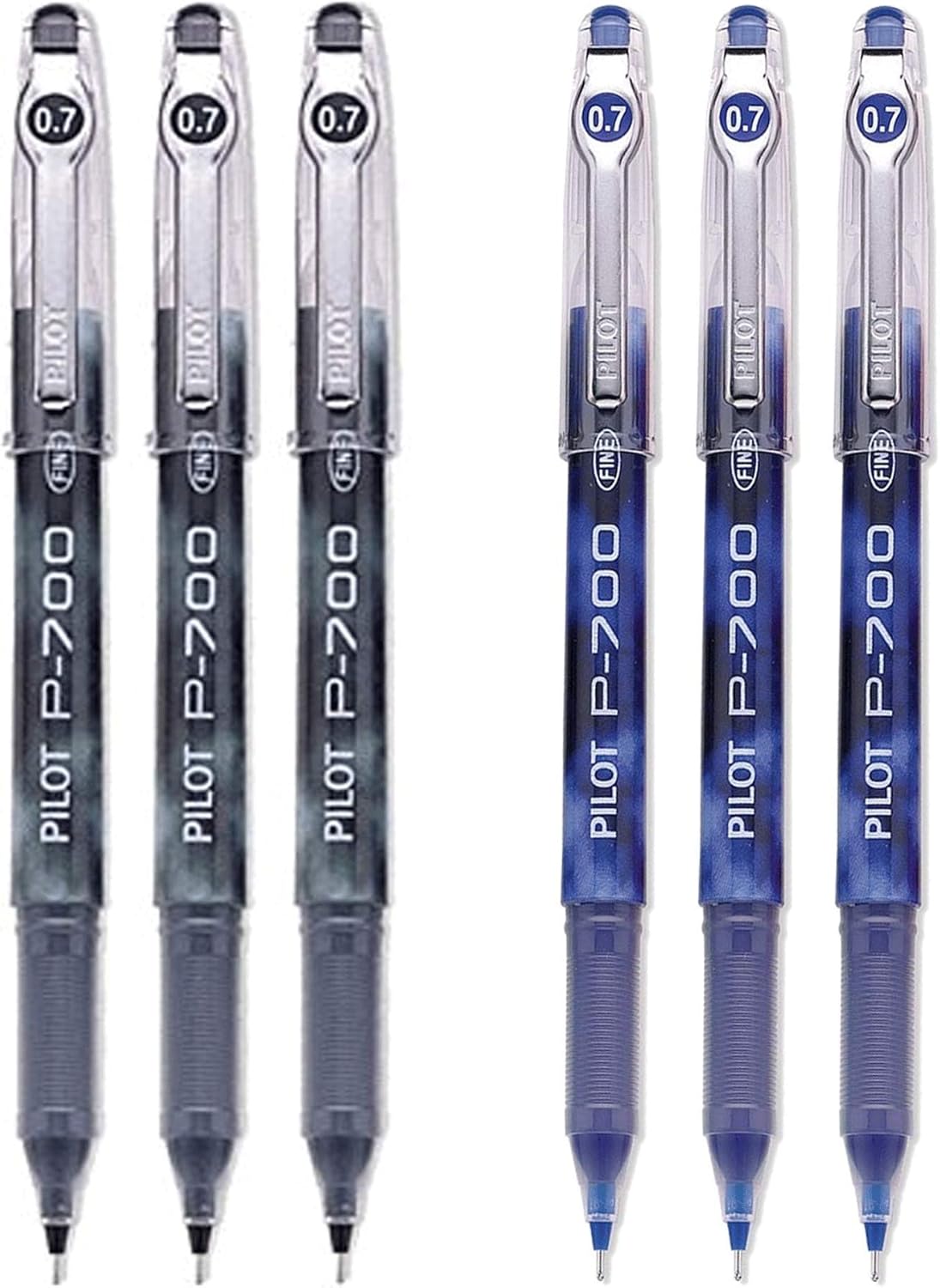
Figure 1.1: Pilot P-700 Rollerball Stick Gel Pen 6-Pack (3 Black, 3 Blue)
2. Configuración
The Pilot P-700 pens require minimal setup. They are ready for immediate use upon removal from the packaging.
2.1 Desembalaxe
- Retire con coidado os bolígrafos da súa embalaxe.
- Inspect each pen for any visible damage.
2.2 Primeiro uso
- Remove the protective cap from the pen tip.
- The pen is now ready for writing.
3. Instrucións de funcionamento
Using the Pilot P-700 pen is straightforward, designed for comfort and consistent ink flow.
3.1 Escritura
- Hold the pen comfortably, utilizing the ribbed grip for enhanced control.
- Apply light to moderate pressure as you write. The gel ink is designed to flow smoothly with minimal effort.
- The fine point (0.7mm line size) allows for precise lines and detailed writing.

Figure 3.1: Pilot P-700 Black Gel Pen
3.2 Capping the Pen
- Always replace the cap firmly after use. This prevents the gel ink from drying out and protects the fine needle point.
- The cap features a snap closure for secure attachment.

Figure 3.2: Pilot P-700 Blue Gel Pen
4. Mantemento
Proper care will extend the life and performance of your Pilot P-700 pens.
4.1 Almacenamento
- Store pens horizontally or tip-down when not in use to ensure consistent ink flow.
- Keep pens away from direct sunlight and extreme temperatures, which can affect ink viscosity and performance.
4.2 Limpeza
- If the pen barrel or cap becomes dirty, wipe it gently with a soft, damp pano.
- Do not use harsh chemicals or abrasive cleaners, as these can damage the pen's finish.
5 Solución de problemas
If you encounter issues with your Pilot P-700 pen, try the following solutions:
| Problema | Causa posible | Solución |
|---|---|---|
| Ink skipping or inconsistent flow |
|
|
| Ink appears faded or light |
|
|
| Pen not writing at all |
|
|
6. Especificacións
| Característica | Detalle |
|---|---|
| Marca | PILOTO |
| Número de modelo | P-700 |
| Cor da tinta | Negro, Azul |
| Tipo de punto | Ben |
| Tamaño da liña | 0.7 mm |
| Formulario de instrumento de escritura | Bolígrafo Roller |
| Tipo de material | Gel |
| Tipo de agarre | Acanalado |
| Peche | Snap |
| Peso do elemento | 2.08 onzas (para o paquete) |
| Dimensións do paquete | 5.83 x 3.11 x 1.1 polgadas |
| Número de elementos | 6 |
7. Garantía e soporte
7.1 Información da garantía
Pilot pens are manufactured to high-quality standards. For specific warranty details regarding manufacturing defects or issues, please refer to the official Pilot website or contact their customer service directly. Typically, writing instruments are covered against defects in materials and workmanship.
7.2 Atención ao cliente
For further assistance, questions, or to report any issues with your Pilot P-700 pens, please contact Pilot customer support:
- Oficial Websitio: www.pilotpen.us (ou rexional relevante websitio)
- Información de contacto: Consulta a sección "Contacto" na páxina oficial website for phone numbers, email, or mailing addresses.
When contacting support, please have your product model (P-700) and any relevant purchase information ready.