
SIMOLIO JH-712
SIMOLIO JH-712 Bluetooth Kids Headphones User Manual
Model: JH-712 | Brand: SIMOLIO
Introdución
This manual provides detailed instructions for the safe and effective use of your SIMOLIO JH-712 Bluetooth Kids Headphones. Please read this manual thoroughly before operating the device and retain it for future reference.
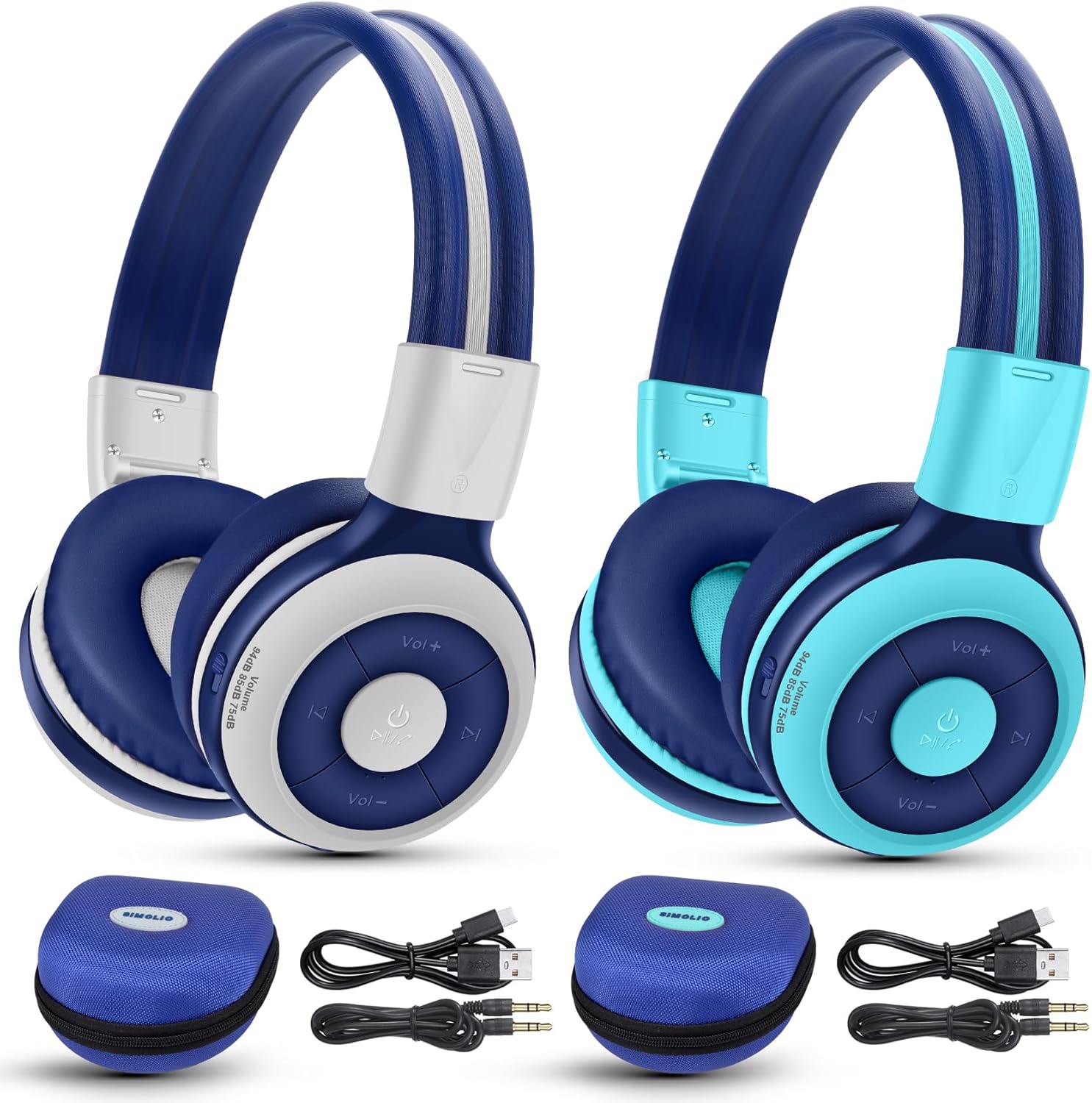
Image: The SIMOLIO JH-712 Bluetooth Kids Headphones, showcasing the mint and grey color options, complete with accessories.
Contido do paquete
Verifica que todos os elementos estean presentes no teu paquete:
- SIMOLIO JH-712 Bluetooth Kids Headphones (2 units)
- Cable de carga (USB-C)
- Cable AUX (cable de audio de 3.5 mm)
- Manual de usuario (este documento)
- Carrying EVA Case (2 units)
Produto rematadoview
Familiarize yourself with the components of your headphones.
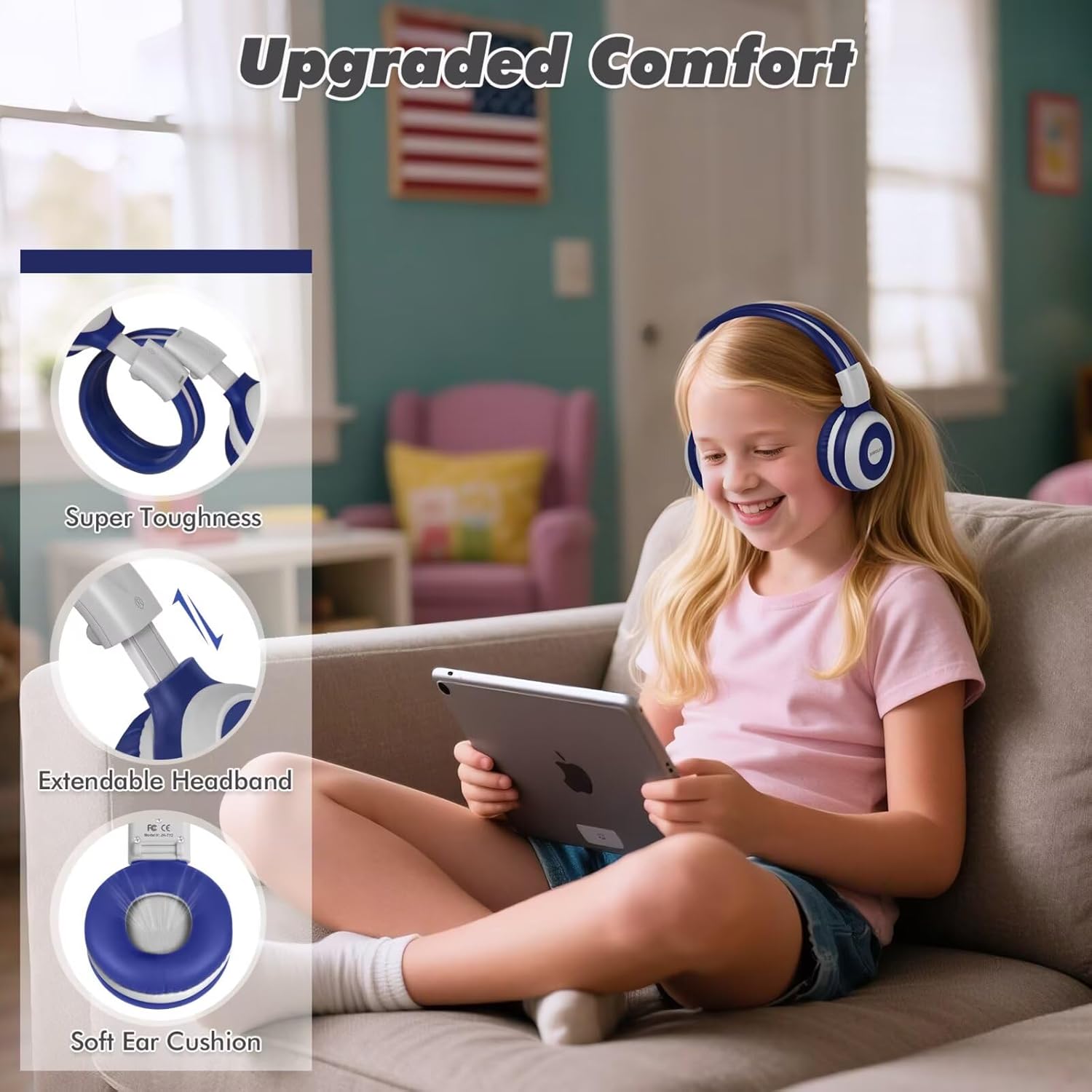
Image: Key features of the headphones, including super toughness, extendable headband, and soft ear cushions.
- Power Button/Multi-function Button: Úsase para acender/apagar, reproducir/pausar e responder/finalizar chamadas.
- Botón para subir o volume/seguinte pista: Prema brevemente para subir o volume, preme longa para a seguinte pista.
- Botón para baixar o volume/pista anterior: Presión curta para baixar o volume, presión longa para a pista anterior.
- Indicador LED: Mostra o estado de emparellamento, o estado de carga e a enerxía.
- Micrófono: Para chamadas mans libres.
- Conector de audio de 3.5 mm: Para conexión por cable.
- Porto de carga (USB-C): Para cargar os auriculares.
- Share Port: Allows another wired headphone to connect and share audio.
- Diadema axustable: Para un axuste cómodo.
- Almofadas suaves para os oídos: Designed for comfort and noise isolation.
Configuración
1. Carga dos auriculares
Antes do primeiro uso, cargue completamente os auriculares.
- Conecta o cable de carga USB-C fornecido ao porto de carga dos auriculares.
- Conecta o outro extremo do cable a un adaptador de corrente USB (non incluído) ou ao porto USB dun ordenador.
- The LED indicator will show a red light during charging and turn off when fully charged.
- Unha carga completa tarda aproximadamente 3 horas e proporciona ata 15 horas de reprodución.
2. Emparellamento Bluetooth (modo sen fíos)
- Asegúrese de que os auriculares estean apagados.
- Press and hold the Power Button for approximately 5 seconds until the LED indicator flashes blue and red alternately. This indicates pairing mode.
- No teu dispositivo (teléfono intelixente, tableta, portátil), activa o Bluetooth e busca os dispositivos dispoñibles.
- Select "SIMOLIO JH-712" from the list of devices.
- Unha vez conectado, o indicador LED parpadeará azul lentamente.
- If a passcode is requested, enter "0000".

Image: Illustration of wireless and wired usage modes for the headphones.
3. Conexión por cable (modo AUX)
Use the wired connection when Bluetooth is not available or the battery is depleted.
- Connect one end of the provided 3.5mm AUX cable to the 3.5mm audio jack on the headphones.
- Conecta o outro extremo do cable á toma de saída de audio do teu dispositivo.
- The headphones will automatically switch to wired mode. The microphone functions only in Bluetooth mode.
Instrucións de funcionamento
Encendido/apagado
- Encendido: Press and hold the Power Button for 2-3 seconds until the LED indicator flashes blue.
- Apagado: Press and hold the Power Button for 3-4 seconds until the LED indicator turns red and then off.
Volume Control and Limiting Modes
The headphones feature three distinct volume limiting modes for hearing protection.

Image: Visual representation of the three volume limiting modes: 75dB (Toddler Mode), 85dB (Study Mode), and 94dB (Travel Mode).
- Axustar o volume: Prema brevemente os botóns para subir o volume (+) ou baixar o volume (-).
- Change Volume Limiting Mode: The headphones automatically adjust to 75dB, 85dB, or 94dB based on the environment. Specific manual control for these modes is typically managed by the device's volume settings within these limits.
Reprodución de música
- Reproducir/Pausa: Prema brevemente o botón de acendido.
- Próxima pista: Mantén premido o botón para subir o volume (+).
- Pista anterior: Mantén premido o botón para baixar o volume (-).
Call Functions (Bluetooth Mode Only)
- Responder/Finalizar chamada: Prema brevemente o botón de acendido.
- Rexeitar a chamada: Mantén presionado o botón de acendido.
- Volver a marcar o último número: Prema dúas veces o botón de acendido/apagado.

Image: Children engaged in online learning and video chats using the headphones' built-in microphone.
Share Port Function
The Share Port allows two users to listen to the same audio source simultaneously.
- Connect the primary SIMOLIO headphone to your device via Bluetooth.
- Connect one end of the 3.5mm AUX cable to the Share Port of the primary SIMOLIO headphone.
- Connect the other end of the AUX cable to the 3.5mm audio jack of a second headphone (can be another SIMOLIO headphone or any compatible wired headphone).
- Both headphones will now receive audio from the primary device.

Image: Two children sharing audio from a single device using the headphone's share port.
Mantemento
- Limpa os auriculares cun pano suave e seco. Non empregues produtos de limpeza abrasivos nin disolventes.
- Evite expoñer os auriculares a temperaturas extremas, humidade ou luz solar directa.
- Store the headphones in the provided EVA case when not in use to protect them from damage.
- Non intente desmontar nin reparar os auriculares vostede mesmo. Póñase en contacto co servizo de atención ao cliente para obter axuda.
Resolución de problemas
| Problema | Causa posible | Solución |
|---|---|---|
| Os auriculares non se acenden. | Batería baixa. | Cargue os auriculares completamente. |
| Non se pode emparellar por Bluetooth. | Os auriculares non están en modo de emparellamento; o Bluetooth do dispositivo está desactivado; demasiado lonxe do dispositivo. | Ensure headphones are in pairing mode (flashing blue/red). Turn on device Bluetooth. Move headphones closer to device (within 10 meters). |
| Sen son no modo sen fíos. | Volume demasiado baixo; auriculares non conectados; saída de audio incorrecta seleccionada no dispositivo. | Aumenta o volume dos auriculares e do dispositivo. Volve emparellar os auriculares. Comproba a configuración da saída de audio do dispositivo. |
| Sen son no modo con cable. | AUX cable not fully inserted; cable damaged; device volume too low. | Ensure AUX cable is fully inserted into both headphone and device. Try a different AUX cable. Increase device volume. |
| O micrófono non funciona. | Using wired mode; device microphone settings. | The microphone only works in Bluetooth mode. Check your device's microphone input settings. |
Especificacións
- Nome do modelo: JH-712
- Tecnoloxía de conectividade: Sen fíos (Bluetooth 5.0), con cable (conector de 3.5 mm)
- Alcance Bluetooth: 10 metros
- Tipo de controlador de audio: Controlador dinámico (40 mm)
- Rango de frecuencia: 200 Hz - 10,000 Hz
- Limitación de volume: 3 levels (75dB/85dB/94dB)
- Duración da batería: Up to 15 Hours (wireless mode)
- Tempo de carga: Aproximadamente 3 Horas
- Compoñentes incluídos: Charging Cable, AUX Cable, User Manual, Carrying EVA Case
- Material: Stainless Steel (headband strips)
- Peso do artigo: 184 Grams (per headphone)
- Características especiais: Foldable, Built-in Microphone, Volume Control, Share Port
- Rango de idade: Toddlers-Kids-Teens

Imaxe: Detallada view of the 40mm dynamic driver, emphasizing extraordinary sound quality.
Garantía e Soporte
SIMOLIO provides a 12-month hassle-free warranty for this product. For warranty claims, technical support, or any inquiries, please contact SIMOLIO customer service through the retailer where the product was purchased or visit the official SIMOLIO websitio.
Soporte en liña: Visit the SIMOLIO Store on Amazon
Documentos relacionadosJH-712


Ask a question about this manual
Ask about setup, troubleshooting, compatibility, parts, safety, or missing instructions. Manuals+ will review the question and use this page’s manual context to help answer it.