
1. Introdución
The Dual DAB 3A Digital Radio Adapter is designed to upgrade your existing audio system with modern digital radio reception and Bluetooth streaming capabilities. This adapter allows you to enjoy DAB+ and FM radio broadcasts with clear digital quality and stream audio wirelessly from compatible devices. Its user-friendly interface and remote control ensure convenient operation.
2. Información de seguridade
- Fonte de alimentación: Use only the provided AC power adapter. Ensure the voltage matches the requirements specified on the adapter.
- Auga e humidade: Do not expose the device to rain, moisture, or dripping/splashing liquids. Keep it away from water sources.
- Ventilación: Ensure adequate ventilation around the unit. Do not block ventilation openings. Avoid placing the device on soft surfaces that may obstruct airflow.
- Fontes de calor: Manteña o dispositivo lonxe de fontes de calor como radiadores, reixas de calor, estufas ou outros aparellos que produzan calor.
- Limpeza: Disconnect the power before cleaning. Use a soft, dry cloth. Do not use liquid cleaners or aerosol sprays.
- Servizo: Non intente atender este produto vostede mesmo. Remita todo o servizo a persoal de servizo cualificado.
3. Contido do paquete
Comprobe que todos os elementos que se indican a continuación estean incluídos no seu paquete:
- Dual DAB 3A Digital Radio Adapter
- Adaptador de alimentación de CA.
- Control remoto
- Manual do propietario
- External Wire Antenna
4. Produto rematadoview
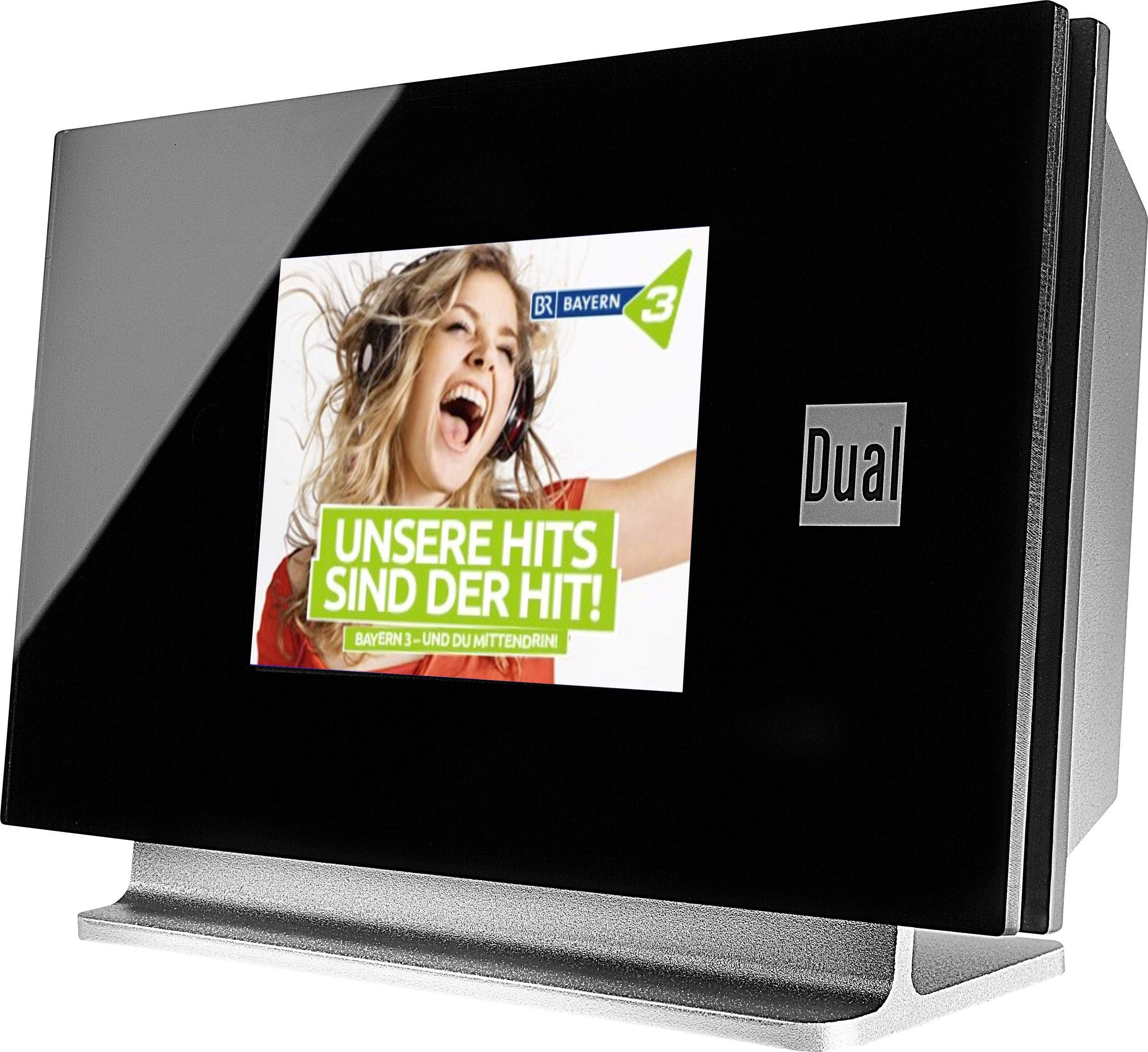
This image displays the Dual DAB 3A Digital Radio Adapter from a front-side angle. The front features a large, black TFT color display showing a radio station's album art and text. The side view indicates the product dimensions: 15 cm (width), 6 cm (depth), and 10.49 cm (height).
Panel frontal
- Pantalla TFT a cor: Shows station information, track details, album art, and menu options.
Conexións do panel traseiro
- Entrada de antena: For connecting the external wire antenna or a commercially available antenna.
- AUX-OUT: Audio output for connecting to an external amplifier ou sistema de audio.
- Entrada de enerxía: Para conectar o adaptador de corrente alterna.
Control remoto
The included remote control provides full functionality for navigating menus, changing stations, adjusting volume, and selecting input modes.
5. Configuración
- Conectar a antena: Connect the supplied external wire antenna to the antenna input on the rear panel of the DAB 3A adapter. For optimal reception, extend the antenna fully.
- Conectar ao sistema de audio: Use an appropriate audio cable (not included) to connect the AUX-OUT port on the rear of the DAB 3A to an available audio input (e.g., AUX-IN, Line-IN) on your existing amplifier ou sistema estéreo.
- Conectar enerxía: Plug the AC power adapter into the power input on the rear of the DAB 3A, then plug the adapter into a wall outlet.
- Encendido: Press the Power button on the unit or the remote control to turn on the adapter. The display will illuminate.
- Escaneado inicial (DAB+): Upon first power-on, the unit may automatically perform a scan for available DAB+ stations. Allow this process to complete.
6. En funcionamento
Encendido/apagado
- Preme o Poder button on the unit or remote control to turn the device on or off.
DAB+ Radio Mode
- Preme o Modo button on the remote control until DAB+ mode is selected.
- If no stations are found or you wish to rescan, navigate to the 'Full Scan' option in the menu and confirm. The adapter will search for available DAB+ stations.
- Usa o Arriba/Abaixo navigation buttons on the remote to browse through the list of available stations.
- Preme Aceptar/Intro para seleccionar unha estación.
- The TFT display will show station name, program information, and potentially album art or weather data.
Modo de radio FM
- Preme o Modo button on the remote control until FM mode is selected.
- Para buscar emisoras automaticamente, manteña premido o botón Escanear button (or equivalent on remote). The adapter will tune to the next strong station.
- Para sintonizar manualmente, use o Arriba/Abaixo navigation buttons to adjust the frequency.
Modo Bluetooth
- Preme o Modo button on the remote control until Bluetooth mode is selected. The display will show 'Bluetooth Pairing' or similar.
- No teu teléfono intelixente ou tableta, activa o Bluetooth e busca os dispositivos dispoñibles.
- Select 'Dual DAB 3A' from the list of devices to pair.
- Once paired, you can stream audio from your device to the DAB 3A adapter.
Modo AUX-IN
- Connect an external audio source (e.g., MP3 player, CD player) to the AUX-IN port on the rear of the DAB 3A using a 3.5mm audio cable (not included).
- Preme o Modo button on the remote control until AUX-IN mode is selected.
- Audio from the connected external device will now play through your audio system.
7. Mantemento
- Limpeza da unidade: Disconnect the power adapter before cleaning. Use a soft, dry, lint-free cloth to wipe the surface of the unit. Do not use abrasive cleaners, waxes, or solvents.
- Limpeza da pantalla: Gently wipe the TFT display with a soft, dry microfiber cloth. Avoid pressing hard on the screen.
- Almacenamento: Se vai gardar a unidade durante un período prolongado, desconéctea da fonte de alimentación e gárdea nun lugar fresco e seco, lonxe da luz solar directa e de temperaturas extremas.
8 Solución de problemas
| Problema | Causa posible | Solución |
|---|---|---|
| Sen poder | O adaptador de corrente non está conectado ou a toma de corrente está defectuosa. | Asegúrate de que o adaptador de corrente estea conectado correctamente á unidade e a unha toma de corrente que funcione. |
| Mala recepción DAB+/FM | Antena non conectada correctamente ou sinal deficiente. | Ensure the antenna is fully extended and properly connected. Try repositioning the antenna or the unit. Consider using a stronger external antenna if available. |
| O emparejamento por Bluetooth falla | Bluetooth not enabled on source device or adapter is not in pairing mode. | Ensure Bluetooth is enabled on your smartphone/tablet and the DAB 3A is in Bluetooth mode. Try restarting both devices. |
| Sen son | Volume too low, incorrect input selected on amplifier, or audio cable issue. | Increase the volume on both the DAB 3A and your ampvidador. Asegúrate de que o teu amplifier is set to the correct input (e.g., AUX-IN). Check the audio cable connections. |
9. Especificacións
- Modelo: 75862
- Tecnoloxía do sintonizador: DAB Plus, FM
- Conectividade: Bluetooth
- Bandas de radio admitidas: FM, DAB+
- Tipo de visualización: Pantalla a cor
- Fonte de enerxía: Adaptador de CA
- Interface de hardware: Bluetooth
- Dispositivos compatibles: Smartphone, Laptop
- Características especiais: Bluetooth, Remote Control
- Dimensións do produto: 15 x 6 x 10.5 cm
- Peso do artigo: 540 g
10. Garantía e soporte
This product comes with a standard manufacturer's warranty. For detailed warranty information, please refer to the warranty card included in your package or visit the official Dual website. For technical support, troubleshooting assistance, or service inquiries, please contact Dual customer support through their official channels.