
1. Produto rematadoview
The Nexus Max 20 is a versatile personal massager designed for targeted stimulation. It features a main unit and a removable, rechargeable, and waterproof vibrating ball, offering multiple usage options. The device is controlled wirelessly via a remote control and offers 20 distinct vibration functions. Constructed from high-quality, hypoallergenic silicone, the Max 20 provides a smooth and comfortable experience.
This manual provides essential information for the safe and effective use, maintenance, and care of your Nexus Max 20.
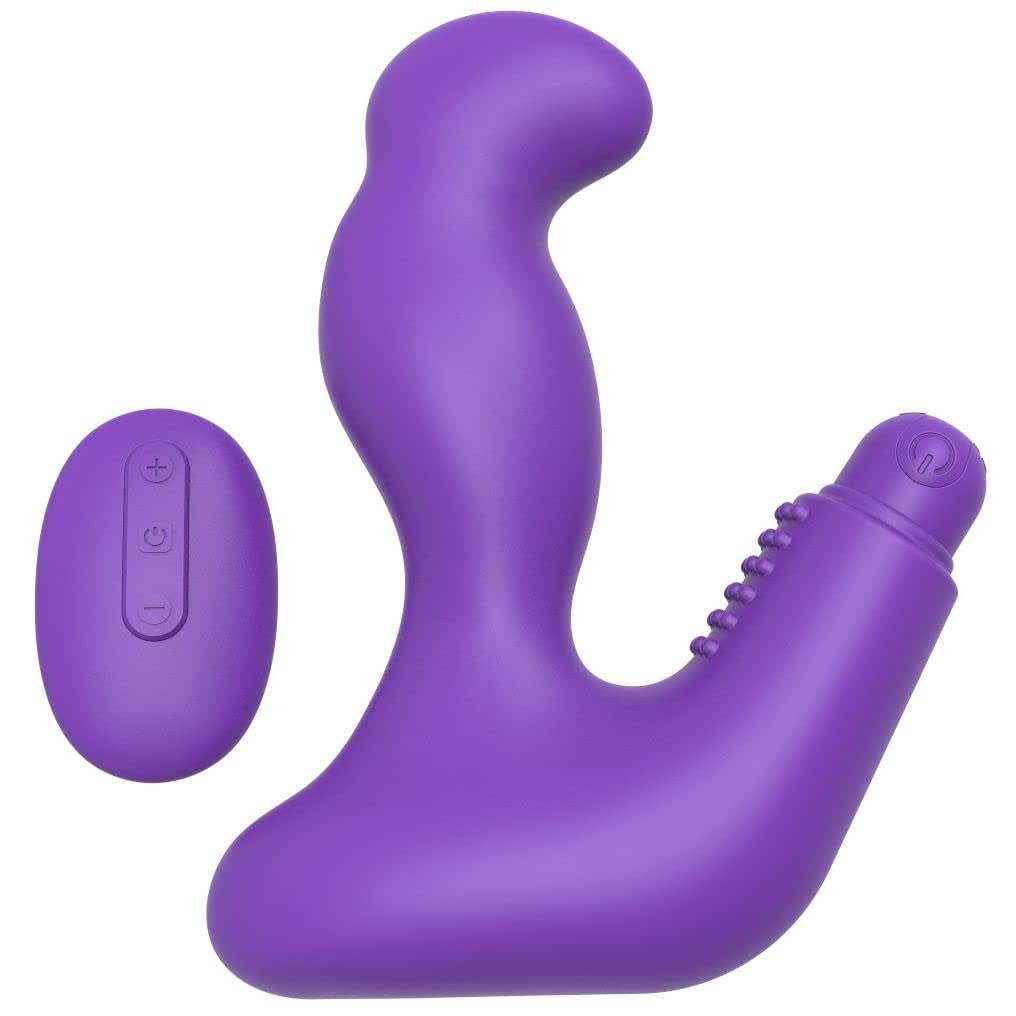
Image 1.1: The Nexus Max 20 main unit and its accompanying remote control.
2. Información de seguridade
- Read all instructions before first use and retain for future reference.
- Este produto está pensado só para uso adulto.
- Do not use if the product appears damaged or defective.
- Deixar de usar inmediatamente se experimentar algunha molestia ou dor.
- Clean the product thoroughly before and after each use as described in the Maintenance section.
- Use only water-based lubricants with this product. Oil-based lubricants can damage silicone.
- Manter fóra do alcance dos nenos.
- Non intente desmontar nin modificar o produto. Isto anulará a garantía.
3. Contido do paquete
Verifica que todos os elementos estean presentes no paquete:
- 1 x Nexus Max 20 Main Unit
- 1 x Removable Vibrating Ball (rechargeable)
- 1 x mando a distancia sen fíos
- 1 x USB Charging Cable (for vibrating ball)
- 1 x Manual de usuario (este documento)

Image 3.1: The Nexus Max 20 packaging, illustrating the components included.
4. Configuración e primeiro uso
4.1. Charging the Vibrating Ball
- Locate the charging port on the removable vibrating ball. This is typically a small, discreet port.
- Connect the supplied USB charging cable to the vibrating ball and to a USB power source (e.g., computer, USB wall adapter).
- The indicator light on the vibrating ball will illuminate or flash during charging.
- Charge for approximately 2-3 hours for a full charge before first use. The indicator light will change or turn off when fully charged.
- Desconecte o cable de carga unha vez que a carga estea completa.
4.2. Inserting the Vibrating Ball into the Main Unit
The vibrating ball can be inserted into the designated cavity of the main unit for integrated vibration. Ensure the ball is fully charged before insertion.
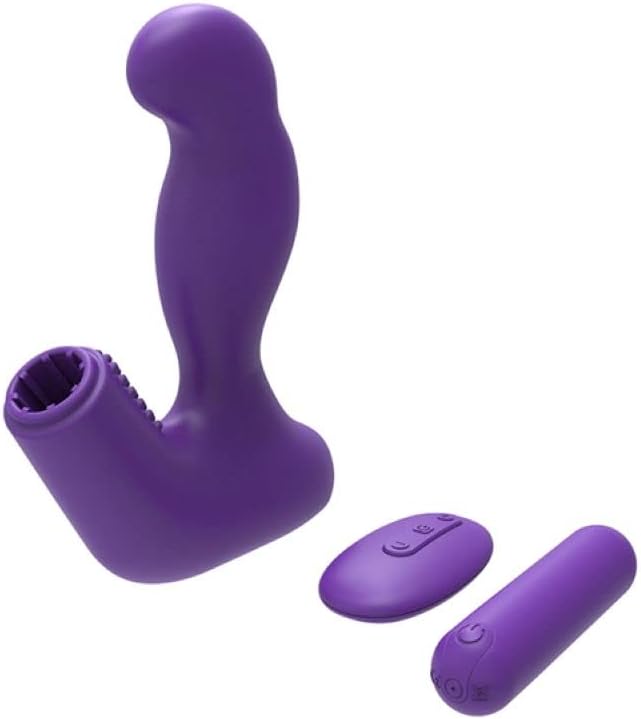
Image 4.1: The Nexus Max 20 main unit with the vibrating ball detached, illustrating its modular design.
4.3. Limpeza inicial
Before first use, clean the product thoroughly according to the "Maintenance and Care" section.
5. Instrucións de funcionamento
5.1. Acendido/apagado
- Vibrating Ball: Press and hold the power button on the vibrating ball for 2-3 seconds to turn it on or off.
- Control remoto: The remote control typically activates when a button is pressed and enters standby when inactive.
5.2. Usando o mando a distancia
The Nexus Max 20 features a wireless remote control for convenient operation. Ensure the vibrating ball is powered on to receive commands from the remote.
- Botón de encendido: Press and hold the power button on the remote to turn the vibrating ball on or off. A short press may cycle through modes.
- Botón de función/modo: Press the function button (often indicated by a wave or pattern icon) to cycle through the 20 different vibration patterns and intensities.
- Botóns de intensidade (+/-): Use the plus (+) and minus (-) buttons to adjust the vibration intensity within a selected pattern, if applicable.
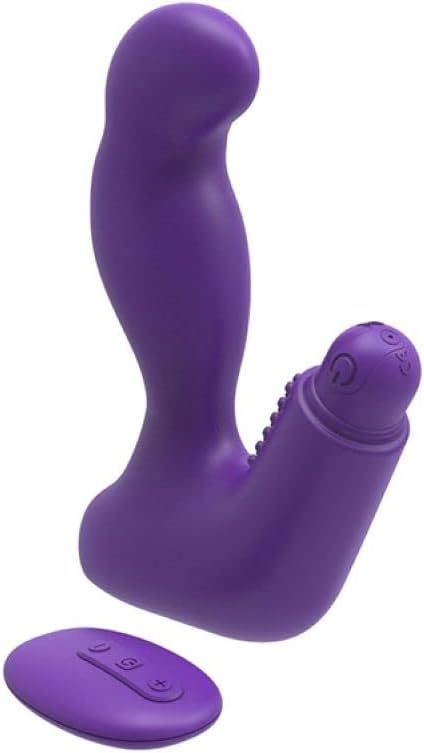
Image 5.1: The remote control for the Nexus Max 20, showing its operational buttons.
5.3. Usage Options
The modular design of the Max 20 allows for three distinct usage options:
- Main Unit with Vibrating Ball: Insert the vibrating ball into the main unit for combined stimulation.
- Main Unit without Vibration: Use the main unit alone for non-vibrating stimulation.
- Vibrating Ball Alone: Use the removable vibrating ball independently for targeted vibration.
6. Mantemento e coidados
6.1. Limpeza
- Limpar o produto a fondo antes e despois de cada uso.
- Wash with warm water and a mild, toy-safe soap or a specialized toy cleaner.
- Enxágüe ben con auga limpa.
- Secar cun pano que non deixe fiapos ou deixar secar completamente ao aire antes de gardalo.
- Do not use cleaners containing alcohol, petroleum, or acetone, as these can damage the silicone material.
6.2. Almacenamento
- Store the Nexus Max 20 in a clean, dry, and cool place, away from direct sunlight and extreme temperatures.
- Avoid storing with other silicone products or materials that may react with silicone.
7 Solución de problemas
| Problema | Causa posible | Solución |
|---|---|---|
| O dispositivo non se acende. | A batería está esgotada. | Charge the vibrating ball fully using the provided USB cable. |
| O control remoto non funciona. | Vibrating ball is not powered on or out of range. | Ensure the vibrating ball is turned on. Bring the remote closer to the device. |
| As vibracións son febles. | Low battery or low intensity setting. | Recharge the vibrating ball. Increase intensity using the remote control. |
| Product feels sticky or damaged. | Incompatible lubricant or cleaning agent used. | Only use water-based lubricants. Refer to the cleaning instructions. Discontinue use if damage persists. |
8. Especificacións
- Número de modelo: MX2002
- Material: High-quality Silicone, ABS
- Cor: Violeta
- Funcións: 20 patróns de vibración
- Fonte de enerxía: Rechargeable (vibrating ball), Remote control (battery type not specified, typically button cell)
- Resistencia á auga: Impermeable
- Dimensións do produto (L x W x H): Aproximadamente 19 x 19 x 5 cm
- Peso do produto: Aproximadamente 300 gramos
9. Garantía e soporte
Nexus products are manufactured to high-quality standards. For specific warranty information, please refer to the documentation included with your purchase or visit the official Nexus website. If you encounter any issues not covered in this manual, please contact Nexus customer support for assistance.
For further inquiries or support, please visit: www.nexus-toys.com