
1. Introdución
This manual provides instructions for the Zerone Replacement Remote Control, Model Zerone15zhcexa2d. This remote is designed as a direct replacement for various televisions, offering essential functions for daily TV operation. It is constructed from durable ABS material for longevity.
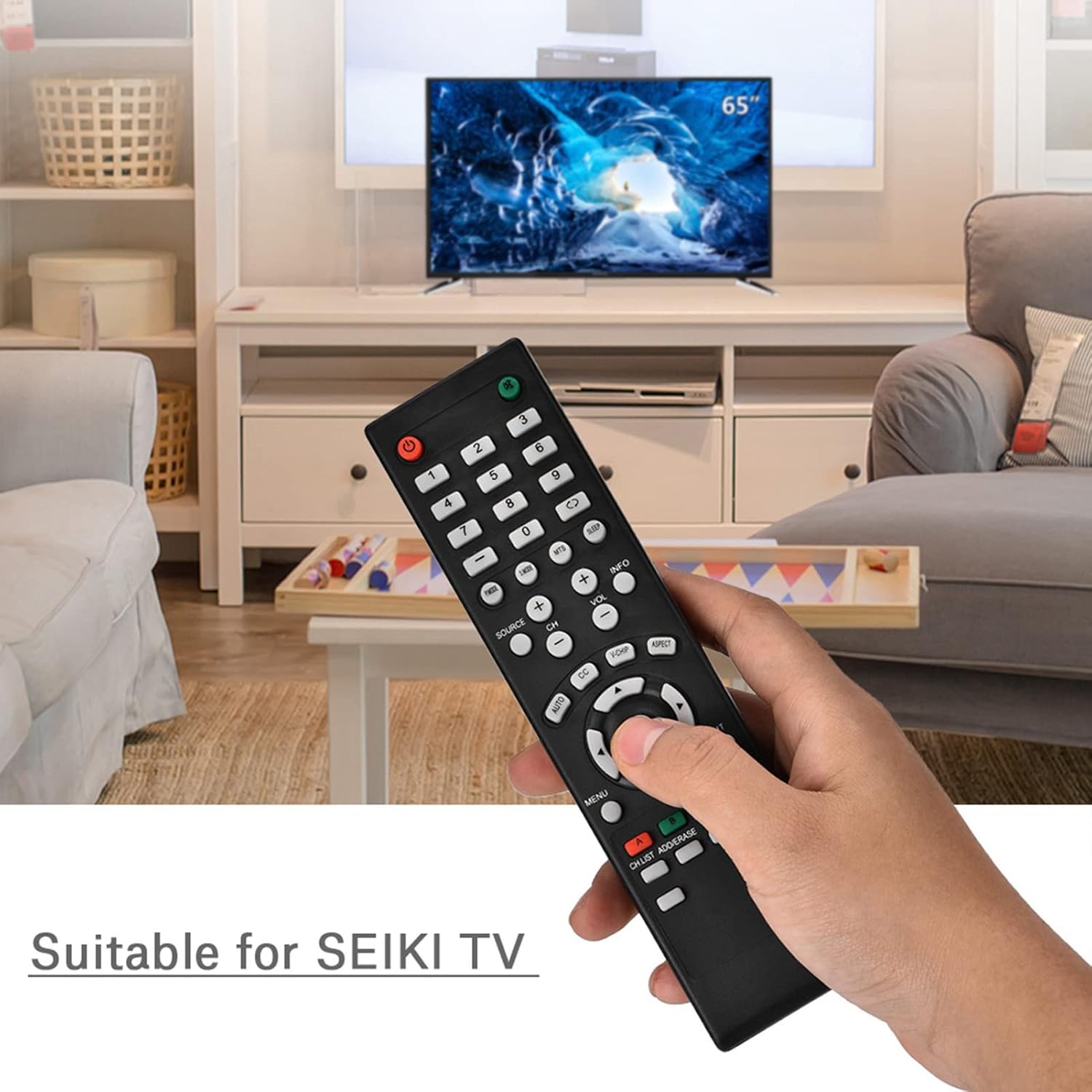
Image 1.1: The Zerone Replacement Remote Control in use, demonstrating its compatibility with televisions.
2. Configuración
2.1 Instalación da batería
The remote control requires two AAA batteries (not included). Follow these steps to install the batteries:
- Localice o compartimento da batería na parte traseira do control remoto.
- Deslice a tapa do compartimento da batería cara abaixo para abrila.
- Insira dúas pilas AAA, asegurándose de que os terminais positivo (+) e negativo (-) estean aliñados correctamente coas marcas do interior do compartimento.
- Volva colocar a tapa do compartimento da batería deslizándoa de volta ao seu lugar ata que faga clic de forma segura.

Imaxe 2.1: Traseira view do mando a distancia, que ilustra o compartimento das pilas.
2.2 Uso inicial
This remote control is designed for immediate use with compatible televisions. No programming or setup is typically required. Once batteries are installed, the remote should function directly with your TV.
Video 2.1: Demonstration of battery installation for the Zerone Replacement Remote Control.
3. Instrucións de funcionamento
3.1 Funcións básicas
The remote control provides standard television functions. Point the remote directly at your television's infrared receiver for optimal performance.
- Botón de encendido (●): Acende ou apaga o televisor.
- Botóns numéricos (0-9): Seleccionar canles directamente.
- Subir/Baixar volume (VOL +/-): Axusta o volume do son.
- Canle arriba/abaixo (CH +/-): Cambia a canle de televisión.
- Source Button (SOURCE): Cycles through input sources (HDMI, AV, etc.).
- Botón de menú (MENÚ): Accede ao menú principal do televisor.
- Navigation Buttons (Arrows & OK): Navegar polos menús e confirmar as seleccións.
- Botón Saír (EXIT): Sae do menú ou da función actual.
- Botón de silencio (●): Silencia ou activa o son do televisor.

Imaxe 3.1: Fronte view of the remote control, highlighting button layout.
3.2 Rango de funcionamento
The effective operating distance for this remote control is typically over 8 meters (approximately 26 feet). Actual range may vary depending on the specific television model and environmental factors such as obstacles or interference.

Image 3.2: Illustration of the remote control's effective operating range.
4. Mantemento
4.1 Limpeza
Para limpar o mando a distancia, use un pano suave e seco. Para a sucidade persistente, dóreo lixeiramente.ampEnxágüe o pano con auga ou un limpador suave e non abrasivo. Evite o uso de produtos químicos agresivos ou materiais abrasivos, xa que poden danar a superficie ou os compoñentes internos do mando a distancia.
4.2 Substitución da batería
Replace batteries when the remote's performance degrades (e.g., reduced range, unresponsive buttons). Refer to Section 2.1 for battery installation instructions. Always replace both batteries at the same time with new ones of the same type (AAA).

Image 4.1: The remote control, showcasing its durable construction material.
5 Solución de problemas
| Problema | Causa posible | Solución |
|---|---|---|
| O control remoto non funciona. | Baterías gastadas ou instaladas incorrectamente. | Check battery orientation. Replace with new AAA batteries (refer to Section 2.1). |
| Rango de funcionamento limitado. | Weak batteries, obstruction, or remote not pointed at TV. | Replace batteries. Ensure a clear line of sight to the TV's IR receiver. Point the remote directly at the TV. |
| Algúns botóns non responden. | Dirt or debris under buttons, or internal malfunction. | Clean the remote. If the issue persists after battery replacement and cleaning, the remote may require replacement. |
6. Especificacións
| Característica | Detalle |
|---|---|
| Marca | Cero |
| Número de modelo | Zerone15zhcexa2d |
| Dispositivos compatibles | Televisions (specifically designed for SEIKI TVs, but compatible with others) |
| Tecnoloxía de conectividade | Infravermello (IR) |
| Rango máximo | Over 8 meters (approx. 26 feet) |
| Fonte de enerxía | 2 pilas AAA (non incluídas) |
| Material | ABS |
| Dimensións (L x W x H) | 7.1" x 2" x 0.6" (180 mm x 50 mm x 15 mm) |
| Cantidade de botóns | 45 |

Image 6.1: Dimensions of the Zerone Replacement Remote Control.
7. Garantía e soporte
7.1 Información da garantía
Specific warranty details for the Zerone Replacement Remote Control may vary. Please refer to the product packaging or the retailer's purchase terms for the most accurate and up-to-date warranty information.
7.2 Atención ao cliente
For further assistance or inquiries regarding your Zerone Replacement Remote Control, please contact the retailer or manufacturer's customer support channels. Contact information is typically provided with your purchase documentation or on the manufacturer's official websitio.