
Introdución
This manual provides detailed instructions for the installation, operation, and maintenance of your Foscam D2EP IP Camera. The D2EP is a high-definition 2-megapixel outdoor security camera designed for reliable surveillance with features such as infrared night vision, smart motion detection, and wired connectivity. Please read this manual thoroughly before using the product to ensure correct setup and optimal performance.
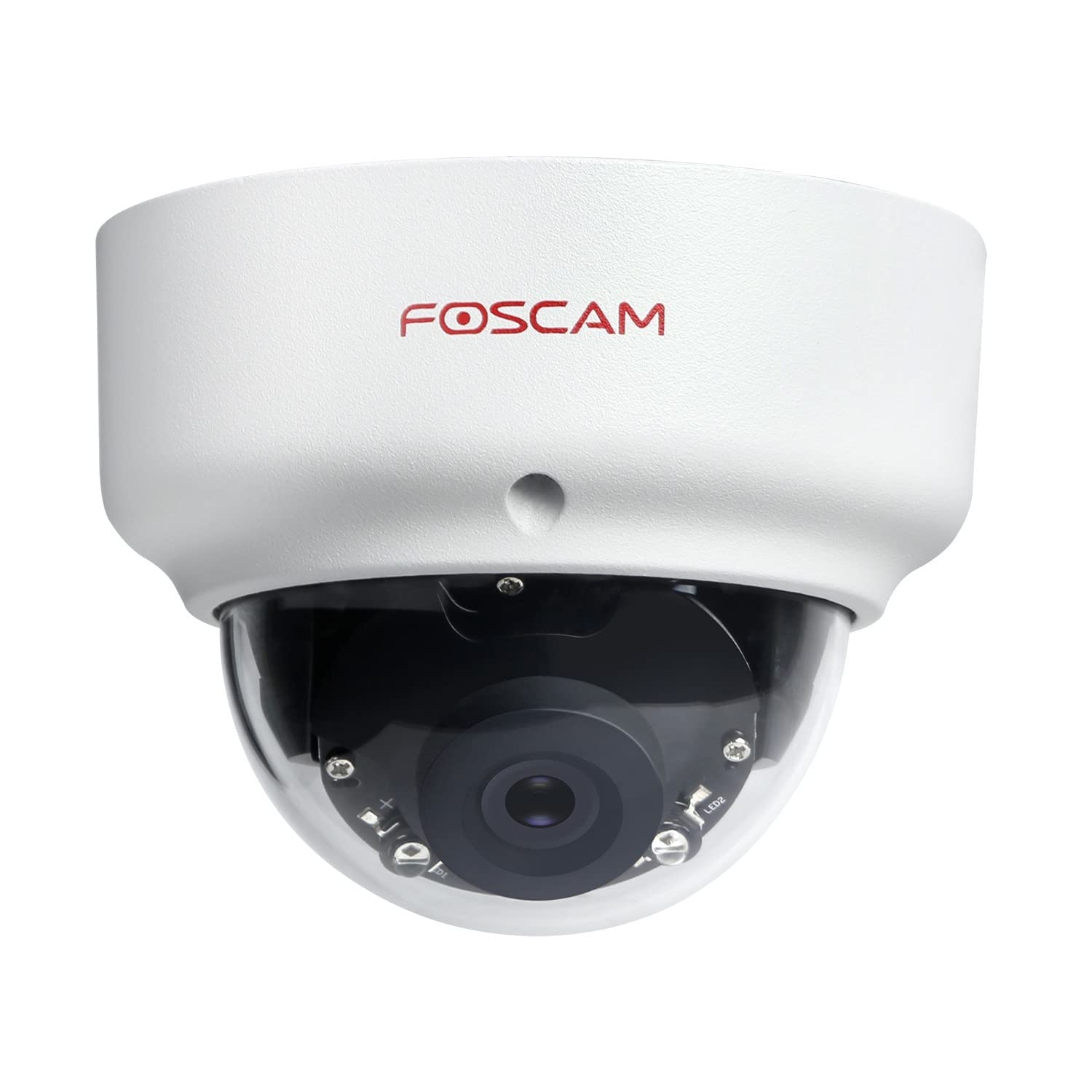
Image: The Foscam D2EP IP Camera, showcasing its compact, dome-shaped design suitable for outdoor environments.
1. Configuración e instalación
1.1 Contido do paquete
Antes de comezar a instalación, comproba que todos os compoñentes estean presentes no paquete:
- Foscam D2EP IP Camera
- Parafusos de montaxe e tacos de parede
- Cable Ethernet
- Adaptador de alimentación
- Guía de instalación rápida

Image: Foscam D2EP IP Camera with its power and Ethernet cables, illustrating the main components included in the box.
1.2 Instalación física
The Foscam D2EP camera is designed for outdoor use with an IP66 waterproof rating. Choose a suitable location that provides the desired viewing angle and is within reach of a power source and network connection.
- Lugar de montaxe: Identify a secure mounting surface, such as a wall or ceiling, that offers a clear view da zona que desexa controlar.
- Perforación: Use the provided mounting template (if included) or the camera base to mark and drill pilot holes for the mounting screws. Insert wall plugs if mounting on masonry.
- Cámara segura: Fixe a base da cámara firmemente á superficie de montaxe cos parafusos proporcionados.
- Axustar ángulo: Loosen the adjustment screws on the camera body to position the lens for the optimal viewing angle. Tighten the screws once the desired angle is achieved.

Image: Foscam D2EP IP Camera mounted under an outdoor patio roof, demonstrating a typical installation scenario for outdoor surveillance.
1.3 Conexión de rede e alimentación
- Conectar o cable Ethernet: Connect one end of the Ethernet cable to the camera's network port and the other end to your router or network switch.
- Conectar o adaptador de alimentación: Plug the power adapter into the camera's power input and then into a suitable electrical outlet.
- Luz indicadora: Wait for the camera's indicator light to show a stable status, indicating it is powered on and connected to the network. Refer to the Quick Installation Guide for specific indicator light behaviors.
1.4 Configuración inicial
To access and configure your camera, download the Foscam app on your smartphone or use the Foscam client software on your computer.
- Download App/Software: Busca "Foscam" in your app store (iOS/Android) or visit the official Foscam website for desktop software.
- Engadir cámara: Follow the in-app or software instructions to add your D2EP camera. This typically involves scanning a QR code on the camera or manually entering its UID.
- Definir contrasinal: For security, change the default password immediately upon first access.
- Configuración de rede: Configure any necessary network settings, such as static IP (if required by your network).
2. Instrucións de funcionamento
2.1 En directo View e Gravación
Once configured, you can access the live video feed from your Foscam D2EP camera through the Foscam app or desktop client.
- En directo View: Selecciona a túa cámara da lista de dispositivos para view the real-time 1080p HD video stream.
- Gravación manual: Most Foscam applications allow you to manually start and stop video recordings directly from the live view interface.
- Instantánea: Captura imaxes fixas da transmisión en directo.
2.2 Detección de movemento
The D2EP features smart motion detection to alert you to activity in the monitored area.
- Activar a detección de movemento: Navigate to the camera settings in the Foscam app/software and enable motion detection.
- Configure Detection Area: Define áreas específicas dentro da cámara view where motion should be detected, ignoring irrelevant zones.
- Axustar a sensibilidade: Set the motion detection sensitivity to minimize false alarms while ensuring important events are captured.
- Configuración de alertas: Configure how you receive alerts (e.g., push notifications, email).
2.3 Visión diúrna e nocturna
The camera automatically switches between day (color) and night (infrared black and white) vision modes based on ambient light conditions. The infrared LEDs provide clear vision up to 20 meters in low-light environments.
2.4 Amazon Alexa Compatibility
The Foscam D2EP camera is compatible with Amazon Alexa, allowing for voice control and integration into your smart home system. Refer to the Foscam website or Alexa app for detailed instructions on linking your Foscam account and controlling your camera via Alexa commands.
3. Mantemento
3.1 Limpeza da cámara
Regularly clean the camera lens and housing to ensure optimal image quality and prevent debris buildup, especially for outdoor installations.
- Use un suave, damp pano para limpar o corpo da cámara.
- Para a lente, use un pano e unha solución de limpeza de lentes especializados para evitar rabuñaduras.
- Non use produtos químicos agresivos ou materiais abrasivos.
3.2 Actualizacións de firmware
Foscam regularly releases firmware updates to improve camera performance, add new features, and enhance security. It is recommended to keep your camera's firmware up to date.
- Check for updates through the Foscam app or desktop client.
- Follow the on-screen instructions carefully during the update process. Do not power off the camera during an update.
4 Solución de problemas
4.1 A cámara non se conecta á rede
- Comproba os cables: Ensure the Ethernet cable is securely connected to both the camera and the router/switch.
- Potencia: Verify the camera is powered on and the power adapter is working correctly.
- Estado do enrutador: Confirm your router is functioning and providing network access.
- Conflito de enderezos IP: If using a static IP, ensure it does not conflict with other devices on your network. Try DHCP first.
- Restablecer cámara: If issues persist, perform a factory reset (refer to the Quick Installation Guide for reset button location and procedure).
4.2 Mala calidade de imaxe
- Lente limpa: Ensure the camera lens is clean and free from dirt or smudges.
- Iluminación: Verify adequate lighting in the monitored area during the day.
- Visión nocturna: In night mode, ensure there are no obstructions blocking the infrared LEDs.
- Configuración de resolución: Check that the camera's resolution is set to 1080p (2MP) in the app/software settings.
4.3 Motion Detection Not Working or Too Many False Alarms
- Enable Feature: Confirm motion detection is enabled in the camera settings.
- Área de detección: Adjust the detection zone to cover only relevant areas.
- Sensibilidade: Increase sensitivity if events are missed; decrease if there are too many false alarms (e.g., from moving trees, shadows).
- Horario: Check if motion detection is scheduled to be active during the desired times.
5. Especificacións
| Nome do modelo | D2EP |
| Marca | Foscam |
| Resolución | 2 megapíxeles (1080p) |
| Tecnoloxía de conectividade | Con cable |
| Uso recomendado | Cámara de seguridade exterior |
| Resistencia á intemperie | Impermeable IP66 |
| Range de visión nocturna | Ata 20 metros (infravermellos) |
| Características clave | Motion Sensor, Day/Night Vision, Amazon Alexa Compatible |
6. Información da garantía
The Foscam D2EP IP Camera comes with a 2 ano de garantía from the date of purchase. This warranty covers manufacturing defects and ensures the product functions as described under normal use. Please retain your proof of purchase for warranty claims. For detailed warranty terms and conditions, please visit the official Foscam websitio.
7. Atención ao cliente
If you encounter any issues or have questions regarding your Foscam D2EP IP Camera that are not covered in this manual, please refer to the following resources:
- Oficial Foscam Websitio: Visita www.foscam.com for FAQs, support articles, and the latest firmware.
- Soporte técnico: Contact Foscam technical support directly via their websitio web ou a información de contacto que se inclúe na embalaxe do produto.