
Introdución
This manual provides essential information for the safe operation and maintenance of your Potensic T35 GPS Drone. Please read this manual thoroughly before operating the drone to ensure proper function and to avoid damage or injury. Keep this manual for future reference.
Pautas de seguridade
- Opera sempre o dron en zonas abertas, lonxe de persoas, edificios e obstáculos.
- Mantén unha distancia de seguridade co dron durante o voo.
- Non voes con ventos fortes ou condicións meteorolóxicas adversas.
- Ensure batteries are fully charged before each flight.
- Siga todas as normativas e leis locais relativas á operación de drons.
- Manteña os dedos e a roupa solta lonxe das hélices en rotación.
Contido do paquete
Verifica que todos os elementos estean presentes no teu paquete:
- Potensic T35 GPS Drone
- Mando a distancia
- 2 x 2500mAh Drone Batteries
- Cable de carga USB
- Hélices de recambio
- Gardas de hélice
- Desaparafusador
- Manual de usuario
Produto rematadoview
Compoñentes do dron
Familiarize yourself with the main parts of your T35 drone.

Image: The Potensic T35 GPS Drone, showcasing its overall design with propellers and integrated camera.
Características clave
- 1080P HD Camera with 120° FOV: Captures high-definition aerial footage. The camera angle is 90° adjustable. A 4-32G SD card is required for 1080P recording.
- FPV Live Video: Real-time video transmission to your smartphone via Wi-Fi.
- Dual GPS System: Provides stable flight and precise positioning.
- GPS Return Home: Automatically returns the drone to its takeoff point in case of low battery, signal loss, or manual activation.
- Modo Sígueme: The drone follows your movement, capturing footage automaticamente.
- Mantemento de altitude: Maintains a consistent altitude for stable hovering.
- Draw the Dot (Waypoint Flight): Plan a flight path by drawing points on the app screen, and the drone will follow it.
- Batería de 2500 mAh: Provides extended flight time. Two batteries are included for longer sessions.
Configuración
1. Instalación e carga da batería
- Insert the 2500mAh battery into the drone's battery compartment until it clicks into place.
- To charge, remove the battery and connect it to the USB charging cable. Plug the USB cable into a compatible USB power source (e.g., computer, USB wall adapter). The charging indicator will show charging status.

Image: Two 2500mAh drone batteries, ready for charging or installation.
2. Propeller and Propeller Guard Installation
- Attach the propellers to the motor shafts, ensuring correct orientation (A and B propellers).
- Secure the propeller guards to the drone's arms using the provided screws and screwdriver.
3. Configuración do mando a distancia
- Instale 4 pilas AA (non incluídas) no mando a distancia.
- Mount your smartphone onto the controller's phone holder.
4. Instalación da aplicación
- Download and install the official Potensic drone app from your smartphone's app store (iOS or Android).
- Connect your smartphone to the drone's Wi-Fi network (usually named 'Potensic_XXXXXX') in your phone's Wi-Fi settings.
Instrucións de funcionamento
1. Encendido e sincronización
- Coloque o dron sobre unha superficie plana e plana.
- Acenda o dron e, a seguir, acenda o control remoto.
- Push the left joystick up then down to pair the drone with the controller. The drone's indicator lights will become solid.
2. Calibración do GPS
- Perform compass calibration as instructed by the app or manual. This typically involves rotating the drone horizontally and vertically.
- Wait for the drone to acquire sufficient GPS satellites (indicated by solid green lights or app status).
3. Engalaxe e aterraxe
- Despegue cunha soa tecla: Press the one-key takeoff button on the controller or in the app. The drone will automatically ascend to a safe altitude.
- Despegue manual: Empurra os dous joysticks cara abaixo e cara a fóra para arrincar os motores. Despois, empurra o joystick esquerdo cara arriba para ascender.
- Aterraxe dunha tecla: Preme o botón de aterraxe dun só botón. O dron descenderá e aterrará automaticamente.
- Aterraxe manual: Tira suavemente do joystick esquerdo cara abaixo para descender.
4. Modos de voo
The Potensic T35 offers several intelligent flight modes:
- GPS Return Home: When activated, the drone will fly back to its recorded takeoff point. This feature is also triggered automatically by low battery or signal loss.
- Modo Sígueme: Enable this mode in the app. The drone will use GPS to track your mobile device and follow you, maintaining a set distance and altitude.
- Mantemento de altitude: This mode is active by default, allowing the drone to maintain its current altitude without constant throttle input.
- Draw the Dot (Waypoint Flight): In the app, draw a series of points on the map. The drone will fly along this predefined path while maintaining its altitude.
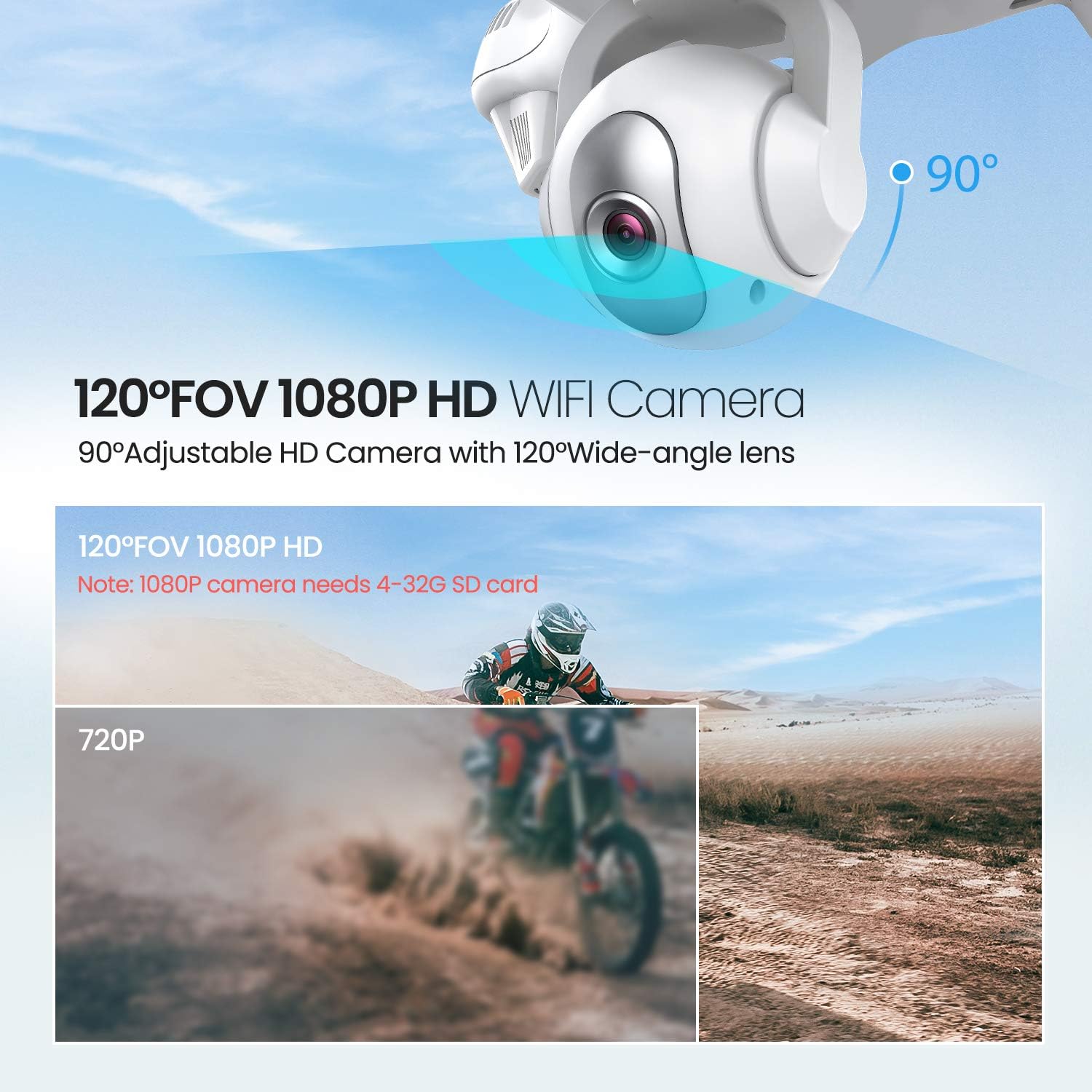
Image: The drone illustrating its GPS Auto Return function, showing a flight path back to a designated home point.

Image: The drone demonstrating its Follow Me Technology, tracking a moving subject.

Image: A user interacting with the 'Draw the Dot' feature on a smartphone, planning the drone's flight path.
Funcionamento da cámara
1. Cámara HD 1080P
The T35 drone is equipped with a 1080P HD camera with a 120° wide-angle lens. The camera angle can be adjusted by 90° for optimal viewing.

Image: Close-up of the drone's 120° FOV 1080P HD Wi-Fi camera, highlighting its adjustable angle.
2. FPV Live Video
Once connected to the drone's Wi-Fi, open the Potensic app to view FPV en tempo real (primeira persoa) View) video directly on your smartphone. This allows for precise framing of photos and videos.
3. Recording and Photos
- Insert a 4-32GB SD card into the drone's camera slot for 1080P video recording and photo storage.
- Use the dedicated buttons on the remote controller or the app interface to start/stop video recording or take photos.
Mantemento
- Limpeza: Usa un pano suave e seco para limpar o dron e o control remoto. Non empregues produtos químicos agresivos nin solventes.
- Hélices: Regularly inspect propellers for damage. Replace any bent or chipped propellers immediately.
- Coidado da batería: Store batteries in a cool, dry place. Do not overcharge or over-discharge batteries.
- Almacenamento: When not in use, store the drone and its components in a protective case to prevent damage.
Resolución de problemas
| Problema | Causa posible | Solución |
|---|---|---|
| O dron non se acende | Batería non instalada correctamente ou descargada | Asegúrate de que a batería estea completamente cargada e inserida correctamente. |
| Drone cannot pair with controller | Incorrect pairing sequence or low controller battery | Follow pairing instructions. Replace controller batteries. |
| Voo inestable / Deriva | Improper calibration or strong winds | Perform GPS and gyroscope calibration. Avoid flying in windy conditions. |
| No FPV video feed | Wi-Fi not connected or app issue | Ensure phone is connected to drone's Wi-Fi. Restart app and drone. |
| GPS Return Home not working | Insufficient GPS satellites or no recorded home point | Ensure drone acquires enough GPS signals before takeoff. |
Especificacións
| Característica | Detalle |
|---|---|
| Marca | Potencial |
| Nome do modelo | T35 |
| Resolución de captura de vídeo | 1080 p |
| Tecnoloxía de conectividade | Wi-Fi |
| Capacidade da batería | 2500 millónsamp Horario |
| Tipo de control | Control remoto |
| Tipo de medios | SD Card (4-32GB recommended for 1080P) |
| Franxa de idade (descrición) | Adulto |
Vídeo oficial do produto
Mira este vídeo oficial para máis informaciónview of the Potensic T35 GPS Drone's features and operation.
Vídeo: Presentación oficial dun produto en vídeoasing the Potensic T35 GPS Drone in action, highlighting its various features and capabilities.
Garantía e Soporte
For warranty information, technical support, or service inquiries, please refer to the contact details provided on the Potensic official websitio web ou a documentación da compra. Garde o comprobante de compra para reclamacións de garantía.