
Prtukyt 6S
Prtukyt 6S Wireless Headphones User Manual
Model: 6S | Brand: Prtukyt
Introdución
Thank you for choosing the Prtukyt 6S Wireless Headphones. This manual provides detailed instructions on how to set up, operate, and maintain your headphones to ensure optimal performance and longevity. Please read this manual thoroughly before using the product.

Image: Prtukyt 6S Wireless Headphones in black and red, showcasino deseño xeral.
Características clave
- HI-FI Stereo Sound: High-definition audio with deep bass and crystal-clear treble, powered by a 57mm driver for precise sound reproduction.
- Bluetooth avanzado 5.0: Ensures fast, stable connections and low latency for audio/video streaming.
- Batería de longa duración: Up to 40 hours of continuous playtime on a single charge, thanks to a 500mAh lithium-polymer battery.
- Deseño cómodo: Features super soft, skin-texture simulating ear cushions and an adjustable, padded headband for extended wear comfort.
- Plegable e portátil: Ergonomic, foldable design for easy storage and transport, ideal for travel and daily use.
- Multi-Mode Playback: Supports wireless Bluetooth, wired 3.5mm audio connection, Micro SD/TF card playback, and FM radio.
- Micrófono incorporado: High-quality microphone for clear, hands-free calls.

Imaxe: Máis deview of the headphones' key features, including Hi-Fi sound, comfortable earmuffs, radio receiver, long battery life, foldable design, and HD call capability.
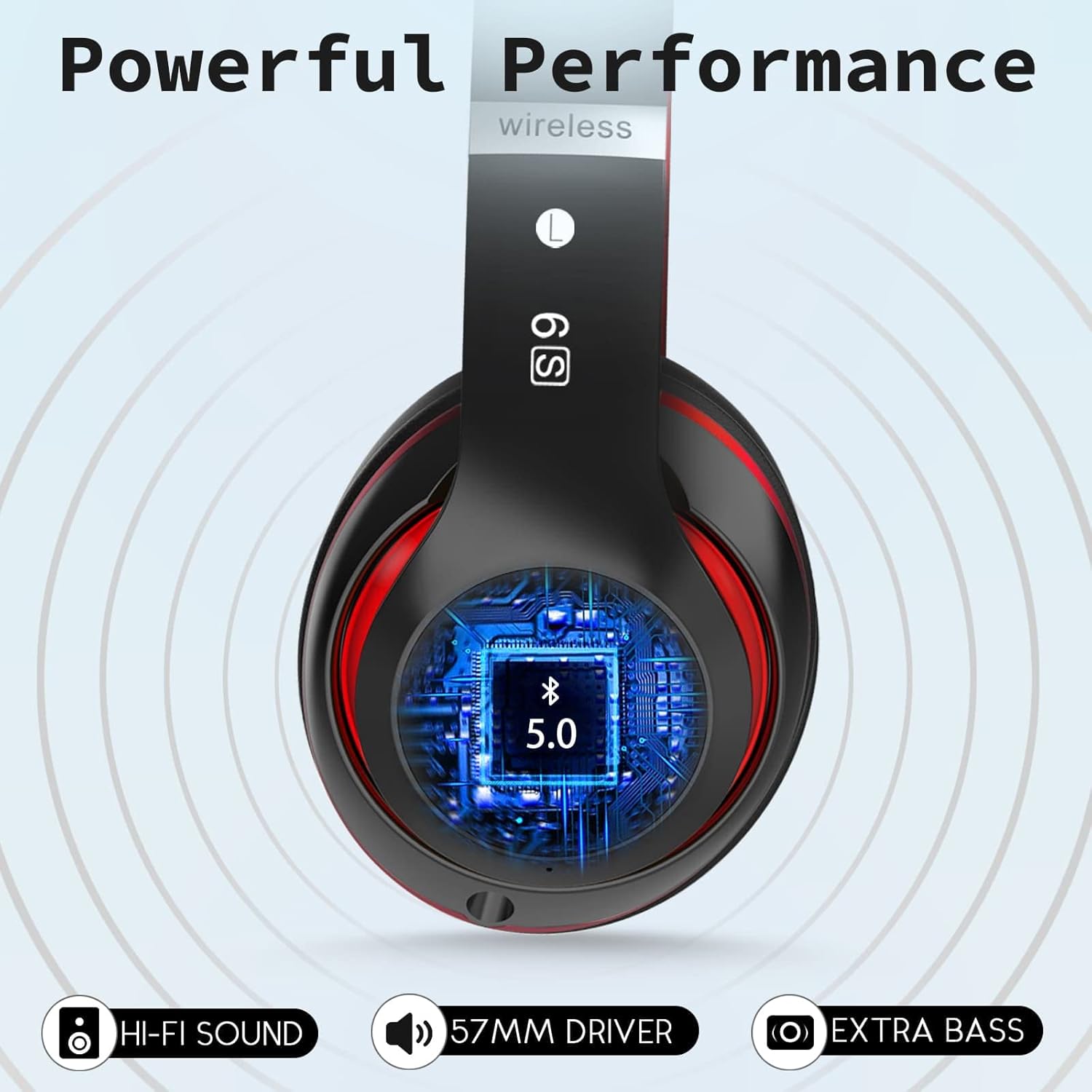
Image: Close-up of the headphone earcup highlighting the Bluetooth 5.0 chip, Hi-Fi sound, 57mm driver, and extra bass capabilities.
Contido do paquete
Marque a caixa para os seguintes elementos:
- Prtukyt 6S Wireless Headphones
- Cable de carga USB
- Cable de audio de 3.5 mm
- Manual de usuario

Image: Visual representation of the items included in the product packaging: the headphones, a USB charging cable, and a 3.5mm audio cable.
Configuración
1. Carga dos auriculares
Before first use, fully charge the headphones. A full charge takes approximately 3 hours and provides up to 40 hours of playtime.
- Connect the small end of the USB charging cable to the charging port on the headphone earcup.
- Conecta o extremo máis grande do cable de carga USB a un adaptador de corrente USB (non incluído) ou ao porto USB dun ordenador.
- The LED indicator light will show charging status (e.g., red for charging, off when fully charged).

Image: Visual representation of the headphones' long battery life, indicating up to 40 hours of playtime on a single charge.
2. Emparellamento Bluetooth
Pair your headphones with your Bluetooth-enabled device (smartphone, tablet, PC).
- Asegúrese de que os auriculares estean cargados e apagados.
- Press and hold the Power/Multi-function button until the LED indicator flashes blue and red alternately, indicating pairing mode.
- No teu dispositivo, activa o Bluetooth e busca os dispositivos dispoñibles.
- Select "6S" from the list of found devices.
- Once paired, the LED indicator will flash blue slowly, and you will hear a confirmation tone.
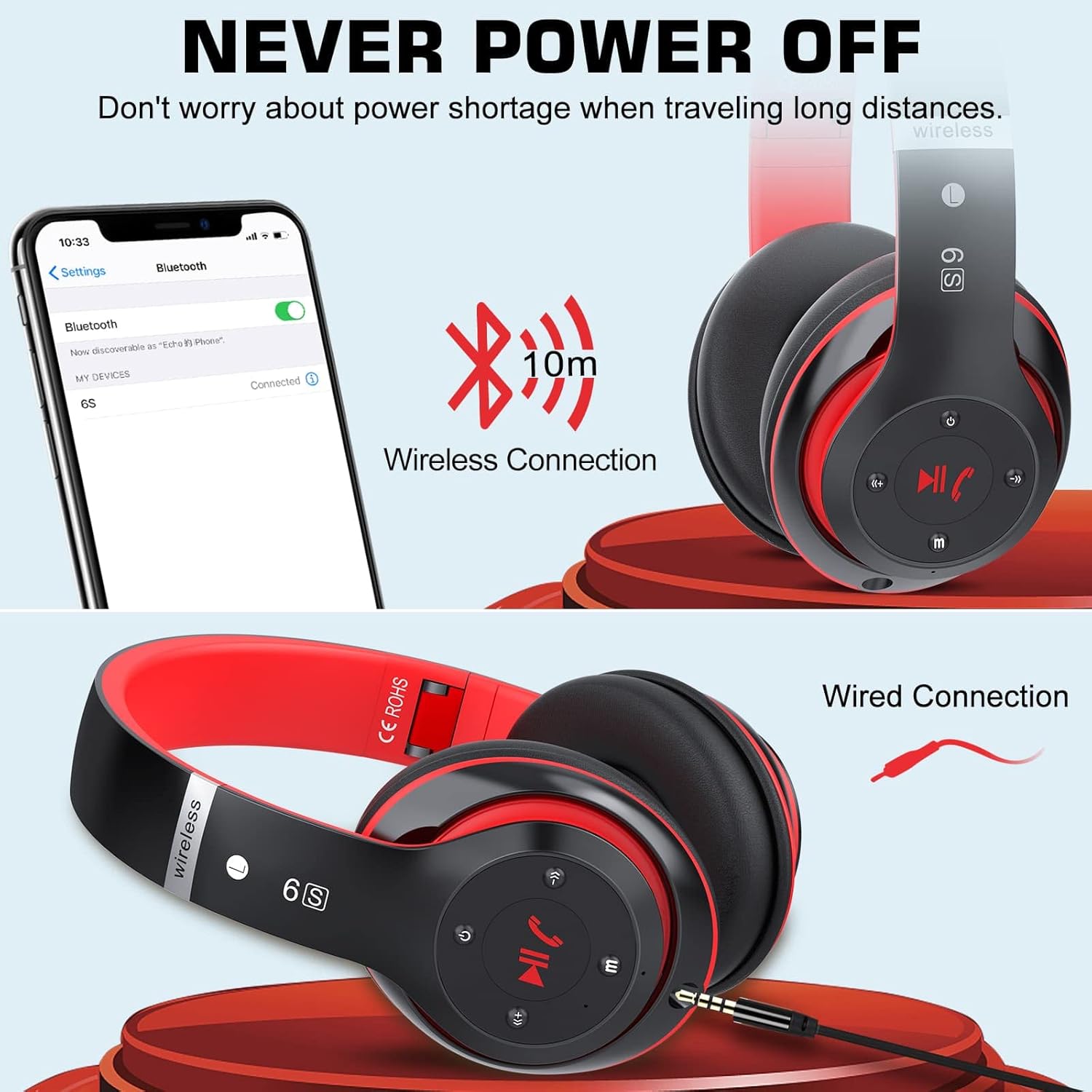
Image: Demonstrates both wireless Bluetooth connection (up to 10m range) and wired connection options for the headphones.
3. Wired Connection (Aux Mode)
Use the included 3.5mm audio cable for a wired connection, especially when the battery is low or for non-Bluetooth devices.
- Plug one end of the 3.5mm audio cable into the audio input port on the headphone earcup.
- Conecta o outro extremo á toma de son de 3.5 mm do teu dispositivo.
- Os auriculares cambiarán automaticamente ao modo con fío.
4. Micro SD/TF Card Playback
Insert a Micro SD/TF card loaded with MP3 audio files into the designated slot on the headphones.
- Locate the Micro SD/TF card slot on the headphone earcup.
- Gently insert the Micro SD/TF card until it clicks into place.
- The headphones will automatically switch to TF card playback mode. Use the control buttons to navigate tracks.
5. Modo de radio FM
The headphones can receive FM radio signals. For best reception, ensure the 3.5mm audio cable is plugged in, as it acts as an antenna.
- Acende os auriculares.
- Press the "M" (Mode) button to switch to FM radio mode.
- Prema o botón Reproducir/Pausa para buscar automaticamente e gardar as emisoras de FM dispoñibles.
- Use the Previous/Next track buttons to switch between saved stations.
Instrucións de funcionamento
Familiarize yourself with the control buttons located on the earcup for easy operation.

Image: Detailed diagram showing the location and function of each button on the headphone earcup, including power, track control, volume, mode, and call handling.
| Botón/Acción | Función |
|---|---|
| Botón de encendido (encendido/apagado) | Mantén premido para acender/apagar. |
| Play/Pause / Answer/Hang Up | Press once to play/pause music. Press once to answer/end a call. Press and hold to reject a call. |
| Previous Song / Volume Down (-) | Prema curta para a canción anterior. Prema longa para baixar o volume. |
| Next Song / Volume Up (+) | Prema curta para a seguinte canción. Prema longa para aumentar o volume. |
| Botón de modo (M) | Press to switch between Bluetooth, TF Card, and FM Radio modes. |
| Audio Cable Link Hole | Connect 3.5mm audio cable for wired playback. |
Mantemento
- Limpeza: Usa un pano suave e seco para limpar os auriculares. Non empregues produtos de limpeza abrasivos nin disolventes.
- Almacenamento: Cando non os uses, garda os auriculares nun lugar fresco e seco, lonxe da luz solar directa e de temperaturas extremas. O deseño pregable permite un almacenamento compacto.
- Coidado da batería: Para prolongar a duración da batería, evite descargar completamente os auriculares con frecuencia. Cárgueos regularmente, mesmo se non os usa durante períodos prolongados.
- Evitar a humidade: Non expoñas os auriculares á auga nin a humidade excesiva.

Image: The headphones in their folded state, illustrating their compact and portable design for easy carrying and storage.
Resolución de problemas
| Problema | Causa posible | Solución |
|---|---|---|
| Os auriculares non se acenden. | Batería baixa. | Cargue os auriculares completamente. |
| Non se pode sincronizar co dispositivo Bluetooth. | Os auriculares non están en modo de emparellamento; o Bluetooth do dispositivo está desactivado; demasiado lonxe do dispositivo. | Ensure headphones are in pairing mode (flashing blue/red). Turn on Bluetooth on your device. Move headphones closer to the device (within 10m). |
| Non hai son no modo Bluetooth. | Volume too low; not properly paired; wrong audio output selected on device. | Increase headphone and device volume. Re-pair the headphones. Select "6S" as the audio output on your device. |
| Mala recepción de radio FM. | Sen antena conectada; sinal débil. | Plug in the 3.5mm audio cable (acts as antenna). Try auto-scanning again. Move to an area with better signal. |
| Micro SD/TF card not recognized. | Card not inserted correctly; unsupported format. | Re-insert the card firmly. Ensure card contains MP3 files. |
Especificacións
| Característica | Detalle |
|---|---|
| Nome do modelo | 6S |
| Marca | Prtukyt |
| Tecnoloxía de conectividade | Sen fíos (Bluetooth 5.0) |
| Tecnoloxía de comunicación sen fíos | Bluetooth |
| Entrada de audio | Conector de 3.5 mm |
| Factor de forma | Over-Ear (Circum-Auricular) |
| Tipo de batería | Lithium-polymer (500mAh) |
| Hora de xogo | Ata 40 horas |
| Tempo de carga | Aprox. 3 horas |
| distancia wireless | Ata 10 metros (33 pés) |
| Material | Coiro, plástico |
| Cor | Negro/Vermello |

Image: Illustration of a 40mm stereo driver, emphasizing its role in delivering sound purity and precision.
Garantía e Soporte
Prtukyt provides a 12-month warranty for this product. If you encounter any issues or have questions regarding your Prtukyt 6S Wireless Headphones, please contact our customer support for assistance. We are committed to ensuring your satisfaction.
Contact information for support is typically found on the product packaging or the brand's official websitio.
Ask a question about this manual
Ask about setup, troubleshooting, compatibility, parts, safety, or missing instructions. Manuals+ will review the question and use this page’s manual context to help answer it.