
1. Introdución
Grazas pola compraasing the ELECTROPRIME Digital Voice Recorder. This device is designed for high-quality audio recording and playback, functioning as both a dictaphone and an MP3 music player. Please read this manual carefully to ensure proper use and optimal performance.
Contido do paquete:
- ELECTROPRIME Digital Voice Recorder (Model: ASHA20BEBUBEB16153)
- Cable USB
- Manual de usuario
2. Produto rematadoview
Familiarízate cos compoñentes e controis do dispositivo.
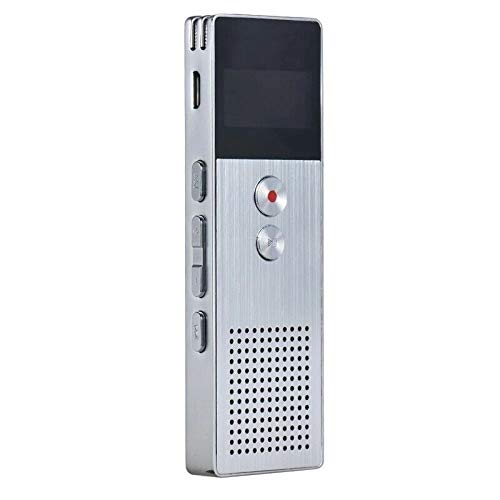
Imaxe 2.1: Fronte view of the ELECTROPRIME Digital Voice Recorder. This image displays the device's screen, the prominent red record button, and other control buttons on the front panel, along with the speaker grille at the bottom.
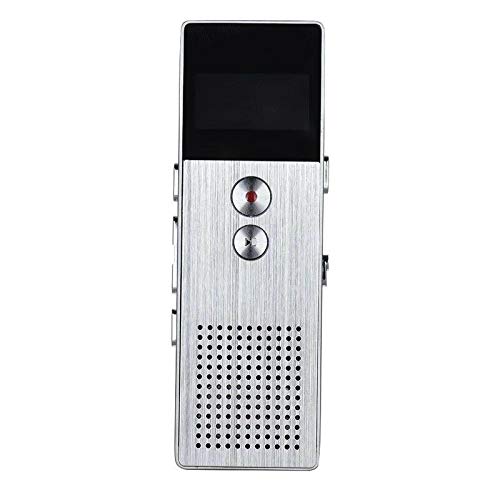
Imaxe 2.2: Lado view of the ELECTROPRIME Digital Voice Recorder. This image highlights the side controls, including the power switch, volume buttons, and the USB charging/data transfer port. The device's compact design is visible.
Compoñentes do dispositivo:
- Pantalla de visualización: Mostra o estado da gravación, a hora, o nivel da batería e as opcións do menú.
- Botón de gravación: Initiates and stops audio recording.
- Botón Reproducir/Pausa: Starts and pauses playback of audio files.
- Botóns de volume (+/-): Axusta o volume da reprodución.
- Botón de menú/modo: Navigates through menus and switches operating modes.
- Porto USB: For charging and data transfer to a computer.
- Micrófono: Built-in stereo microphone for audio input.
- Relator: Para reprodución directa de audio.
- Jack para auriculares: Para escoita privada.
- Interruptor de alimentación: Acende ou apaga o dispositivo.
3. Configuración
3.1 Carga do dispositivo
Before first use, fully charge the device. Connect the recorder to a computer's USB port or a USB wall adapter (not included) using the provided USB cable. The battery indicator on the screen will show charging status. A full charge typically takes 2-3 hours.
3.2 Encendido/apagado
- Para acender, deslice o botón Interruptor de alimentación á posición ON.
- Para apagar, deslice o botón Interruptor de alimentación á posición OFF.
3.3 Configuración inicial
Upon first power-on or after a reset, you may need to set the date, time, and language. Use the navigation buttons to select options and confirm with the Play/Pause button.
4. Instrucións de funcionamento
4.1 Gravación de voz
The device supports high-quality stereo recording in .WAV format, offering up to 23 hours of continuous recording with its 8GB internal memory.
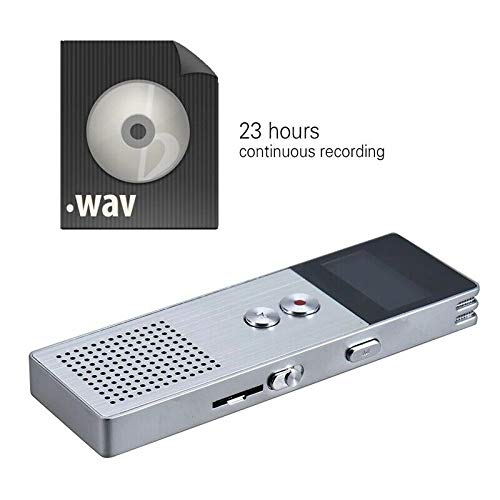
Imaxe 4.1: The recorder's capability to record in .WAV format and its impressive 23-hour continuous recording capacity are highlighted in this image, alongside the device itself.
- Asegúrese de que o dispositivo estea acendido.
- Preme o Botón de gravación (red circle) to start recording. The screen will display a recording indicator and elapsed time.
- Para pausar a gravación, prema o Botón Reproducir/Pausa. Premao de novo para retomar.
- Para deter a gravación e gardar o file, prema o Botón de gravación de novo. O file gardarase automaticamente.
Consello: For best recording quality, ensure the microphone is not obstructed and the device is placed on a stable surface.
4.2 Reprodución
- In the main menu, navigate to the "Recordings" or "Music" folder using the navigation buttons.
- Seleccione o desexado file e prema o Botón Reproducir/Pausa para iniciar a reprodución.
- Durante a reprodución, use o Botóns de volume (+/-) para axustar o volume.
- Preme o Botón Reproducir/Pausa to pause playback, and again to resume.
- Para deter a reprodución, prema o botón Botón de parar (if available, otherwise navigate out of playback mode).
4.3 MP3 Music Player Functionality
The device can also function as an MP3 player. Transfer MP3 files to the device via USB connection to your computer.
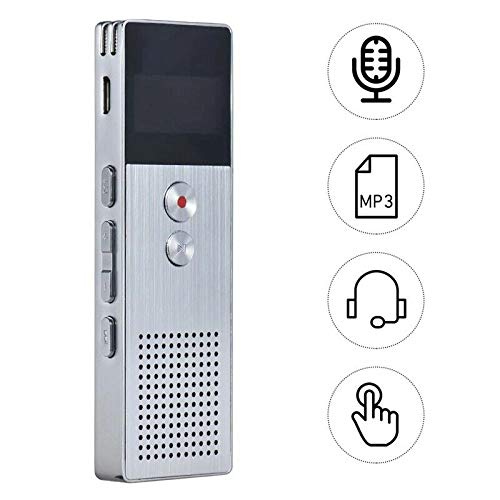
Imaxe 4.2: This image illustrates the multi-functional capabilities of the device, including its use as a voice recorder (microphone icon), an MP3 player (MP3 icon), and its compatibility with headphones (headphone icon). The touch icon suggests ease of interaction.
- Conecte o dispositivo ao seu ordenador mediante o cable USB.
- The device will appear as a removable disk. Copy your MP3 files into the "Music" folder on the device.
- Safely eject the device from your computer.
- On the recorder, navigate to the "Music" menu and select your desired MP3 file para a reprodución.
4.4 File Management (Connecting to PC)
To transfer, delete, or organize files, connect the recorder to your computer using the USB cable. The device will be recognized as a mass storage device. You can then drag and drop files as you would with any USB drive.
5. Mantemento
- Manteña o dispositivo seco. A humidade pode danar os circuítos internos.
- Evita temperaturas extremas.
- Non deixe caer o dispositivo nin someta o dispositivo a fortes impactos.
- Limpa o dispositivo cun pano suave e seco. Non empregues produtos químicos agresivos nin deterxentes.
- Fai copias de seguridade das gravacións importantes no teu ordenador con regularidade.
6 Solución de problemas
O dispositivo non se acende:
- Asegúrate de que a batería estea cargada. Conéctaa a unha fonte de alimentación e inténtao de novo.
- Comprobe se o interruptor de alimentación está na posición ON.
Non se pode gravar:
- Check available memory. If full, transfer files a un ordenador e eliminalos do dispositivo.
- Asegúrate de que o micrófono non estea cuberto.
- Verify the device is in recording mode.
Sen son durante a reprodución:
- Adjust the volume using the Volume Buttons.
- Ensure headphones are properly connected if using them.
- Comproba se o audio file está corrompido.
Dispositivo non recoñecido polo ordenador:
- Try a different USB port or USB cable.
- Ensure the device is powered on when connected.
- Reinicia o teu ordenador.
7. Especificacións
| Marca | ELECTROPRIME |
| Número de modelo | ASHA20BEBUBEB16153 |
| Almacenamento de memoria | 8 GB |
| Formato de gravación | WAV |
| Formatos de reprodución | MP3, WAV |
| Micrófono | Estéreo |
| Gravación continua | Ata 23 horas |
| Conectividade | USB |
8. Garantía e soporte
For warranty information or technical support, please refer to the product packaging or contact ELECTROPRIME customer service through their official website or the retailer where the product was purchased. Please have your model number (ASHA20BEBUBEB16153) and purchase details ready.