
Introdución
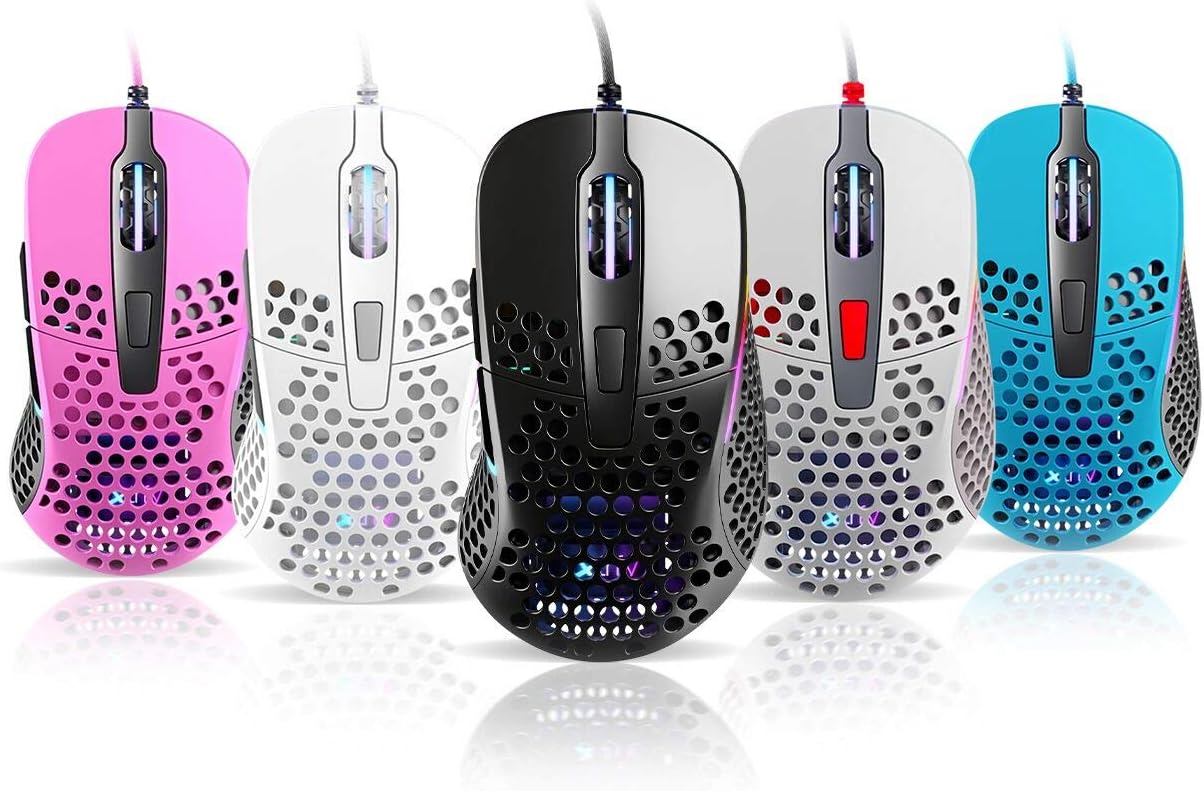
Thank you for choosing the Xtrfy M4 RGB Ultralight Gaming Mouse. This manual provides essential information for setting up, operating, and maintaining your new gaming mouse. The Xtrfy M4 is designed for high-performance gaming, featuring an ultralight design, customizable RGB illumination, and an ergonomic shape for comfortable use.
Please read this manual carefully before using the product to ensure optimal performance and longevity.
Contido do paquete
Asegúrate de que todos os elementos estean presentes no paquete:
- Xtrfy M4 RGB Ultralight Gaming Mouse
- Manual de usuario (este documento)

Instrucións de configuración
- Desembalar o rato: Carefully remove the Xtrfy M4 mouse from its packaging.
- Conectar ao ordenador: Conecte o conector USB do rato a un porto USB dispoñible no seu ordenador.
- Instalación de controladores: The mouse is plug-and-play and typically does not require additional drivers. Your operating system should automatically detect and install the necessary drivers.
- Proba inicial: Move the mouse and click the buttons to ensure it is functioning correctly.

Instrucións de funcionamento
Funcións dos botóns
The Xtrfy M4 features 6 programmable buttons:
- Clic esquerdo: Acción primaria.
- Clic dereito: Acción secundaria.
- Roda de desprazamento (clic): Middle click/universal scroll.
- Botón de avance: Predeterminado para navegar cara adiante web navegadores/aplicacións.
- Botón de retroceso: Predeterminado para navegar cara atrás web navegadores/aplicacións.
- Botón DPI: Cycles through DPI settings (located behind the scroll wheel).
Configuración de DPI
The DPI (Dots Per Inch) button allows you to adjust the mouse sensitivity on the fly. Press the DPI button to cycle through preset DPI levels. The RGB lighting on the mouse may change color to indicate the current DPI setting.
Refer to the official Xtrfy website or software (if available) for detailed information on specific DPI levels and their corresponding LED colors.
Iluminación RGB
The Xtrfy M4 features customizable RGB lighting. Specific controls for lighting effects and colors are typically managed through dedicated software provided by Xtrfy. Please visit the official Xtrfy support page to download any available software for advanced customization.

Mantemento
Proper maintenance ensures the longevity and performance of your Xtrfy M4 mouse.
- Limpeza: Usa un pano suave e seco para limpar a superficie do rato. Para a sucidade persistente, limpa lixeiramenteampEnxágüe o pano con auga ou unha solución de limpeza suave. Evite produtos químicos agresivos ou materiais abrasivos.
- Mantemento do sensor: Manteña o sensor óptico da parte inferior do rato limpo e libre de po ou residuos. Use un hisopo de algodón ou aire comprimido se é necesario.
- Coidado do cable: Evite curvas bruscas ou tirar demasiado do cable do rato para evitar danos.
- Almacenamento: Cando non o use, garde o rato nun ambiente limpo e seco, lonxe de temperaturas extremas.
Resolución de problemas
If you encounter issues with your Xtrfy M4 mouse, try the following solutions:
- O rato non responde:
- Asegúrate de que o cable USB estea conectado correctamente a un porto USB que funcione.
- Tenta conectar o rato a un porto USB diferente.
- Reinicia o teu ordenador.
- O movemento do cursor é errático ou con saltos:
- Limpa o sensor óptico da parte inferior do rato.
- Asegúrate de usar o rato sobre unha superficie limpa e non reflectante ou sobre unha alfombrilla de rato.
- Check for any software conflicts or outdated drivers (though typically not required, ensure your OS is up to date).
- A iluminación RGB non funciona:
- Asegúrate de que o rato estea conectado correctamente.
- If using Xtrfy software, check its settings to ensure lighting is enabled and configured correctly.
If these steps do not resolve the issue, please contact Xtrfy customer support for further assistance.
Especificacións
| Característica | Detalle |
|---|---|
| Marca | Xtrfy |
| Modelo | M4 |
| Cor | Azul (segundo a variante do produto) |
| Tecnoloxía de conectividade | USB |
| Característica especial | Ergonomic Design, Ultralight, RGB Illumination |
| Número de botóns | 6 |
| Peso | 69 grams (Ultralight) |
Garantía e Soporte
Xtrfy products are manufactured to the highest quality standards. For information regarding warranty coverage, please refer to the warranty card included with your product or visit the official Xtrfy websitio.
For technical support, FAQs, driver downloads, or further assistance, please visit the Xtrfy support page: