
Introdución
The GENAI Wireless Bluetooth Headset B112 provides a convenient and hands-free communication experience. This manual offers detailed instructions for setting up, operating, maintaining, and troubleshooting your headset to ensure optimal performance and longevity.
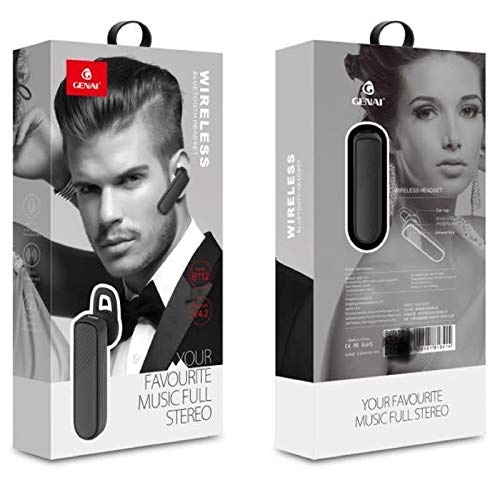
Image: GENAI Wireless Bluetooth Headset B112, main unit with ear hook.
O que hai na caixa
O paquete do produto inclúe os seguintes elementos:
- GENAI Wireless Bluetooth Headset B112
- Almofadas para orellas
- Cable de carga (micro USB)
Configuración
1. Cargando os auriculares
- Conecta o cable de carga micro USB ao porto de carga dos auriculares.
- Connect the other end of the charging cable to a compatible USB power source (e.g., computer USB port, USB wall adapter).
- The indicator light will illuminate during charging.
- Unha carga completa adoita tardar aproximadamente 2 horas.
- Unha vez cargada por completo, a luz indicadora pode cambiar de cor ou apagarse, dependendo do modelo. Desconecta o cable de carga.
2. Emparejamento cun dispositivo Bluetooth
- Asegúrese de que os auriculares estean completamente cargados.
- Encendido: Press and hold the multi-function button (usually the main button) on the headset until the indicator light flashes, typically alternating blue and red, indicating pairing mode.
- Activar Bluetooth: No teu teléfono móbil ou noutro dispositivo con Bluetooth, vai á configuración de Bluetooth e asegúrate de que o Bluetooth estea activado.
- Busca Dispositivos: Your device will scan for available Bluetooth devices. Look for "B112" or "GENAI B112" in the list.
- Conectar: Select "B112" or "GENAI B112" to initiate the pairing process. If prompted for a password, enter "0000" (four zeros).
- Once successfully paired, the indicator light on the headset will typically flash blue slowly, and you may hear a voice prompt confirming the connection.
3. Usar os auriculares
The GENAI B112 headset is designed for comfortable wear. Attach the ear hook if desired, and adjust it to fit securely over your ear. The ear cushions can be changed for a better fit.
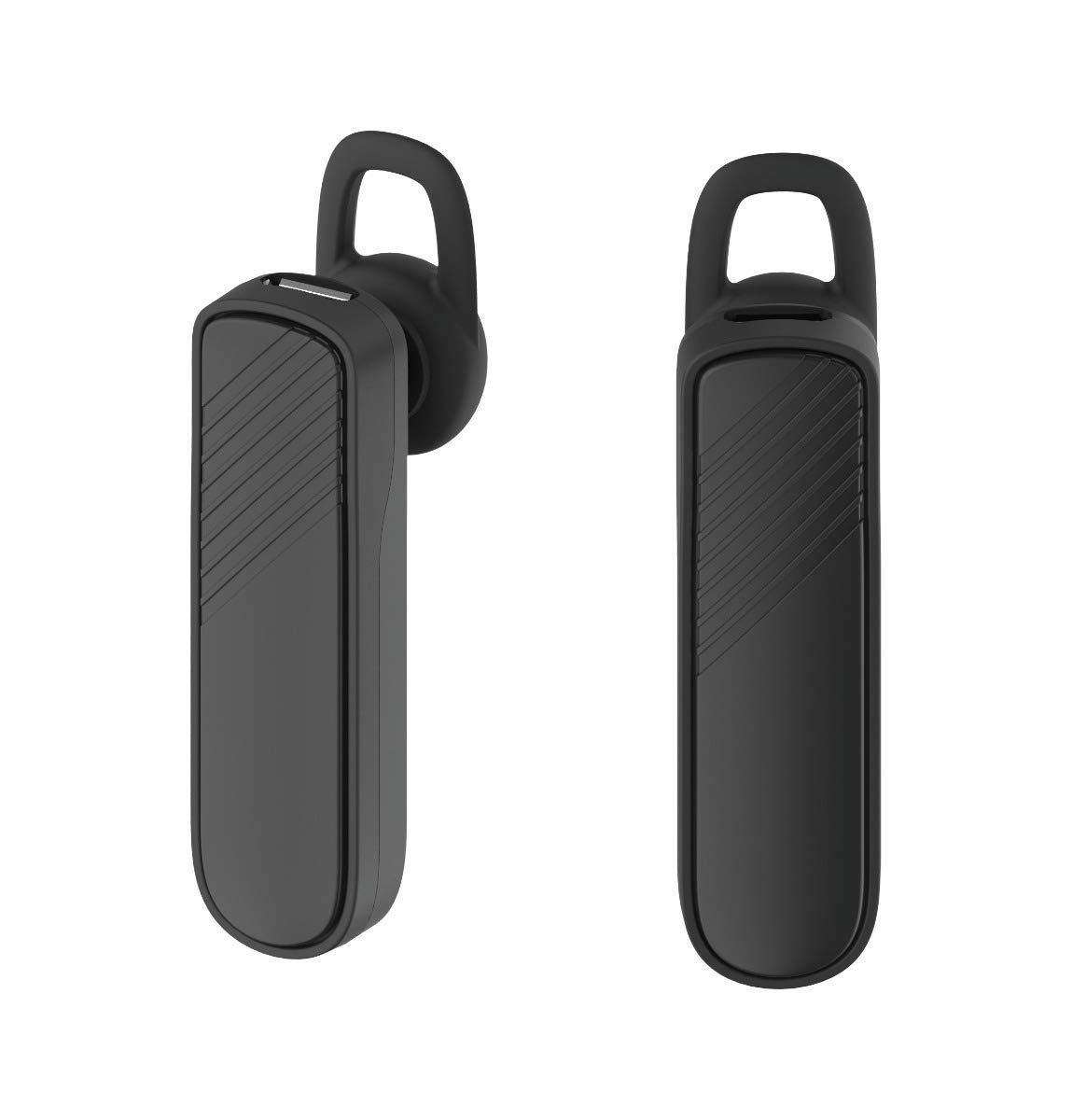
Imaxe: Dous views of the GENAI Wireless Bluetooth Headset B112, illustrating its design.
Instrucións de funcionamento
- Encendido/apagado: Press and hold the multi-function button for approximately 3-5 seconds to power on or power off the headset. A voice prompt will confirm the action.
- Atender / finalizar chamadas: Press the multi-function button once to answer an incoming call. Press it again to end an active call.
- Rexeitando chamadas: Manteña premido o botón multifunción durante aproximadamente 2 segundos para rexeitar unha chamada entrante.
- Volver a marcar o último número: Double-press the multi-function button to redial the last dialed number.
- Control de volume: Use the dedicated volume buttons (if present) or the multi-function button (depending on model variation) to adjust the call or music volume. Refer to your device's manual for specific button functions.
- Reprodución de música: When connected, you can play music from your paired device. The multi-function button may also control play/pause.
- Indicacións de voz: The headset provides voice alerts for power on/off and pairing status.
Mantemento
- Limpeza: Use a soft, dry, lint-free cloth to clean the headset. Do not use harsh chemicals, cleaning solvents, or strong detergents.
- Almacenamento: When not in use, store the headset in a cool, dry place, away from extreme temperatures and direct sunlight.
- Coidado da batería: To prolong battery life, avoid fully discharging the battery frequently. Charge the headset regularly, even if not used for extended periods.
- Exposición á auga: This headset is not waterproof. Avoid exposure to water, moisture, or rain.
Resolución de problemas
- Os auriculares non se acenderon:
- Ensure the headset is fully charged. Connect it to a power source and allow it to charge for at least 30 minutes before attempting to power on again.
- Non se poden emparellar os auriculares co meu dispositivo:
- Ensure the headset is in pairing mode (indicator light flashing blue/red).
- Asegúrate de que o Bluetooth estea activado no teu dispositivo.
- Keep the headset and your device within close proximity (within 1 meter) during pairing.
- Turn off and on both the headset and your device, then try pairing again.
- If previously paired, try "forgetting" or "unpairing" the headset from your device's Bluetooth list and then re-pair.
- Sen son ou volume baixo:
- Check the volume levels on both the headset and your paired device.
- Ensure the headset is properly connected to your device. Sometimes, the audio output might switch to the phone speaker.
- Tenta reiniciar ambos dispositivos.
- Os auriculares desconéctanse con frecuencia:
- Ensure there are no obstacles between the headset and your device.
- Move closer to your paired device to reduce interference.
- Check for other active Bluetooth devices that might be causing interference.
- Asegúrate de que os auriculares estean suficientemente cargados.
Especificacións
| Nome do modelo | B112 |
| Tecnoloxía de conectividade | Bluetooth V4.2 |
| Porto de carga | Micro USB |
| Tempo de carga | Aproximadamente 2 Horas |
| Tempo de conversa | Ata 20 horas |
| Música Play Time | Aproximadamente 20 Horas |
| Tempo de espera | Ata 1000 horas |
| Peso do elemento | 30 g |
| Material | Plástico |
| Característica especial | Gancho para as orellas |
| Compoñentes incluídos | Almofadas para orellas |
| Dispositivos compatibles | Android, iOS, Mi devices (Bluetooth-enabled smartphones) |
Información da garantía
This GENAI Wireless Bluetooth Headset B112 comes with a Garantía de reposición de 3 meses from the date of purchase. Please retain your proof of purchase for warranty claims. This warranty covers manufacturing defects. Please note that this warranty does not include refunds.
Apoio
For further assistance, technical support, or warranty claims, please contact your retailer or the GENAI customer service department. Refer to the product packaging or the official GENAI websitio para os detalles de contacto.