
Introdución
Thank you for choosing the XINJIA Digital Watch Model 2400018. This manual provides detailed instructions for the proper setup, operation, and maintenance of your new watch. Please read this manual thoroughly to ensure optimal performance and longevity of your device. Keep this manual for future reference.
Información de seguridade
- Evite expoñer o reloxo a temperaturas extremas, á luz solar directa durante períodos prolongados ou a campos magnéticos fortes.
- Non intente abrir a caixa do reloxo nin substituír a pila vostede mesmo, xa que isto podería anular a garantía e danar o reloxo. Procure un servizo profesional.
- Clean the watch with a soft, dry cloth. Avoid using chemical cleaners.
- While the watch is designed for daily wear, avoid direct contact with corrosive substances.
Produto rematadoview
The XINJIA Digital Watch Model 2400018 features a digital display, date function, and a chronometer. It is designed with a durable silicone strap and a buckle clasp for secure wear.

Figura 1: Fronte View da Vixilia. This image displays the watch face with its digital display, showing time and day of the week. The four buttons are visible: 'START' (top left), 'RESET' (top right), 'LIGHT' (bottom left), and 'MODE' (bottom right).
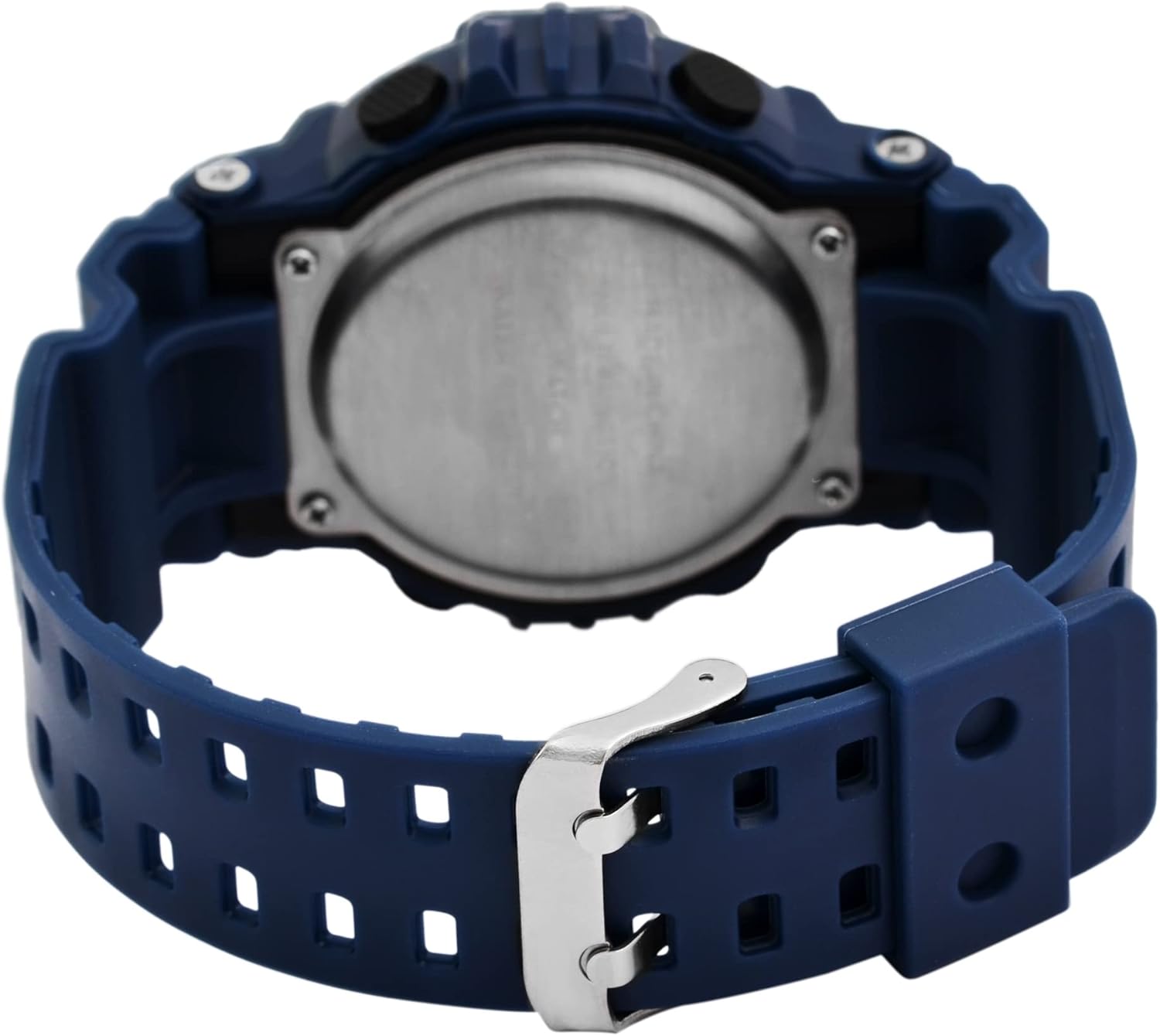
Figura 2: Atrás View da Vixilia. This image shows the reverse side of the watch, highlighting the stainless steel case back and the blue silicone strap with its traditional buckle clasp.
Funcións do botón:
- MODE Button (Bottom Right): Cycles through display modes (Time, Date, Alarm, Chronometer). Used to select settings during adjustment.
- LIGHT Button (Bottom Left): Activa a retroiluminación para maior visibilidade en condicións de pouca luz.
- START Button (Top Left): Starts/stops the chronometer. Used to increase values during setting.
- RESET Button (Top Right): Resets the chronometer. Used to select items or move to the next setting during adjustment.
Configuración
Axustar a data e a hora:
- Desde a visualización normal da hora, prema a tecla MODO button three times to enter the time setting mode. The seconds digits will begin to flash.
- Preme o RESET para percorrer os axustes: Segundos → Horas → Minutos → Mes → Data → Día da semana.
- While a digit is flashing, press the INICIO botón para axustar o valor. Manteña o INICIO button to advance rapidly.
- Unha vez que todos os axustes sexan correctos, prema o botón MODO botón para saír do modo de configuración e volver á visualización normal da hora.
Instrucións de funcionamento
Using the Chronometer (Stopwatch):
- Desde a visualización normal da hora, prema a tecla MODO button once to enter Chronometer mode. The display will show "00:00:00".
- Preme o INICIO botón para comezar a cronometrar.
- Preme o INICIO botón de novo para pausar o tempo.
- Preme o RESET button to reset the chronometer to "00:00:00".
- Preme o MODO botón para volver á visualización normal da hora.
Configuración e uso da alarma:
- Desde a visualización normal da hora, prema a tecla MODO button twice to enter Alarm mode. The alarm time will be displayed.
- Preme o RESET button to select the hour or minute digits for adjustment. The selected digit will flash.
- Preme o INICIO button to adjust the flashing digit.
- Para activar/desactivar a alarma, prema o botón INICIO e RESET buttons simultaneously while in Alarm mode. An alarm icon will appear/disappear on the display.
- Preme o MODO button to exit Alarm mode.
Usando a luz de fondo:
- Preme o LUZ button (bottom left) to illuminate the display for a few seconds.
Mantemento
Substitución da batería:
This watch uses one LR44 battery. When the display becomes dim or the watch stops functioning, the battery may need replacement. It is recommended to have the battery replaced by a qualified watch technician to ensure proper sealing and water resistance.
Limpeza:
Wipe the watch case and strap with a soft, slightly damp pano. Evita o uso de produtos químicos agresivos, solventes ou produtos de limpeza abrasivos, xa que poden danar o acabado e os materiais do reloxo.
Resistencia á auga:
The watch is designed to withstand splashes and brief immersion. However, it is not suitable for swimming, diving, or hot water activities (e.g., showering, sauna) as steam and hot water can compromise the seals. Do not operate buttons while the watch is wet.
Resolución de problemas
| Problema | Causa posible | Solución |
|---|---|---|
| A pantalla está en branco ou escura. | Batería baixa ou esgotada. | Replace the LR44 battery. Seek professional service. |
| A hora é incorrecta. | A hora non se axustou correctamente ou reiniciouse accidentalmente. | Consulte a sección "Configuración da data e da hora" para restablecer a hora. |
| Os botóns non responden. | O reloxo pode estar no modo bloqueado ou a batería pode estar moi baixa. | Proba a premer MODO button to cycle modes. If still unresponsive, consider battery replacement. |
| Non soa a alarma. | A alarma non está activada ou está configurada incorrectamente. | Ensure the alarm icon is displayed and the alarm time is set correctly. Refer to "Setting and Using the Alarm". |
Especificacións
- Número de modelo: 2400018
- Marca: XINXIA
- Tipo de visualización: Dixital
- Material da caixa: Not specified (implied plastic/resin with stainless steel back)
- Material da correa: Silicona
- Tipo de peche: Fibela
- Diámetro da caixa: 46 mm
- Espesor da caixa: 16 mm
- Ancho de banda: 29 mm
- Dimensións do produto (L x W x H): 26 x 4.6 x 1.6 cm
- Peso do artigo: 54.43 gramos
- Tipo de batería: 1 LR44 (incluída)
- Características: Time, Date, Day of Week, Chronometer, Alarm, Backlight
- Resistencia á auga: Splash resistant (general, not for swimming/diving)
Garantía e Soporte
Para obter información sobre a garantía ou asistencia técnica, consulte a documentación proporcionada no momento da compra ou póñase en contacto co seu vendedor. Garde o comprobante de compra para calquera reclamación de garantía.