
1. Introdución
Welcome to the NIVIAN NVS-RC2 Wireless Remote Control user manual. This guide provides essential information for the proper installation, operation, and maintenance of your remote control. This device is designed to enhance the management of your compatible NIVIAN alarm system, offering convenient control over its various functions.
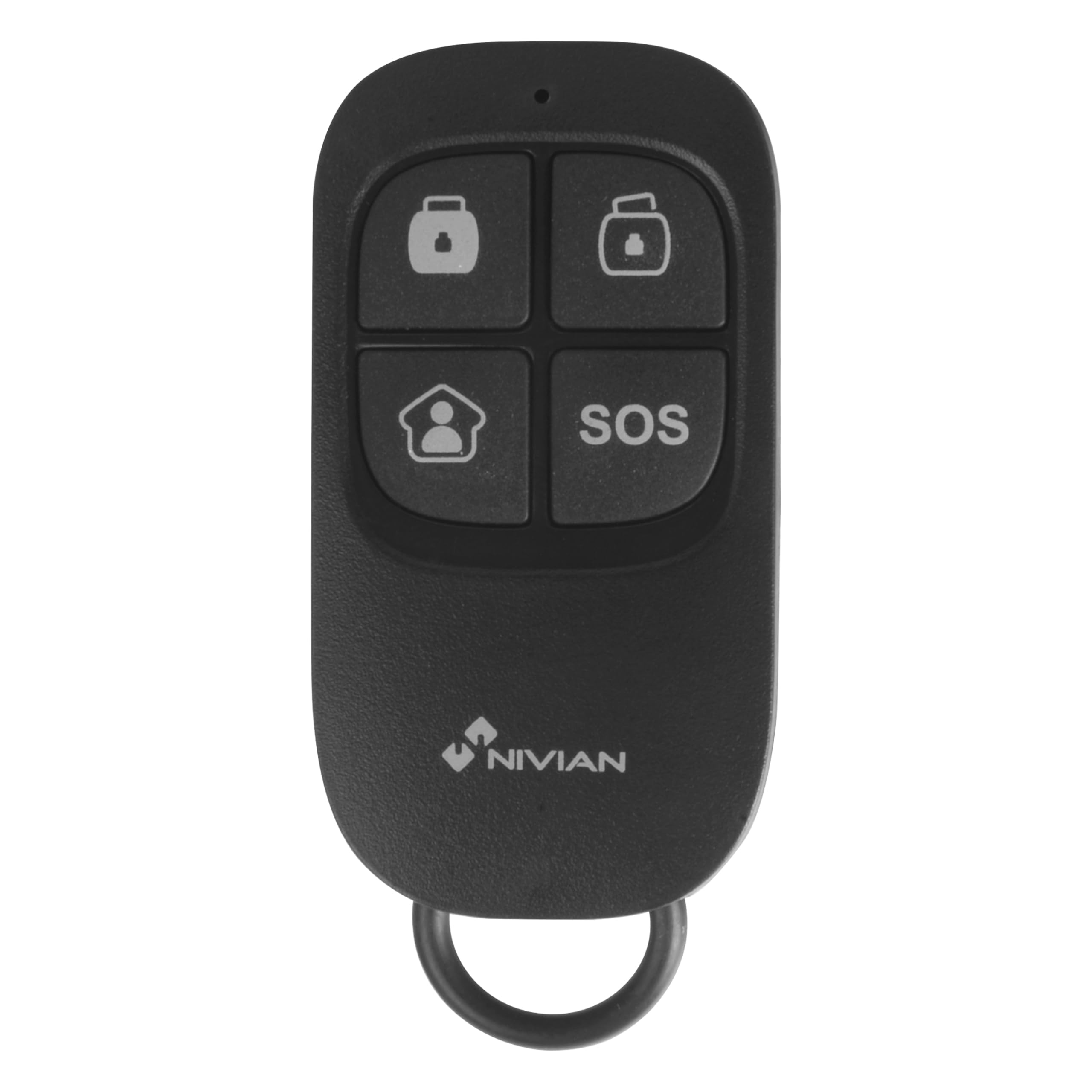
Image 1.1: The NIVIAN NVS-RC2 Wireless Remote Control.
2. Produto rematadoview
The NIVIAN NVS-RC2 is a compact, multi-function wireless remote control for compatible NIVIAN alarm systems. It features four distinct buttons for quick access to key alarm functions.
Características principais:
- Wireless operation up to 80 meters in open space.
- Four function buttons: Arm, Disarm, Partial Arm, and SOS (Panic).
- Powered by a single CR2025 3V battery.
- Compact design, suitable for carrying on a keychain.

Image 2.1: Features of the NIVIAN NVS-RC2 Remote Control.

Image 2.2: Button functions on the NIVIAN NVS-RC2 Remote Control.
3. Configuración
3.1 Instalación da batería
- Localice o compartimento da batería na parte traseira do control remoto.
- Abra a tapa do compartimento con coidado.
- Insert one CR2025 3V battery, ensuring the correct polarity (+/-).
- Pecha a tapa do compartimento da batería de forma segura.
3.2 Emparellamento co sistema de alarma
The NIVIAN NVS-RC2 remote control must be paired with a compatible NIVIAN alarm system. Refer to your specific NIVIAN alarm system's manual for detailed instructions on how to add new remote controls or accessories. Typically, this involves putting the alarm panel into a pairing mode and then activating the remote control.

Image 3.1: Remote control interacting with an alarm panel.
4. Instrucións de funcionamento
The remote control features four buttons, each corresponding to a specific alarm system function:
- Botón do brazo (Closed Lock Icon): Press this button to fully arm your alarm system. All sensors will be active.
- Botón de Desarmado (Open Lock Icon): Press this button to disarm your alarm system. All sensors will be deactivated.
- Partial Arm Button (House Icon): Press this button to partially arm your alarm system. This mode typically activates perimeter sensors while allowing movement within the property. Refer to your alarm system's manual for specific partial arming zone configurations.
- Botón SOS (SOS Text): Press and hold this button for a few seconds to activate the emergency (panic) function. This will trigger the alarm immediately, regardless of the system's arming status. Use this function only in emergency situations.
5. Mantemento
5.1 Substitución da batería
When the remote control's range decreases or it becomes unresponsive, the CR2025 3V battery may need replacement. Follow the battery installation steps outlined in the "Setup" section.
5.2 Limpeza
Clean the remote control with a soft, dry cloth. Avoid using abrasive cleaners or solvents, as these can damage the device.
5.3 Almacenamento
Garde o mando a distancia nun lugar seco, lonxe de temperaturas extremas e da luz solar directa.
6 Solución de problemas
- O mando a distancia non responde:
- Comprobe a batería. Substitúaa se é necesario.
- Ensure the remote is within the operational range (up to 80 meters in open space) of the alarm system.
- Verify that the remote is properly paired with your alarm system. Refer to your alarm system's manual for pairing instructions.
- Rango reducido:
- Substitúe a batería.
- Ensure there are no significant obstructions (thick walls, metal objects) between the remote and the alarm panel.
- Avoid sources of strong radio interference.
- SOS button accidentally activated:
- Immediately disarm your alarm system using the disarm button on the remote or the alarm panel.
7. Especificacións
| Característica | Detalle |
|---|---|
| Número de modelo | NVS-RC2 |
| Marca | NIVIANO |
| Fonte de alimentación | 1 x CR2025 3V Battery (included) |
| Frecuencia | 433 MHz |
| Distancia de transmisión | Ata 80 metros (espazo aberto) |
| Current Consumption (Transmission) | ≤ 7 mA |
| Dimensións (L x W x H) | 57 x 31 x 11 mm (2.24 x 1.22 x 0.43 polgadas) |
| Peso | 30 gramos (aprox.) |
| Número de botóns | 4 |
| Tecnoloxía de conectividade | Wireless (433 MHz) |
| Dispositivos compatibles | NIVIAN Alarm Systems |

Imaxe 7.1: Ex.ample of a NIVIAN alarm system setup with various components.
8. Garantía e soporte
8.1 Garantía
The NIVIAN NVS-RC2 remote control typically comes with a 1-year warranty for spare parts availability. For specific warranty terms and conditions, please refer to the documentation provided with your alarm system or contact NIVIAN customer support.
8.2 Atención ao cliente
For technical assistance, troubleshooting, or inquiries regarding your NIVIAN NVS-RC2 remote control or compatible alarm system, please visit the official NIVIAN website or contact their customer service department. Contact information can usually be found on the product packaging or the main alarm system manual.