
Introdución
Thank you for choosing the Hoco ES7 Wireless Sports Earphones. These earphones are designed for active lifestyles, offering wireless connectivity and a comfortable on-ear fit. This manual provides essential information for setting up, operating, maintaining, and troubleshooting your device to ensure optimal performance.
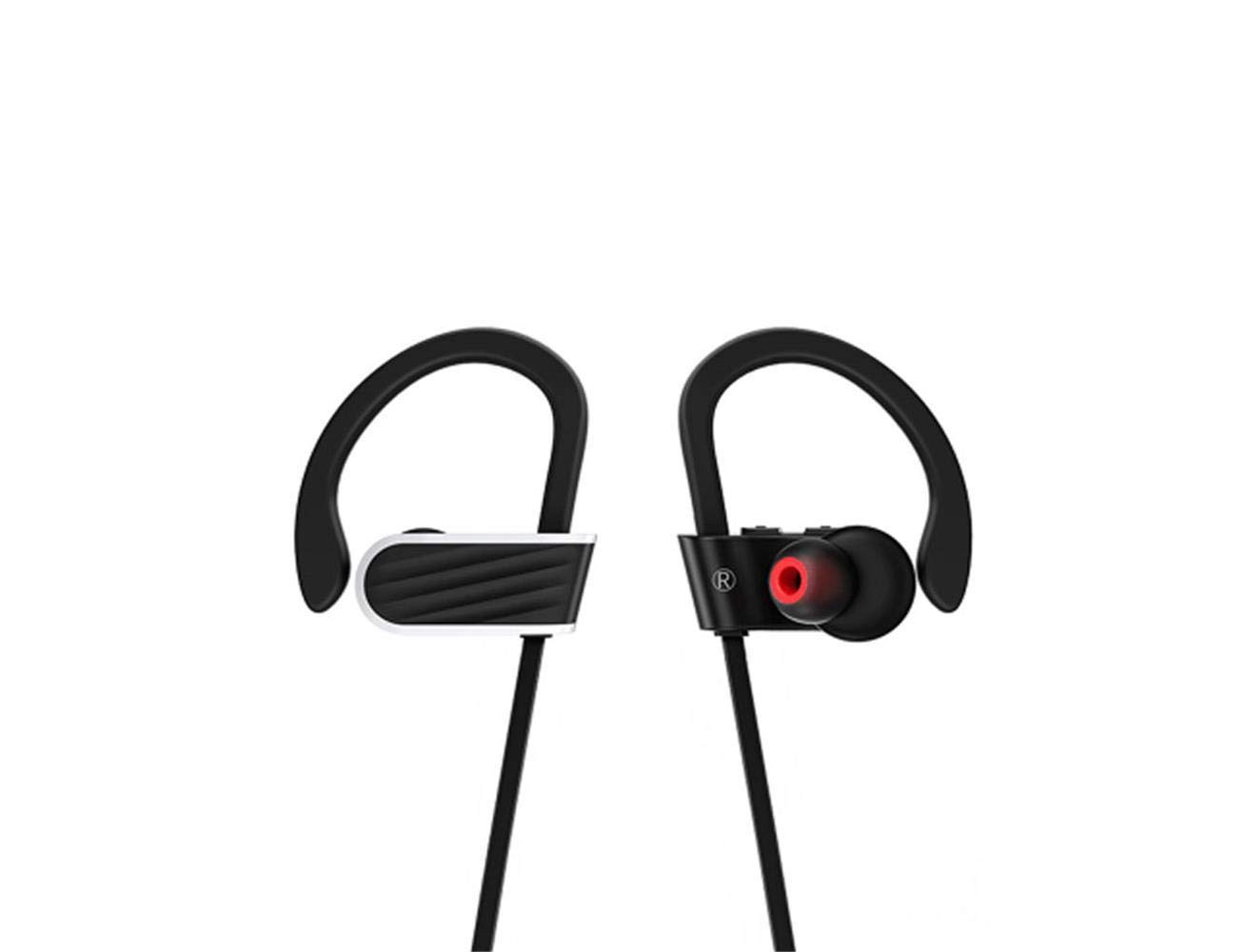
Image: Hoco ES7 Wireless Sports Earphones. These black earphones feature ear hooks for a secure fit during activities and are connected by a cable.
Configuración
1. Cargar os auriculares
Before first use, fully charge the earphones. Connect the charging cable to the charging port on the earphones and a USB power source. The indicator light will show charging status and turn off or change color when fully charged.
2. Emparellamento Bluetooth
- Asegúrate de que os auriculares estean apagados.
- Press and hold the multi-function button until the indicator light flashes red and blue alternately, indicating pairing mode.
- No teu dispositivo móbil, activa o Bluetooth e busca os dispositivos dispoñibles.
- Select "Hoco ES7" from the list of devices.
- Once connected, the indicator light will flash blue slowly or turn off, and you will hear a confirmation tone.
Instrucións de funcionamento
Encendido/apagado
- Encendido: Prema e manteña premido o botón multifunción durante aproximadamente 3 segundos ata que a luz indicadora azul parpadee.
- Apagado: Prema e manteña premido o botón multifunción durante aproximadamente 5 segundos ata que a luz indicadora vermella parpadee e logo se apague.
Reprodución de música
- Reproducir/Pausa: Preme o botón multifunción unha vez.
- Próxima pista: Manteña premido o botón Volume +.
- Pista anterior: Manteña premido o botón de Volume -.
- Subir volume: Prema brevemente o botón Volume +.
- Baixar volume: Prema brevemente o botón de Volume -.
Xestión de chamadas
- Responder/Finalizar chamada: Preme o botón multifunción unha vez.
- Rexeitar a chamada: Manteña premido o botón multifunción durante 2 segundos.
- Volver a marcar o último número: Prema dúas veces o botón multifunción.
Mantemento
- Limpeza: Use a soft, dry cloth to clean the earphones. Do not use harsh chemicals or abrasive materials.
- Almacenamento: Garde os auriculares nun lugar fresco e seco, lonxe da luz solar directa e de temperaturas extremas.
- Coidado da batería: Para prolongar a duración da batería, evite descargar completamente os auriculares con frecuencia. Cárgueos regularmente, mesmo se non os usa durante períodos prolongados.
- Resistencia á auga: These earphones are designed for sports but are not fully waterproof. Avoid submerging them in water.
Resolución de problemas
| Problema | Posible Solución |
|---|---|
| Os auriculares non se acenden. | Asegúrate de que os auriculares estean completamente cargados. |
| Non se pode emparellar co dispositivo. | Make sure earphones are in pairing mode (flashing red/blue). Turn off and on Bluetooth on your device. Forget previous pairings and try again. |
| Sen son ou volume baixo. | Check volume levels on both earphones and your connected device. Ensure earphones are properly connected. |
| A calidade da chamada é mala. | Ensure the microphone is not obstructed. Move closer to your connected device to avoid interference. |
Especificacións
- Modelo: ES7
- Marca: Hoco
- Conectividade: Sen fíos (Bluetooth)
- Factor de forma: De orella
- Micrófono: Incluído (1)
- Cancelación de ruído: Non hai cancelación de ruído activa
- Dispositivos compatibles: Teléfonos móbiles
- Método de control: Toque/Botón
- Material: Metal
- Cor: Negro
- Capacidade da batería: 100mAh (as per product title)
- Tempo de xogo: Up to 6 hours (as per product title)
- Lonxitude do cable: 55cm (as per product title)
- Compoñentes incluídos: Almofadas para orellas
Garantía e Soporte
For warranty information or technical support, please refer to the documentation provided with your purchase or contact Hoco customer service through their official website or authorized retailers. Keep your proof of purchase for warranty claims.