
ATOTO AC-44P2
ATOTO AC-44P2 1080P USB DVR On-Dash Camera User Manual
Brand: ATOTO | Model: AC-44P2
1. Produto rematadoview
The ATOTO AC-44P2 is a 1080P USB DVR On-Dash Camera designed to record video independently. It integrates seamlessly with compatible ATOTO Android Car Stereos, which serve as the primary operation interface. The camera utilizes a Sony Sensor for enhanced image quality.
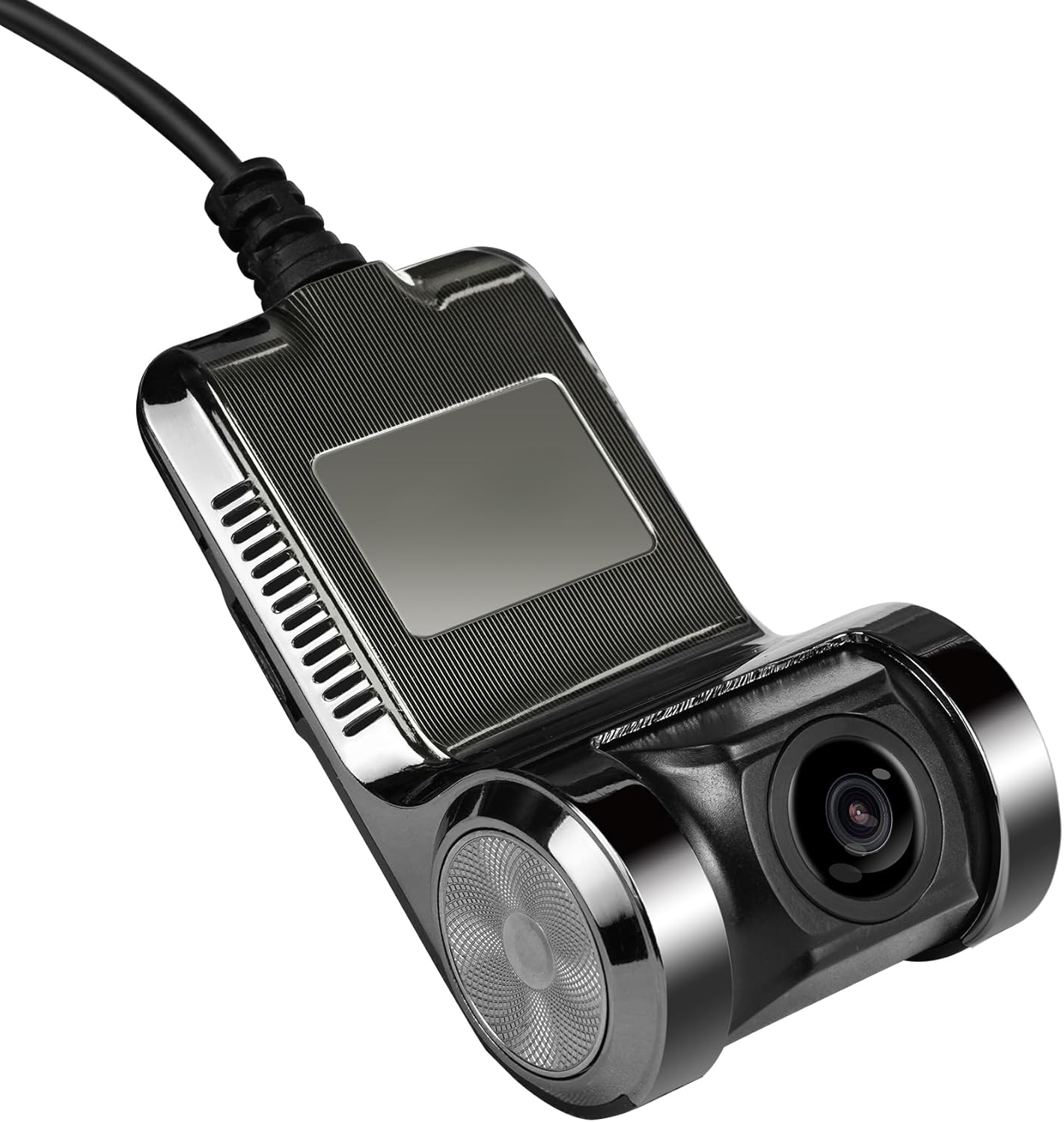
Figure 1: ATOTO AC-44P2 On-Dash Camera
Características principais:
- Gravación de vídeo 1080P: Records high-definition video directly to its Micro SD card.
- Integrated Operation: Operates via the 'DVR CAM' app on compatible ATOTO Android Car Stereos.
- Independent Storage: Features a Micro SD slot (card not included, supports up to 64 GB) for video storage, not utilizing the car stereo's internal space.
- Gravación automática: Initiates recording automatically upon receiving power from the Android car stereo via USB, even if the 'DVR CAM' app is not actively running.
- Protección de vídeo: Allows users to lock important videos to prevent accidental deletion by recurring recordings.
- Función de instantánea: Enables taking still pictures with a single click.
- Micrófono incorporado: Includes an internal microphone with an option for user-controlled disabling.
- Pantalla grande Viewing: Facilitates easy browsing and viewing de gravado files on the car stereo's HD touchscreen.
2. Configuración e instalación
Contido do paquete:
- ATOTO AC-44P2 On-Dash Camera
- Cable USB
- Note: Micro SD memory card is not included and must be purchased separately. Supports up to 64 GB.
Pasos de instalación:
- Montaxe: Securely mount the AC-44P2 camera on your vehicle's dashboard. Ensure it is positioned to capture the desired field of view. Note: This camera is unsuitable for vertical car windshields.
- Conectar o cable USB: Connect the provided USB cable from the AC-44P2 camera to a compatible USB port on your ATOTO Android Car Stereo.
- Insira tarxeta micro SD: Insert a Micro SD card (up to 64 GB) into the designated slot on the camera.
- Encendido: Once connected, the camera will power on with the car stereo and automatically begin recording.

Figure 2: Connecting the AC-44P2 to an ATOTO Car Stereo

Figure 3: AC-44P2 Camera and USB Cable
3. Operating the AC-44P2
Using the 'DVR CAM' App:
- The 'DVR CAM' app is pre-installed on compatible ATOTO Android Car Stereos for managing the AC-44P2.
- Access the app from your car stereo's main menu to view vivir footage, browse recorded videos, and adjust settings.
Funcións de gravación:
- Gravación automática: Enabled by default, the camera starts recording automatically when powered on.
- Bloqueo de vídeo: During recording or playback, you can lock important video segments to prevent them from being overwritten.
- Instantánea: Use the dedicated function within the 'DVR CAM' app to take instant pictures.
- Control do micrófono: The built-in microphone can be enabled or disabled via the app settings.

Figure 4: Wide-angle view captured by AC-44P2
Demonstration of ATOTO S8 Car Stereo (Compatible with AC-44P2):
Video 1: This video demonstrates the features and interface of the ATOTO S8G2B74MS 7-inch Android Car Stereo, which is compatible with the AC-44P2 dash camera. It showcases how the stereo's functionalities enhance the user experience with integrated accessories like the dash cam.
4. Mantemento
Xestión de tarxetas Micro SD:
- Regularly check the Micro SD card for available storage space.
- Format the Micro SD card periodically to maintain optimal recording performance and prevent data corruption. Refer to your car stereo's manual or the 'DVR CAM' app for formatting options.
- Replace the Micro SD card if it shows signs of wear or performance degradation.
Limpeza:
- Gently wipe the camera lens with a soft, lint-free cloth to ensure clear video capture.
- Avoid using harsh chemicals or abrasive materials that could damage the lens or camera body.
5. Compatibilidade
The ATOTO AC-44P2 On-Dash Camera is specifically designed for use with selected ATOTO Android Car Stereo models. It is crucial to verify compatibility before purchase and installation.
Compatible ATOTO Car Stereo Series:
- ATOTO A5 Series
- ATOTO A6 Series
- ATOTO S8 Series
- Serie ATOTO P9
- ATOTO X10 Series
NOT Compatible With:
- ATOTO F7 Series
- Serie ATOTO P5
- Serie ATOTO P8
- Head units from other brands

Figure 5: ATOTO AC-44P2 Compatibility Chart
6. Especificacións
| Característica | Detalle |
|---|---|
| Marca | ATOTO |
| Nome do modelo | AC-44P2 |
| Resolución de captura de vídeo | 1080 p |
| Velocidade de cadros | 30 FPS |
| Campo de View | 156 graos |
| Tecnoloxía de conectividade | USB |
| Característica especial | Touch Screen (via compatible head unit) |
| Tipo de montaxe | Montaxe do panel de control |
| Tecnoloxía de sensores ópticos | CMOS |
| Tipo de memoria flash | MicroSD (ata 64 GB) |
| Compoñentes incluídos | USB cable (Micro SD memory card not included) |
| Cor | Negro |
7. Garantía e soporte
ATOTO provides product care for the AC-44P2. For specific warranty details and support, please refer to the information provided at the time of purchase or contact ATOTO customer service directly.
Product Care Period:
- 12 + 6 Months Product Care (refer to ATOTO for terms and conditions)
Buscando axuda:
If you encounter any issues or have questions regarding your ATOTO AC-44P2, you can seek help via:
- Your order center on the platform of purchase.
- ATOTO's official e-product case support.
- Emailing support@atotoglobal.com.
Documentos relacionados - AC-44P2
 |
ATOTO AC-44P2 DVR Camera Installation and User Manual Comprehensive installation guide and setup manual for the ATOTO AC-44P2 DVR camera, including device mounting, app installation, and technical specifications. |
 |
Manual do usuario do navegador multifuncional no salpicadero ATOTO P5 Manual de usuario completo para o navegador multifuncional no salpicadero ATOTO P5, que abrangue a instalación, funcións como Bluetooth e Phone Link (CarPlay/Android Auto), configuración de son, reprodución multimedia, conexións da cámara e configuración do sistema. |
 |
Manual do usuario do navegador multifuncional no salpicadero ATOTO P8 Manual de usuario completo para o navegador multifuncional no salpicadero ATOTO P8, que abrangue a instalación, o funcionamento, funcións como Bluetooth, CarPlay, Android Auto, funcións da cámara e resolución de problemas. |
 |
ATOTO X10 カーインフォテインメントシステム取扱説明書 ATOTO X10カーインフォテインメントシステムの機能、設定、操作方法に関する包括的な取扱説明書。ドロップダウンメニュー、ラジオ、Bluetooth、CarPlay/Android Auto、DVRなどの使い方を解説。 |
 |
ATOTO AC-FHD02DV Front View Manual de usuario da cámara User manual for the ATOTO AC-FHD02DV Front View Camera, providing compatibility information, features, installation instructions, specifications, and support details for ATOTO X10 series head units. |
 |
ATOTO AC-HN9FR Front Camera User Manual Installation and operation guide for the ATOTO AC-HN9FR Front Camera, compatible with V10 and A7 series car stereos. |
Ask a question about this manual
Ask about setup, troubleshooting, compatibility, parts, safety, or missing instructions. Manuals+ will review the question and use this page’s manual context to help answer it.