
1. Introdución
This manual provides instructions for the ZdalaMit XRT136 Replacement Remote Control. This remote is designed to function as a direct replacement for your original Vizio Smart TV remote without requiring any programming or pairing.
Compatible Vizio Smart TV Models:
- M657-G0
- M557-G0
- PX65-G1
- P659-G1
- P759-G1
- D60-F3
2. Contido do paquete
Asegúrate de que todos os elementos estean presentes no paquete:
- 1 x ZdalaMit XRT136 Replacement Remote Control
3. Configuración
3.1 Instalación da batería
The remote control requires two (2) AAA alkaline batteries (not included) for operation.
- Localice o compartimento da batería na parte traseira do control remoto.
- Deslice a tapa do compartimento da batería cara abaixo para abrila.
- Insira dúas pilas AAA novas, asegurándose de que os terminais positivo (+) e negativo (-) estean aliñados correctamente coas marcas do interior do compartimento.
- Deslice a tapa do compartimento da batería de volta ao seu lugar ata que faga clic de forma segura.

Imaxe: Costas view of the XRT136 remote control, illustrating the battery compartment location.
Once batteries are installed, the remote is ready for use. No programming or pairing is required.
4. Instrucións de funcionamento
To operate your Vizio Smart TV, point the ZdalaMit XRT136 remote control directly at the television's infrared receiver. Press the desired buttons to control your TV's functions.

Imaxe: Fronte view of the XRT136 remote control, displaying the layout of all buttons.
4.1 Funcións clave anterioresview
The remote features standard television control buttons, including:
- Botón de encendido: Acende ou apaga o televisor.
- Botón de entrada: Selects video input sources (HDMI, AV, etc.).
- Panel de navegación (Arriba, Abaixo, Esquerda, Dereita, Aceptar): Para a navegación e selección de menús.
- Subir/Baixar o volume: Axusta o volume da televisión.
- Canle arriba/abajo: Cambia as canles de televisión.
- Botón de silencio: Silencia o son da televisión.
- Teclado numérico (0-9): Para entrada directa de canles.
- Botóns Atrás/Saída: Navigates back in menus or exits current functions.
- Menu/Info Buttons: Accesses TV menus and displays information.
- Botóns de aplicación dedicados: Quick access to streaming services (e.g., VUDU, Netflix, Amazon, Xumo, Crackle, iHeartRadio).

Image: A user holding the XRT136 remote control, demonstrating typical usage by pointing it at a television.
5. Mantemento
5.1 Limpeza
To clean the remote control, use a soft, dry cloth. Do not use liquid cleaners, sprays, or abrasive materials, as these may damage the remote's surface or internal components.
5.2 Coidado coa batería
- Replace batteries when the remote's performance diminishes or stops working.
- Non mesture pilas antigas e novas, nin tipos diferentes de pilas.
- Retire as pilas se non vai usar o mando a distancia durante un período prolongado para evitar fugas.
- Elimina as baterías usadas segundo a normativa local.
6 Solución de problemas
6.1 O control remoto non responde
- Comprobe as baterías: Asegúrese de que as pilas estean inseridas correctamente coa polaridade correcta (+/-).
- Substituír baterías: If the batteries are old or depleted, replace them with two new AAA alkaline batteries.
- Liña de visión: Ensure there are no obstructions between the remote control and the TV's infrared receiver. Point the remote directly at the TV.
- Distancia: Confirm you are within the effective operating range (up to 33 feet).
6.2 Funcionalidade limitada
- Verify that your Vizio Smart TV model is listed under the compatible models in Section 1.
- Some advanced TV features or smart functions may require the original remote or specific TV settings. This remote is designed for primary control functions.
7. Especificacións
| Marca | ZdalaMit |
| Nome do modelo | XRT136 (Mfr Part Number: fghea-593) |
| Dispositivos compatibles | Vizio Smart Televisions (M657-G0, M557-G0, PX65-G1, P659-G1, P759-G1, D60-F3) |
| Tecnoloxía de conectividade | Infravermello |
| Tipo de controlador | Control de botón |
| Número de botóns | 18 |
| Fonte de alimentación | 2 x 1.5V AAA Alkaline Batteries |
| Rango máximo | 33 pés (10 metros) |
| Dimensións do artigo (L x W x H) | 6.75" x 1.79" x 0.55" (17.15 cm x 4.55 cm x 1.4 cm) |
| Peso do elemento | 1.6 onzas (45 gramos) |
| Característica especial | Deseño ergonómico |
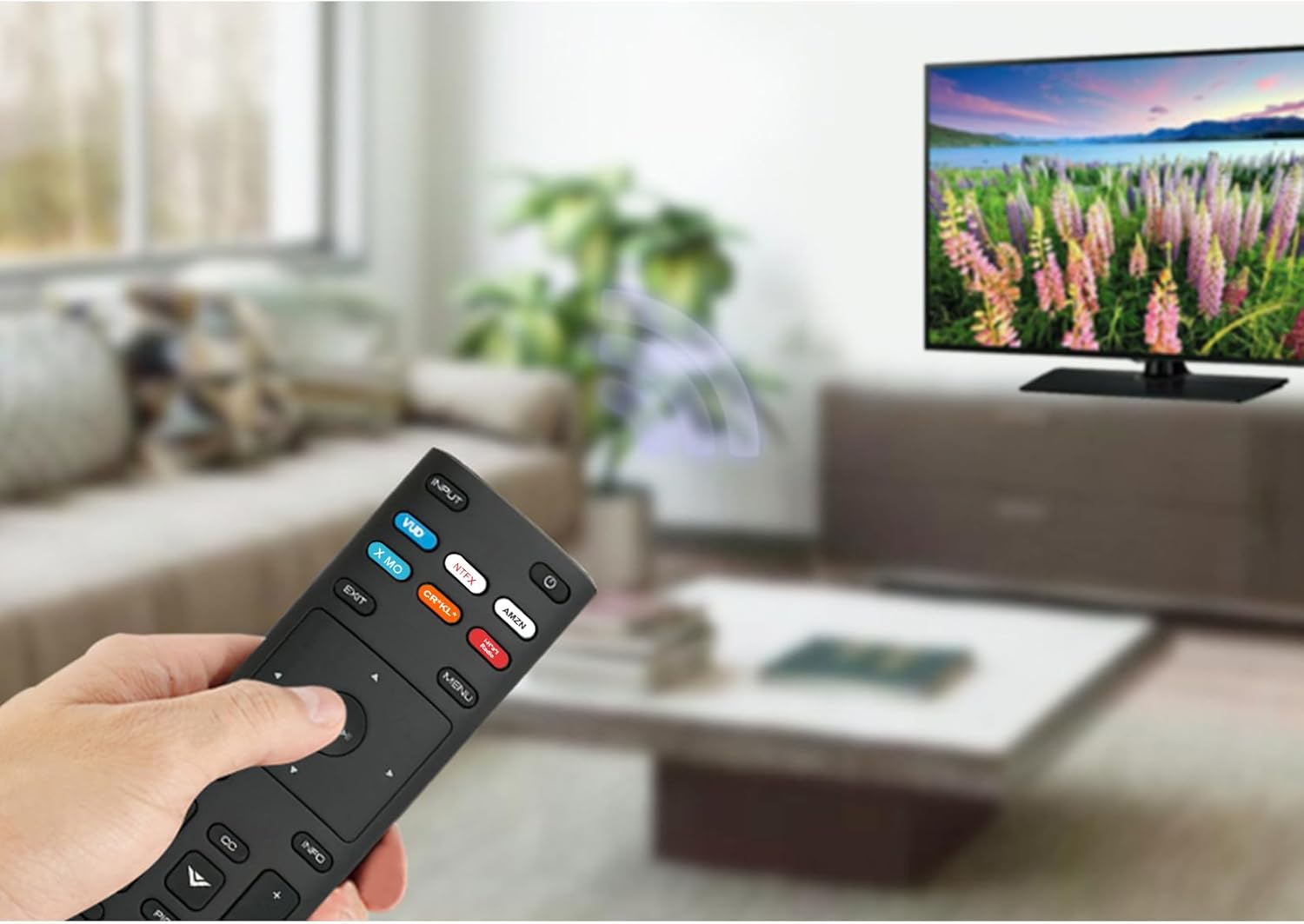
Image: The XRT136 remote control with its physical dimensions highlighted.
8. Información da garantía
This ZdalaMit product comes with a 1 ano de garantía from the date of purchase. This warranty covers manufacturing defects under normal use. It does not cover damage caused by misuse, accidents, unauthorized modifications, or battery leakage.
9. Apoio
If you encounter any issues or have questions regarding your ZdalaMit XRT136 Replacement Remote Control that are not addressed in this manual, please contact the seller or manufacturer for assistance. Provide your product model (XRT136) and a detailed description of the issue for efficient support.