
1. Introdución
The HP P500 Portable SSD is a compact and high-performance external solid state drive designed for reliable data storage and transfer. Utilizing high-quality NAND Flash and a USB 3.2 Gen 1 Type-C interface, it offers fast read and write speeds, making it suitable for various applications including storing documents, photos, videos, and games. Its robust design ensures durability, and its broad compatibility allows use with PCs, Macs, Android devices, and gaming consoles.
This manual provides essential information for setting up, operating, maintaining, and troubleshooting your HP P500 Portable SSD.
2. Contido do paquete
- HP P500 Portable SSD (500GB)
- Cable USB tipo C a tipo A
- Adaptador USB tipo A a tipo C
3. Configuración e conexión
The HP P500 Portable SSD is designed for easy plug-and-play functionality. Follow these steps to connect your device:
- Identify the correct cable: The package includes a USB Type-C to Type-A cable and a Type-A to Type-C adapter.
- Connect to your device:
- If your computer or device has a Porto USB tipo C, use the USB Type-C to Type-A cable with the Type-A to Type-C adapter. Connect the Type-C end of the adapter to your device and the Type-C end of the cable to the SSD.
- If your computer or device has a standard USB Type-A port, use the USB Type-C to Type-A cable directly. Connect the Type-A end to your device and the Type-C end to the SSD.
- Verificar a conexión: Once connected, your operating system should automatically detect the HP P500 SSD. It may appear as a new drive letter (e.g., "D:", "E:") in "My Computer" or "This PC" on Windows, or on the desktop/Finder sidebar on macOS.

Figure 1: HP P500 Portable SSD with USB Type-C connection.
This image shows the sleek, black HP P500 Portable SSD from an angled perspective, highlighting its compact size and the USB Type-C port. The device has a metallic finish with the HP logo and "Portable SSD P500" printed on its surface. The image illustrates the physical appearance of the drive when ready for connection.
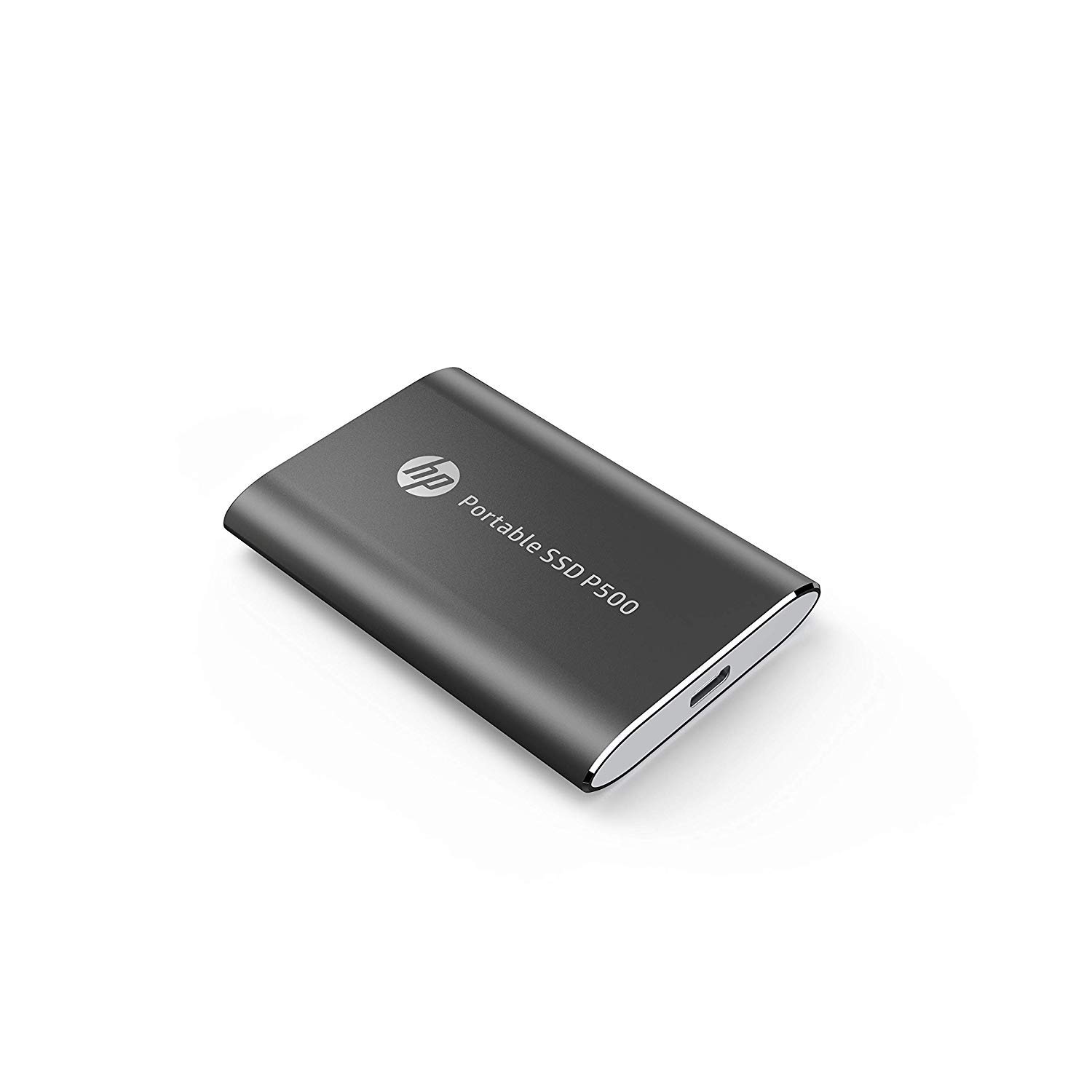
Figure 2: HP P500 Portable SSD compact design.
This image presents the HP P500 Portable SSD from a slightly different angle, emphasizing its slim and portable form factor. The device is black with a metallic sheen, featuring the HP logo and product name. This view helps users understand the physical dimensions and overall design of the SSD.
The HP P500 is compatible with a wide range of devices, including:
- Ordenadores persoais (PC)
- Macintosh computers (Mac)
- dispositivos Android
- Consolas de xogos
4. Instrucións de funcionamento
4.1. Transferencia de datos
Para transferir files to or from your HP P500 SSD, simply drag and drop files between your computer's storage and the SSD's drive folder. The USB 3.2 Gen 1 interface enables high-speed data transfers, with read and write speeds of up to 420 MB/s. This allows for quick movement of large files such as videos, photos, and games.
4.2. Capacidade e uso
The 500GB capacity of the HP P500 provides ample space for extensive photo libraries, documents, games, and movie collections. Its compact size and light weight (less than 50 grams) make it an ideal portable storage solution for users on the go.
4.3. Acronis Cloning Software
The HP P500 includes a customized version of Acronis True Image software for seamless data transfer and backup. This software can assist in restoring system functions and protecting against ransomware. Refer to the Acronis documentation for detailed instructions on using this feature.
5. Mantemento e coidados
To ensure the longevity and optimal performance of your HP P500 Portable SSD, follow these maintenance guidelines:
- Eliminación segura: Always safely eject the SSD from your operating system before physically disconnecting it. This prevents data corruption.
- Protección física: While rugged, avoid dropping the device or exposing it to extreme temperatures, moisture, or strong magnetic fields.
- Limpeza: Use a soft, dry cloth to clean the exterior of the SSD. Do not use liquid cleaners or solvents.
- Actualizacións de firmware: Consulta periodicamente o soporte oficial de HP website for any available firmware updates for your P500 SSD. Firmware updates can improve performance and stability.
6 Solución de problemas
If you encounter issues with your HP P500 Portable SSD, consider the following troubleshooting steps:
- Dispositivo non detectado:
- Asegúrate de que o cable USB estea conectado correctamente tanto á unidade SSD como ao ordenador.
- Proba a conectarte a un porto USB diferente do teu ordenador.
- Proba cun cable USB diferente se está dispoñible.
- Reinicia o teu ordenador e tenta conectar de novo.
- Consulta a Administración de discos (Windows) ou a Utilidade de discos (macOS) do teu ordenador para ver se recoñece a unidade pero non ten asignada unha letra de unidade ou non está montada.
- Velocidades de transferencia lentas:
- Ensure you are connected to a USB 3.0 (or higher) port on your computer. USB 2.0 ports will result in significantly slower speeds.
- Comprobe que os controladores do seu ordenador para os portos USB estean actualizados.
- Evitar a transferencia de moitos pequenos files simultaneously, as this can reduce overall transfer speed compared to a single large file.
- Corrupción de datos:
- Expulse sempre a unidade de forma segura antes de desconectala.
- Run a disk check utility on the SSD (e.g., Error Checking on Windows, First Aid on macOS Disk Utility).
- If issues persist, consider reformatting the drive (Note: This will erase all data on the drive. Back up important data first.).
Se estes pasos non resolven o problema, consulta a sección de soporte para obter máis axuda.
7. Especificacións
| Marca | HP |
| Número de modelo | CPSD81GS1E40-500-Blk |
| Serie | HP P500 |
| Capacidade de almacenamento dixital | 500 GB |
| Tipo de disco duro | Unidade de estado sólido (SSD) |
| Interface de disco duro | Estado sólido |
| Tecnoloxía de conectividade | USB 3.2 Gen 1 (Tipo-C) |
| Velocidade de lectura | Ata 420 MB/s |
| Velocidade de escritura | Ata 420 MB/s |
| Dispositivos compatibles | PC, Mac, Android devices, Gaming Consoles |
| Cor | Negro |
| Dimensións (LxWxH) | 7.91 x 5.39 x 1 cm |
| Peso do elemento | 59.9 g |
| Compoñentes incluídos | USB Type C-to-A cable, Type A-to-C adaptor |
8. Información da garantía
The HP P500 Portable SSD typically comes with a 1 ano de garantía limitada from the date of purchase. This warranty covers manufacturing defects and ensures the product functions as specified under normal use. For specific terms and conditions, including how to make a warranty claim, please refer to the warranty card included with your product or visit the official HP support websitio.
Proof of purchase is generally required for warranty service.
9. Soporte e contacto
For further assistance, technical support, or to access updated drivers and firmware, please visit the official HP support websitio:
You may also find helpful resources and frequently asked questions (FAQs) on the product support page for the HP P500 Portable SSD.