
Introdución
This manual provides essential instructions for the safe and efficient operation, maintenance, and troubleshooting of your Xiaomi Mijia Robot 2-in-1 Sweeping and Wet Mopping Robot Vacuum Cleaner. Please read this manual thoroughly before using the product and retain it for future reference.
Información importante de seguridade
Para reducir o risco de lesións ou danos, lea e siga todas as precaucións de seguridade. Este electrodoméstico é só para uso doméstico.
- Non permita que os nenos xoguen co aparello.
- Asegúrate de que a base de carga estea colocada sobre unha superficie nivelada contra unha parede.
- Manteña o cabelo, a roupa solta, os dedos e todas as partes do corpo lonxe das aberturas e das partes móbiles.
- Non opere o robot en zonas con chamas abertas ou materiais explosivos.
- Non empregues o robot para recoller residuos grandes, líquidos ou obxectos ardendo.
- Always remove the water tank and dustbin before moving or cleaning the robot.
- Emprega só o adaptador de corrente e a base de carga orixinais subministrados polo fabricante.
Contido do paquete
Verifica que todos os elementos estean presentes no paquete:
- 1 x Xiaomi Mijia Sweeping Mopping Robot
- 1 x 2-in-1 Water Tank
- 2 cepillos laterais
- 1 x soporte de carga
- 1 x adaptador de alimentación
- 1 x Mop Bracket
- 2 x Wiper (Mopping Pad)
Produto rematadoview
Familiarízate cos principais compoñentes do teu robot aspirador.

Descrición da imaxe: Arriba view of the Xiaomi Mijia Robot Vacuum Cleaner, showing the main body, the LDS laser navigation system dome, and the power/home buttons.
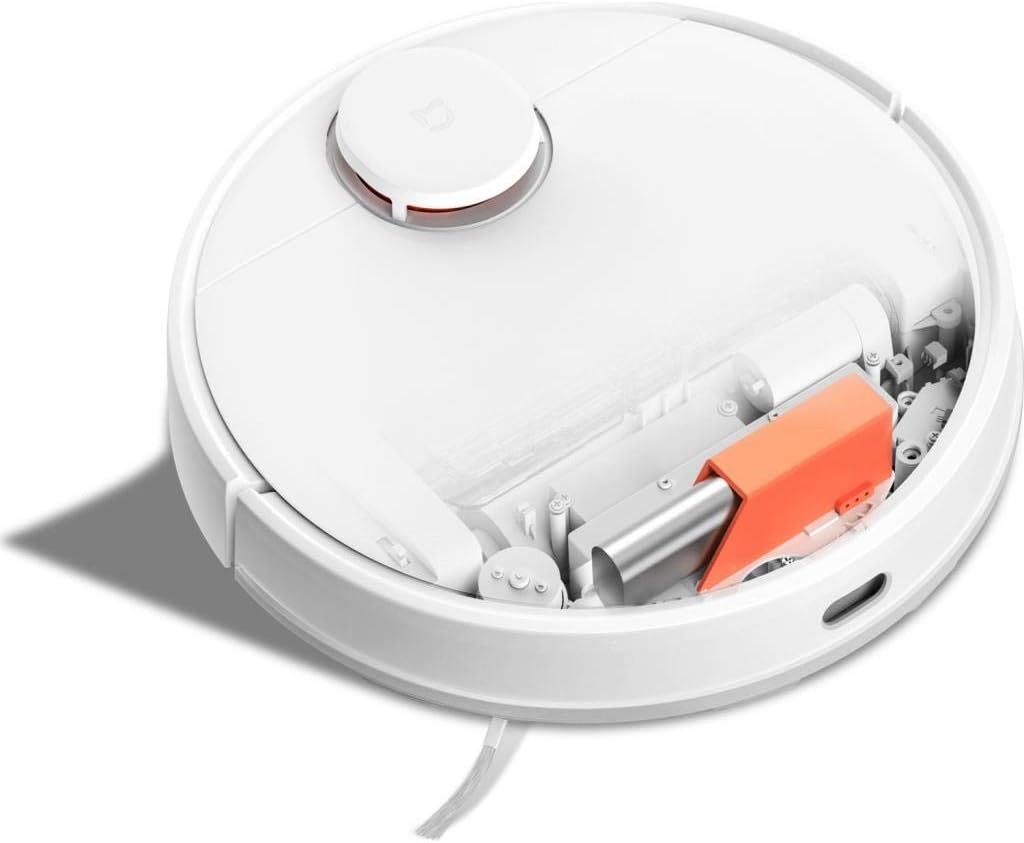
Descrición da imaxe: Arriba view of the Xiaomi Mijia Robot Vacuum Cleaner with its top lid open, revealing the dustbin compartment and internal mechanisms, including an orange component.
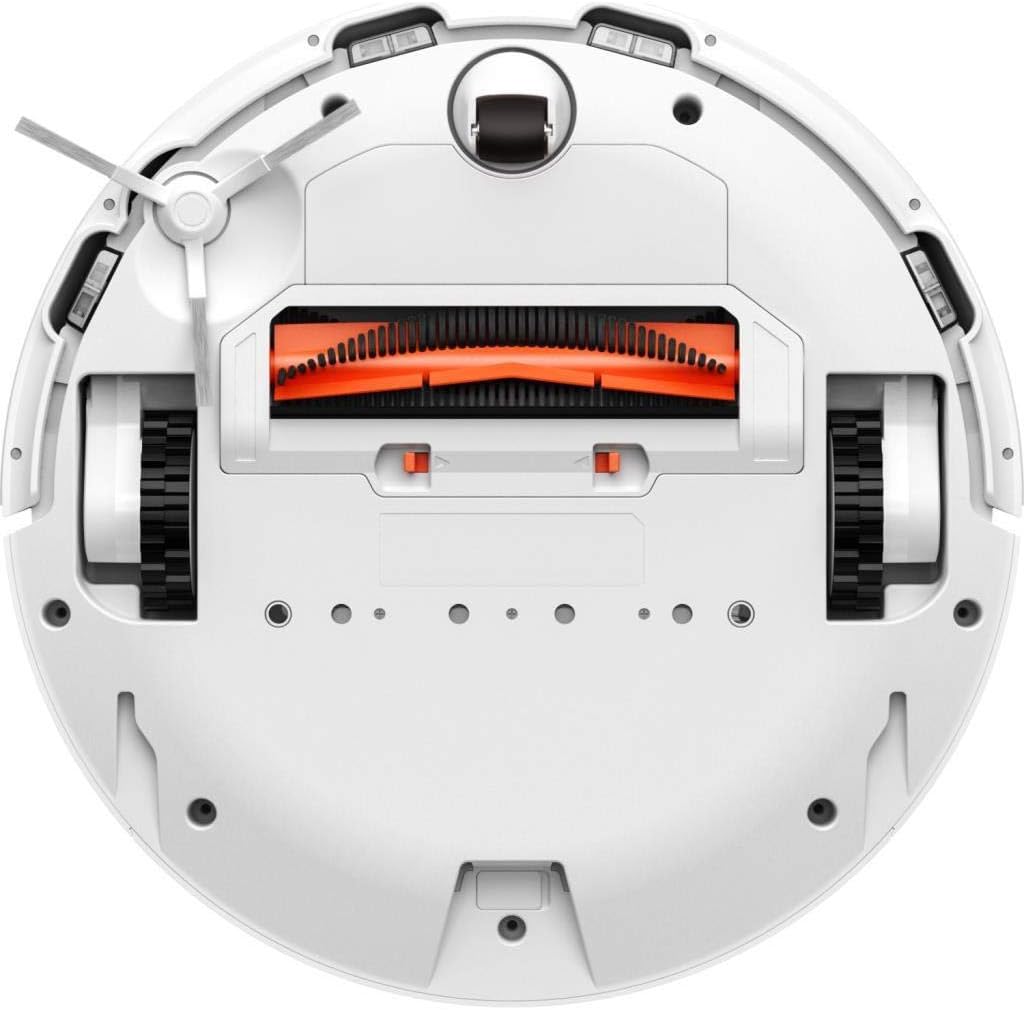
Descrición da imaxe: Abaixo view of the Xiaomi Mijia Robot Vacuum Cleaner, displaying the main roller brush (orange), side brushes, charging contacts, and various sensors.
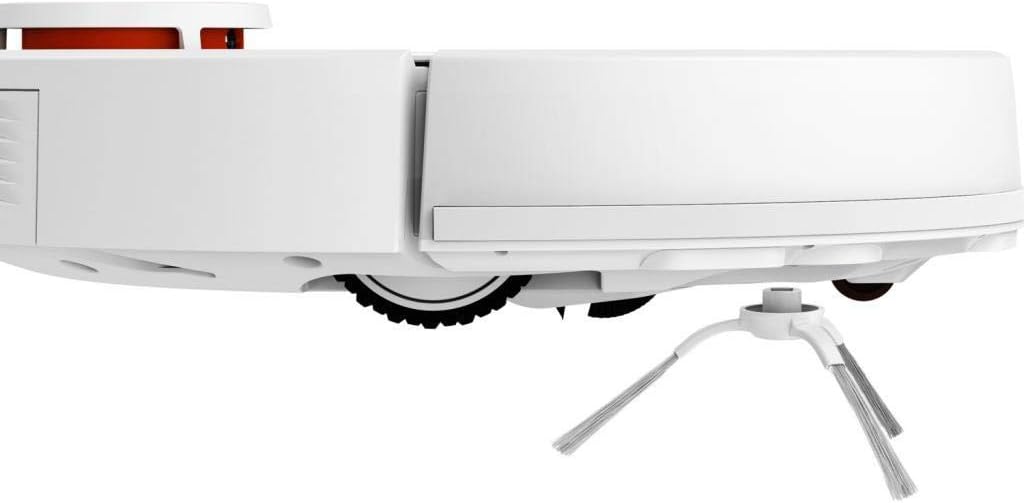
Descrición da imaxe: Lado profile of the Xiaomi Mijia Robot Vacuum Cleaner, highlighting one of the side brushes and a main wheel.
Configuración
1. Colocación da base de carga
Place the charging dock against a wall on a hard, level surface. Ensure there are no obstacles within 0.5 meters (1.6 feet) to either side and 1.5 meters (4.9 feet) in front of the dock. Connect the power adapter to the charging dock and plug it into a power outlet.

Descrición da imaxe: The Xiaomi Mijia Robot Vacuum Cleaner positioned next to its compact white charging dock, ready for charging.
2. Carga inicial
Place the robot onto the charging dock. The robot will automatically align itself and begin charging. For first-time use, ensure the robot is fully charged before operation. A full charge typically takes several hours.
3. Instalación e conexión da aplicación
Download the "Mi Home" app from your smartphone's app store. Follow the in-app instructions to add your Xiaomi Mijia Robot Vacuum Cleaner. This process involves connecting the robot to your home's 2.4 GHz Wi-Fi network. The app allows for remote control, scheduling, and map management.
Instrucións de funcionamento
1. Modos de limpeza
The robot supports three cleaning modes:
- Sweeping and Mopping: The robot simultaneously vacuums and mops the floor. Ensure the 2-in-1 water tank with a mop pad is installed.
- Varrendo: The robot only vacuums. Use the dustbin for this mode.
- Fregado: The robot only mops. Ensure the 2-in-1 water tank with a mop pad is installed and the HEPA filter is removed from the water tank if only mopping is desired.
2. Comezar un ciclo de limpeza
Press the power button on the robot or use the Mi Home app to start a cleaning cycle. The robot will automatically map its environment using its LDS laser navigation system and begin cleaning.

Descrición da imaxe: The Xiaomi Mijia Robot Vacuum Cleaner actively cleaning a modern room with light-colored flooring, demonstrating its compact size and ability to navigate open spaces.
3. Pausing and Stopping
Press the power button once to pause cleaning. Press it again to resume. To stop cleaning and send the robot back to its charging dock, press and hold the power button, or use the app.
4. Limpeza programada
Use the Mi Home app to set up cleaning schedules. You can specify times and days for the robot to automatically start cleaning.
5. Zone Cleaning and Virtual Walls
Through the Mi Home app, you can define specific areas for cleaning (zone cleaning) or set up virtual walls and forbidden sweep areas to restrict the robot's access to certain zones.
6. Control de voz
The robot supports voice interaction via the Mi Home app and is compatible with Amazon Echo (Alexa). Follow the instructions in the Mi Home app to link your robot with your voice assistant for hands-free control.
Mantemento
Un mantemento regular garante un rendemento óptimo e prolonga a vida útil do teu robot aspirador.
1. Dustbin and Water Tank Cleaning
Empty the dustbin after each cleaning cycle. Remove the 2-in-1 water tank, empty any remaining water, and clean the mop pad. The mop pad can be washed and reused.
2. Limpeza do cepillo principal e do cepillo lateral
Periodically remove the main brush and side brushes to clear any tangled hair or debris. Use the cleaning tool provided (if any) or scissors to cut tangled hair.
3. Limpeza do sensor
Wipe the cliff sensors, wall sensors, and charging contacts with a soft, dry cloth to ensure they remain free of dust and debris. Clean the LDS laser navigation system dome as well.
4. Substitución do filtro
The HEPA filter in the dustbin should be cleaned regularly and replaced every 3-6 months, depending on usage. Refer to the Mi Home app for filter status and replacement reminders.
Resolución de problemas
Se tes problemas co teu robot, consulta as seguintes solucións habituais:
| Problema | Causa posible | Solución |
|---|---|---|
| O robot non arranca nin responde. | Batería baixa; o botón de acendido non está premido correctamente. | Ensure robot is fully charged. Press and hold the power button for a few seconds. |
| O robot non pode conectarse á wifi. | Contrasinal wifi incorrecto; úsase unha rede de 5 GHz; o robot está demasiado lonxe do router. | Ensure correct 2.4GHz Wi-Fi network and password. Move robot closer to router. Reset Wi-Fi on robot if necessary. |
| Mal rendemento de limpeza. | Full dustbin; clogged brushes; dirty filter. | Baleirar o colector de po. Limpar o cepillo principal e os cepillos laterais. Limpar ou substituír o filtro. |
| O robot quédase atascado con frecuencia. | Obstacles on the floor; high thresholds; dark surfaces (cliff sensors). | Clear floor of cables and small objects. Use virtual walls for problematic areas. Ensure sufficient lighting for dark floors. |
| A función de fregar non funciona. | Water tank empty; mop pad not installed; water outlet clogged. | Fill water tank. Attach mop pad correctly. Clean water tank outlets. |
Especificacións
| Característica | Detalle |
|---|---|
| Marca | XIAOMI |
| Nome do modelo | 26200 |
| Característica especial | High Precision Sensors, LDS Laser Navigation |
| Cor | Branco |
| Compoñentes incluídos | Sweeping Mopping Robot, 2-in-1 Water Tank, Side Brushes, Charging Stand, Power Adapter, Mop Bracket, Wipers |
| Tipo de filtro | Tecido (HEPA) |
| Duración da batería | Up to 130 minutes (Sweeping), 60 minutes (Mopping) |
| Voltage | 240 voltios (entrada) |
| Capacidade do lixo | 0.3 litros |
| Fonte de enerxía | Alimentado por batería |
| Método de control | App (Mi Home) |
| Dispositivos compatibles | Amazon Echo (Alexa) |
| Factor de forma | Robótica |
| Dimensións do produto | 13.58 x 13.58 x 3.78 polgadas (34.5 x 34.5 x 9.6 cm) |
| Peso do elemento | 4.4 libras (2 kg) |
| Tipo de batería | Lithium-ion (3200mAh capacity) |
| Climb Capability | 2 cm |
Garantía e Soporte
For warranty information and technical support, please refer to the official XIAOMI websitio web ou póñase en contacto co servizo de atención ao cliente. Garde o recibo da compra como proba de compra.