

1. Introdución
Thank you for choosing the ROMOSS Large Capacity Portable Charger. This device is designed to provide reliable and efficient power to your mobile devices on the go. Please read this manual carefully before use to ensure proper operation and to maximize the lifespan of your product.
2. Información de seguridade
Para evitar lesións ou danos no dispositivo, observe as seguintes precaucións de seguridade:
- Non expoñas a batería externa a temperaturas extremas (superiores a 60 °C/140 °F ou inferiores a 0 °C/32 °F).
- Evite deixar caer, desmontar ou intentar reparar o dispositivo vostede mesmo.
- Manter lonxe da auga, da humidade e dos materiais inflamables.
- Emprega só cables e adaptadores de carga certificados.
- Manter fóra do alcance dos nenos.
- Eliminar o produto de forma responsable segundo a normativa local.
3. Produto rematadoview
The ROMOSS Large Capacity Portable Charger features multiple ports for versatile charging and an LED indicator for battery status.
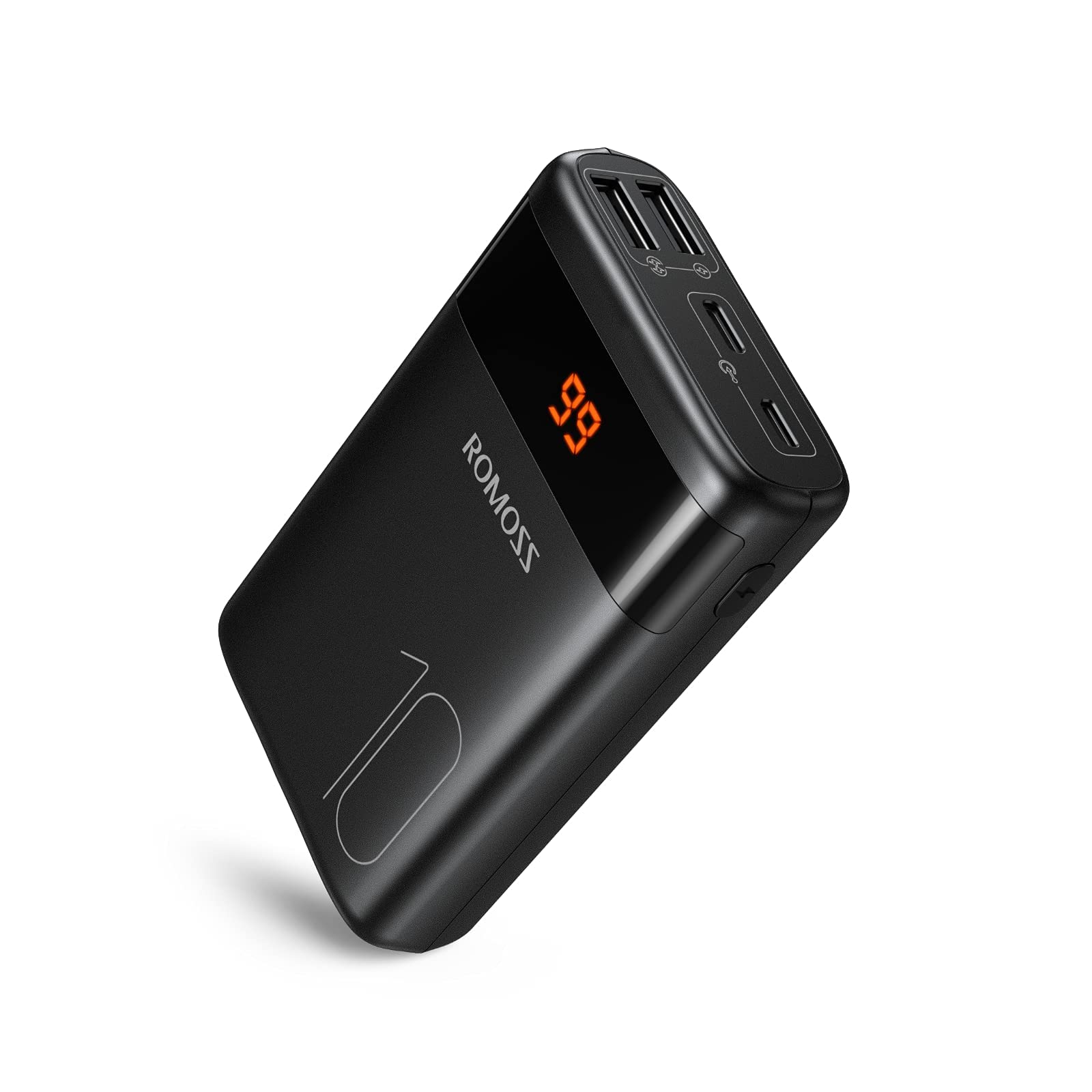
Imaxe: Fronte view of the ROMOSS Portable Charger, showing input/output ports and LED battery indicators.
Compoñentes:
- Botón de encendido: Press once to check battery level, press and hold to activate/deactivate (if applicable).
- Indicadores LED: Display the remaining battery capacity.
- Portos de entrada: Used to charge the portable charger itself (e.g., Type-C, Micro USB, Lightning).
- Portos de saída: Used to charge other devices (e.g., USB-A, Type-C).
4. Configuración
4.1 Cargo inicial
Before first use, fully charge your ROMOSS portable charger. This ensures optimal battery performance and accuracy of the battery indicator.
- Connect the portable charger to a power source (e.g., wall adapter, computer USB port) using a compatible charging cable (e.g., Type-C cable).
- The LED indicators will illuminate to show the charging progress.
- Once all LED indicators are solid, the portable charger is fully charged. Disconnect it from the power source.
5. Instrucións de funcionamento
5.1 Carga dos seus dispositivos
To charge your mobile phone, tablet, or other USB-powered devices:
- Connect your device to an output port on the portable charger using its charging cable.
- The portable charger should automatically begin charging your device. If not, press the power button once.
- The LED indicators will show the remaining battery level of the portable charger during charging.
- Once your device is fully charged, disconnect it from the portable charger.
5.2 Comprobación do nivel da batería
To check the remaining battery capacity of the portable charger:
- Preme o botón de acendido unha vez.
- The LED indicators will light up, showing the current battery level. For example, four solid LEDs typically indicate a full charge, while one blinking LED indicates a low battery.
6. Mantemento
6.1 Limpeza
Wipe the portable charger with a soft, dry cloth. Do not use harsh chemicals or abrasive materials.
6.2 Almacenamento
Store the portable charger in a cool, dry place away from direct sunlight and extreme temperatures. If storing for an extended period, charge the device to approximately 50-75% capacity every three months to maintain battery health.
6.3 Coidado coa batería
To prolong battery life, avoid fully discharging the portable charger frequently. It is recommended to recharge it before it completely runs out of power.
7 Solución de problemas
| Problema | Causa posible | Solución |
|---|---|---|
| Portable charger not charging | Cable issue, power source issue, or charger fault. | Try a different charging cable and wall adapter. Ensure the power source is active. |
| Device not charging from portable charger | Portable charger is out of power, cable issue, or device compatibility. | Recharge the portable charger. Try a different charging cable. Ensure your device is compatible with USB charging. |
| Carga lenta | Cable quality, device input limit, or portable charger output limit. | Use a high-quality charging cable. Check if your device supports faster charging. Ensure the portable charger's output port supports the desired speed. |
| Os indicadores LED non funcionan | Fallo do dispositivo. | If the device is still charging/discharging normally, this might be a minor fault. If not, contact customer support. |
If you encounter issues not listed here or if the problem persists, please contact ROMOSS customer support.
8. Especificacións
| Característica | Detalle |
|---|---|
| Marca | ROMOSOS |
| Modelo | Large Capacity Portable Charger |
| ASIN | B085RSRFQS |
| Entrada | Type-C (specific voltage/current not provided in source data) |
| Saída | USB-A, Type-C (specific voltage/current not provided in source data) |
| Certificación | Certificado PSE |
| Primeira data dispoñible (Amazon.co.jp) | 25 de xullo de 2019 |
9. Garantía e soporte
ROMOSS products come with a standard warranty. For detailed warranty information, please refer to the warranty card included with your product or visit the official ROMOSS website. For technical support, troubleshooting assistance, or warranty claims, please contact ROMOSS customer service through their official channels.
Podes atopar máis información e datos de contacto en ROMOSS Brand Store on Amazon.