
Prtukyt Prtukyt 8S
Prtukyt 8S Wireless Bluetooth Headset User Manual
Model: Prtukyt 8S (PT-1088)
1. Introdución
Thank you for choosing the Prtukyt 8S Wireless Bluetooth Headset. This manual provides detailed instructions on how to set up, operate, and maintain your new headset. Please read this manual carefully before use to ensure optimal performance and longevity of your device.
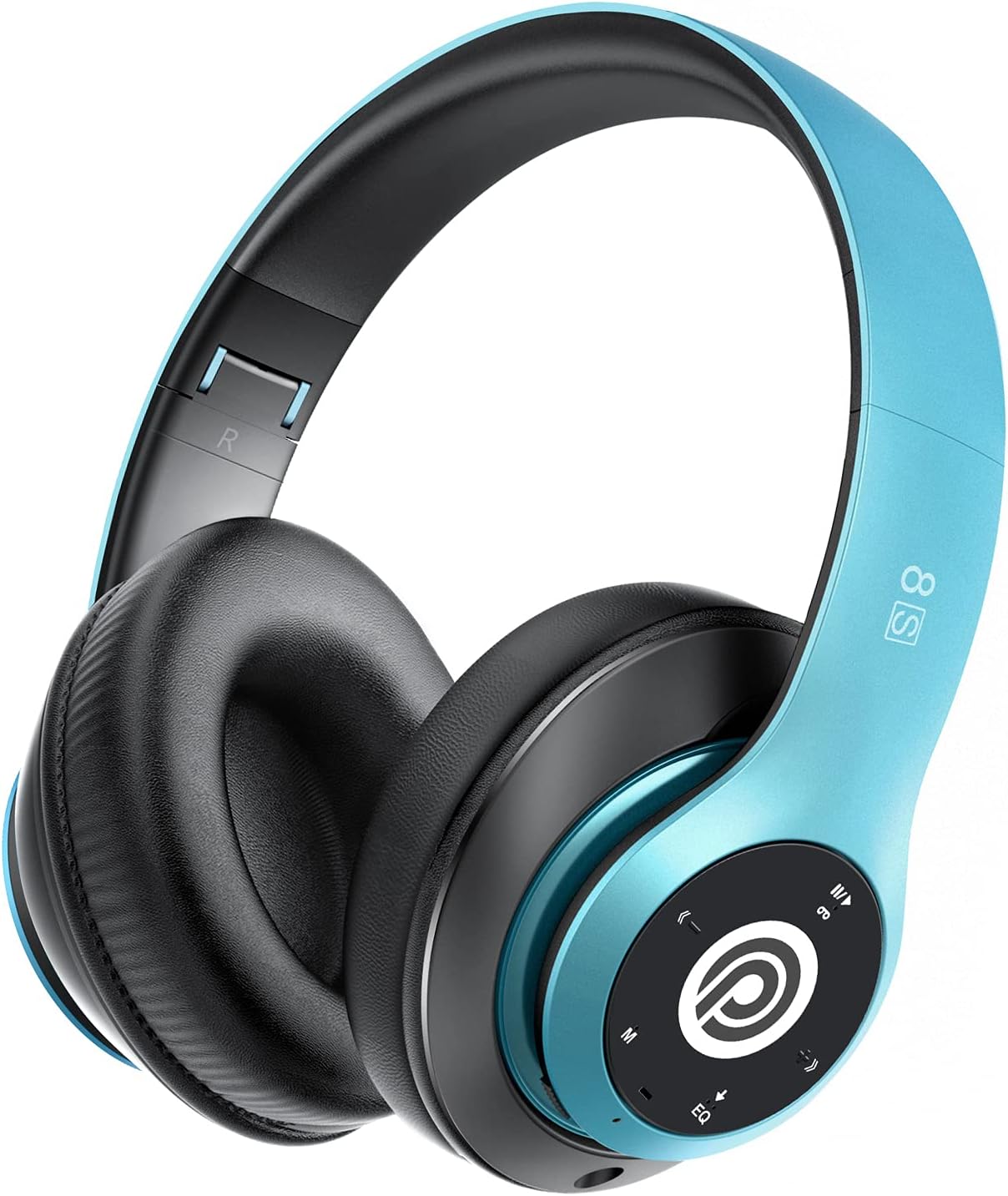
Image: The Prtukyt 8S Wireless Bluetooth Headset in blue, showcasing its sleek design and comfortable earcups.
2. Información de seguridade
Para garantir un uso seguro e axeitado, siga as seguintes pautas:
- Non expoñas os auriculares a temperaturas extremas, humidade nin substancias corrosivas.
- Evite deixar caer os auriculares nin someterlos a impactos fortes.
- Do not disassemble or modify the headset. This will void the warranty and may cause damage.
- Keep the headset away from water and liquids as it is not waterproof.
- Escoitar música durante un tempo prolongado a niveis de volume elevados pode causar danos auditivos. Axuste o volume a un nivel moderado.
- Desfágase do produto e da súa batería de forma responsable segundo a normativa local.
3. Contido do paquete
Comprobe se o paquete contén os seguintes elementos:
- 1 x Prtukyt 8S Wireless Bluetooth Headset
- 1 x Audio Cable (3.5mm Jack)
- 1 x cable de carga USB
- 1 x Manual de usuario
4. Produto rematadoview
Familiarize yourself with the various parts and controls of your Prtukyt 8S headset.
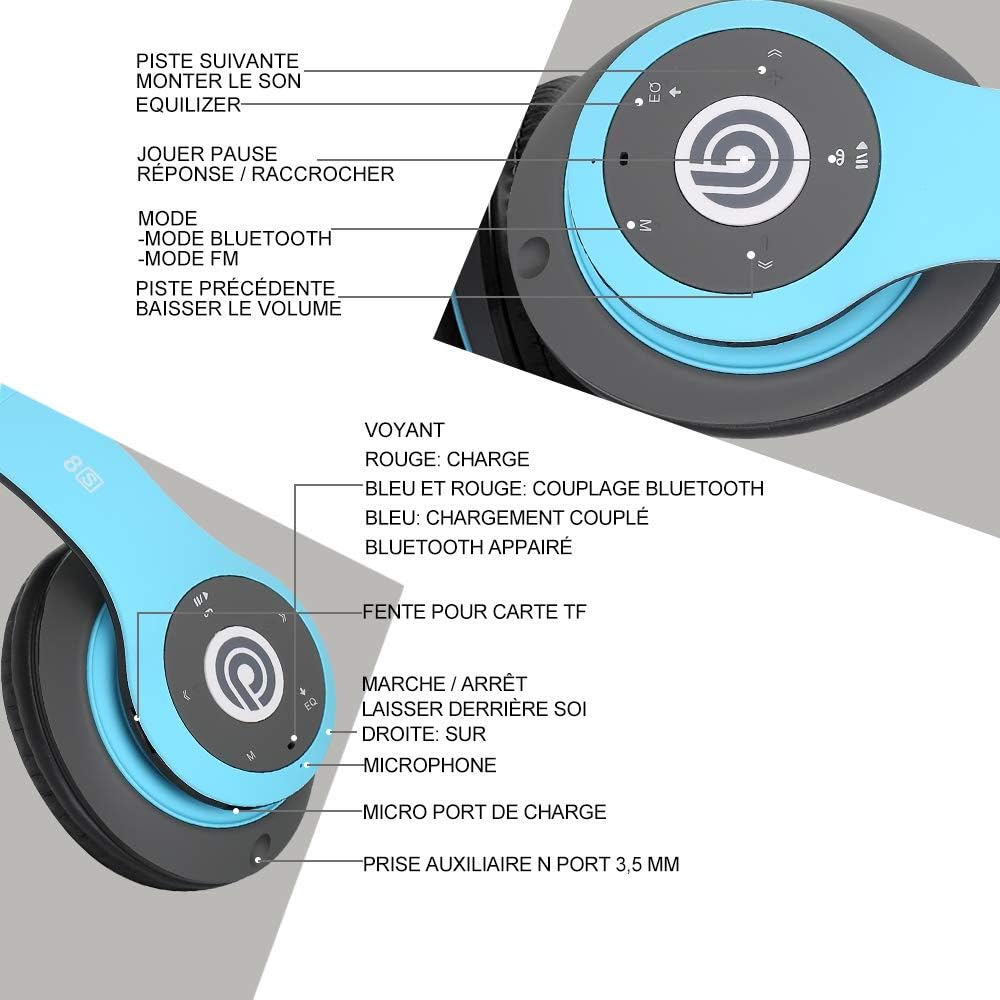
Imaxe: Detallada view of the Prtukyt 8S headset's control panel and ports, including buttons, indicator light, TF card slot, microphone, charging port, and 3.5mm AUX port.
Control Panel & Ports:
- 1. Next Track / Volume Up: Prema curta para a seguinte pista, prema longa para aumentar o volume.
- 2. EQ Button: Press to cycle through equalizer sound effects.
- 3. Play / Pause / Answer / Hang Up: Multi-function button for music and calls.
- 4. Mode Button (M): Short press to switch between Bluetooth, FM Radio, and TF Card modes.
- 5. Previous Track / Volume Down: Prema curta para a pista anterior, prema longa para baixar o volume.
- 6. Luz indicadora: Shows charging status, Bluetooth pairing, and connection status.
- 7. Ranura para tarxetas TF: Insert a Micro SD/TF card for direct music playback.
- 8. Interruptor de acendido/apagado: Desliza para activar ou desactivar os auriculares.
- 9. Micrófono: Para chamadas mans libres.
- 10. Porto de carga micro USB: Conecta o cable de carga USB aquí.
- 11. 3.5mm AUX Port: Para conexión por cable a dispositivos de son.
Características do deseño:
- Deseño plegable: The headset features a unique foldable design for easy portability and storage, saving space.

Image: The Prtukyt 8S headset demonstrating its multi-angle rotation and adjustable headband for ultimate comfort.
- Comfortable Earcups: Super soft foam earcups and an adjustable headband ensure a comfortable fit for extended listening sessions.
- Audio de alta fidelidade: Equipped with powerful 57mm stereo drivers and Bluetooth 5.0 chip for deep bass and clear sound.

Imaxe: Unha interna view highlighting the large aperture drivers and Bluetooth 5.0 chip for powerful performance.
5. Configuración
5.1 Carga inicial
Before first use, fully charge the headset. Connect the USB charging cable to the Micro USB charging port on the headset and the other end to a USB power adapter (not included) or a computer's USB port.
- The indicator light will be VERMELLO durante a carga.
- The indicator light will turn AZUL cando se complete a carga.
- Unha carga completa adoita tardar aproximadamente de 2 a 3 horas.
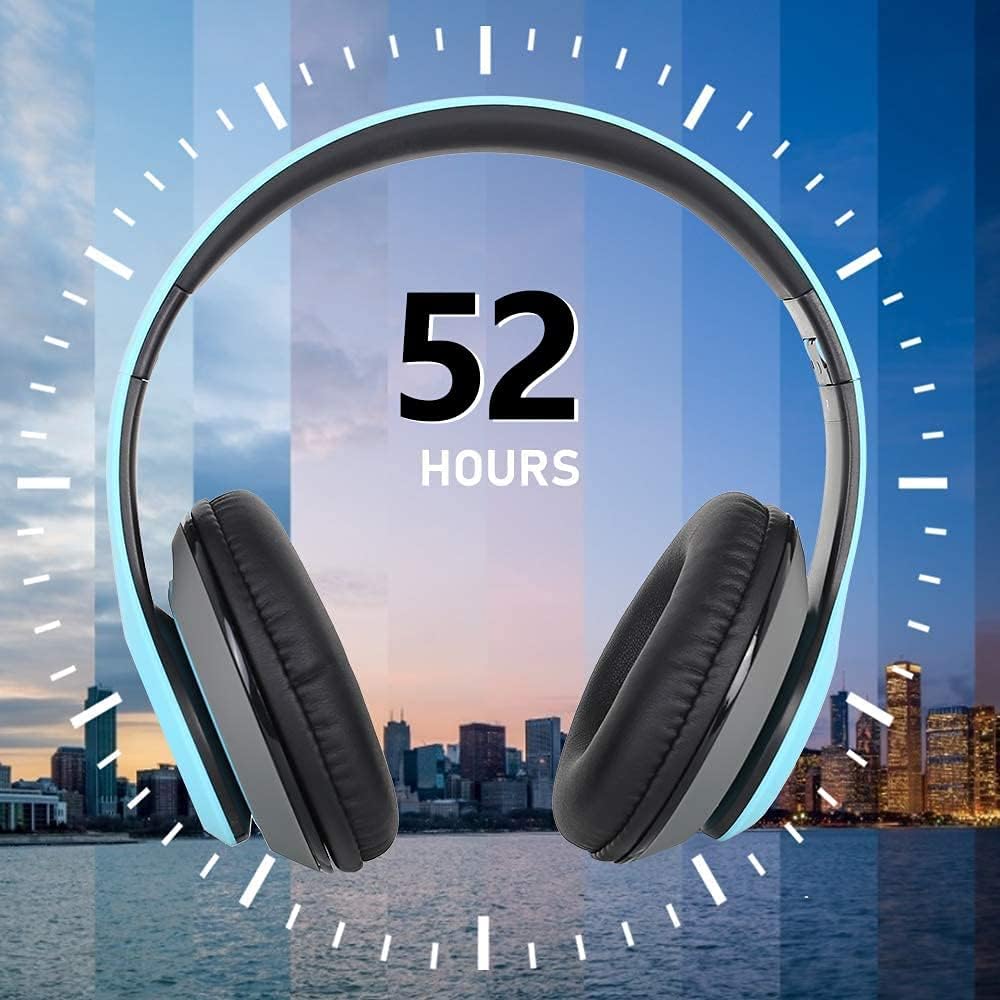
Image: The Prtukyt 8S headset illustrating its impressive 52-hour battery life on a single charge.
6. Instrucións de funcionamento
6.1 Encendido/apagado
- Encendido: Slide the Power On/Off switch to the "ON" position. The indicator light will flash blue, indicating it's ready for pairing or connecting.
- Apagado: Slide the Power On/Off switch to the "OFF" position. The indicator light will turn off.
6.2 Emparejamento Bluetooth
- Asegúrese de que os auriculares están apagados.
- Slide the Power On/Off switch to the "ON" position. The headset will enter pairing mode, and the indicator light will flash AZUL e VERMELLO alternativamente.
- Enable Bluetooth on your device (smartphone, tablet, PC, etc.).
- Busca "Prtukyt 8S" or "PT-1088" in the list of available Bluetooth devices.
- Select "Prtukyt 8S" to connect. Once successfully paired, the indicator light will flash AZUL lentamente.
- Se se lle solicita un contrasinal, introduza "0000".
Nota: Os auriculares tentarán reconectarse automaticamente co último dispositivo emparellado ao acendelos.
Reprodución de música 6.3 (modo Bluetooth)
- Reproducir/Pausa: Prema brevemente o Reproducir/Pausa botón.
- Próxima pista: Prema brevemente o Seguinte seguimento / aumento de volume botón.
- Pista anterior: Prema brevemente o Pista anterior/Baixar o volume botón.
- Subir volume: Mantén presionado Seguinte seguimento / aumento de volume botón.
- Baixar volume: Mantén presionado Pista anterior/Baixar o volume botón.
6.4 Funcións de chamada
- Responder chamada: Prema brevemente o Reproducir/Pausa/Responder/Colgar botón cando soa unha chamada entrante.
- Finalizar a chamada: Prema brevemente o Reproducir/Pausa/Responder/Colgar durante unha chamada.
- Rexeitar a chamada: Mantén presionado Reproducir/Pausa/Responder/Colgar botón cando soa unha chamada entrante.
- Volver a marcar o último número: Prema dúas veces o Reproducir/Pausa/Responder/Colgar botón.
Modo de radio FM 6.5
- Acende o auricular.
- Prema brevemente o Modo (M) button to switch to FM Radio mode. You will hear a voice prompt indicating the mode change.
- Prema brevemente o Reproducir/Pausa botón para buscar e gardar automaticamente as emisoras de FM dispoñibles.
- Usa o Próxima pista e Pista anterior botóns para navegar entre as emisoras gardadas.
6.6 Modo de tarxeta TF
- Insert a Micro SD/TF card (with MP3 audio files) into the TF Card Slot.
- Turn on the headset. It should automatically switch to TF Card mode and begin playing music. If not, short press the Modo (M) button to select TF Card mode.
- Usa o Reproducir/Pausa, Próxima pista, Pista anterior, and volume buttons as in Bluetooth mode.
6.7 Función EQ
The headset features an equalizer function to customize your listening experience.
- Prema brevemente o EQ button to cycle through different equalizer presets (e.g., Pop, Rock, Jazz, Classic, Bass, Normal).
6.8 Modo con cable (AUX)
You can use the headset with non-Bluetooth devices via the included 3.5mm audio cable.
- Connect one end of the 3.5mm audio cable to the 3.5mm AUX Port on the headset.
- Connect the other end to the audio output jack of your device (e.g., computer, MP3 player).
- In wired mode, the headset's buttons (except volume control on some devices) will not function. Control playback and volume directly from your connected device.
7. Mantemento
- Limpa os auriculares regularmente cun pano suave e seco. Non empregues produtos de limpeza abrasivos nin disolventes.
- Store the headset in a cool, dry place when not in use. The foldable design helps save space.
- Evitar a exposición prolongada á luz solar directa ou a temperaturas extremas.
- Do not expose the headset to water or moisture.
8 Solución de problemas
| Problema | Causa posible | Solución |
|---|---|---|
| Os auriculares non se acenderán. | A batería está baixa ou esgotada. | Cargue os auriculares completamente. |
| Non se pode sincronizar co dispositivo Bluetooth. | O Bluetooth está desactivado no dispositivo; os auriculares non están en modo de emparellamento; están demasiado lonxe do dispositivo. | Ensure Bluetooth is enabled on your device. Put headset in pairing mode (flashing blue/red). Keep devices within 10 meters. Clear previous pairings on your device. |
| Sen son ou volume baixo. | Volume too low on headset or device; incorrect mode selected; loose cable in wired mode. | Increase volume on both headset and connected device. Ensure correct mode (Bluetooth, FM, TF, AUX) is selected. Check 3.5mm cable connection. |
| A recepción da radio FM é deficiente. | Sinal débil; interferencias ambientais. | Try moving to a different location. The audio cable can act as an antenna; ensure it's connected if using FM. |
| A tarxeta TF non se reproduce. | Tarxeta non inserida correctamente; non compatible file formato; tarxeta danada. | Reinsert TF card firmly. Ensure music files are in MP3 format. Try a different TF card. |
9. Especificacións
| Nome do modelo | Prtukyt 8S |
| Número de modelo | PT-1088 |
| Tecnoloxía de conectividade | Sen fíos (Bluetooth 5.0), con cable (conector de 3.5 mm) |
| Rango de frecuencias | 20 Hz - 20,000 Hz |
| Tamaño do controlador | 57mm Stereo Drivers |
| Características | Integrated Microphone, FM Radio, TF Card Playback, EQ Function, Foldable Design |
| Duración da batería (aprox.) | Up to 52 hours (Music/Talk time) |
| Porto de carga | Micro USB |
| Resistencia á auga | Non impermeable |
| Cor | Azul |
10. Garantía e soporte
Prtukyt is committed to providing an excellent customer experience. If you encounter any quality issues with your product, please contact us immediately. Our customer support team is ready to assist you with any questions or concerns regarding your Prtukyt 8S Wireless Bluetooth Headset.
For support, please refer to the contact information provided on your purchase platform or the official Prtukyt websitio.
Ask a question about this manual
Ask about setup, troubleshooting, compatibility, parts, safety, or missing instructions. Manuals+ will review the question and use this page’s manual context to help answer it.