
Brinno TLC2020
Manual de instrucións da cámara de lapso de tempo Brinno Empower TLC2020 con funda impermeable ATH1000
Your guide to setting up, operating, and maintaining your Brinno TLC2020 Time Lapse Camera.
1. Introdución
This manual provides essential information for the proper use and care of your Brinno Empower TLC2020 Time Lapse Camera and ATH1000 Waterproof Case. Please read these instructions carefully before operating the device to ensure optimal performance and longevity.
The Brinno TLC2020 is designed for capturing high-quality time-lapse, step video, and stop motion footage, particularly for long-term outdoor projects, thanks to its extended battery life and durable waterproof housing.
2. Produto rematadoview
2.1. Contido do paquete
- Cámara de lapso de tempo Brinno TLC2020
- Brinno ATH1000 Waterproof Case
- Pilas AA (4x)
- Manual de usuario (este documento)
2.2. Características clave
- Captura de alta resolución: 1080P HDR video recording.
- Ampla Campo de View: 118° lens for comprehensive scene capture.
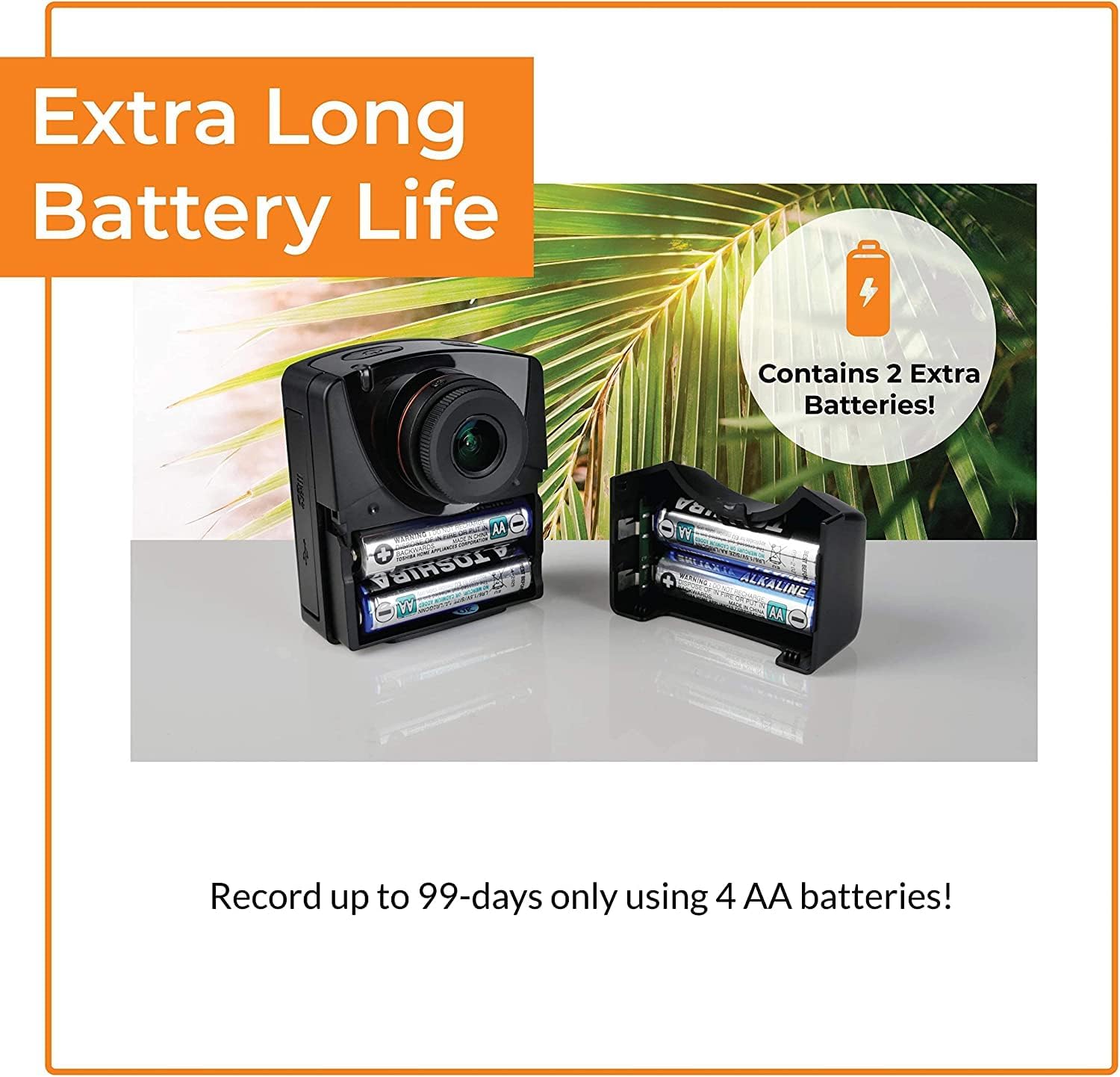
- Duración prolongada da batería: Up to 99 days of recording with 4 AA batteries (5-minute interval).
- Versatile Capture Modes: Time-lapse, Step Video, and Stop Motion.
- Durable Protection: ATH1000 Waterproof Case for outdoor use.
- Horario flexible: Daily timer and scheduling features to conserve battery.
- Almacenamento: Supports Micro SD cards up to 128GB.
- Deseño portátil: Compact and easy to deploy.
2.3. Camera and Case Components

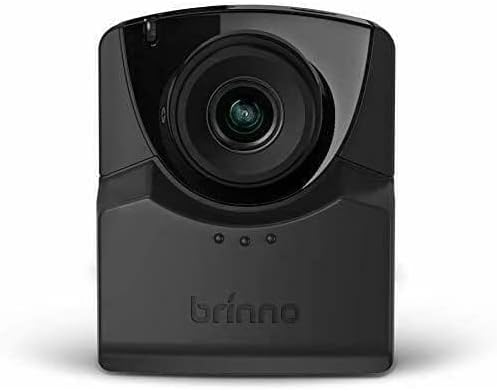
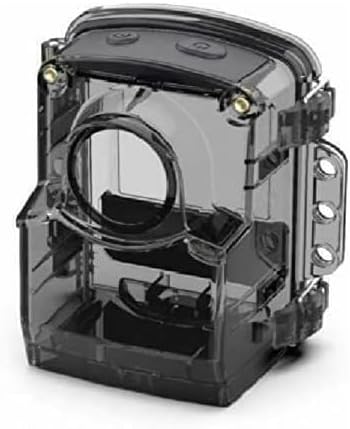
3. Configuración
3.1. Instalación da batería
- Open the battery compartment cover on the side of the TLC2020 camera.
- Insira catro (4) pilas AA, asegurándose de manter a polaridade correcta (+/-).
- Pecha a tapa do compartimento da batería de forma segura.

3.2. Instalación da tarxeta MicroSD
- Locate the MicroSD card slot, typically near the battery compartment.
- Insert a MicroSD card (up to 128GB supported) into the slot until it clicks into place.
- Para retirala, empurre suavemente a tarxeta ata que salte cara a fóra.

3.3. ATH1000 Waterproof Case Assembly
- Open the latches on the ATH1000 waterproof case.
- Carefully place the TLC2020 camera inside the case, ensuring it fits snugly.
- Close the latches firmly to seal the case. Verify the seal is complete before exposing to water.
3.4. Acendido inicial e configuración
Press the power button to turn on the camera. The 2-inch screen will display the menu. Use the navigation buttons to set the date, time, and desired capture mode. Refer to the on-screen prompts for guidance.
4. Instrucións de funcionamento
4.1. Modos de captura
The TLC2020 offers three distinct capture modes:
- Lapso de tempo: Captures a sequence of photos at set intervals, automatically compiling them into a video. Ideal for monitoring construction projects, plant growth, or environmental changes.
- Step Video: Records short video clips at selected intervals. The camera combines these clips into a continuous video, suitable for dynamic storytelling or capturing movement.
- Stop Motion: Allows manual capture of multiple photos, one frame at a time. The camera then combines these into an animated video, perfect for creative projects.


4.2. Flexible Scheduling
Utilize the camera's daily timer and scheduling feature to select specific days and hours for recording. This extends battery life by preventing unnecessary recording during inactive periods.

4.3. Video Output and Sharing
Once recording is complete, the camera automatically processes the footage into an MP4 video file. Isto file is instantly available on the MicroSD card for transfer to a computer or other device for sharing.
5. Mantemento
5.1. Coidado da batería
- Use sempre pilas AA novas e de alta calidade.
- Retire as pilas se non vai usar a cámara durante un período prolongado para evitar fugas.
- Monitor battery levels regularly, especially during long-term projects.
5.2. Waterproof Case and Lens Care
- Regularly inspect the ATH1000 case for cracks or damage to maintain its waterproof integrity.
- Clean the case and camera lens with a soft, lint-free cloth. For stubborn dirt, use a mild cleaning solution and ensure no residue remains.
- Avoid abrasive materials that could scratch the lens or case.
5.3. Almacenamento
Store the camera and case in a cool, dry place away from direct sunlight and extreme temperatures when not in use.
6 Solución de problemas
6.1. A cámara non se acende
- Asegúrese de que as baterías estean inseridas correctamente e completamente cargadas.
- Tenta substituílas por baterías novas.
- Comprobe que o botón de acendido estea premido firmemente.
6.2. Duración curta da batería
- Utilize the flexible scheduling feature to record only during necessary periods.
- Ensure you are using high-quality alkaline or rechargeable AA batteries.
- As temperaturas extremadamente frías poden reducir o rendemento da batería.
6.3. Condensation Inside Waterproof Case
- Condensation can occur with significant temperature changes and high humidity.
- Place desiccant packets (silica gel) inside the case with the camera to absorb moisture.
- Ensure the camera and case are completely dry before sealing for outdoor use.
6.4. Problemas de gravación
- Check if the MicroSD card is properly inserted and has sufficient free space.
- Ensure the MicroSD card is formatted correctly (FAT32 or exFAT).
- Verify that the recording schedule and interval settings are configured as desired.
7. Especificacións
| Característica | Especificación |
|---|---|
| Marca | Brinno |
| Número de modelo | TLC2020 |
| Peso do elemento | 1.34 libras |
| Dimensións do produto | 1.5 x 4.5 x 4.5 polgadas |
| Baterías | 4 pilas AA necesarias |
| Cor | Negro |
| Tecnoloxía do sensor fotográfico | CMOS |
| Resolución de captura de vídeo | 1080 p |
| Distancia focal máxima | 19 milímetros |
| Apertura máxima | 2 f |
| Tipo de memoria flash | Micro SD (ata 128 GB) |
| Formato de captura de vídeo | MP4 |
| Formato de audio compatible | AAC |
| Tamaño da pantalla | 2 polgadas |
| Tecnoloxía de conectividade | USB |
8. Garantía e soporte
Brinno is committed to providing reliable products. For detailed warranty information, please refer to the official Brinno website or the warranty card included with your purchase. For technical support, product inquiries, or service, please visit the Brinno support page or contact their customer service directly.
You can find more information and support resources on the official Brinno websitio: www.brinno.com