
Introdución
This manual provides detailed instructions for the proper use and maintenance of your LG AKB74955603 Air Conditioner Remote Control. Please read this manual thoroughly before operating the device to ensure optimal performance and longevity.
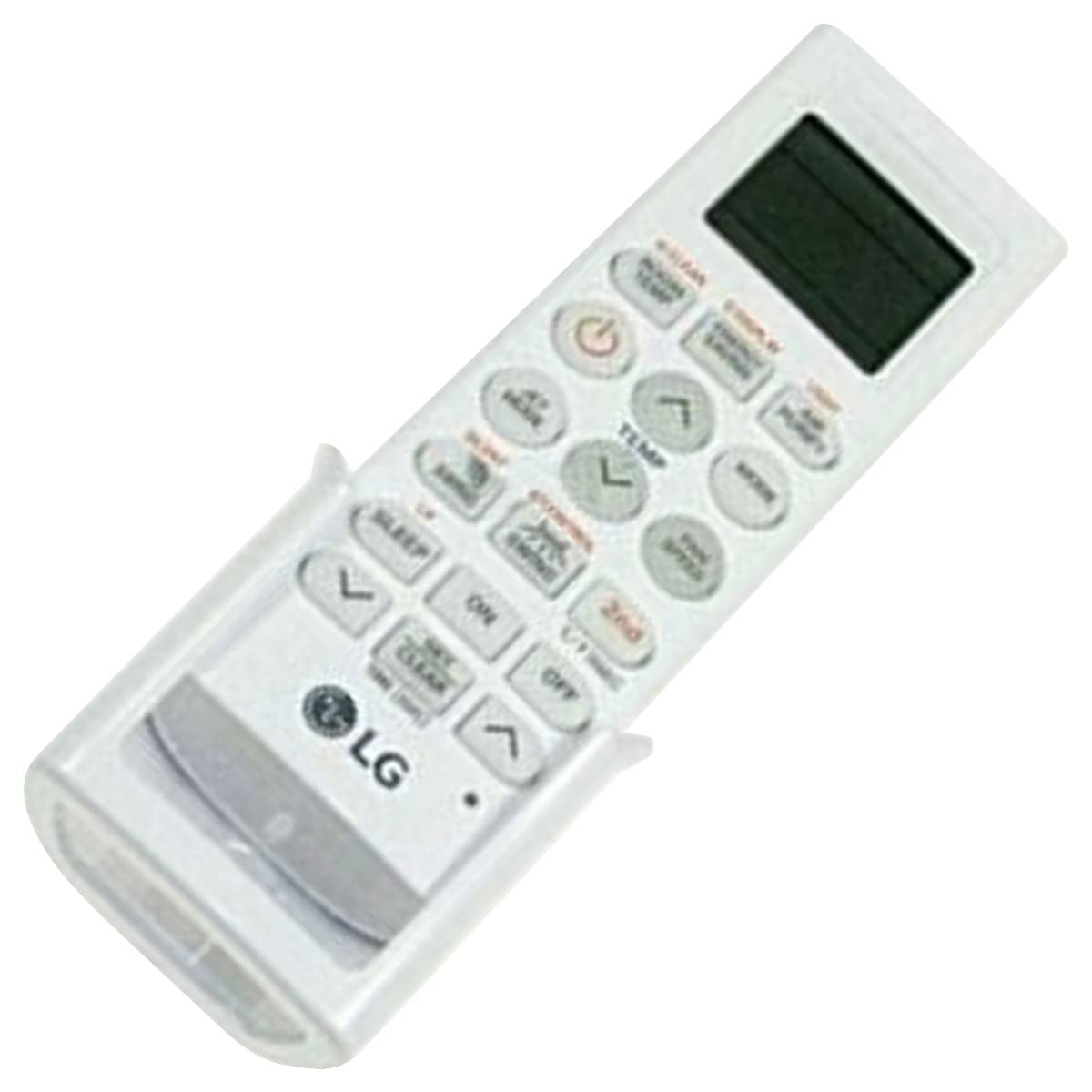
Image: The LG AKB74955603 Air Conditioner Remote Control, a white rectangular device with various control buttons.
Configuración
1. Instalación da batería
The remote control requires two (2) AAA batteries for operation. Ensure correct polarity when inserting the batteries.
- Abra a tapa do compartimento das pilas situada na parte traseira do mando a distancia.
- Insira dúas pilas AAA novas, facendo coincidir os terminais (+) e (-) como se indica no interior do compartimento.
- Pecha a tapa do compartimento da batería de forma segura.
Nota: Do not mix old and new batteries, or different types of batteries. Remove batteries if the remote control will not be used for an extended period.
Instrucións de funcionamento
Point the remote control directly at the air conditioner's receiver. Ensure there are no obstructions between the remote and the unit.
Funcións clave
- POTENCIA (⏻): Acende ou apaga o aire acondicionado.
- MODO: Cambia ciclicamente polos modos de funcionamento: Automático, Refrixeración, Secado, Ventilador, Quecemento.
- TEMP ▲/▼: Axusta a configuración de temperatura desexada.
- VELOCIDADE DO FAN: Selects the fan speed (Auto, Low, Medium, High).
- SWING: Activates or deactivates the louver swing function.
- TEMPORIZADOR: Axusta o temporizador de acendido/apagado do aire acondicionado.
- DURMIR: Activates the sleep mode for comfortable night operation.
- LUZ: Controls the display light on the air conditioner unit (if available).
- FUNCTION/SPECIAL: Accesses additional functions or settings.
Operación básica
- Preme o POTENCIA botón para acender o aire acondicionado.
- Preme o MODO button repeatedly to select your desired operating mode (e.g., Cool).
- Usa o TEMP ▲/▼ botóns para configurar a temperatura desexada.
- Axuste a velocidade do ventilador usando o botón VELOCIDADE DO FAN botón se é necesario.
- Para apagar a unidade, prema POTENCIA botón de novo.
Mantemento
Substitución da batería
Replace batteries when the remote control's range decreases or if the display becomes dim. Follow the battery installation steps outlined in the Setup section.
Limpeza
Wipe the remote control with a soft, dry cloth. Do not use liquid cleaners, abrasive materials, or chemical solvents, as these may damage the surface or internal components.
Almacenamento
Garde o mando a distancia nun lugar fresco e seco, lonxe da luz solar directa e de temperaturas extremas. Se o garda durante un período prolongado, retire as pilas para evitar fugas.
Resolución de problemas
- O control remoto non responde:
- Comprobe se as pilas están inseridas correctamente e se non están esgotadas. Substitúaas se é necesario.
- Asegúrate de que haxa unha liña de visión clara entre o mando a distancia e o receptor do aire acondicionado.
- Verifique que o control remoto estea apuntado directamente ao aire acondicionado.
- Rango de funcionamento limitado:
- Substitúe as pilas por outras novas.
- Ensure no strong light sources (e.g., direct sunlight, fluorescent lights) are interfering with the infrared signal.
Especificacións
| Característica | Detalle |
|---|---|
| Nome do modelo | AKB74955603 |
| Marca | LG |
| Dispositivos compatibles | Aire acondicionado |
| Tecnoloxía de conectividade | Infravermello (IR) |
| Número de botóns | 10 |
| Rango máximo | 10 metros |
| Tipo de batería | 2 x AAA (non incluído) |
| Característica especial | Fácil de usar |
Garantía e Soporte
For warranty information and customer support, please refer to the documentation provided with your air conditioner unit or visit the official LG websitio. Garde o recibo da compra como proba de compra para calquera reclamación de garantía.
For further assistance, you may contact LG customer service through their official channels.