
Introdución
Grazas pola compraasing the eKids Harry Potter Bluetooth Speaker. This portable wireless speaker is designed to provide clear audio from your Bluetooth-enabled devices. This manual provides essential information for setting up, operating, and maintaining your speaker.

Imaxe: Fronte view of the eKids Harry Potter Bluetooth Speaker, featuring the Harry Potter character design.
Información de seguridade
Please read and follow all safety instructions before using this product to prevent injury or damage.
- Non expoña a unidade a temperaturas extremas, luz solar directa ou humidade.
- Do not immerse the unit in water. This product is not waterproof.
- Use só o cable de carga proporcionado.
- Non intente desmontar nin modificar a unidade.
- Manter fóra do alcance dos nenos pequenos.
- Despeje as pilas correctamente segundo a normativa local.
Contido do paquete
Verifica que todos os elementos estean presentes no paquete:
- Harry Potter Bluetooth Speaker
- Cable de carga micro USB
- Correa de pulso
Produto rematadoview
Familiarize yourself with the components of your speaker:

Image: Diagram showing the speaker's dimensions (2.2 inches / 56mm height, 1.8 inches / 46mm width) and labeled parts including the speaker grille, slot to attach wrist strap, port for charging (Micro USB), and Power/Pairing Button.
- Reixa do altofalante: Located at the top for audio output.
- Botón de encendido/emparejamento: Controls power and initiates Bluetooth pairing.
- Porto de carga: Micro USB port for connecting the charging cable.
- Ranura para a correa de pulso: Para colocar a correa de pulso incluída.
Cargando o altofalante
The speaker is powered by a built-in rechargeable Lithium-Ion battery. Before first use, fully charge the speaker.
- Connect the small end of the Micro USB charging cable to the Charging Port on the speaker.
- Connect the large end of the Micro USB charging cable to a powered USB port (e.g., computer, USB wall adapter).
- The charging indicator light (if present, refer to product for exact location) will illuminate during charging and turn off when fully charged.
- O tempo de carga pode variar. Desconecta o cable unha vez que a carga estea completa.
Emparejamento Bluetooth
Siga estes pasos para conectar o seu altofalante a un dispositivo con Bluetooth:
- Asegúrate de que o altofalante estea completamente cargado.
- Manteña premido o Botón de encendido/emparejamento on the speaker until you hear an audible prompt or see an indicator light flashing, indicating it is in pairing mode.
- On your Bluetooth-enabled device (smartphone, tablet, computer, etc.), go to the Bluetooth settings menu.
- Activa o Bluetooth e busca os dispositivos dispoñibles.
- Select "Harry Potter Speaker" (or similar name) from the list of devices.
- Once paired, you will hear a confirmation tone, and the indicator light will stop flashing.
- The speaker can wirelessly stream audio up to 30 feet from your device.
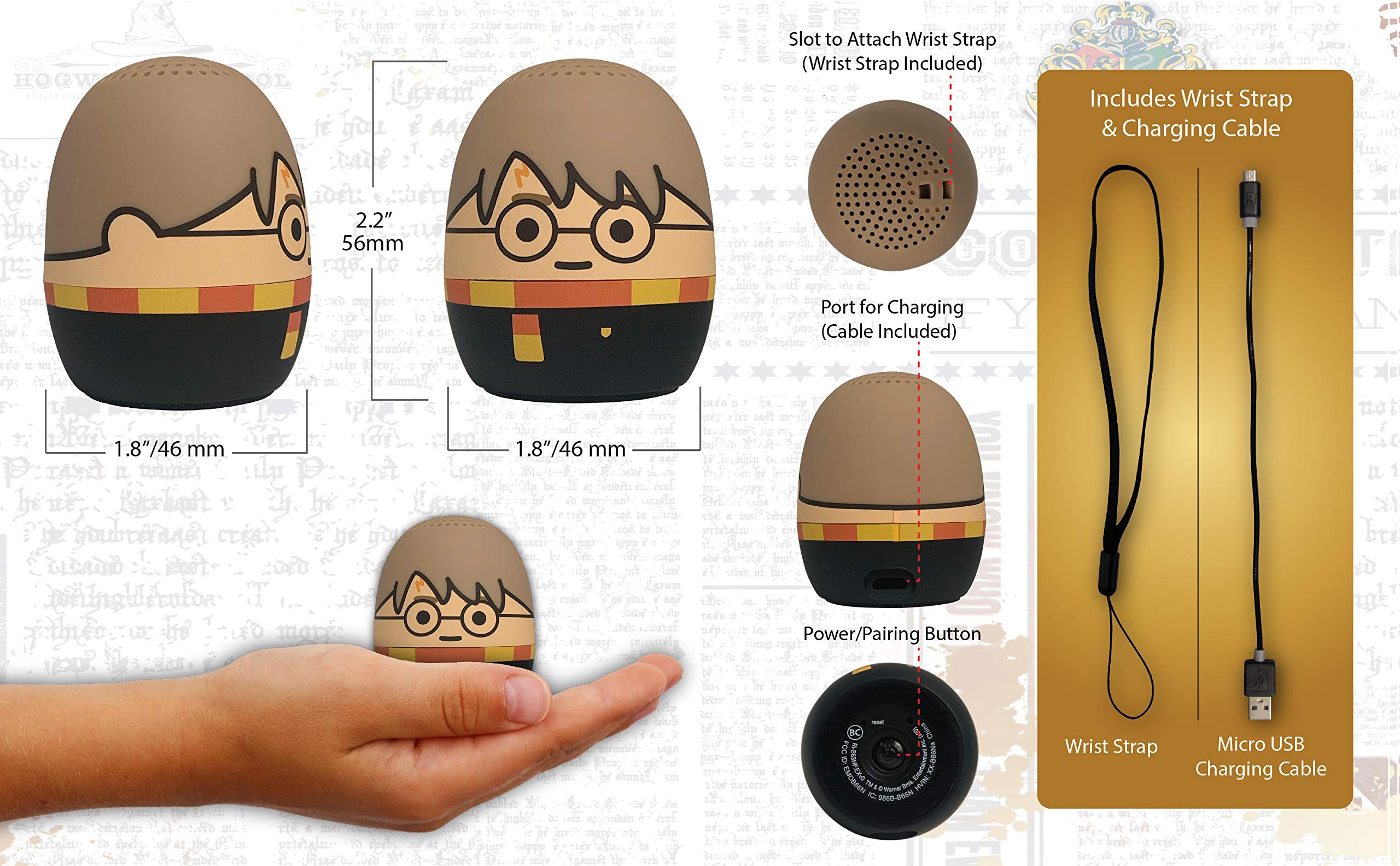
Image: The Harry Potter Bluetooth Speaker shown with icons representing compatible devices: mobile phone, tablet, notebook, PC, smart watch, and game device.
Operación
After successful pairing, you can begin playing audio:
- Reproducir audio: Start playing music or other audio content on your paired device. The sound will be transmitted to the speaker.
- Control de volume: Adjust the volume directly from your paired device.
- Encendido/apagado: Manteña premido o Botón de encendido/emparejamento para activar ou apagar o altofalante.
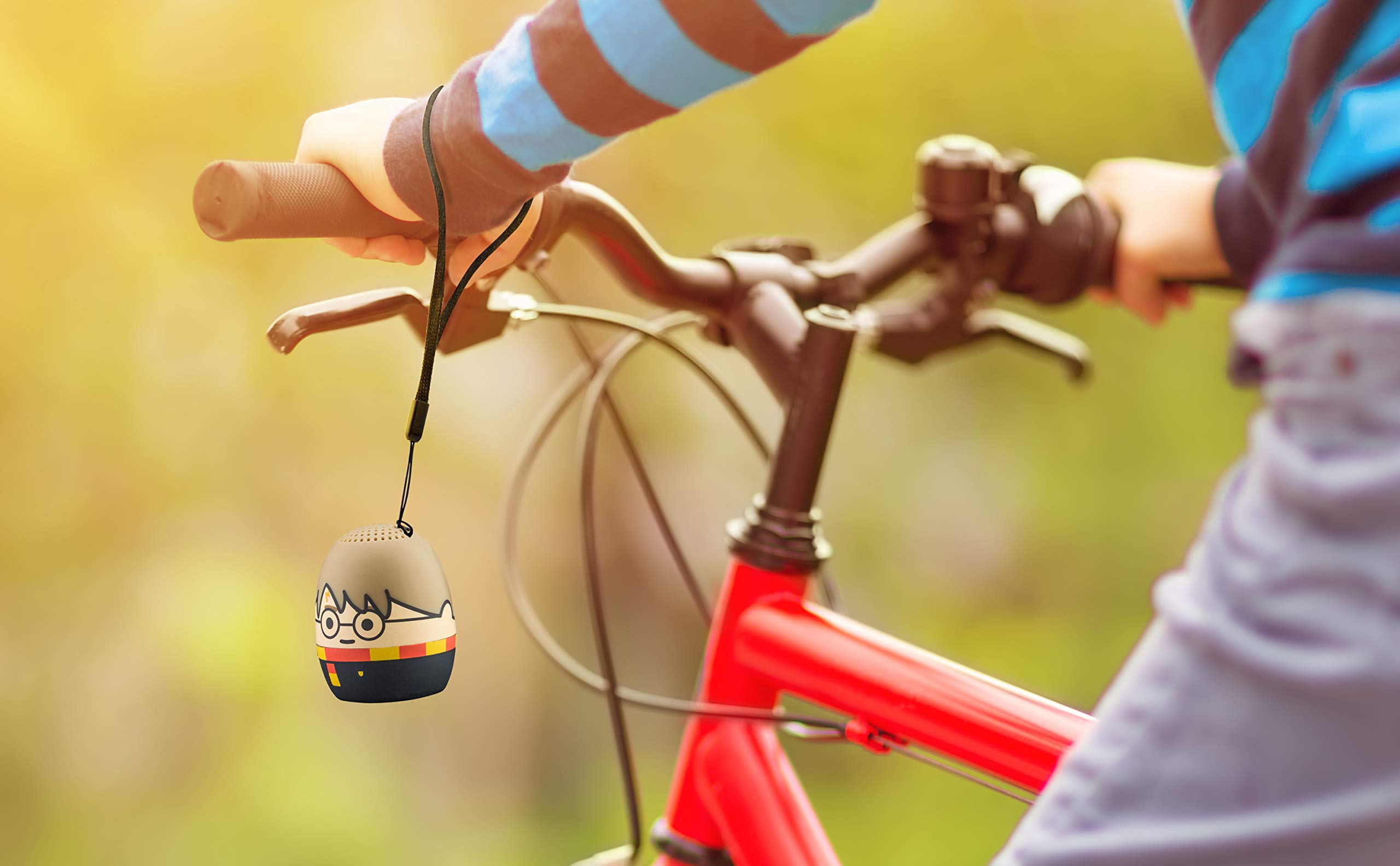
Image: The Harry Potter Bluetooth Speaker, with its wrist strap, attached to the handlebar of a bicycle, demonstrating its portability for outdoor use.
Mantemento
To ensure the longevity of your speaker, follow these maintenance guidelines:
- Limpeza: Wipe the speaker with a soft, dry cloth. Do not use liquid cleaners or abrasive materials.
- Almacenamento: Garde o altofalante nun lugar fresco e seco, lonxe da luz solar directa e de temperaturas extremas, cando non o use durante períodos prolongados.
- Coidado da batería: For optimal battery life, avoid fully discharging the battery frequently. Charge it regularly, even if not used often.
Resolución de problemas
If you encounter issues with your speaker, refer to the following table:
| Problema | Solución |
|---|---|
| O altofalante non se acende. | Asegúrate de que a batería estea cargada. Conecta o altofalante a unha fonte de alimentación mediante o cable micro USB. |
| Non se pode emparellar cun dispositivo Bluetooth. |
|
| Sen son ou volume baixo. |
|
| Mala calidade de audio. |
|
Especificacións
| Característica | Detalle |
|---|---|
| Marca | eKids |
| Nome do modelo | Harry Potter |
| Tecnoloxía de conectividade | Bluetooth, USB |
| Potencia de saída máxima do altofalante | 10 vatios |
| Modo de saída de audio | Estéreo |
| Tipo de altofalante | Portátil |
| Método de control | Botón |
| Tamaño do altofalante | 40 milímetros |
| Fonte de enerxía | Alimentado por batería (1 batería de iones de litio incluída) |
| Dispositivos compatibles | Personal Computer, Smartphone, Tablet, Television |
| É Impermeable | FALSO |
| UPC | 092298948775 |
| ASIN | B087NFC293 |
Garantía e Soporte
This product comes with a Limited Warranty. For specific warranty details, please refer to the documentation included with your purchase or contact eKids customer support.
For technical support or further assistance, please visit the eKids official websitio web ou póñase en contacto co seu departamento de atención ao cliente. Garde o recibo de compra para reclamacións de garantía.