
Introdución
Thank you for choosing the Perixx PERIBOARD-317 Backlit USB Keyboard. This full-size wired keyboard is designed for comfortable daily typing, featuring large print keys and white LED backlighting for enhanced visibility in various lighting conditions. Its low-profile keys offer a quiet and responsive typing experience. This manual provides essential information for setting up, operating, maintaining, and troubleshooting your keyboard.
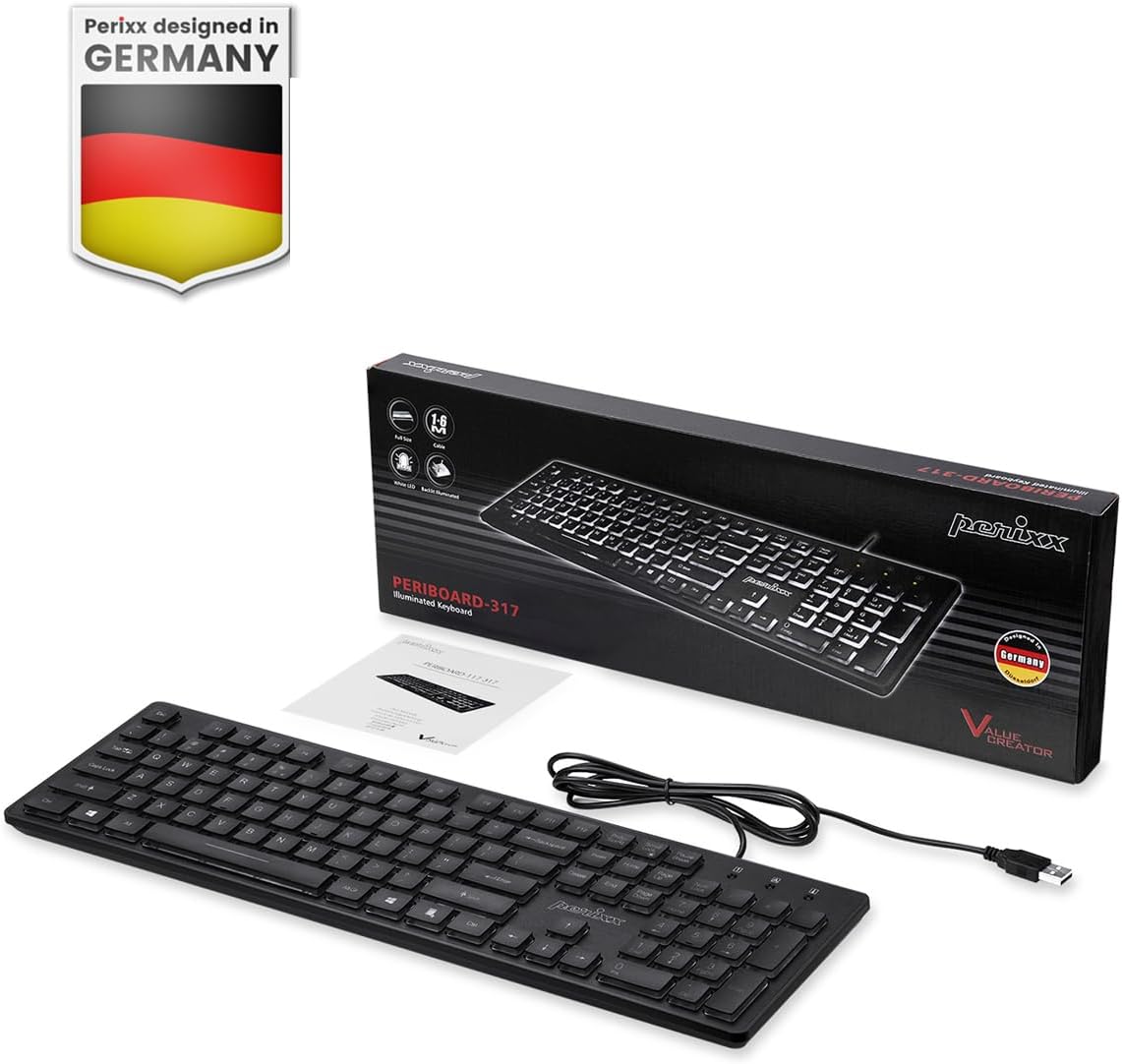
Image: Perixx PERIBOARD-317 keyboard and its contents.
1. Configuración
1.1 Contido do paquete
- Perixx PERIBOARD-317 Keyboard
- Manual de usuario
1.2 Requisitos do sistema
- Compatible con Windows 7, 8, 10 e 11.
- Available USB-A port.
1.3 Conexión do teclado
- Unpack the Perixx PERIBOARD-317 keyboard from its packaging.
- Localiza un porto USB-A dispoñible no teu ordenador.
- Plug the USB-A cable of the keyboard into the USB-A port on your computer.
- The keyboard is plug-and-play; no additional drivers or software installation is required. Your computer will automatically detect and configure the device.

Image: Connecting the Perixx PERIBOARD-317 keyboard via USB.
2. Instrucións de funcionamento
2.1 Mecanografía básica
The Perixx PERIBOARD-317 features a standard full-size Italian QWERTY layout with 105 keys. The large print characters on the keys are designed for improved visibility, making typing easier for users with visual impairments or in low-light environments.

Image: Large print keys for enhanced visibility.
Control de retroiluminación 2.2
The keyboard is equipped with a bright, uniformly distributed white LED backlight. This feature allows for comfortable typing in dimly lit conditions.
- Turning On/Off the Backlight: Locate the backlight control key (often indicated by a sun or light bulb icon, or a dedicated function key combination). Press this key to toggle the backlight on or off.
- Axuste do brillo: If available, use the designated brightness control keys (often function keys combined with Fn) to increase or decrease the backlight intensity.

Image: White LED backlighting for clear visibility.

Image: Easy typing in low-light conditions with the illuminated keys.
2.3 Scroll Lock and Backlight Interaction
Please note the interaction between the backlight and the Scroll Lock function:
- When the backlight is active, the Scroll Lock function is disabled.
- When the backlight is turned off, the Scroll Lock function is enabled.
2.4 Experiencia de mecanografía
O baixo profile keys with wider surfaces provide a responsive, quiet, and precise typing experience. The high-quality ABS key printing is designed to resist wear, and the membrane switches are rated for 5 million keystrokes.

Image: Quiet and responsive typing experience.

Image: Low-profile chiclet keys for comfortable typing.
3. Mantemento
3.1 Limpeza do teclado
Para manter o rendemento e a aparencia do teclado:
- Desconecte o teclado do ordenador antes de limpalo.
- Use un pano suave e sen pelusa lixeiramente dampEnxágüe con auga ou unha solución de limpeza suave para limpar as teclas e a superficie.
- Evite pulverizar líquidos directamente sobre o teclado.
- Para o po e os residuos entre as teclas, use aire comprimido.
3.2 Almacenamento
Garde o teclado nun lugar seco, lonxe de temperaturas extremas e da luz solar directa, cando non o use durante períodos prolongados.
4 Solución de problemas
4.1 O teclado non responde
- Asegúrate de que o cable USB estea conectado correctamente tanto ao teclado como ao porto USB do ordenador.
- Tenta conectar o teclado a un porto USB diferente do teu ordenador.
- Reinicia o teu ordenador.
- Proba o teclado noutro ordenador para determinar se o problema é do teclado ou do ordenador.
4.2 A retroiluminación non funciona
- Ensure the backlight is turned on using the dedicated backlight control key.
- Check if the brightness level is set too low. Adjust it using the brightness control keys.
- Verify that the Scroll Lock function is not interfering (refer to section 2.3).
4.3 Keys Not Registering or Repeating
- Limpe as teclas afectadas como se describe na sección Mantemento.
- Asegúrate de que non haxa residuos aloxados debaixo da tapa das teclas.
- If the issue persists, it may indicate a hardware problem. Refer to the Warranty and Support section.
5. Especificacións
| Característica | Detalle |
|---|---|
| Marca | Perixx |
| Nome do modelo | PERIBOARD-317 IT B |
| Número de modelo | 11629 |
| Tecnoloxía de conectividade | USB (con cable) |
| Descrición do teclado | Full-size, Backlit |
| Usos recomendados | Daily use, study |
| Característica especial | Backlit (White LED), Large Print Keys |
| Compatibilidade coa cor da retroiluminación do teclado | Monocromático |
| Dimensións do produto (L x W x H) | 44 L x 12.9 W x 2.7 H cm |
| Fonte de enerxía | Eléctrico con cable |
| Tipo de cambio | Linear (Membrane) |
| Disposición do teclado | QWERTY (Italian) |
| Número de chaves | 105 |
| Sistemas operativos compatibles | Windows 7, 8, 10, 11 |
| Material da vivenda | Plástico ABS |
| Peso do elemento | 530 gramos |
| Fabricante | Perixx |
| Número de peza do fabricante | PB-317IT-11629 |
| País de Orixe | China |
6. Garantía e soporte
6.1 Información da garantía
The Perixx PERIBOARD-317 keyboard is covered by a limited 24-month warranty from the date of purchase. This warranty covers manufacturing defects and workmanship under normal use.
6.2 How to Obtain Support
For warranty claims, technical assistance, or product inquiries, please visit the official Perixx website. Warranty replacement requests (RMA) are generally processed within 48-72 hours.
Para máis información, visite: www.perixx.com

Image: Perixx - Designed in Germany.