1. Introdución
The i-Star Portable DAB/DAB+/FM Radio offers a versatile listening experience with clear digital and analog radio reception. Designed for portability, it features a built-in rechargeable battery and a compact design, making it suitable for use at home or on the go. This manual provides essential information for setting up, operating, and maintaining your radio.

Figura 1: Fronte view of the i-Star Portable DAB/DAB+/FM Radio, highlighting its compact design and user interface.
2. Configuración
2.1 Desembalaxe e carga inicial
- Retire con coidado a radio e todos os accesorios da embalaxe.
- Connect the supplied USB charging cable to the radio's Micro USB port and to a compatible USB power adapter (not included) or a computer's USB port.
- Allow the radio to charge fully before first use. The charging indicator will typically change or turn off when charging is complete. A full charge provides up to 4 hours of playback.
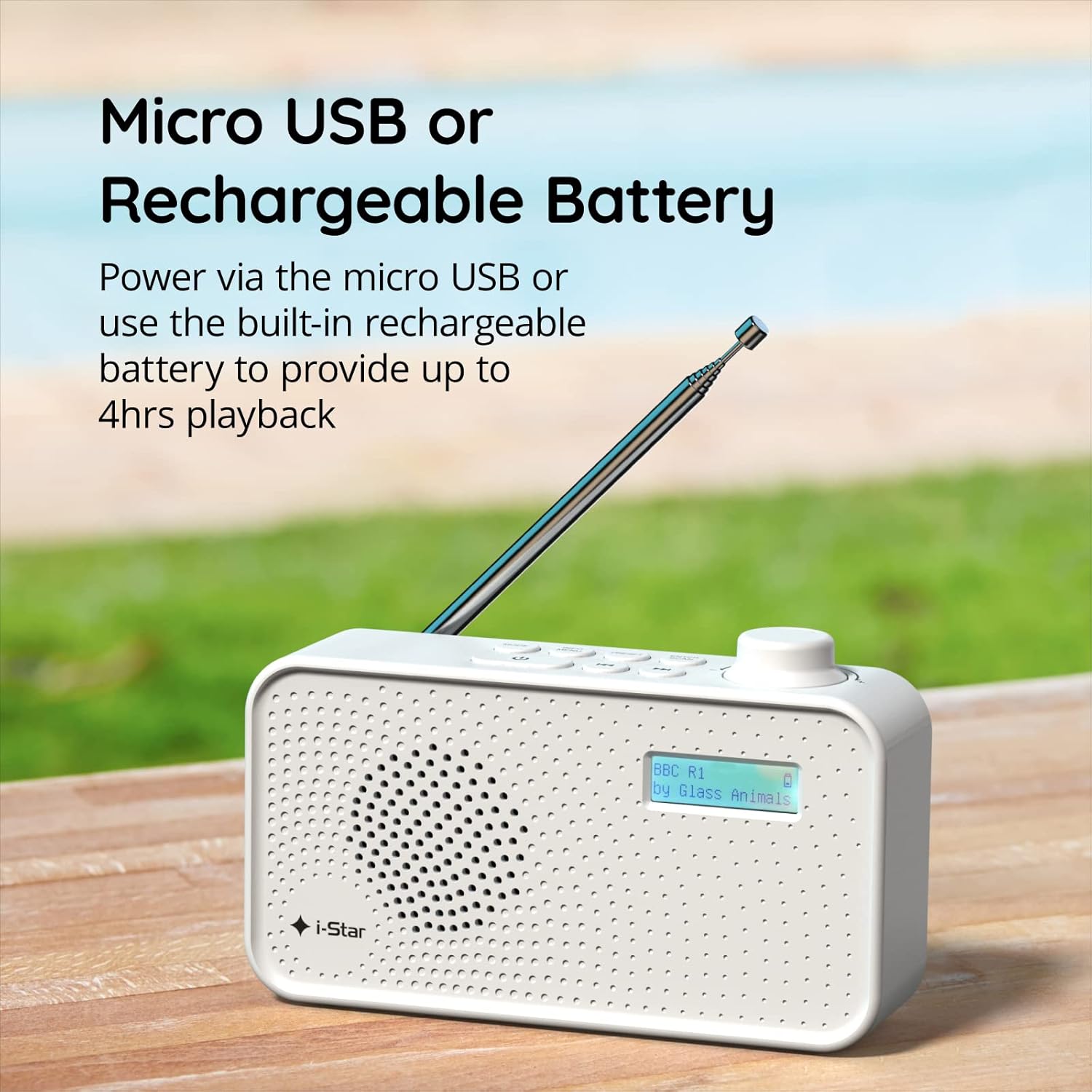
Figura 2: The radio powered via Micro USB or its built-in rechargeable battery.
2.2 First Power On and Automatic Scan
- Estenda a antena telescópica completamente para unha recepción óptima.
- Manteña premido o ESTADO DE REPOUSO botón para acender a radio.
- Ao acendelo por primeira vez, a radio buscará automaticamente as emisoras DAB/DAB+ dispoñibles. Este proceso pode tardar uns minutos.
- Unha vez finalizada a busca, a radio sintonizará a primeira emisora dispoñible.
3. Instrucións de funcionamento
3.1 Switching Between DAB/DAB+ and FM Modes
- Preme o MODO button repeatedly to switch between DAB/DAB+ and FM radio modes. The current mode will be displayed on the LCD screen.

Figura 3: The radio supports DAB, DAB+, and FM for a wide range of listening options.
3.2 Estacións de sintonización
- DAB/DAB+ Mode: Usa o PRESET or SINTONIZA buttons (left/right arrows) to navigate through the list of available stations. Press ENTRAR/ESCANEAR para seleccionar unha estación.
- Modo FM: Preme o ENTRAR/ESCANEAR button to automatically scan for the next available FM station. Alternatively, use the SINTONIZA botóns para o axuste fino manual.
3.3 Gardar e recuperar predefinicións
- Sintonice a emisora desexada.
- Manteña premido o PRESET botón ata que apareza "Preset Store" na pantalla.
- Usa o SINTONIZA botóns para seleccionar un número predefinido (1-60).
- Preme ENTRAR/ESCANEAR para confirmar e gardar a emisora.
- To recall a saved station, briefly press the PRESET botón e, a continuación, use o SINTONIZA buttons to select the desired preset number, and press ENTRAR/ESCANEAR.
3.4 Control de volume
- Xire o VOLUME knob (located on the right side) clockwise to increase volume and counter-clockwise to decrease volume.
3.5 Función do temporizador de sono
- To activate the sleep timer, press the INFORMACIÓN / MENÚ button repeatedly until 'Sleep' appears.
- Usa o SINTONIZA buttons to select the desired sleep duration (e.g., 15, 30, 45, 60, 90 minutes).
- Preme ENTRAR/ESCANEAR para confirmar. A radio apagarase automaticamente despois do tempo configurado.

Figura 4: The sleep timer feature allows the radio to automatically switch off after a set period.
3.6 Escoita con auriculares
- Connect standard 3.5mm headphones (not included) to the headphone jack located on the side of the radio for private listening. The internal speaker will be muted automatically.

Figura 5: Connect headphones for personal listening without disturbing others.
4. Mantemento
4.1 Coidados xerais
- Keep the radio away from direct sunlight, heat sources, and moisture.
- Evite deixar caer a radio ou sometela a impactos fortes.
- Do not attempt to disassemble the radio; this will void the warranty.
4.2 Limpeza
- Limpa o exterior da radio cun pano suave e seco.
- Non empregues produtos de limpeza abrasivos, ceras ou disolventes, xa que poden danar o acabado.
5 Solución de problemas
- Sen enerxía: Ensure the radio is charged or connected to a power source via the USB cable. Check if the STANDBY button has been pressed.
- Sen son: Check the volume level. Ensure headphones are not connected if you intend to use the speaker.
- Poor Reception (DAB/DAB+ or FM): Fully extend the telescopic antenna. Try repositioning the radio. Perform a full scan for DAB/DAB+ stations. In FM mode, try manual tuning.
- Radio Freezes/Unresponsive: Turn the radio off and on again. If the issue persists, allow the battery to fully discharge and then recharge it.
6. Especificacións
| Característica | Especificación |
|---|---|
| Marca | i-Star |
| Número de modelo | 90059PI |
| Cor | Branco |
| Bandas de radio admitidas | DAB, DAB+, FM |
| Tecnoloxía de afinación | Digital (DAB/DAB+), Analog (FM) |
| Conectividade | USB (for charging), 3.5mm Headphone Jack |
| Fonte de enerxía | Rechargeable Lithium-ion Battery (1200 mAh), USB Power |
| Duración da batería | Ata 4 horas (cunha única carga) |
| Características especiais | Portable, Sleep Timer, 60 Station Presets |
| Compoñentes incluídos | USB Charging Cable, User Manual |
| Peso do elemento | 440 gramos |
7. Garantía e soporte
This product is covered by a standard manufacturer's warranty. Please refer to the warranty card included in your packaging for specific terms and conditions. For technical support, troubleshooting assistance, or warranty claims, please contact your retailer or the i-Star customer service department. Contact details can typically be found on the product packaging or the official i-Star websitio.